Xamarincommunitytoolkit: [Bug] [CameraView] [Android] CameraView does not use the view space defined in Xamarin.Forms
Description
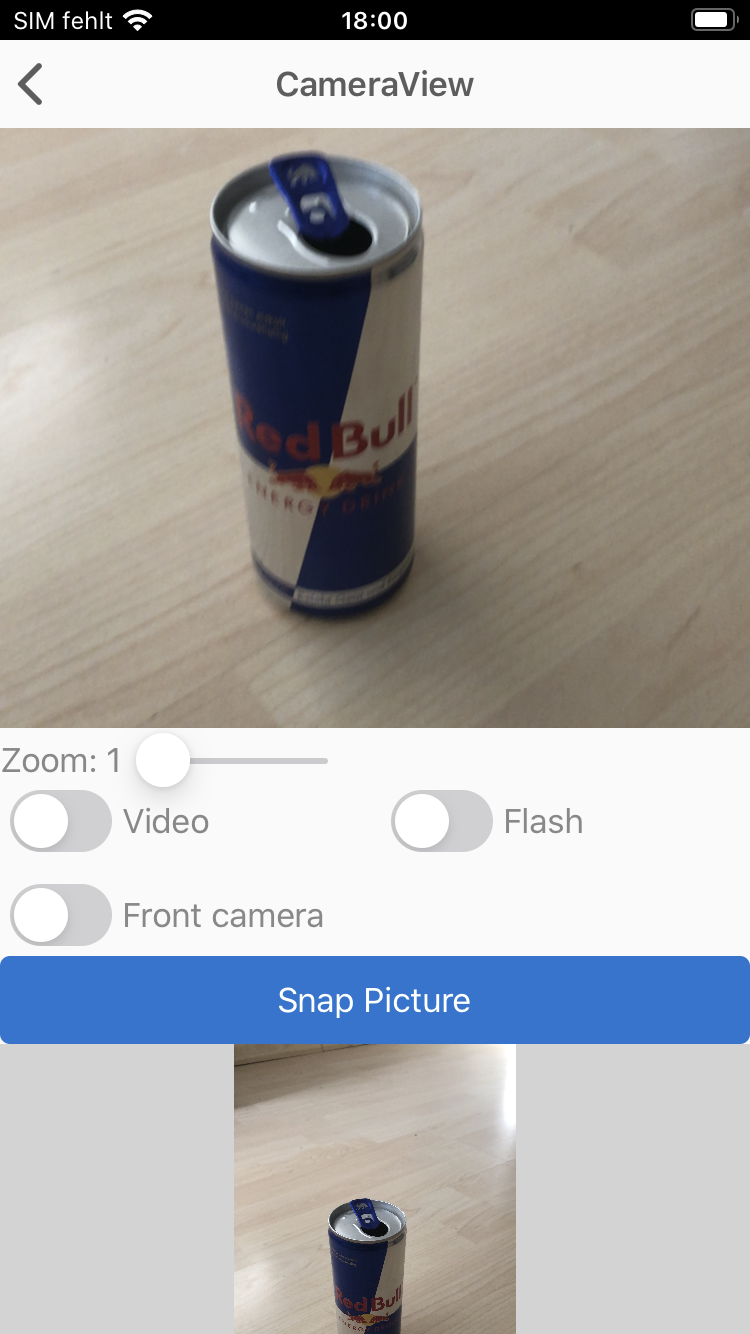
When using CameraView in Xamarin.Forms the default option for HorizontalOptions and VerticalOptions are FillAndExpand, yet the CameraView on Android does not use the space given to it and scale the image as AspectFill as it is on iOS.
I tried e.g. to create a CameraView that uses the whole screen. While on iOS it fills the whole screen, on Android it's only a square.
Steps to Reproduce
- Create a "full screen" CameraView that spans the whole screen
or: - Use the sample app
- Change to photo
Expected Behavior
The CameraView does use the whole space while using AspectFill as Aspect.
Actual Behavior
The CameraView does not use the whole space.
Basic Information
Workaround
Reproduction imagery
Android (invalid):

iOS (valid):
Reproduction Link
 acuntex
All 4 comments
@acuntex can you confirm if this still happens?
 pictos
on 18 Sep 2020
pictos
on 18 Sep 2020
@pictos Yes, it's still happening.
It's also interesting that in the sample if you switch to Front Camera and then from Video to Photo, the camera image is suddenly zoomed in.
acuntex
on 18 Sep 2020
I face the same issue... also on a Samsung SM-G950, the preview with zoom 1 is still more zoomed in than the actual picture taken.
 Depechie
on 18 Sep 2020
Depechie
on 18 Sep 2020
Do we think the zoom issue has the same cause? If not, can we open a separate issue for that?
 jfversluis
on 30 Sep 2020
jfversluis
on 30 Sep 2020
Related issues
 knocte
·
5Comments
knocte
·
5Comments
 jvlppm
·
6Comments
jfversluis
·
6Comments
jvlppm
·
6Comments
jfversluis
·
6Comments
 Char0394
·
6Comments
pictos
·
7Comments
Char0394
·
6Comments
pictos
·
7Comments
Most helpful comment
I face the same issue... also on a Samsung SM-G950, the preview with zoom 1 is still more zoomed in than the actual picture taken.