Xamarin-macios: Antivirus software rarely corrupting SDK installs
In some cases anti-virus software can incorrectly flag the Xamarin.iOS SDK as malware and remove required files, corrupting it. This will result in errors such as:
Could not launch Xamarin.Launcher Could not find the executable 'mlaunch.exe'
If you have been affected, see vendor instructions here for Symantec and here for Norton on how to exclude mlaunch.exe from your antivirus scanner to prevent re-occurrence.
For Norton users, members of our community also have found that you may need to disable idle scan as noted here: Windows, Mac.
Also consider reporting a false positive to Symantec or Norton.
Once you have added an exclusion, a re-installation will be required to restore the missing files. The current simplest way to do this is switch channels in the updater:
- Visual Studio menu > Check for updates
- Select a different update channel in the dropdown and hit the “Switch channel” button
- Wait for updates to download
- Switch back to original channel and install updates
 whitneyschmidt
All 7 comments
Documentation for this workaround has been added to msdocs: https://docs.microsoft.com/en-us/xamarin/ios/troubleshooting/troubleshooting#could-not-launch-xamarinlauncher-could-not-find-the-executable-mlaunchexe
whitneyschmidt
on 10 Jun 2020
I have configured Norton like so but it still deleted it
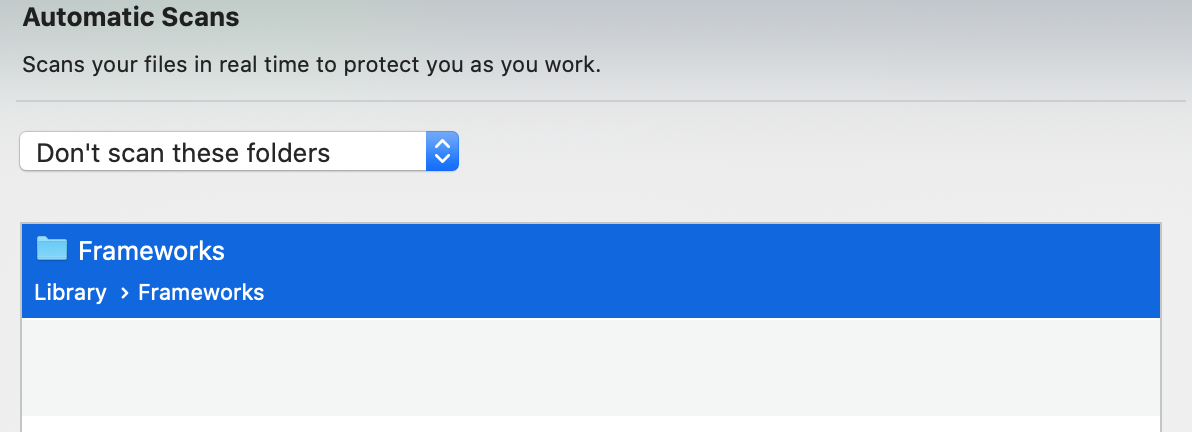
I just got off chat with Norton .. seems the file is deleted by "Idle scan" and there is no way to configure "idle scan" to exclude files or folders
So to stop Norton on a Mac from deleting mlaunch.exe you need to disable idle scan
 stephenhauck
on 11 Jun 2020
stephenhauck
on 11 Jun 2020
@stephenhauck Thanks for investigating and reaching out to Norton when the workaround wasn't enough - this is super useful for us and other folks in the future 👍
I assume that you're able to launch now?
I'll update our documentation on this issue to reflect that disabling "idle scan" may be required to get things working.
whitneyschmidt
on 11 Jun 2020
Yes it appears to be working.
The link in the resolution you provide is for the Windows version of the software according to Norton
:(
stephenhauck
on 11 Jun 2020
@stephenhauck Thanks for letting me know - do the instructions also work with Norton on Mac or are there major differences?
whitneyschmidt
on 11 Jun 2020
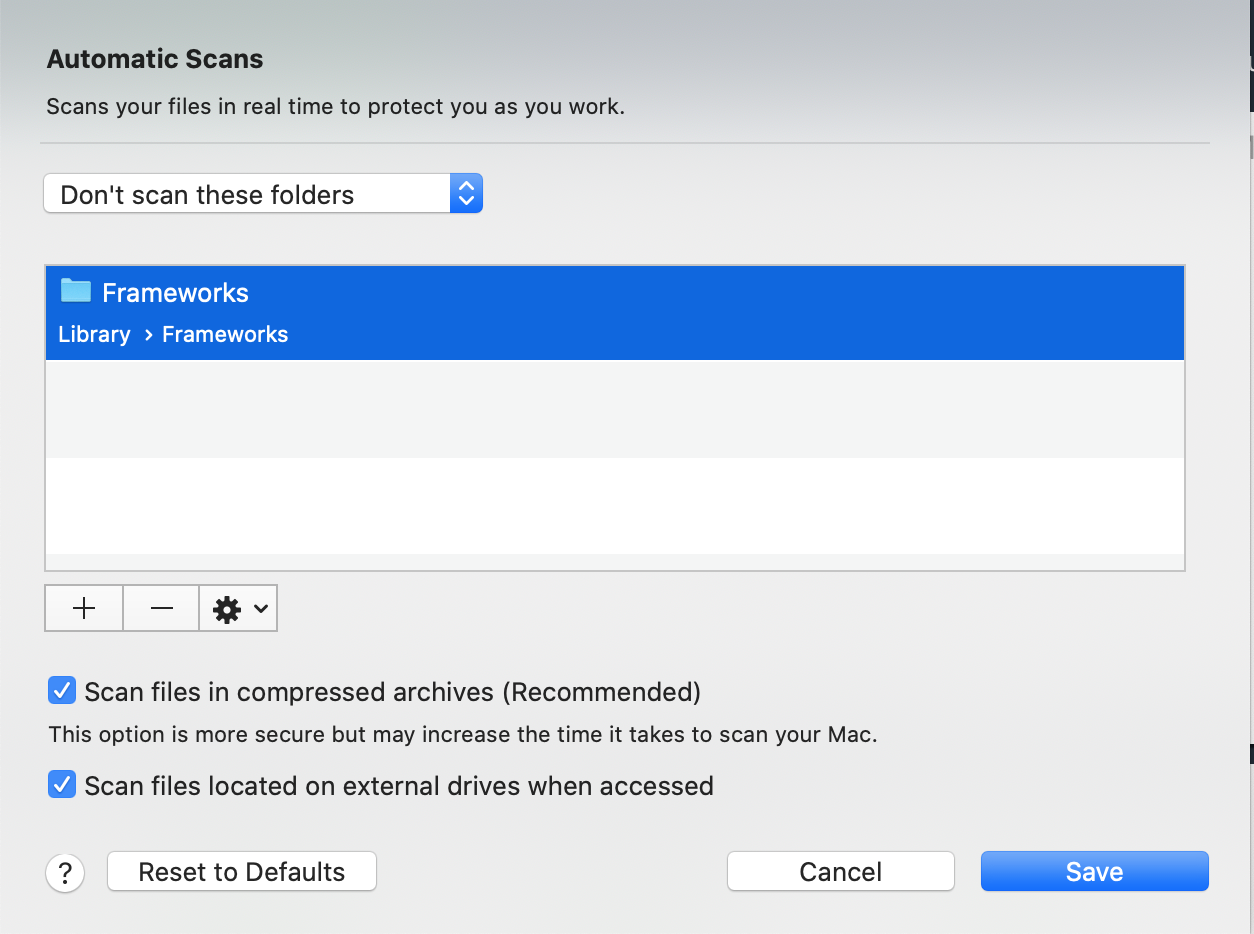
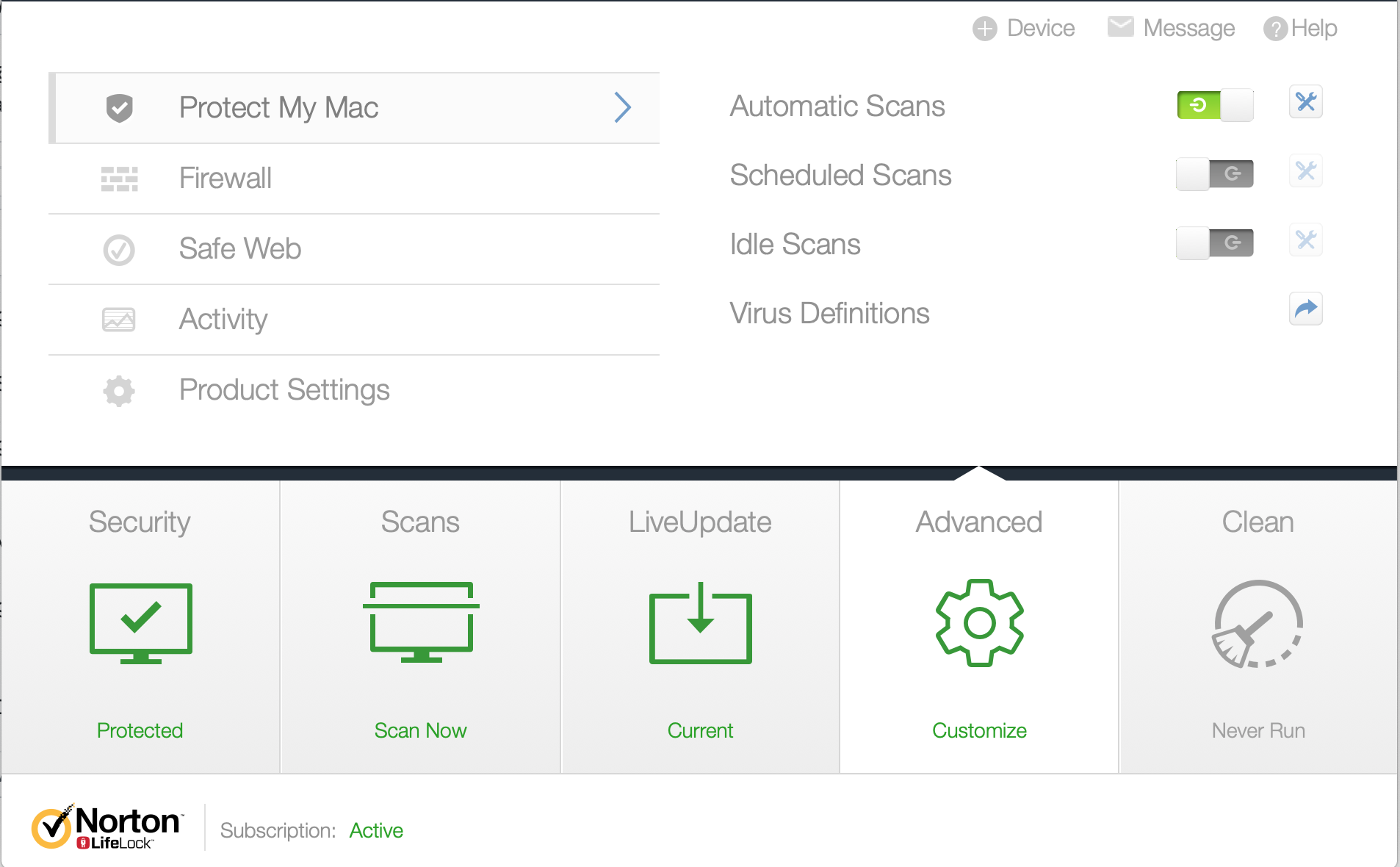
Here is where you change it on Mac...
Select "Advanced" / "Cusomize"
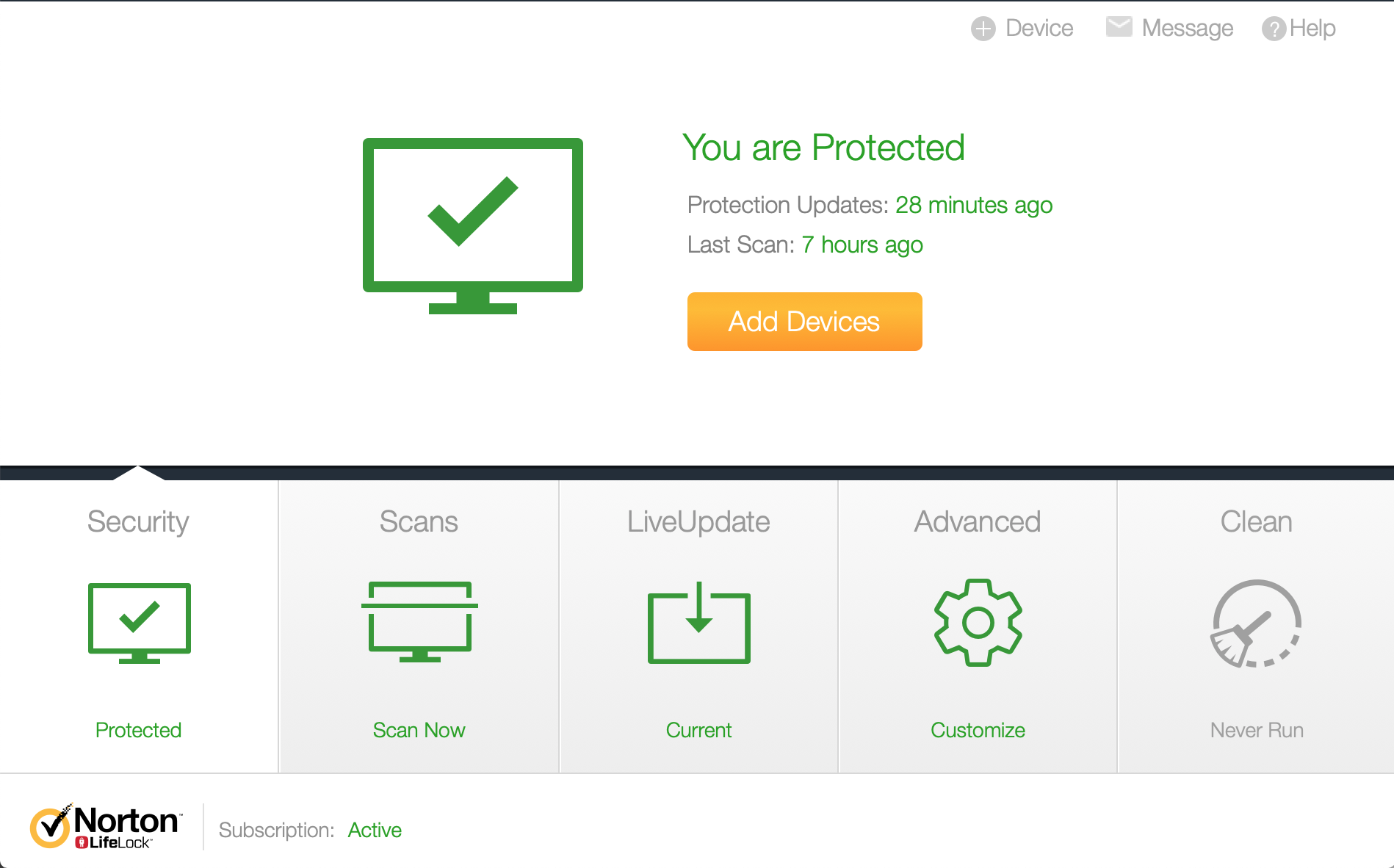
Select the tools next to "Automatic Scans"
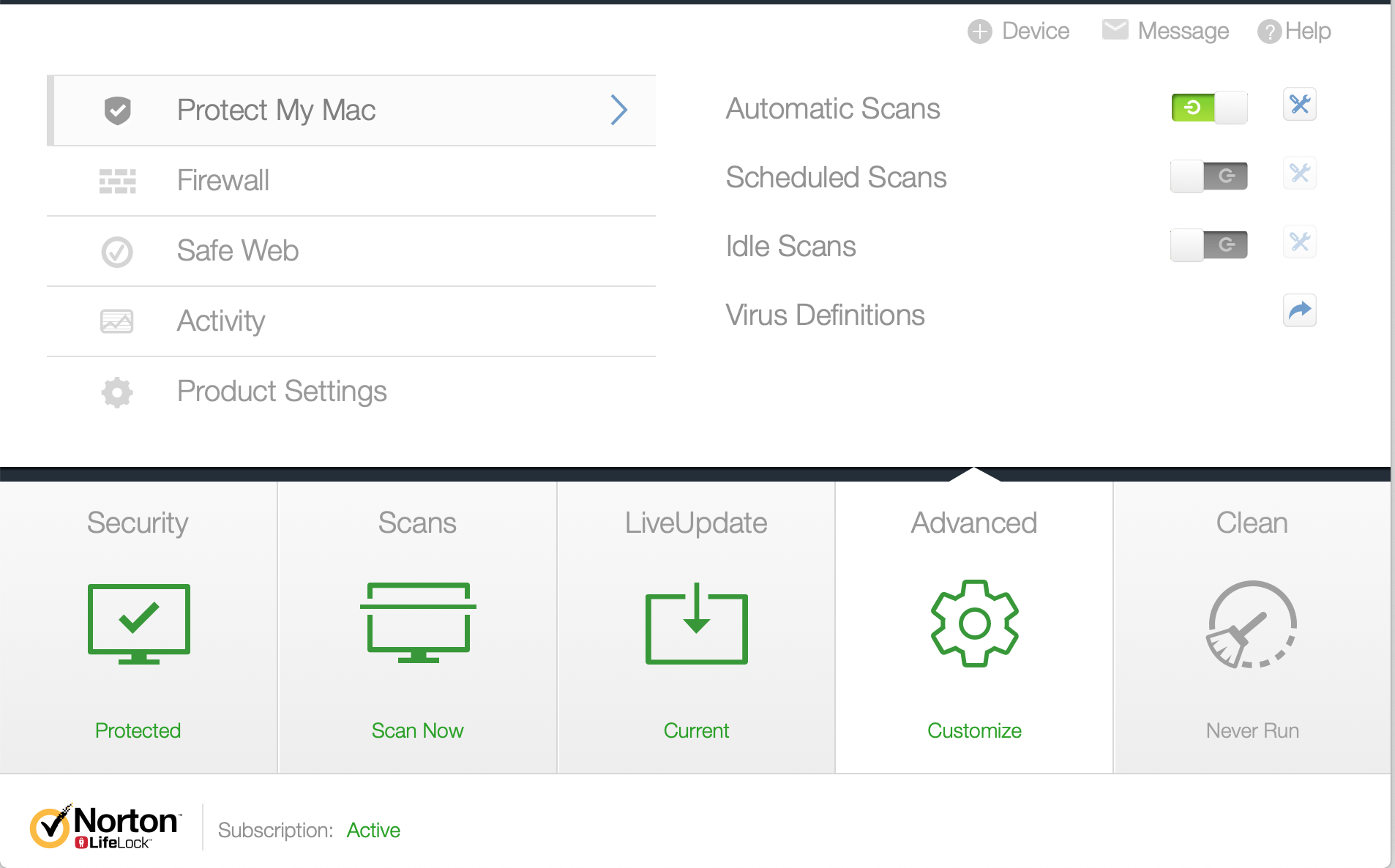
Make the changes you want
Disable the "Idle Scans" because you cannot configure it !
stephenhauck
on 11 Jun 2020
@stephenhauck Awesome!
Sadly Norton's official docs seem to apply mostly to Windows, so I'm going to link to your comment for Mac users :)
whitneyschmidt
on 11 Jun 2020
Related issues
 michaelstonis
·
3Comments
michaelstonis
·
3Comments
 chamons
·
3Comments
chamons
·
3Comments
 juepiezhongren
·
3Comments
juepiezhongren
·
3Comments
 parmjitv
·
4Comments
parmjitv
·
4Comments
 nickmask
·
3Comments
nickmask
·
3Comments