Xamarin-macios: [watchos] Can't deploy with ARMv7k architecture on Series 4
Steps to Reproduce
- Create a new watchOS project.
- Deploy on new Apple Watch Series 4.
Expected Behavior
Should deploy fine.
Actual Behavior
Deploying to Device output:
IncorrectArchitecture: Failed to find matching arch for 32-bit Mach-O input file /private/var/installd/Library/Caches/com.apple.mobile.installd.staging/temp.mC7GED/extracted/MySingleAppMyWatchProject.app/PlugIns/MySingleAppMyWatchProjectExtension.appex/MySingleAppMyWatchProjectExtension
error MT1006: Could not install the application '/Users/vince/Projects/MySingleApp/MySingleApp/bin/iPhone/Debug/device-builds/iphone10.6-12.1/MySingleApp.app' on the device 'Vincent’s iPhone X': AMDeviceSecureInstallApplicationBundle returned: 0xe8000087 (kAMDIncorrectArchitectureError).
Environment
=== Visual Studio Enterprise 2017 for Mac ===

Version 7.6.6 (build 17)
Installation UUID: bef2b48b-cfbf-4371-bca9-fa440adab7db
Runtime:
    Mono 5.12.0.301 (2018-02/4fe3280bba1) (64-bit)
    GTK+ 2.24.23 (Raleigh theme)
    Xamarin.Mac 4.4.1.178 (master / eeaeb7e6)

    Package version: 512000301

=== NuGet ===

Version: 4.3.1.4445

=== .NET Core ===

Runtime: /usr/local/share/dotnet/dotnet
Runtime Versions:
    2.1.2
    2.0.5
    2.0.0
SDK: /usr/local/share/dotnet/sdk/2.1.302/Sdks
SDK Versions:
    2.1.302
    2.1.4
    2.0.2
    2.0.0
MSBuild SDKs: /Library/Frameworks/Mono.framework/Versions/5.12.0/lib/mono/msbuild/15.0/bin/Sdks

=== Xamarin.Profiler ===

Version: 1.6.3
Location: /Applications/Xamarin Profiler.app/Contents/MacOS/Xamarin Profiler

=== Apple Developer Tools ===

Xcode 10.1 (14460.20.3)
Build 10O23u

=== Xamarin.Android ===

Version: 9.0.0.20 (Visual Studio Enterprise)
Android SDK: /Users/vince/Library/Developer/Xamarin/android-sdk-macosx
    Supported Android versions:
        4.1    (API level 16)
        4.2    (API level 17)
        4.3    (API level 18)
        4.4    (API level 19)
        4.4.87 (API level 20)
        5.0    (API level 21)
        5.1    (API level 22)
        6.0    (API level 23)
        7.0    (API level 24)
        7.1    (API level 25)
        8.0    (API level 26)
        8.1    (API level 27)

SDK Tools Version: 26.1.1
SDK Platform Tools Version: 26.0.2
SDK Build Tools Version: 27.0.0

Java SDK: /usr
java version "1.8.0_101"
Java(TM) SE Runtime Environment (build 1.8.0_101-b13)
Java HotSpot(TM) 64-Bit Server VM (build 25.101-b13, mixed mode)

Android Designer EPL code available here:
https://github.com/xamarin/AndroidDesigner.EPL

=== Xamarin.Mac ===

Version: 4.6.0.14 (Visual Studio Enterprise)
Hash: 1a6e2786
Branch:
Build date: 2018-08-28 00:12:06-0400

=== Xamarin.iOS ===

Version: 12.0.0.15 (Visual Studio Enterprise)
Hash: 84552a46
Branch: xcode10
Build date: 2018-09-17 21:54:33-0400

=== Xamarin Inspector ===

Version: 1.4.3
Hash: db27525
Branch: 1.4-release
Build date: Mon, 09 Jul 2018 21:20:18 GMT
Client compatibility: 1

=== Build Information ===

Release ID: 706060017
Git revision: 822323b5f6295b271d4c9bfaca4129f90ec41f38
Build date: 2018-09-18 20:19:40+00
Build branch: release-7.6-xcode10
Xamarin extensions: a83eb4b7ad9174ac2e705f2c4257ecd15688ba97

=== Operating System ===

Mac OS X 10.14.0
Darwin 18.0.0 Darwin Kernel Version 18.0.0
    Wed Aug 22 20:59:21 PDT 2018
    root:xnu-4903.201.2~4/RELEASE_X86_64 x86_64

=== Enabled user installed extensions ===

NuGet Package Explorer 0.2
Internet of Things (IoT) development (Preview) 7.5
Build Logs
https://gist.github.com/VincentDondain/574b4fad1933e6a0c20b8df0c8a7ade9
VS bug #891355
 VincentDondain
All 108 comments
could it be related to this? https://github.com/xamarin/xamarin-macios/issues/4810
 motoko89
on 22 Sep 2018
motoko89
on 22 Sep 2018
@motoko89 no, it's a separate issue.
 rolfbjarne
on 24 Sep 2018
rolfbjarne
on 24 Sep 2018
Is there any work around to this? The only way I can test on real Series 4 device is to compile with https://github.com/xamarin/xamarin-macios/issues/4810 plist hack, submit to app store, and use TestFlight. This is very tedious.
 t9mike
on 25 Sep 2018
t9mike
on 25 Sep 2018
@t9mike at the moment we don't know any other workaround other than what you're doing (using TestFlight), but we're working hard on figuring something out. This was a not-so-nice surprise from Apple 😒
rolfbjarne
on 25 Sep 2018
Alright we found a workaround!
In the watch extension's csproj, after <Import Project="$(MSBuildExtensionsPath)\Xamarin\WatchOS\Xamarin.WatchOS.AppExtension.CSharp.targets" />
Add:
<Target Name="BeforeCodesign" Condition="'$(Configuration)|$(Platform)' == 'Release|iPhone'">
    <Exec Command="mv '$(_NativeExecutable)' '$(_NativeExecutable).armv7k'" />
    <Exec Command="xcrun bitcode-build-tool -j 8 -o '$(_NativeExecutable).arm64_32' --translate-watchos '$(_NativeExecutable).armv7k'" />
    <Exec Command="xcrun lipo -create -output '$(_NativeExecutable)' '$(_NativeExecutable).arm64_32' '$(_NativeExecutable).armv7k'" />
    <Exec Command="rm -f '$(_NativeExecutable).arm64_32' '$(_NativeExecutable).armv7k'" />
</Target>
In short what this does is for the release mode (because we need full bitcode): translate the armv7k code into arm64_32 using Xcode's tooling, make a fat binary and that when deployed to device, works!
VincentDondain
on 25 Sep 2018
Alright we found a workaround!
Yes! Thank you team. Worked on my project.
t9mike
on 26 Sep 2018
Have in mind that this workaround will not create arm64_32 bitcode, which means the workaround should probably be removed/commented out before trying to publish the app to the app store (alternatively you can add a new Release configuration, say ReleaseWithS4Workaround, and put the workaround in that configuration, so that the Release configuration would still work for archiving).
rolfbjarne
on 26 Sep 2018
Also for this hack, make sure your xcode-select -p points to Xcode 10 final and above (xcode-select -s /path/to/Xcode if needed). Xcode 10 GM and before didn't have the translation command.
VincentDondain
on 27 Sep 2018
Is there any way to run Debug build against real Watch device? When I try adding to Debug|iPhone I get the "Failed to find matching arch for 32-bit Mach-O input file" error. I have a nasty bug that is happening on device and not simulator that I need to debug.
I added:
  <Target Name="BeforeCodesign" Condition="'$(Configuration)|$(Platform)' == 'Debug|iPhone'">
      <Exec Command="mv '$(_NativeExecutable)' '$(_NativeExecutable).armv7k'" />
      <Exec Command="xcrun bitcode-build-tool -j 8 -o '$(_NativeExecutable).arm64_32' --translate-watchos '$(_NativeExecutable).armv7k'" />
      <Exec Command="xcrun lipo -create -output '$(_NativeExecutable)' '$(_NativeExecutable).arm64_32' '$(_NativeExecutable).armv7k'" />
      <Exec Command="rm -f '$(_NativeExecutable).arm64_32' '$(_NativeExecutable).armv7k'" />
  </Target>
@t9mike no, there's no way to use the Debug configuration, because the hack is using the bitcode from the Release configuration to create the native arm64_32 code the watch requires. The Debug configuration doesn't create bitcode, so it won't work. And yes, I know this means you won't be able to use the debugger. Unfortunately supporting an entirely new architecture is a lot of work (arm64_32 also has characteristics no other architecture has, which makes it even more complicated), so it's quite unlikely that we'll get debugging on the S4 device working in the near future (my guess would be sometime next year).
rolfbjarne
on 1 Oct 2018
Should I be able to symbolicate a crash from the watch extension with the work around? When I do:
/Applications/Xcode.app/Contents/SharedFrameworks/DVTFoundation.framework/Versions/A/Resources/symbolicatecrash -o "symbolicatedCrash.txt" "SundialWatchAppExtension 10-1-18, 10-00 PM.crash" SundialWatchAppExtension.appex
I don't see SundialWatchAppExtension C# details in stack trace:
Thread 0 name:  tid_303  Dispatch queue: com.apple.main-thread
Thread 0 Crashed:
0   libsystem_kernel.dylib          0x1c043be4 __abort_with_payload + 8
1   libsystem_kernel.dylib          0x1c03d590 abort_with_payload_wrapper_internal + 100
2   libsystem_kernel.dylib          0x1c03d52c abort_with_payload_wrapper_internal + 0
3   libobjc.A.dylib                 0x1b68a958 _objc_fatalv+ 22872 (unsigned long long, unsigned long long, char const*, char*) + 112
4   libobjc.A.dylib                 0x1b68a8b0 __objc_error + 0
5   libobjc.A.dylib                 0x1b695e1c getMethodNoSuper_nolock+ 69148 (objc_class*, objc_selector*) + 0
6   libobjc.A.dylib                 0x1b6a23b8 _objc_msgSend_uncached + 56
7   Foundation                      0x1cf6d18c _NSDescriptionWithStringProxyFunc + 64
8   CoreFoundation                  0x1c457a4c __CFStringAppendFormatCore + 7800
9   CoreFoundation                  0x1c459530 _CFStringCreateWithFormatAndArgumentsAux2 + 136
10  ClockKit                        0x2dd095cc -[CLKCompoundTextProvider _processFormat:arguments:] + 148
11  ClockKit                        0x2dd070bc -[CLKCompoundTextProvider initWithFormat:arguments:] + 208
12  ClockKit                        0x2dd27918 +[CLKTextProvider textProviderWithFormat:arguments:] + 80
13  ClockKit                        0x2dd278bc +[CLKTextProvider textProviderWithFormat:] + 36
14  SundialWatchAppExtension        0x003df2dc 0x38c000 + 340700
15  SundialWatchAppExtension        0x008aa0bc 0x38c000 + 5365948
16  SundialWatchAppExtension        0x00ef1cb4 0x38c000 + 11951284
17  SundialWatchAppExtension        0x00eeeaec 0x38c000 + 11938540
18  SundialWatchAppExtension        0x00f78104 0x38c000 + 12501252
19  SundialWatchAppExtension        0x00f7a050 0x38c000 + 12509264
20  SundialWatchAppExtension        0x003999e4 0x38c000 + 55780
21  SundialWatchAppExtension        0x00399798 0x38c000 + 55192
22  ClockKit                        0x2dd2e298 __76-[CLKComplicationServer getCurrentTimelineEntryForComplication:withHandler:]_block_invoke + 236
...
@t9mike you're right, it seems the workaround removes the symbols, and there doesn't seem to be a way around it either. Do you get something in the Application Output when it crashes like this?
rolfbjarne
on 2 Oct 2018
Do you get something in the Application Output when it crashes like this?
Via Console? No.
Odd crash. Modular Large complication only, unchanged from previous releases:
- Fine on Series 2 42mm hardware, watchOS 5
- Fine on Series 4 44m simulator, watchOS 5
- Crash on Series 4 44m hardware, watchOS 5
It appears to be crashing on one of my TextProviderWithFormat.Create() calls. I don't expect you to debug this, but I'm curious if you notice anything in the unmanaged portion of the stack trace that jumps out as common managed/unmanaged interop issue?
FYI example of some of the Modular Large complication code:
var timespan_provider = CLKRelativeDateTextProvider.FromDate(
   entry.Event.Date.ToNSDate(), CLKRelativeDateStyle.Natural, NSCalendarUnit.Hour |
   NSCalendarUnit.Minute);
var time_provider = CLKTimeTextProvider.FromDate(entry.Event.Date.ToNSDate());

temp.Body1TextProvider = CLKSimpleTextProvider.FromText(label + " in");
temp.Body2TextProvider = TextProviderWithFormat.Create("%@ at %@",
   timespan_provider, time_provider);
I'll experiment with no providers in TextProviderWithFormat.Create() to narrow it down I suppose. Ugg.
t9mike
on 2 Oct 2018
Is TextProviderWithFormat something you bound yourself?
Because something looks wrong, you're calling it with three parameters:
TextProviderWithFormat.Create("%@ at %@", timespan_provider, time_provider);
yet the method from the stack trace only takes one:
13 ClockKit 0x2dd278bc +[CLKTextProvider textProviderWithFormat:] + 36
Is
TextProviderWithFormatsomething you bound yourself?
You are two steps ahead of me @rolfbjarne :-). I had not started reviewing/debugging my text provider calls yet. Yes, looking deeper, I previously had to create a way to call:
(CLKTextProvider *)textProviderWithFormat:(NSString *)format, ...;
https://developer.apple.com/documentation/clockkit/clktextprovider/1627899-textproviderwithformat
I created ticket about this missing API. See https://bugzilla.xamarin.com/show_bug.cgi?id=53271. With the help of @mandel-macaque I used:
    public static class TextProviderWithFormat
    {
        [DllImport("/usr/lib/libobjc.dylib")]
        static extern IntPtr objc_msgSend(IntPtr obj, IntPtr selector, IntPtr format, IntPtr provider0);

        [DllImport("/usr/lib/libobjc.dylib")]
        static extern IntPtr objc_msgSend(IntPtr obj, IntPtr selector, IntPtr format, IntPtr provider0, IntPtr provider1);

        public static CLKTextProvider Create(string format,
                CLKRelativeDateTextProvider provider)
        {
            IntPtr ptr = objc_msgSend(new Class(typeof(CLKTextProvider)).Handle,
                                      Selector.GetHandle("textProviderWithFormat:"),
                                      new NSString(format).Handle, provider.Handle);
            return Runtime.GetNSObject<CLKTextProvider>(ptr);
        }

        public static CLKTextProvider Create(string format,
            CLKTimeTextProvider timeTextProvider)
        {
            IntPtr ptr = objc_msgSend(new Class(typeof(CLKTextProvider)).Handle,
                                      Selector.GetHandle("textProviderWithFormat:"),
                                      new NSString(format).Handle,
                                      timeTextProvider.Handle);
            return Runtime.GetNSObject<CLKTextProvider>(ptr);
        }

        public static CLKTextProvider Create(string format,
            CLKTextProvider textProvider,
            CLKRelativeDateTextProvider relativeDateTextProvider)
        {
            IntPtr ptr = objc_msgSend(new Class(typeof(CLKTextProvider)).Handle,
                                      Selector.GetHandle("textProviderWithFormat:"),
                                      new NSString(format).Handle,
                                      textProvider.Handle,
                                      relativeDateTextProvider.Handle);
            return Runtime.GetNSObject<CLKTextProvider>(ptr);
        }

        public static CLKTextProvider Create(string format,
            CLKRelativeDateTextProvider relativeDateTextProvider,
                                             CLKTimeTextProvider timeTextProvider)
        {
            IntPtr ptr = objc_msgSend(new Class(typeof(CLKTextProvider)).Handle,
                                      Selector.GetHandle("textProviderWithFormat:"),
                                      new NSString(format).Handle,
                                      relativeDateTextProvider.Handle,
                                      timeTextProvider.Handle);
            return Runtime.GetNSObject<CLKTextProvider>(ptr);
        }
}
AFAICT no work has been done on the underlying missing API. Is this a 32/64-bit pointer issue?
Any hints on work around? Perhaps https://bugzilla.xamarin.com/show_bug.cgi?id=53271#c14 approach to binding?
FYI, here is the Modular Large complication:

t9mike
on 2 Oct 2018
@t9mike variadic functions are tricky :/ Try this instead: https://gist.github.com/rolfbjarne/aab3bbd2b096f830daf4abaa3d25e609 - this will pass the variadic arguments as the 8th and subsequent parameter (see here for a longer explanation). This is how it works for arm64; I don't know how if it works for arm64_32 as well (Apple has released no documentation whatsoever), but it's worth a try.
rolfbjarne
on 2 Oct 2018
Try this instead: https://gist.github.com/rolfbjarne/aab3bbd2b096f830daf4abaa3d25e609
Yes that did the trick @rolfbjarne! Thank you so much. I don't know of a way to check for arm64_32 so I checked for Series 4 (+ not simulator) instead. Would be interested in future proofing a little.
Here is my updated wrapper with conditionalization for Series4 device: https://gist.github.com/t9mike/aff2886c141a26dce1a669de6079df9c.
t9mike
on 3 Oct 2018
Yes that did the trick @rolfbjarne!
Great 😄
I don't know of a way to check for arm64_32 so I checked for Series 4 (+ not simulator) instead. Would be interested in future proofing a little.
I think this is good enough for now, afaik there's no other way to distinguish the S4 from the earlier versions. I've filed #4907 so that we add an API to expose the underlying cpu architecture.
rolfbjarne
on 3 Oct 2018
Hi when will this fix become available? Workaround did not work for me
 grantkiwi
on 16 Oct 2018
grantkiwi
on 16 Oct 2018
@grantkiwi can you post the build log and the deploy log from the IDE?
rolfbjarne
on 16 Oct 2018
This is error I get when app watch app is trying to install on series 4.
Time Device Name Type PID Tag Message
Oct 16 12:15:34 Grants-iPhone-X Notice 111 appconduitd(MobileSystemServices) 0x16b8c3000 -[ACXCompanionSyncConnection _installWatchAppWithBundleID:withProvisioningProfileInfo:installationPendingBlock:completionWithError:]_block_invoke_3: Failed to install app com.timefiler.timefileruipunchclock.watchkitapp : Error Domain=ACXErrorDomain Code=17 "Got error 17 in install done from remote side (MI error IncorrectArchitecture ; Extended 0x0 ; Desc Failed to find matching arch for 32-bit Mach-O input file /private/var/installd/Library/Caches/com.apple.mobile.installd.staging/temp.ibRG0e/extracted/Payload/TimeFilerUIPunchClockWatch.WatchOSApp.app/PlugIns/TimeFilerUIPunchClockWatch.WatchOSExtension.appex/TimeFilerUIPunchClockWatch.WatchOSExtension)" UserInfo={SourceFileLine=591, NSLocalizedDescription=Got error 17 in install done from remote side (MI error IncorrectArchitecture ; Extended 0x0 ; Desc Failed to find matching arch for 32-bit Mach-O input file /private/var/installd/Library/Caches/com.apple.mobile.in
grantkiwi
on 16 Oct 2018
@grantkiwi and the build log?
rolfbjarne
on 17 Oct 2018
Will do sorry away on another problem at the moment
From: Rolf Bjarne Kvinge notifications@github.com
Sent: Wednesday, October 17, 2018 6:16:10 PM
To: xamarin/xamarin-macios
Cc: Grant Woolhouse - TimeFiler; Mention
Subject: Re: [xamarin/xamarin-macios] [watchos] Can't deploy with ARMv7k architecture on Series 4 (#4864)
@grantkiwihttps://github.com/grantkiwi and the build log?
—
You are receiving this because you were mentioned.
Reply to this email directly, view it on GitHubhttps://github.com/xamarin/xamarin-macios/issues/4864#issuecomment-430492416, or mute the threadhttps://github.com/notifications/unsubscribe-auth/AH4O6cI0LD3M4VcfZNmcA-Ui0sHtwW_5ks5ulr0agaJpZM4W0kbj.
grantkiwi
on 17 Oct 2018
grantkiwi
on 23 Oct 2018
log file attached sorry for delay have been away
grantkiwi
on 23 Oct 2018
Any updates? No one else reproduce this?
grantkiwi
on 23 Oct 2018
@grantkiwi:
Rebuild All started: Project: TimeFilerUIPunchClockWatch.WatchOSExtension, Configuration: Debug iPhone ------
This workaround only works for the Release configuration, not the Debug configuration.
See also https://github.com/xamarin/xamarin-macios/issues/4864#issuecomment-425829073
rolfbjarne
on 23 Oct 2018
I get this error in release configuration:
Severity Code Description Project File Line Suppression State
Error The command "mv 'biniPhoneReleaseTimeFilerUIPunchClockWatch.WatchOSExtension.appexTimeFilerUIPunchClockWatch.WatchOSExtension' 'biniPhoneReleaseTimeFilerUIPunchClockWatch.WatchOSExtension.appexTimeFilerUIPunchClockWatch.WatchOSExtension.armv7k'" exited with code 9009. TimeFilerUIPunchClockWatch.WatchOSExtension C:VSSpicassomobileTimeFilerUIPunchClockTimeFilerUIPunchClockTimeFilerUIPunchClockWatchTimeFilerUIPunchClockWatch.WatchOSExtensionTimeFilerUIPunchClockWatch.WatchOSExtension.csproj 122
grantkiwi
on 24 Oct 2018
@grantkiwi it seems the workaround will only work when building from macOS, not Windows.
@emaf @kzu do you know how this: https://github.com/xamarin/xamarin-macios/issues/4864#issuecomment-424448958 can be done so that it works from Windows?
rolfbjarne
on 24 Oct 2018
@rolfbjarne @grantkiwi to make it work from Windows you'll need to include SessionId="$(BuildSessionId)" on each command.
Like this:
<Target Name="BeforeCodesign" Condition="'$(Configuration)|$(Platform)' == 'Release|iPhone'">
    <Exec SessionId="$(BuildSessionId)" Command="mv '$(_NativeExecutable)' '$(_NativeExecutable).armv7k'" />
    <Exec SessionId="$(BuildSessionId)" Command="xcrun bitcode-build-tool -j 8 -o '$(_NativeExecutable).arm64_32' --translate-watchos '$(_NativeExecutable).armv7k'" />
    <Exec SessionId="$(BuildSessionId)" Command="xcrun lipo -create -output '$(_NativeExecutable)' '$(_NativeExecutable).arm64_32' '$(_NativeExecutable).armv7k'" />
    <Exec SessionId="$(BuildSessionId)" Command="rm -f '$(_NativeExecutable).arm64_32' '$(_NativeExecutable).armv7k'" />
</Target>
 emaf
on 24 Oct 2018
emaf
on 24 Oct 2018
Sorry I cant see anything below "like this:"
can you provide an exact example?
From: emaf notifications@github.com
Sent: Thursday, 25 October 2018 2:27:00 AM
To: xamarin/xamarin-macios
Cc: Grant Woolhouse - TimeFiler; Mention
Subject: Re: [xamarin/xamarin-macios] [watchos] Can't deploy with ARMv7k architecture on Series 4 (#4864)
@rolfbjarnehttps://github.com/rolfbjarne @grantkiwihttps://github.com/grantkiwi to make it work from Windows you'll need to include SessionId="$(BuildSessionId)" on each command.
Like this:
—
You are receiving this because you were mentioned.
Reply to this email directly, view it on GitHubhttps://github.com/xamarin/xamarin-macios/issues/4864#issuecomment-432655305, or mute the threadhttps://github.com/notifications/unsubscribe-auth/AH4O6d6On48q0FnrQvEJDHl6HZOJTcvRks5uoGqkgaJpZM4W0kbj.
grantkiwi
on 25 Oct 2018
@grantkiwi, sorry about that, here you have an example:
<Target Name="BeforeCodesign" Condition="'$(Configuration)|$(Platform)' == 'Release|iPhone'">
    <Exec SessionId="$(BuildSessionId)" Command="mv '$(_NativeExecutable)' '$(_NativeExecutable).armv7k'" />
    <Exec SessionId="$(BuildSessionId)" Command="xcrun bitcode-build-tool -j 8 -o '$(_NativeExecutable).arm64_32' --translate-watchos '$(_NativeExecutable).armv7k'" />
    <Exec SessionId="$(BuildSessionId)" Command="xcrun lipo -create -output '$(_NativeExecutable)' '$(_NativeExecutable).arm64_32' '$(_NativeExecutable).armv7k'" />
    <Exec SessionId="$(BuildSessionId)" Command="rm -f '$(_NativeExecutable).arm64_32' '$(_NativeExecutable).armv7k'" />
</Target>
Severity Code Description Project File Line Suppression State
Error "Exec" task received an invalid value for the "StdErrEncoding" parameter. TimeFilerUIPunchClockWatch.WatchOSExtension C:VSSpicassomobileTimeFilerUIPunchClockTimeFilerUIPunchClockTimeFilerUIPunchClockWatchTimeFilerUIPunchClockWatch.WatchOSExtensionTimeFilerUIPunchClockWatch.WatchOSExtension.csproj 121
grantkiwi
on 29 Oct 2018
Do we have an ETA for a fix??
grantkiwi
on 29 Oct 2018
@grantkiwi can you gist your entire build log?
Unfortunately a proper fix requires a lot of work, so it will take a while (probably sometime next year).
rolfbjarne
on 29 Oct 2018
Hi @rolfbjarne, I'm completely unrelated to this github project but I'm investigating this issue for three days already. I noticed it completely differently though.
Devices:
- iPhone 6 Plus with iOS 12.1
- Apple Watch Series 4 with watchOS 5.1.1 (now 5.1.2 beta)
I wanted to install multiple apps from the phone onto the watch but a lot of them simply fail. I tried a lot to get it working, but nothing helped. However when I tried to installed from a different iPhone (7 to be precise) it just worked.
Today I hooked up Console app and found similar logs when the installation from the phone to the watch failed by observing the installd keyword.
I'm currently chatting with Apple Support regarding this issue and there is also a different GitHub issue where I'm investigating this.
Do you have an understanding what the error 17 means in general? Could it be that the App Store is re-compiling the Watch Apps wrongly? I mean, I have a 64-bit iPhone and a 64-bit watch but I get an error related to a 32-bit arch when installing.
 DevAndArtist
on 15 Nov 2018
DevAndArtist
on 15 Nov 2018
@DevAndArtist my guess would be that the App Store has a bug that when serving apps to iPhone 6 Plus + Apple Watch S4 it creates a broken app bundle with the wrong architecture(s). This is something you need to contact Apple to get them to have a look at it (as you've already done).
rolfbjarne
on 15 Nov 2018
@rolfbjarne great, this is also the conclusion I came to after spending days trying different solutions and observing the logs in the Console app. I will forward this thread to Apple as well. Thank you for sharing your thoughts.
DevAndArtist
on 15 Nov 2018
I have also received a report from an iPhone 6+ user about watch app install issues on his Series 4. My app is Sundial (Xamarin). He also has the install issue w/ RadarScope and Shazam. He went as far as to schedule Genius Bar appointment. As you would expect, they ultimately tried to blame the app.
t9mike
on 15 Nov 2018
I just don't think it's the fault of any apps but rather the App Store, since in the linked project (GitHawk) everything is hooked up correctly an I can even compile it to my watch, but the same version through the App Store simply fails to install. Interesting fact is that I previously installed Shazam on my Series 4 watch, but then when Spotify came out and failed to install, I remove Shazam from the watch and now fail to install it with the same error.
Any chance you can contact your user and ask him to connect his phone to a mac then open Console app, select the iPhone, filter the logs just by the keyword installd and let him try to install an app that always fails on his device. It probably will fail with the same Error 17. This would provide us more evidence that there is an issue builds served by the App Store.

DevAndArtist
on 15 Nov 2018
I'll give it a shot @DevAndArtist.
t9mike
on 15 Nov 2018
Talked to the Apple Support, we really need more iPhone 6 Plus users to confirm the issue so it get's some priority for further investigation and hopefully a fix. Would be great if you manage to contact your customer, no rush though. I will try to get another iPhone 6 Plus tomorrow and check the symptoms there.
DevAndArtist
on 15 Nov 2018
My user does not have a Mac to debug. But he said he opened another ticket with Spple support.
t9mike
on 15 Nov 2018
@DevAndArtist has done a writeup regarding the iPhone 6 Plus / Series 4 install issue at https://devandartist.com/posts/apps-not-installing-on-the-apple-watch-or-error-17.
t9mike
on 17 Nov 2018
I really now think it's the App Store that sends corrupted builds because if you download a generic IPA from the App Store of an app that fail to install and install it using Apple Configurator 2, it will finally install on the watch as well. I updated my post with this workaround.
DevAndArtist
on 19 Nov 2018
We're trying to release a build to the App Store that will work with Series 4. We used the workaround provided above, which successfully creates an archived build. We can sign the archive for submission, but every time we submit it via the Application Loader we get the following error:
ERROR ITMS-90209: "Invalid Segment Alignment. The app binary '....WatchExtension' does not have proper segment alignment. Try rebuilding the app with the latest Xcode version.
We are running the latest version of Visual Studio for Mac along with all the latest updates for Xcode. If we remove the workaround code from the project file, the application loads fine. Does this workaround no longer work with the latest versions of Visual Studio?
 ammoman
on 17 Jan 2019
ammoman
on 17 Jan 2019
@ammoman is this the first time you're trying this workaround, or did it work before and now it doesn't anymore?
rolfbjarne
on 18 Jan 2019
This is the first time we’ve attempted the workaround. Once the issue was discovered a few months ago we postponed all iOS development. (until now)
ammoman
on 23 Jan 2019
@ammoman can you enable diagnostic build output in VIsual Studio for Mac (as explained here: https://docs.microsoft.com/en-us/visualstudio/mac/compiling-and-building), and attach the build log here? This should be a clean build log.
rolfbjarne
on 23 Jan 2019
Im trying using an iPhone XS Max and I got the same error while trying to debug the app, so seems that is not only an iPhone 6+ issue
Info (112) / appconduitd(MobileSystemServices): 0x16f1fb000 -[ACXInstallQueue _onQueue_deQueueNextOperation]_block_invoke_2: Failed to install app (p = N, ui = Y) : Error Domain=ACXErrorDomain Code=17 "Got error 17 in install done from remote side (MI error IncorrectArchitecture ; Extended 0x0 ; Desc Failed to find matching arch for 32-bit Mach-O input file" UserInfo={SourceFileLine=591, NSLocalizedDescription=Got error 17 in install done from remote side (MI error IncorrectArchitecture ; Extended 0x0 ; Desc Failed to find matching arch for 32-bit Mach-O input file
 AlejandroRuiz
on 1 Feb 2019
AlejandroRuiz
on 1 Feb 2019
iPhone X + Apple Watch 4th Gen trying to deploy on Mac:
IncorrectArchitecture: Failed to find matching arch for 32-bit Mach-O input file /private/var/installd/Library/Caches/com.apple.mobile.installd.staging/temp.UEFgYz/extracted/TestAppWatch.app/PlugIns/TestAppWatchExtension.appex/TestAppWatchExtension
error MT1006: Could not install the application '/Users/Shaunn/Projects/TestApp/TestApp/bin/iPhone/Debug/device-builds/iphone10.3-12.1.3/TestApp.app' on the device 'iSpark': AMDeviceSecureInstallApplicationBundle returned: 0xe8000087 (kAMDIncorrectArchitectureError).
@rolfbjarne you had a fix above however I am not sure how to utilise it? Can you provide details? In the interim I will provision a Windows VM and see if I can make use of the other fix (adding line to csproj file). Would really rather not provision a Windows VM but these are desperate times!
 thetechrasta
on 4 Feb 2019
thetechrasta
on 4 Feb 2019
@thetechrasta this is the workaround: https://github.com/xamarin/xamarin-macios/issues/4864#issuecomment-424448958. If that doesn't work, please attach a complete diagnostic build log.
rolfbjarne
on 4 Feb 2019
Thanks @rolfbjarne. I still cannot deploy to a series 4 watch yet I can with a series 3 watch.. I have attached logs to this post. If you have any further input please let me know.
thetechrasta
on 16 Feb 2019
@thetechrasta
The workaround above only works in release mode:
Building solution AlarmSim (Debug|iPhone)
rolfbjarne
on 18 Feb 2019
@ammoman,
I have always ERROR ITMS-90209 "Invalid Segment Aligment" too.
I have latest Visual Studio for Mac and XCode.
My Apple Watch 4 have OS in 5.1 version.
Always i have error in upload IPA to Apple Store.
Can you upload your project to Apple Store correct without errors?
What can I check?
 deksnergdf
on 13 Mar 2019
deksnergdf
on 13 Mar 2019
There was a preview published that supports the Series 4 Watch, see https://blog.xamarin.com/apple-new-processor-architecture/
Please test it! 🙂
 lewurm
on 20 Mar 2019
lewurm
on 20 Mar 2019
The Xamarin blog's solution is worked for me! 👍 Thanks @lewurm!
 shareitcode
on 27 Mar 2019
shareitcode
on 27 Mar 2019
Any updates when it will work on Debug | iPhone?
It is important because there seems that things doesn't run very well in the simulator. I always got error message that devices not is paired.
 dhindrik
on 14 Apr 2019
dhindrik
on 14 Apr 2019
@dhindrik it's a lot of work and unfortunately we don't have a timeline yet. That said, it shouldn't be a "device is not paired" problem. Can you run your app on the device in release mode?
rolfbjarne
on 22 Apr 2019
Yes, I can run it in release mode.
dhindrik
on 24 Apr 2019
@dhindrik that's strange, but a (not at all ideal of course) workaround would be to debug using Console.WriteLine statements in Release mode. I believe those statements will show up in the Application Output if you launch from the IDE.
rolfbjarne
on 24 Apr 2019
Any news on when this will be released and we won't have to use a preview version of Xamarin?
 reznor244
on 6 May 2019
reznor244
on 6 May 2019
If I remember right it is released. But we can still not debug.
dhindrik
on 6 May 2019
No, it isn't released, and it will still be a while until it's released unfortunately (and I can't commit to any timeline either).
rolfbjarne
on 7 May 2019
Sad to hear that, but thanks for the confirmation. I don’t want to use the Preview version to do a production release, but Apple is not allowing builds without the new architecture and if it’s going to be a long time... how tested and stable are these previews? Or is there some other option I’m missing?
reznor244
on 7 May 2019
I thought it was released because of the version number of the current Xamarin.iOS is higher than the version that is mentioned in the blog post.
So right now we have to use a preview version of Apple Watch tooling and an old version of Xamarin.iOS.
dhindrik
on 7 May 2019
@reznor244 these previews are stable + only the patches needed to make the new watch work, so they should be fairly safe.
rolfbjarne
on 7 May 2019
@rolfbjarne @lewurm Can we not include the ARM64_32 fix (from the xamarin.ios-12.6.0.59 Preview) in the latest Xamarin.iOS-12.10.0.150 Preview?
Note that 12.6.0.59 Preview can only support deployment target up to iOS 12.1 and watchOS 5.1
Whereas 12.10.0.150 Preview can support iOS 12.2 and watchOS 5.2
It will be great to have this workaround in the latest Preview.
 scriptam
on 9 May 2019
scriptam
on 9 May 2019
@scriptam unfortunately ARM64_32 support is not a simple fix, so it won't be included in the Xamarin.iOS 12.10 release. However, we'll do the same thing we're doing for Xamarin.iOS 12.8 series: provide a separate version with the ARM64_32 support added.
If you're impatient, you can download the latest 12.10 version with ARM64_32 support from GitHub: click on the green checkmark (or red cross) next to the top-most commit, download the PKG-Xamarin.iOS package and install it.
The same procedure can be used for the latest 12.8 version with ARM64_32 support from here.
Have in mind that due to how we version our packages, the version numbers for these packages may overlap/clash with the version numbers for the normal preview/stable releases, and higher/lower version does not necessarily mean later/earlier packages when comparing version numbers between these packages and the normal preview/stable packages.
rolfbjarne
on 9 May 2019
Any estimate on when the 12.10 + patch could be available?
EDIT: Found it here
 jahmai
on 17 May 2019
jahmai
on 17 May 2019
We tried using xamarin.ios-12.8.0.40, which includes ARM64_32 watch support. However, this version causes our iOS app to crash on any 32-bit device. Is that a known issue with this version and is there a fix in the works? Right now this is a major problem for us.
 mjo151
on 21 May 2019
mjo151
on 21 May 2019
@mjo151
We tried using xamarin.ios-12.8.0.40, which includes ARM64_32 watch support. However, this version causes our iOS app to crash on any 32-bit device. Is that a known issue with this version and is there a fix in the works? Right now this is a major problem for us.
I'll have a look and get back to you.
rolfbjarne
on 22 May 2019
after using the above preview still same error when upload Missing architecture. Apps built with Watch OS 5.0 and later SDKs must contain additional architectures.
 mondy1991
on 23 May 2019
mondy1991
on 23 May 2019
The 12.10 preview worked for me. Runs on Apple watch 3/4, iPhoneSE,6,8,X, iOS 10/11/12 and accepted by iTunesConnect. We actually have an unrelated crash issue on iPhone 4S/iOS 9, so not sure if there are any issues there (I think it's 32bit, which someone mentioned above there is an issue).
jahmai
on 23 May 2019
@mjo151
We tried using xamarin.ios-12.8.0.40, which includes ARM64_32 watch support. However, this version causes our iOS app to crash on any 32-bit device. Is that a known issue with this version and is there a fix in the works? Right now this is a major problem for us.
I'll have a look and get back to you.
I haven't been able to to reproduce any crashes when running in 32-bit mode, but it might be that I just didn't have the right test case.
Is this crash happening with both llvm enabled and disabled? Or only one of the two?
rolfbjarne
on 24 May 2019
I haven't been able to to reproduce any crashes when running in 32-bit mode, but it might be that I just didn't have the right test case.
Is this crash happening with both llvm enabled and disabled? Or only one of the two?
The crash is only occurring with LLVM enabled (release configuration). It doesn't occur when running in debug mode. Installing the released version of Xamarin.iOS with no other changes fixes the problem. This was occurring in our app. I can try to create a test app with a reproducible case if that would be helpful.
mjo151
on 24 May 2019
@mjo151
The crash is only occurring with LLVM enabled (release configuration). It doesn't occur when running in debug mode. Installing the released version of Xamarin.iOS with no other changes fixes the problem. This was occurring in our app. I can try to create a test app with a reproducible case if that would be helpful.
We did fix a couple of issues; if you're using Visual Studio for Mac, could you instead try the preview version of our next major release (d16-2; xamarin.ios-12.14.0.85.pkg) to see if the issue is already fixed? Remember to close and reopen the IDE after installing this package.
rolfbjarne
on 27 May 2019
should i select Arm64_32 for watch extension supported architecture to upload successfully ? or just install this preview and try to upload.
mondy1991
on 27 May 2019
@mondy1991 you still need to select ARMv7k, ARM64_32 as the architectures in the watch extension project, either by editing the csproj in a text editor (as described here) or by selecting those architectures in the project's watchOS Build options in the IDE (depending on the IDE version the latter option may not be available for you).
rolfbjarne
on 27 May 2019
after editing the csproj in a text editor because i didn't found this option in IDE version get the below error
Error: Could not parse TargetArchitectures 'ARMv7k, ARM64_32' (GenericWatchOSApp.WatchOSExtension) any advise.
mondy1991
on 28 May 2019
@mondy1991
<MtouchArch>ARMv7k,ARM64_32</MtouchArch>
jahmai
on 28 May 2019
@jahmai
still the same error.
mondy1991
on 28 May 2019
@mondy1991 which version of Xamarin.iOS do you have? Can you get the detailed version info from Visual Studio for Mac (menu Visual Studio -> About -> Show Details)?
rolfbjarne
on 28 May 2019
@rolfbjarne
Xamarin.iOS
Version: 12.10.0.150 (Visual Studio Community)
Hash: 99c0cfab
Branch: d16-1
Build date: 2019-04-22 17:21:28-0400
mondy1991
on 28 May 2019
@mondy1991 you must install any of the preview packages listed here, the ones in the official alpha/beta channels do not contain support for the new watch.
rolfbjarne
on 28 May 2019
i already using preview package
mondy1991
on 28 May 2019
@mondy1991 try this package: xamarin.ios-12.10.0.172.pkg
rolfbjarne
on 28 May 2019
@rolfbjarne what about installer of this package for VS2019 Preview? Is it needed?
My Visual Studio for Mac:
Xamarin.iOS
Version: 12.10.0.172 (Visual Studio Community)
Hash: 5484a9a7
Branch: d16-1-arm64-32
Build date: 2019-05-09 03:18:04-0400
 MiroslavKocanek
on 28 May 2019
MiroslavKocanek
on 28 May 2019
FWIW I just (today) successfully published an update to my iOS/WatchOS app in the App Store following the instructions in this post https://devblogs.microsoft.com/xamarin/apple-new-processor-architecture/
I did have an issue with the resulting binary exceeding Apple's limits for a watch app (85MB) once I enabled ARM64_32 too, which I resolved using more aggressive linker options.
 DamianMehers
on 28 May 2019
DamianMehers
on 28 May 2019
@mondy1991 try this package: [xamarin.ios-12.10.0.172.pkg]
@rolfbjarne
thanks a lot this is working fine with me.
mondy1991
on 28 May 2019
I will get this message when I trying to build using xamarin.ios-12.10.0.172:
/Library/Frameworks/Mono.framework/External/xbuild/Xamarin/iOS/Xamarin.iOS.Common.targets(4,4): Error MSB4094: "/Users/dhindrik/source/WorkoutPlanner/WorkoutPlanner.Watch/WorkoutPlanner.Watch.WatchOSExtension/bin/iPhoneSimulator/Debug/device-builds/watch4.4-5.2/WorkoutPlannerWatchWatchOSExtension.appex;/Users/dhindrik/source/WorkoutPlanner/WorkoutPlanner.Watch/WorkoutPlanner.Watch.WatchOSExtension/bin/iPhoneSimulator/Debug/device-builds/watch4.4-5.2/WorkoutPlannerWatchWatchOSExtension.appex" is an invalid value for the "Source" parameter of the "Ditto" task. Multiple items cannot be passed into a parameter of type "Microsoft.Build.Framework.ITaskItem". (MSB4094) (WorkoutPlanner.Watch.WatchOSApp)
dhindrik
on 18 Jun 2019
@dhindrik can you create a new issue and attach a diagnostic build log + your complete version information?
rolfbjarne
on 18 Jun 2019
parameter of the "Ditto" task
This is a known issue that I also hit: https://github.com/xamarin/xamarin-macios/issues/5759
You have to edit the csproj to remove the duplicated item.
DamianMehers
on 18 Jun 2019
parameter of the "Ditto" task
This is a known issue that I also hit: #5759
You have to edit the csproj to remove the duplicated item.
Thanks, that helped! :)
dhindrik
on 19 Jun 2019
Oh man I released my app using older Xamarin.iOS and getting crash reports on 32-bit. I had given away all my 32-bit test devices (dumb, yes).
I kept seeing messages that https://dl.xamarin.com/uploads/05uvso0cndi/xamarin.ios-12.6.0.59.pkg needs to be used (via @spouliot in Github issues and https://devblogs.microsoft.com/xamarin/apple-new-processor-architecture/).
I just tried latest Preview channel (as-is) and all seems good and I scanned above and others report good luck on both 32-bit iOS and Series 4 watchOS (I purchased a used iPad 4 to test).
THIS BLOG POST NEEDS TO BE UPDATED, NO???. I tried logging into the blog to add a comment and it did not work from multiple browsers.
@rolfbjarne or @spouliot can you please get that blog post updated ASAP. Thank you!
t9mike
on 23 Jun 2019
@t9mike I've added a comment to the blog post (http://devblogs.microsoft.com/xamarin/apple-new-processor-architecture/#comment-116) listing the available versions. I'll see if I can get the main text of the blog post updated as well.
rolfbjarne
on 24 Jun 2019
Commenting here, since it looks like my comment on devblogs.microsoft.com got moderated away 😒
You can use the the latest Preview channel (Xamarin.iOS v12.14), which contains all the necessary bits.
If you're using the stable version of Xamarin.iOS (v12.10), then you need the custom build from GitHub (pick the latest commit here: https://github.com/xamarin/xamarin-macios/commits/d16-1-arm64-32 - click on the green checkmark, then on the Details link of the PKG-Xamarin.iOS entry). As of right now the latest package is xamarin.ios-12.10.0.177.pkg.
In any case the blog post has been updated too, to point to the Preview channel.
rolfbjarne
on 24 Jun 2019
Thank you @rolfbjarne.
t9mike
on 24 Jun 2019
I experience a weird issue since adding the "arm64_32" to the watch extension .csproj file.
I'm using a PCL project (MyApp.Resources) for my resources (multiple language .resx files for localization) and I'm referencing it in my Android, iOS, Watch and API/Web projects.
When trying to get the ResourceManager (var resourceManager = MyApp.Resources.Strings.Resources.ResourceManager;) in my Watch project, the app crashes with this error:
*** Terminating app due to uncaught exception 'System.Reflection.TargetInvocationException', reason: 'Exception has been thrown by the target of an invocation.'
If I surround it with a try/catch and read the exception message, I get:
Stack walks are not supported on this platform.
This only happens in Release mode, on Series 4 watches, using the arm64_32 architecture. Doesn't happen in any of my other projects or when I'm debugging using the Watch simulator. Linking is set to default. (SDK-only)
Does anyone have the same problem and/or knows a workaround?
Xamarin.iOS
Version: 12.10.0.177 (Visual Studio Community)
Hash: 8b1df11f
Branch: d16-1-arm64-32
Visual Studio Community 2019 for Mac
Version 8.1.1 (build 27)
 iulian-mirica
on 25 Jun 2019
iulian-mirica
on 25 Jun 2019
@iulian-mirica The Stack walks are not supported on this platform is a known issue with arm64_32: https://github.com/mono/mono/issues/13128. Do you have a stack trace that shows exactly how the app tried to walk the stack? I tried various ways of creating ResourceManagers, and none seemed to trigger the problem.
rolfbjarne
on 25 Jun 2019
@rolfbjarne The exception doesn't have a stack trace or an inner exception, it looks like they've been removed.
Launched watch application 'com.formyfit.formyfit.watchkitapp' on 'Formyfit’s Apple Watch' with pid 424
2019-06-25 10:02:31.666103+0200 FormyfitV2iOSFormyfitExtension[424:84251] Started Watch Connectivity Session on Watch
2019-06-25 10:02:31.677779+0200 FormyfitV2iOSFormyfitExtension[424:84251]  ##############  LaunchInterfaceController  ###############
2019-06-25 10:02:31.677896+0200 FormyfitV2iOSFormyfitExtension[424:84251]  ##############  HKHealthStore.IsHealthDataAvailable = true ###############
2019-06-25 10:02:31.724697+0200 FormyfitV2iOSFormyfitExtension[424:84251]  ##############  _resourceManager = Resources.ResourceManager; --- FAIL  ###############
2019-06-25 10:02:31.724801+0200 FormyfitV2iOSFormyfitExtension[424:84251]  ##############  DETAILS  ###############
2019-06-25 10:02:31.739030+0200 FormyfitV2iOSFormyfitExtension[424:84251] ### Exception : System.NotSupportedException: Stack walks are not supported on this platform.
2019-06-25 10:02:31.739127+0200 FormyfitV2iOSFormyfitExtension[424:84251] ### Exception Message : Stack walks are not supported on this platform.
2019-06-25 10:02:31.739180+0200 FormyfitV2iOSFormyfitExtension[424:84251] ### Exception StackTrace :
2019-06-25 10:02:31.739225+0200 FormyfitV2iOSFormyfitExtension[424:84251] ### Inner Exception :
2019-06-25 10:02:31.753827+0200 FormyfitV2iOSFormyfitExtension[424:84251] *** Terminating app due to uncaught exception 'System.Reflection.TargetInvocationException', reason: 'Exception has been thrown by the target of an invocation.'
*** First throw call stack:
(0x1c42b3c4 0x1b60aee0 0x1cf19dc 0x2066c0 0x206450 0x2ea5ba30 0x2ea7ca38 0x2ea82f58 0x2ea601ac 0x2ea5fd84 0x2ea841c4 0x2ea5f8b4 0x2ea6429c 0x2ea5f590 0x2fe7a0b0 0x2fe72098 0x2ea841c4 0x2fe7199c 0x2fe79ee0 0x2fe62148 0x2feb1cc4 0x339e8830 0x33959420 0x33959728 0x3395a670 0x3395b908 0x3393eaa4 0x3430fba0 0x1ff285b4 0x1ff2d574 0x1fe94828 0x1fec3544 0x33eef6d8 0x1c3bd1a4 0x1c3bcab0 0x1c3b7b70 0x1c3b7478 0x1e5ec530 0x33ed7f28 0x1c086f50 0x1c089864 0x1cddc5e8 0x24949444 0x2ea91994 0x1cf8c64 0x215e6c 0x1be57cfc)
libc++abi.dylib: terminating with uncaught exception of type NSException
Watch application 'com.formyfit.formyfit.watchkitapp' terminated.
Here's the crash log (.crash file renamed to .log since github didn't know the extension):
FormyfitV2iOSFormyfitExtension 25-06-2019, 10-02.log
Do you have an idea of a different way I could grab the ResourceManager in the meantime?
iulian-mirica
on 25 Jun 2019
@iulian-mirica if you file a new issue I can follow up with you there and see if we can come up with something, so that we don't confuse things even more in this issue (which is getting quite long as it is).
rolfbjarne
on 25 Jun 2019
@rolfbjarne yep, it'll be cleaner this way: #6418
iulian-mirica
on 25 Jun 2019
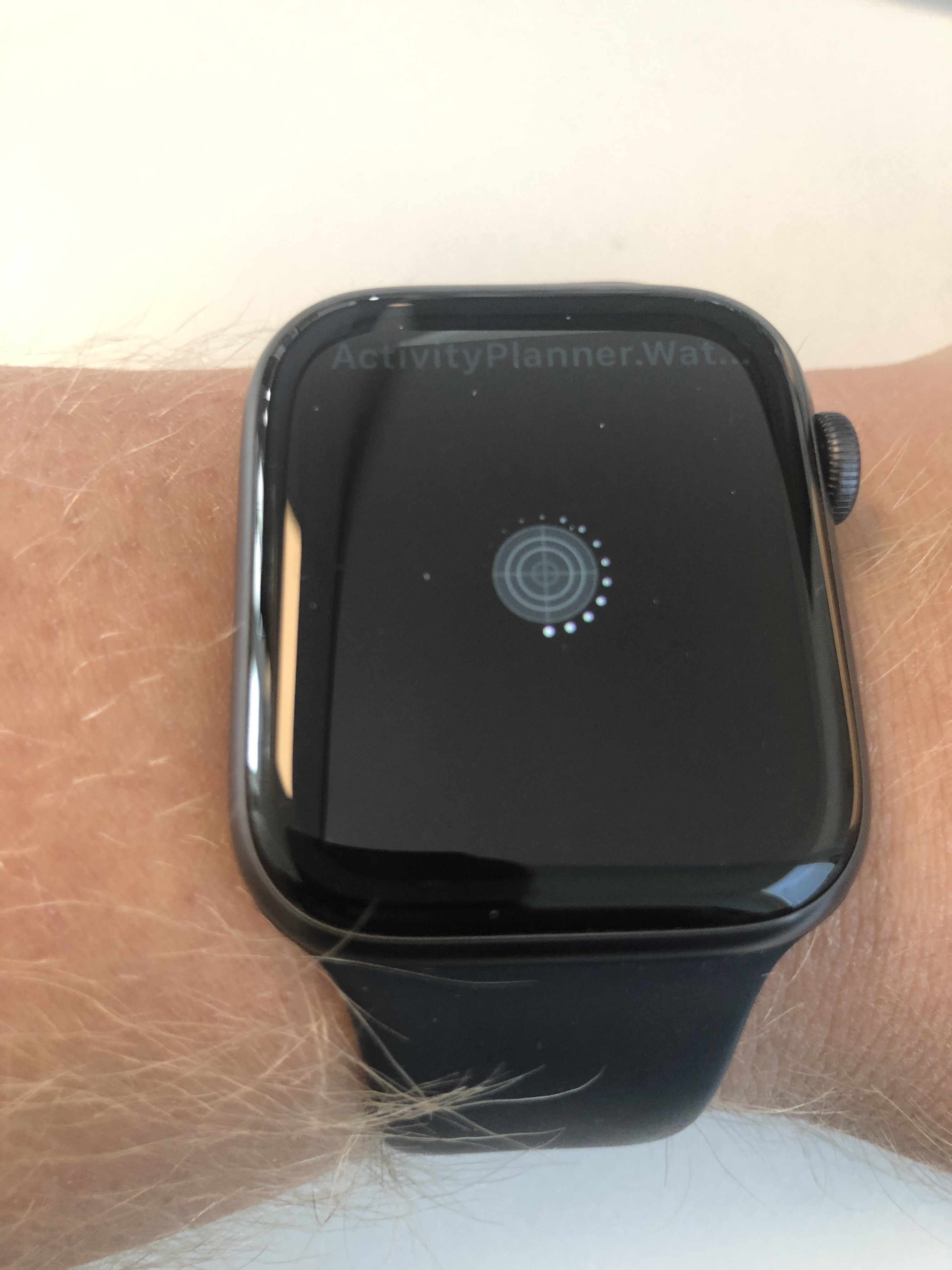
Should we be able to debug watch apps now?
I can build it in debug, but then I'm stuck at "Waiting for the debugger to connect...".
If I manually start the app I'm stuck with a spinner.
dhindrik
on 26 Jun 2019
Should we be able to debug watch apps now?
No, debugging watch apps on the new S4 watch still doesn't work (it works on older watches though).
rolfbjarne
on 26 Jun 2019
Not long anymore and the S4 is a year old and we still don't have support for the architecture in the stable release...
 Sebastian1989101
on 6 Jul 2019
Sebastian1989101
on 6 Jul 2019
No, debugging watch apps on the new S4 watch still doesn't work (it works on older watches though).
If it doesn't work then why did you close all the tickets related to this issue without giving the workaround(if any) before closing the ticket? You should have mentioned this in the documentation.. https://docs.microsoft.com/en-us/xamarin/ios/watchos/deploy-test/device
There is only one issue opened which I think it's related to this issue;
https://github.com/xamarin/xamarin-macios/issues/4907
 onurhazar
on 31 Jul 2019
onurhazar
on 31 Jul 2019
If it doesn't work then why did you close all the tickets related to this issue
Debugging support on the new S4 watch is tracked here: https://github.com/mono/mono/issues/10641
You should have mentioned this in the documentation.
Yes, I agree, I'll try to get that to happen.
rolfbjarne
on 26 Aug 2019
Related issues
 chamons
·
4Comments
iulian-mirica
·
3Comments
chamons
·
4Comments
iulian-mirica
·
3Comments
 Mikilll94
·
4Comments
Mikilll94
·
4Comments
 sharmashiv
·
4Comments
sharmashiv
·
4Comments
 whitneyschmidt
·
3Comments
whitneyschmidt
·
3Comments
Most helpful comment
Alright we found a workaround!
In the watch extension's csproj, after
<Import Project="$(MSBuildExtensionsPath)\Xamarin\WatchOS\Xamarin.WatchOS.AppExtension.CSharp.targets" />Add:
In short what this does is for the release mode (because we need full bitcode): translate the
armv7kcode intoarm64_32using Xcode's tooling, make a fat binary and that when deployed to device, works!