Xamarin.forms: [Bug] UWP: TitleBar ForgroundColor not changing
Description
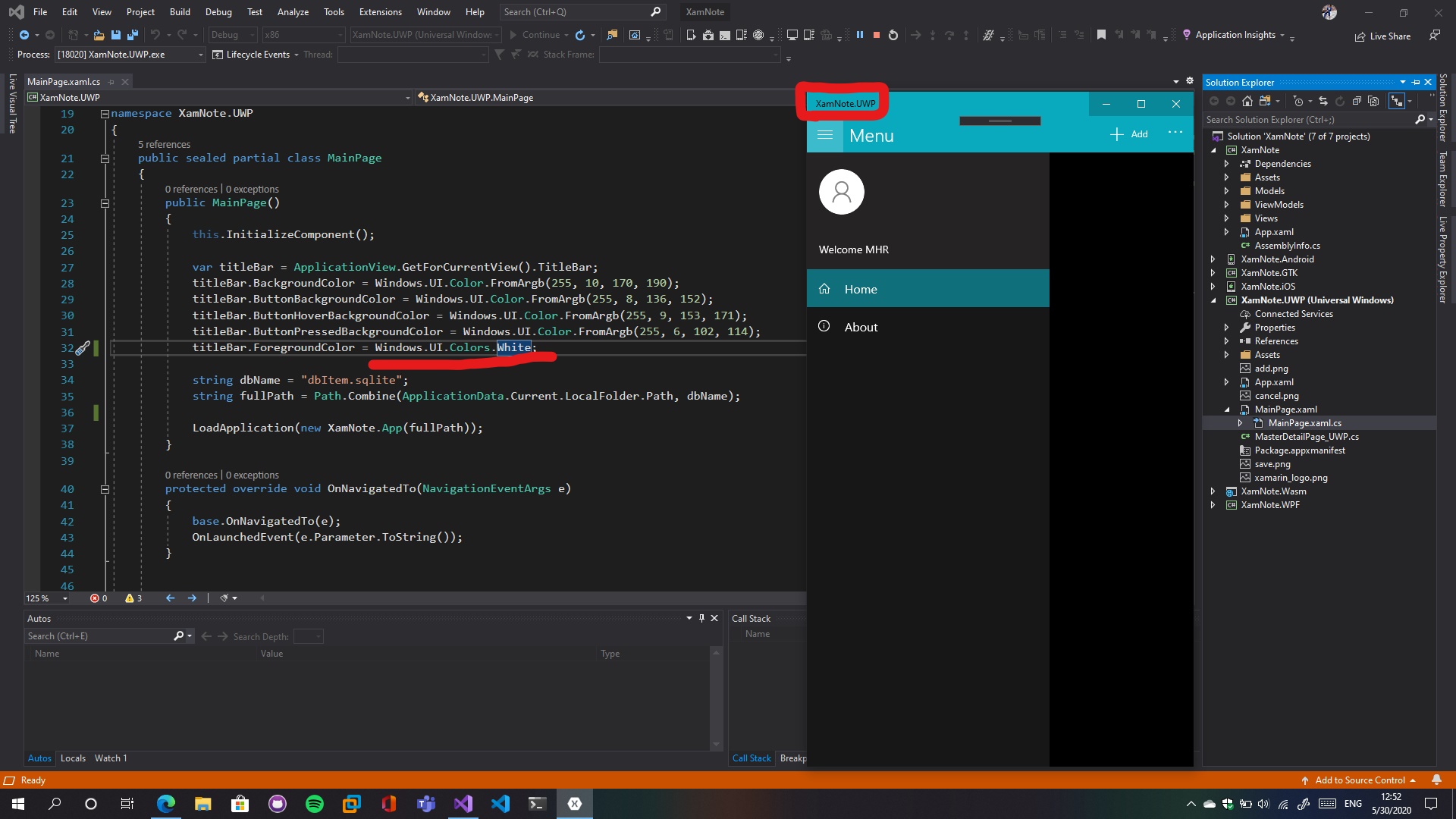
in my UWP projects i can't change the color of TitleBar's Text! it's always Black.
and also i tested RGBA too and nothing happend.
Steps to Reproduce
in UWP project>mainpage.xaml.cs> add the following
var titleBar = ApplicationView.GetForCurrentView().TitleBar;
titleBar.ForegroundColor = Windows.UI.Colors.White;and build the app
Expected Behavior
TitleBar forground color change.
Basic Information
- Version with issue: 4.6
- Last known good version: unknown
- IDE: Visual Studio 16.6
- UWP: TargetVersion: 10.0.18362.0 TargetMinVersion: 10.0.17763.0
Screenshots
 mhrastegary77
👍1
All 4 comments
I have tried to reproduce the issue without success:

titleBar.BackgroundColor = Colors.Purple;
titleBar.ButtonBackgroundColor = Colors.Yellow;
titleBar.ForegroundColor = Colors.GreenYellow;
Attached the reproduction sample using latest Xamarin.Forms 4.6 version:
Issue10900.zip
@mhrastegary77 Could you attach a reproduction sample?
 jsuarezruiz
on 1 Jun 2020
jsuarezruiz
on 1 Jun 2020
@jsuarezruiz it seems White color doesn't works for Forground with light colors on Background.
so i think it's a winui issue right? :(
mhrastegary77
on 1 Jun 2020
Something like Color.FromArgb(255, 254, 254, 254) must work.
jsuarezruiz
on 4 Jun 2020
❤1
Thanks it worked ❤
mhrastegary77
on 4 Jun 2020
👍1
Was this page helpful?
0 / 5 - 0 ratings
Related issues
 simontocknell
·
3Comments
simontocknell
·
3Comments
 AppGrate
·
3Comments
AppGrate
·
3Comments
 mfeingol
·
3Comments
mfeingol
·
3Comments
 leobragatti
·
3Comments
leobragatti
·
3Comments
 fazil1987
·
3Comments
fazil1987
·
3Comments