Xamarin.forms: [Bug] [UWP] IsShowingUser makes map center over user
Description
When setting IsShowingUser = true, the map center over the user and also set some default zoom level. This creates problems when you want to show the user icon, but on the same time set a custom visible area of the map.
This issue was reported in Bugzilla in 2017 but never solved, from what I can see.
Steps to Reproduce
- Put a mapcontrol on a page
- Use MoveToRegion() when the page appears
- The UWP gets an update of your current location, it will center over you
Expected Behavior
User mark should be shown. No change of visible region should be made
Actual Behavior
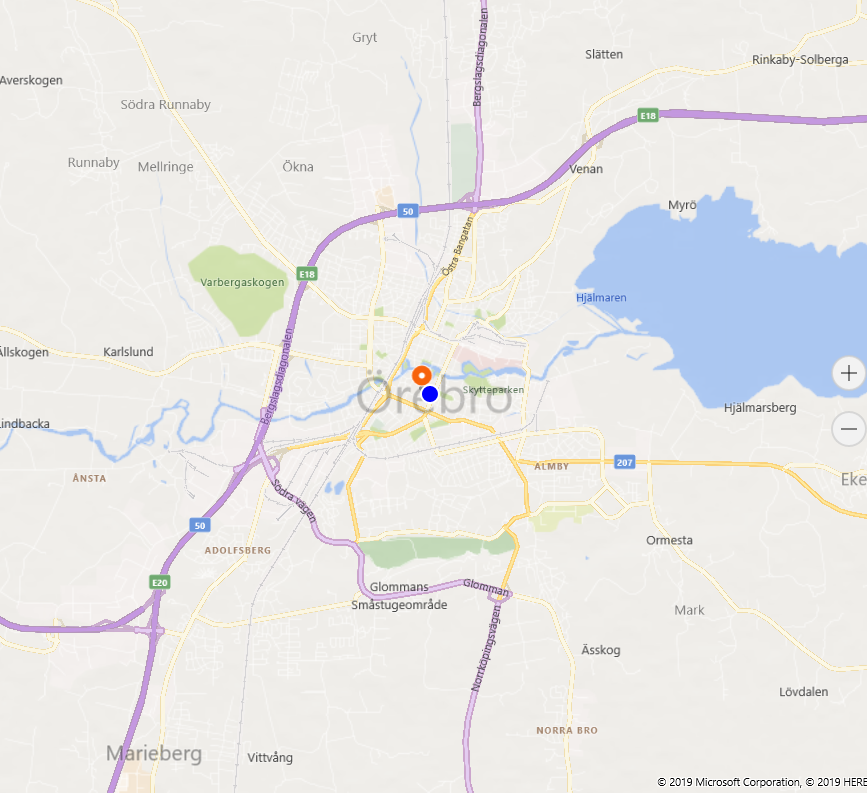
The map is centered above the user (and a default zoom level is set)
Basic Information
- Version with issue:
XF: 4.3.0.991211 - Last known good version:
Unknown (probably none) - IDE:
VS 2019 Windows - Platform Target Frameworks:
- UWP: 1903
- Nuget Packages:
- Affected Devices:
Screenshots
### Reproduction Link
-
 Brosten
All 8 comments
Thank you @Brosten for reporting this!
I quickly pulled up the code for this and it seems all the plumbing is there because there is a parameter that can specify if we want to automatically go to that location on the map or not.
Reading your initial problem again. Is the problem that you will go only once to the users location? Or will it go back to the users location each interval?
Because in the latter case it seems it shouldn't be happening.
Do you know how this behaves on the other platforms by any chance?
 jfversluis
on 26 Nov 2019
jfversluis
on 26 Nov 2019
@jfversluis
From what I have seen, it's only done once. So what happens for me is
- The map is shown
- I set the visible area to where I would like to have it
- The framework sets the visible area to center over my user-spot.
I could probably try to find an appropriate Point in time where I could (as a fourth step) set it back to the visible area that fits me. But this seems to be kind of an ugly workaround.
Brosten
on 26 Nov 2019
Thanks for the quick reply!
I totally understand and I would want to provide a way for you to make this possible, but without breaking this "feature" for other users. So, what I am thinking is introducing a new property, something like bool ShouldGoToUserLocation with which you can influence this behavior. But that is why I'm also asking, do you know how it is on other platforms?
Because if we were to do this (and do it like this), then we would have to make sure that it works the same across platforms which makes it a bit more work :)
Also, although it might be a personal preference, I would say that this is more a feature request than a bug. To me it does make sense that you would go to the location of the user whenever you switch that on. I also think it's a pretty common pattern.
Do you see any other ways of easily doing this?
jfversluis
on 26 Nov 2019
@jfversluis Ahh, sorry, missed to tell about other platforms. But No. from what I can see this is only the behaviour on UWP. And that kind of breaks the argument of this "making sense". 2 of 3 platforms does NOT center over the user.
About your suggestion with a new flag with ability to set this. Would work perfectly for me!
Brosten
on 26 Nov 2019
Hm, let me put together a quick reproduction. I am pretty sure that at least iOS has the same behavior.
But if you are right then I agree: then it doesn't make sense :)
Regarding the flag: I think that would be a nice way, although also there what makes it a bit harder is that we have to implement it across the board
jfversluis
on 26 Nov 2019
I just tried a bit more in our app
iOS: Doesn't center over user, but doesn't show the user-icon either. Strange.
Android: Shows user Icon but doesn't center over it
UWP: Shows user Icon, and center over it
Brosten
on 26 Nov 2019
It seems you are absolutely right. Just tried it myself, iOS and Android do show the location but don't automatically go over there.
I think figuring out a way to solve this where we enable iOS & Android users to automatically go to the user location and for UWP the vice versa would be cool!
jfversluis
on 27 Nov 2019
@jfversluis Would be just Lovely :)
Brosten
on 27 Nov 2019
Related issues
 jamiewest
·
3Comments
jamiewest
·
3Comments
 Papirosnik
·
3Comments
Papirosnik
·
3Comments
 deakjahn
·
3Comments
deakjahn
·
3Comments
 EmilAlipiev
·
3Comments
EmilAlipiev
·
3Comments
 mfeingol
·
3Comments
mfeingol
·
3Comments