Xamarin.forms: [Bug] [Android] Cannot add/remove menuitems at runtime to contextActions of a ViewCell
Description
It is not possible to add or remove menuitems to a viewcell at runtime. This actually only does not work for Android.
Steps to Reproduce
- Clone this repository: https://github.com/BrayanKhosravian/AddMenuItemAtRuntime
- Select Android as startup project
- long press on one of the
ViewCellwhich are visible inside theListView(just to verify that there is only 1MenuItem) - Click the
"Add"- Button to add aMenuItemat runtime - Long click the same
ViewCell - result: no
MenuItemwas added try the same with remove
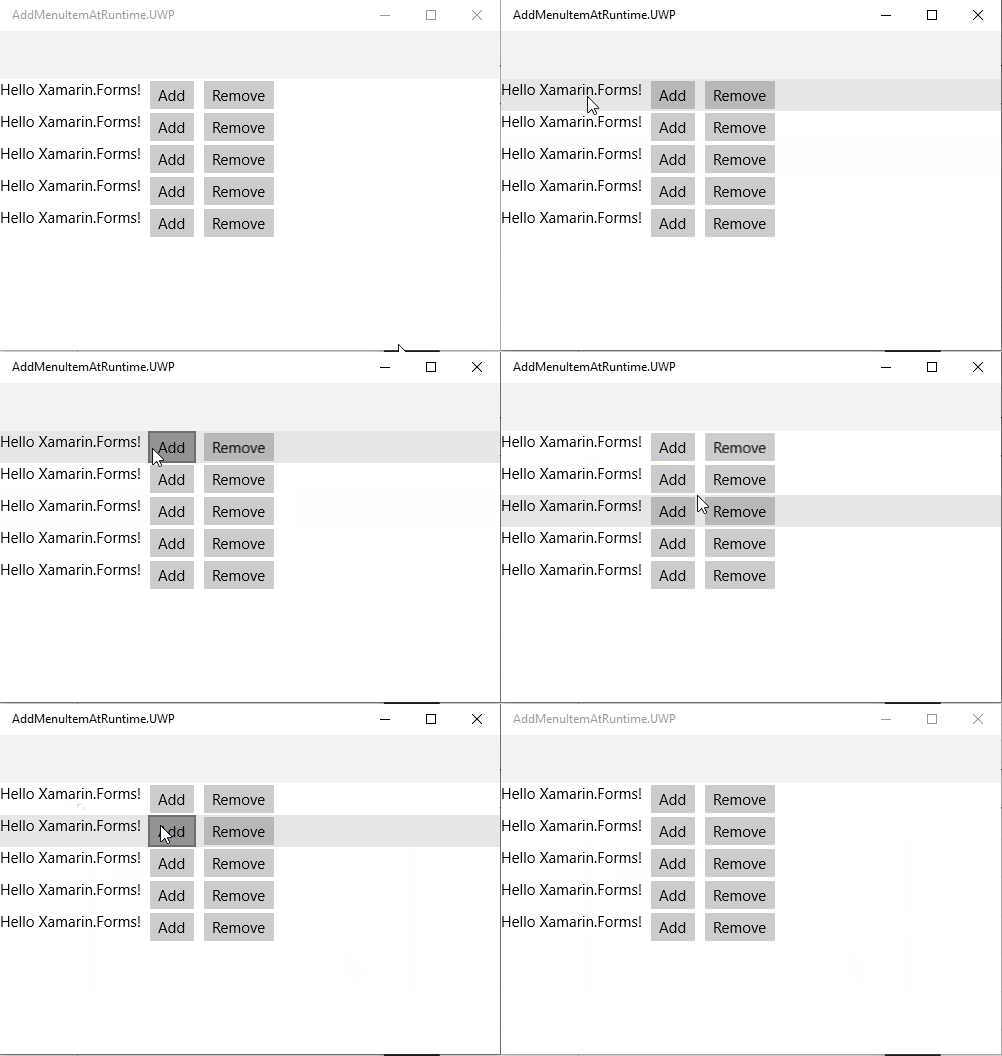
to verify the behavior check the same steps for uwp and ios (result: MenuItems get added)
Expected Behavior
It should be able to add/remove MenuItem´s at runtime to a ViewCell. This works for Ios and UWP.
Actual Behavior
It is not possible to add/remove MenuItem´s at runtime to a ViewCell. This works for Ios and UWP.
Basic Information
- Version with issue: v4.3.0908675 (lower versions as well)
- Last known good version: -
- IDE: Visual Studio 2019 v16.3.2
- Platform Target Frameworks:
- Android: 9.0
- Android Support Library Version:
- Nuget Packages: no external nugets
- Affected Devices: tested with Huawei p20, but this is a generic issue
Reproduction Link
https://github.com/BrayanKhosravian/AddMenuItemAtRuntime
Screenshots
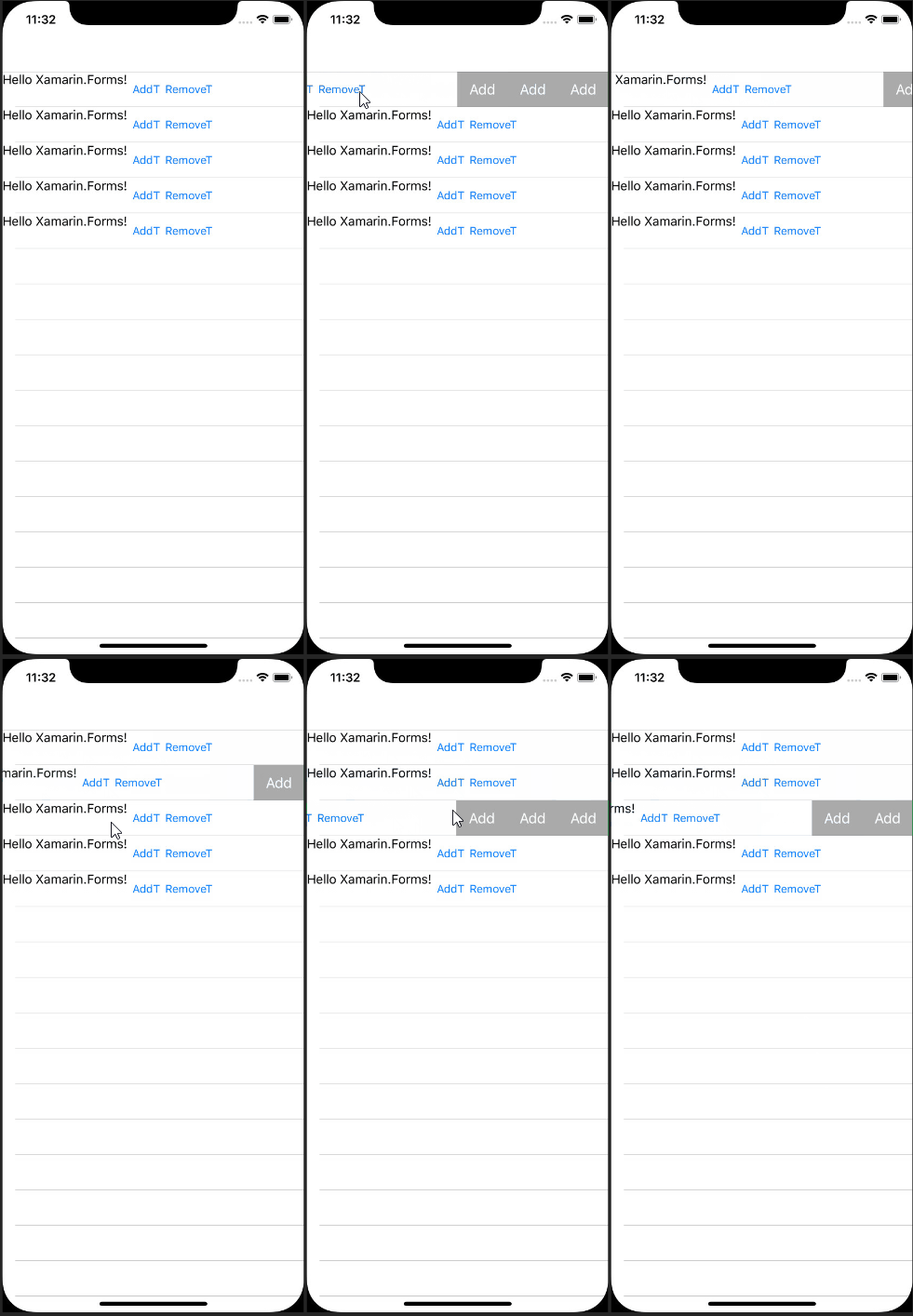
Not working on android

Working on IOS
Working on UWP
 BrayanKhosravian
All 8 comments
@bruzkovsky
BrayanKhosravian
on 29 Oct 2019
Team, I tried to reproduce it with 4.3.0 branch but seems to be working fine on Android (added a new Custom menu item at runtime).
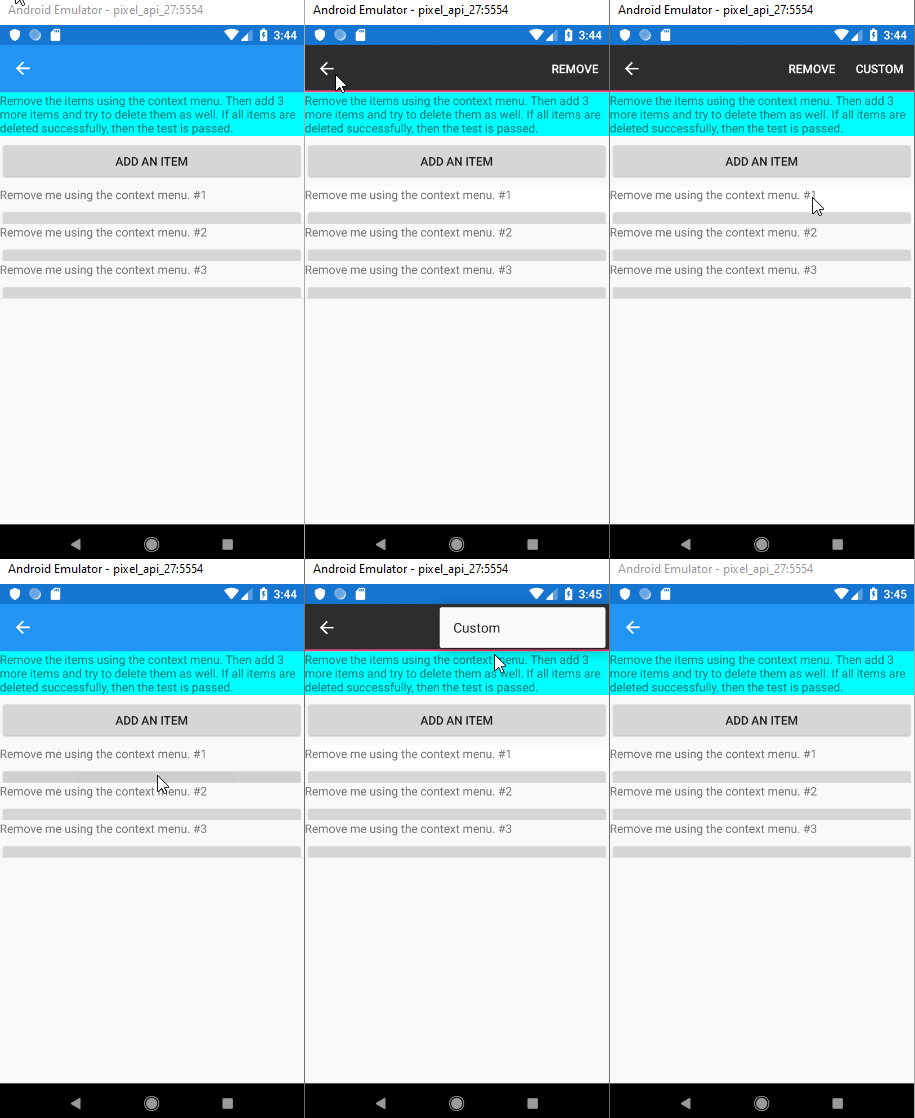
Please note: I haven't reproduced exactly the attached reproduction but similar to that. Here's the code to add a menu item in ContextActions at runtime:
var button = new Button()
{
    Text = "Add",
    WidthRequest = 50
};

var addmenu = new MenuItem { Text = "Custom" };
button.Command = new Command(() => ContextActions.Add(addmenu));

var stack = new StackLayout
{
    Children =
    {
        label, button
    },
    Orientation = StackOrientation.Vertical
};
View = stack;
 techduggu
on 30 Oct 2019
techduggu
on 30 Oct 2019
@techduggu thats strange actually, because i verified the issue for this versions: v4.1.0, v4.3.0908675 and for version 4.4.0.
I forked the xamarin forms repository and branched away from the master (after v4.3.0 got merged into v4.4.0) and created an issue in the control gallery.
Could you either share a repository or tell what u did differently compared to my reproduction?
I could reproduce this issue 3 times with different version. Im very curious.
BrayanKhosravian
on 30 Oct 2019
heres my source code for the issue i created in the control gallery:
Issue8284.xaml: https://hastebin.com/xaciyebasu.xml
Issue8284.xaml.cs: https://hastebin.com/eranevexob.cs
BrayanKhosravian
on 30 Oct 2019
@BrayanKhosravian I pointed to 4.3.0 branch and used existing Issue3652.cs (as it already contains Custom ViewCell). You can just replace the ICell class with the below code (as I shared earlier) and try running it at your end. Working for me but let me know how it goes.
Further information: I've tested on Android Emulator (API 27).
public class ICell : ViewCell
{
    public ICell()
    {
        var label = new Label();
        label.SetBinding(Label.TextProperty, "Description");
        label.AutomationId = "pandabear";
        var menu = new MenuItem { Text = "Remove" };
        menu.Command = new Command(() => ((ListItemViewModel)BindingContext).Remove.Execute((this, BindingContext)));
        ContextActions.Add(menu);
        var button = new Button()
        {
            Text = "Add",
            WidthRequest = 50
        };

        var addmenu = new MenuItem { Text = "Custom" };
        button.Command = new Command(() => ContextActions.Add(addmenu));

        var stack = new StackLayout
        {
            Children =
            {
                label, button
            },
            Orientation = StackOrientation.Vertical
        };
        View = stack;
    }
}
@techduggu ok i tested it and it seems to work.
Using a real phone (Huawei p20) with android version 9.
Ok as this might work for issue 3652 but not for my new issue, there might be something wrong.
im debugging through the source code right now, lets see what i can find.
But the main difference which i can see is, that my repro-issue uses a view in xaml and a primitive datatype for the ObservableCollection
Issue3652 uses only codebehind and a seperate class for the ObservableCollection
Did u try to clone my repository and reproduce that it does not work?
BrayanKhosravian
on 30 Oct 2019
@techduggu ok i finally found the cause of the bug 😄🙌
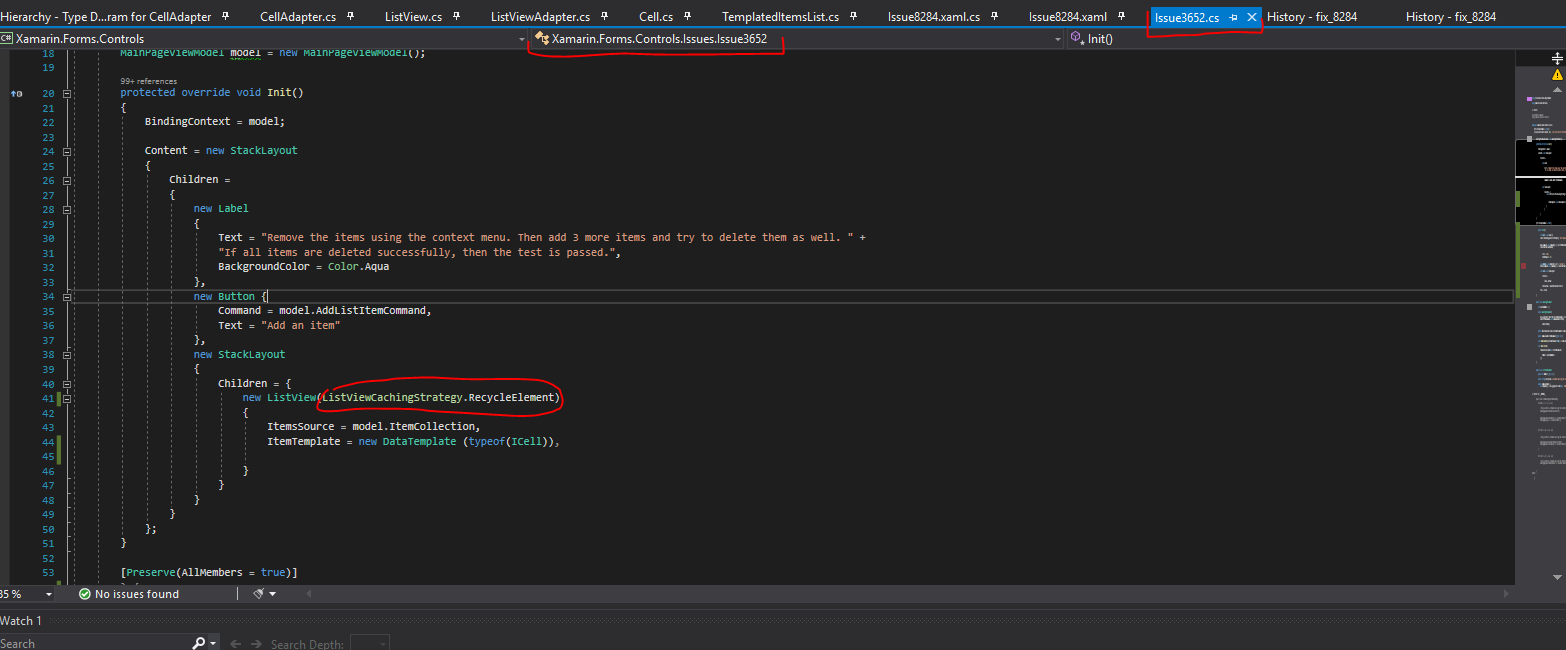
- The listview in the issue "Issue3652.cs" does not use a
CacheingStrategy. - Replace the
ICellposted fromtechduggowhich was mentioned earlier - Open the file "Issue3652.cs" and set CacheingStrategy to
ListViewCachingStrategy.RecycleElement, then retry again. It fails. - i think that the correct menuitems should be shown even when recylcing elements
- ill debug a bit deeper into.
Image:
BrayanKhosravian
on 30 Oct 2019
The original repro definitely demonstrates the issue. And if you remove CachingStrategy="RecycleElement", the context menus update as expected.
 hartez
on 31 Oct 2019
hartez
on 31 Oct 2019
Related issues
 EdoardoCinelli
·
92Comments
hartez
·
55Comments
EdoardoCinelli
·
92Comments
hartez
·
55Comments
 duzenko
·
66Comments
duzenko
·
66Comments
 mfeingol
·
58Comments
mfeingol
·
58Comments
 vsfeedback
·
73Comments
vsfeedback
·
73Comments