Xamarin.forms: [Bug] Horizontal / Vertical item spacing wrong measurement on CollectionView
Description
If HorizontalItemSpacing or VerticalItemSpacing is set for GridItemsLayout, the cells are calculated wrong. This happen, as soon as the items fill the row and the next item would start next one.
Steps to Reproduce
- Create CollectionView with
GridItemsLayoutand spacings - Set ItemSource to collection with enought items (e.g. 4 items for 2/3 column grid)
- Add / remove spacing, to see the wrong calcualtions
Expected Behavior
All cells should have the same size (as in the last screenshot - padding in template, instead of spacings)
Actual Behavior
Last item is higher.
Basic Information
- Version with issue: 4.3.0.908675
- Last known good version:
- IDE: VS 2019.3.6
- Platform Target Frameworks:
- Android: API29
- Android Support Library Version: 28.0.3
- Nuget Packages:
- Affected Devices:
Screenshots
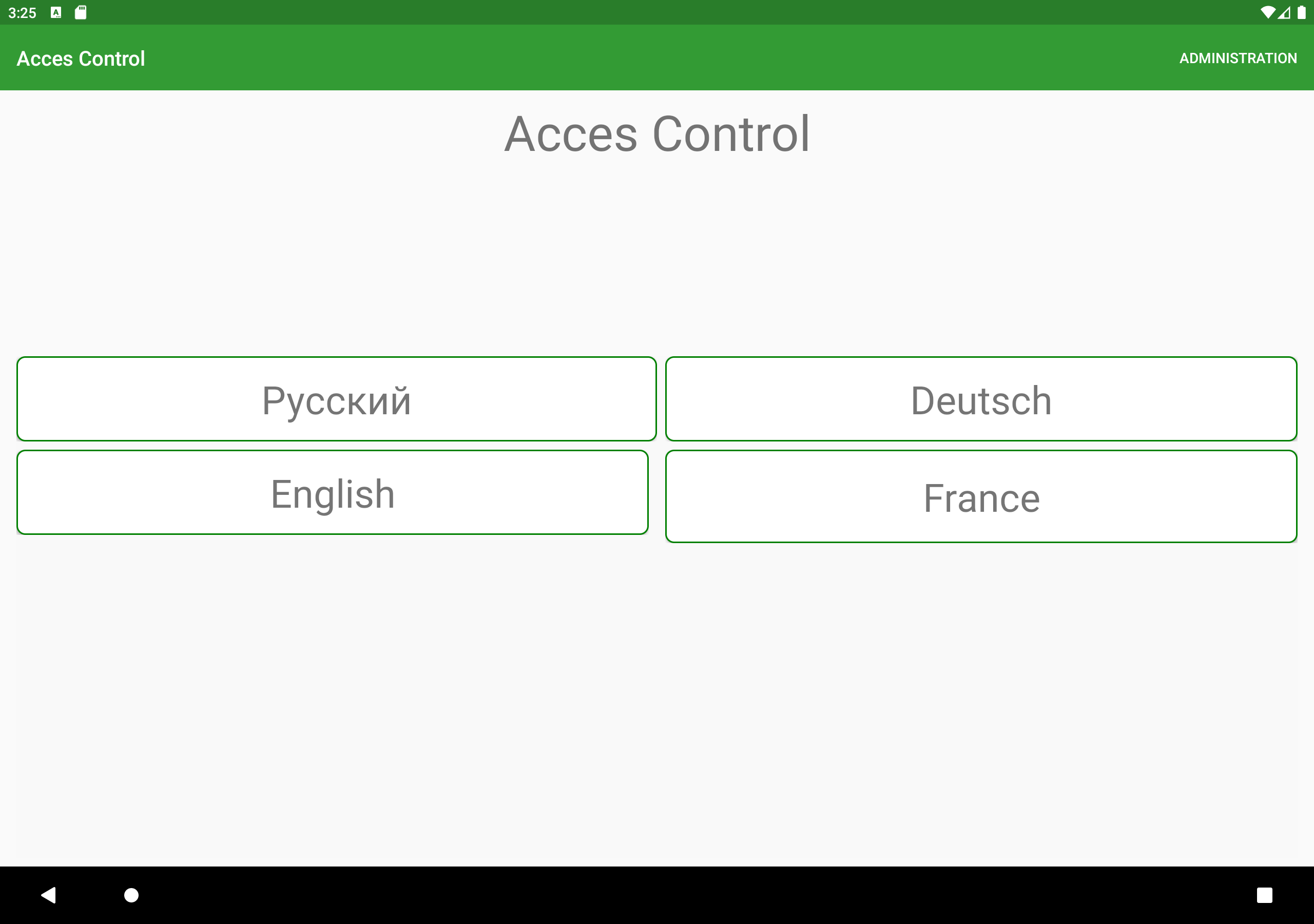
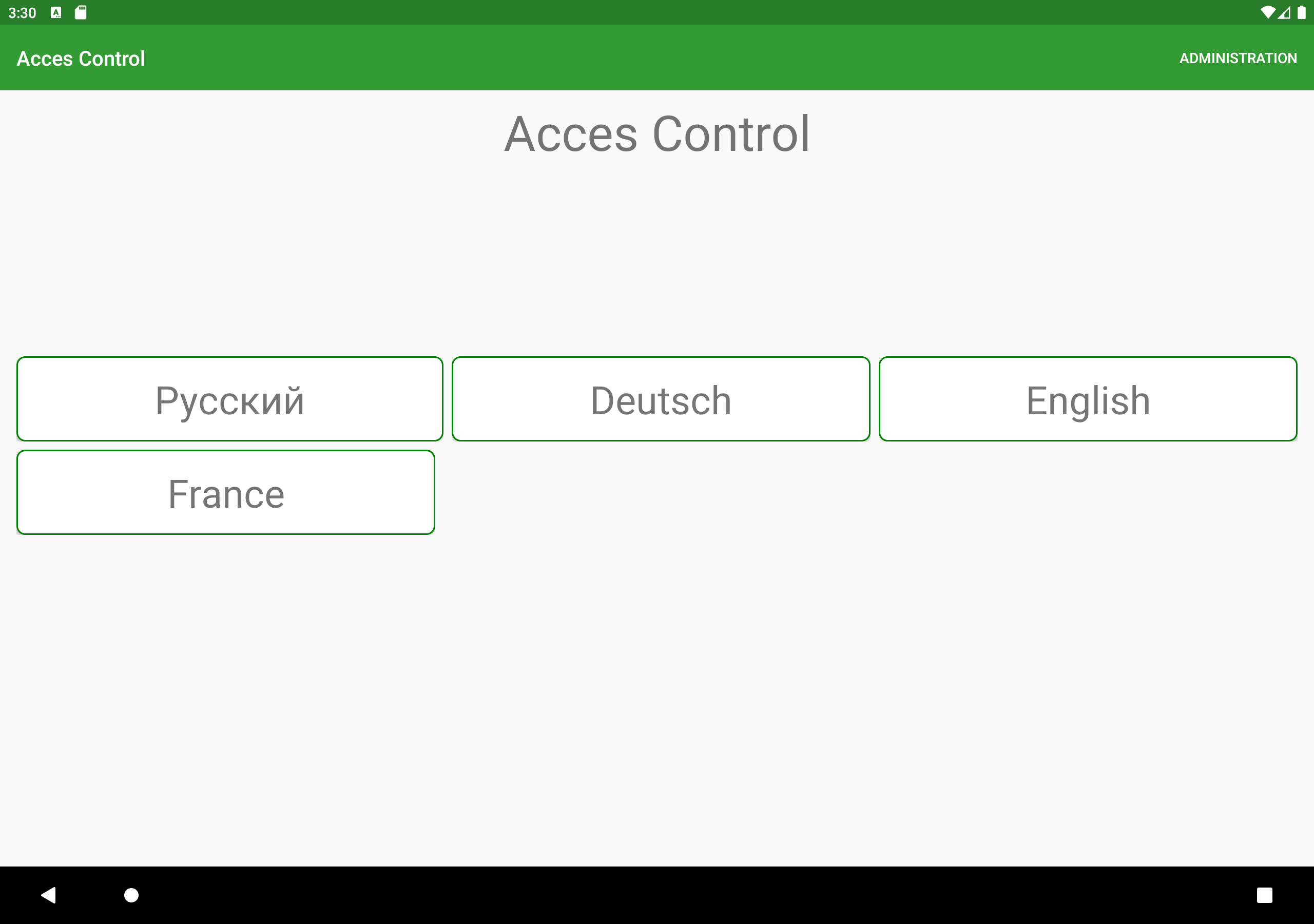
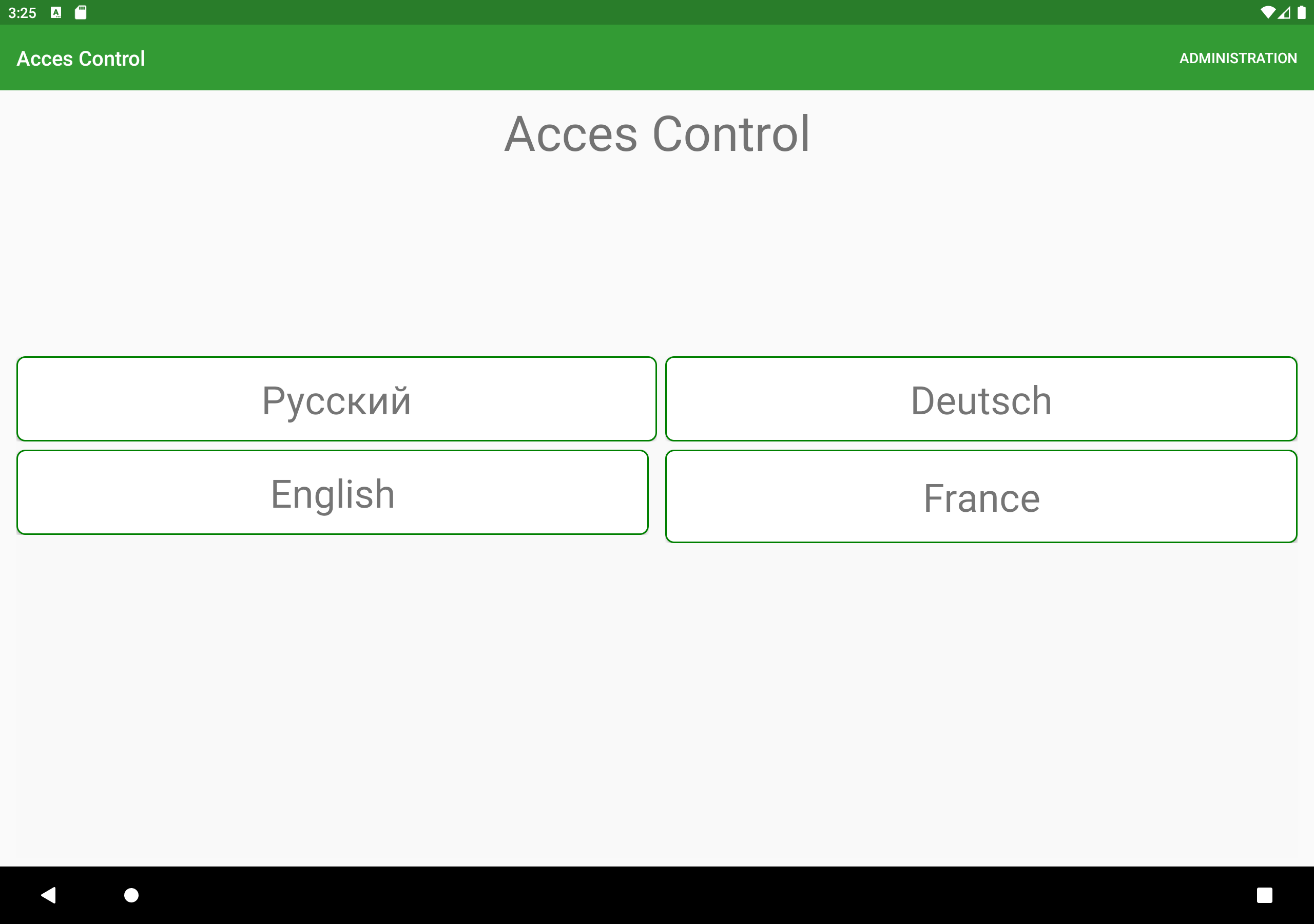
Reproduction Link
<Grid x:DataType="vm:EntryPointViewModel" Margin="{StaticResource PagePadding}">
    <Grid.RowDefinitions>
        <RowDefinition Height="*" />
        <RowDefinition Height="2*" />
    </Grid.RowDefinitions>

    <Label Text="{i18N:Translation AppName}" FontSize="{StaticResource TitleFontSize}" HorizontalTextAlignment="Center" />

    <CollectionView Grid.Row="1" ItemsSource="{Binding Languages}" SelectionMode="None" VerticalOptions="End" ItemSizingStrategy="MeasureFirstItem">
        <CollectionView.EmptyViewTemplate>
            <DataTemplate>
                <Label Text="{i18N:Translation ErrorNoLanguagesFound}" />
            </DataTemplate>
        </CollectionView.EmptyViewTemplate>
        <CollectionView.ItemsLayout>
            <GridItemsLayout Span="3" Orientation="Vertical" HorizontalItemSpacing="8" VerticalItemSpacing="8" />
        </CollectionView.ItemsLayout>
        <CollectionView.ItemTemplate>
            <DataTemplate x:DataType="model:Language">
                <Frame BorderColor="Green" CornerRadius="8">
                    <Label Text="{Binding DisplayName}" FontSize="{StaticResource LanguageFontSize}" HorizontalTextAlignment="Center" VerticalTextAlignment="Center" />
                </Frame>
            </DataTemplate>
        </CollectionView.ItemTemplate>
    </CollectionView>
</Grid>
 WebDucer
All 14 comments
 hartez
on 29 Oct 2019
hartez
on 29 Oct 2019

after do some scroll and it will become fine.and add new item it will ignore the vertical space
 jingliancui
on 20 Nov 2019
jingliancui
on 20 Nov 2019
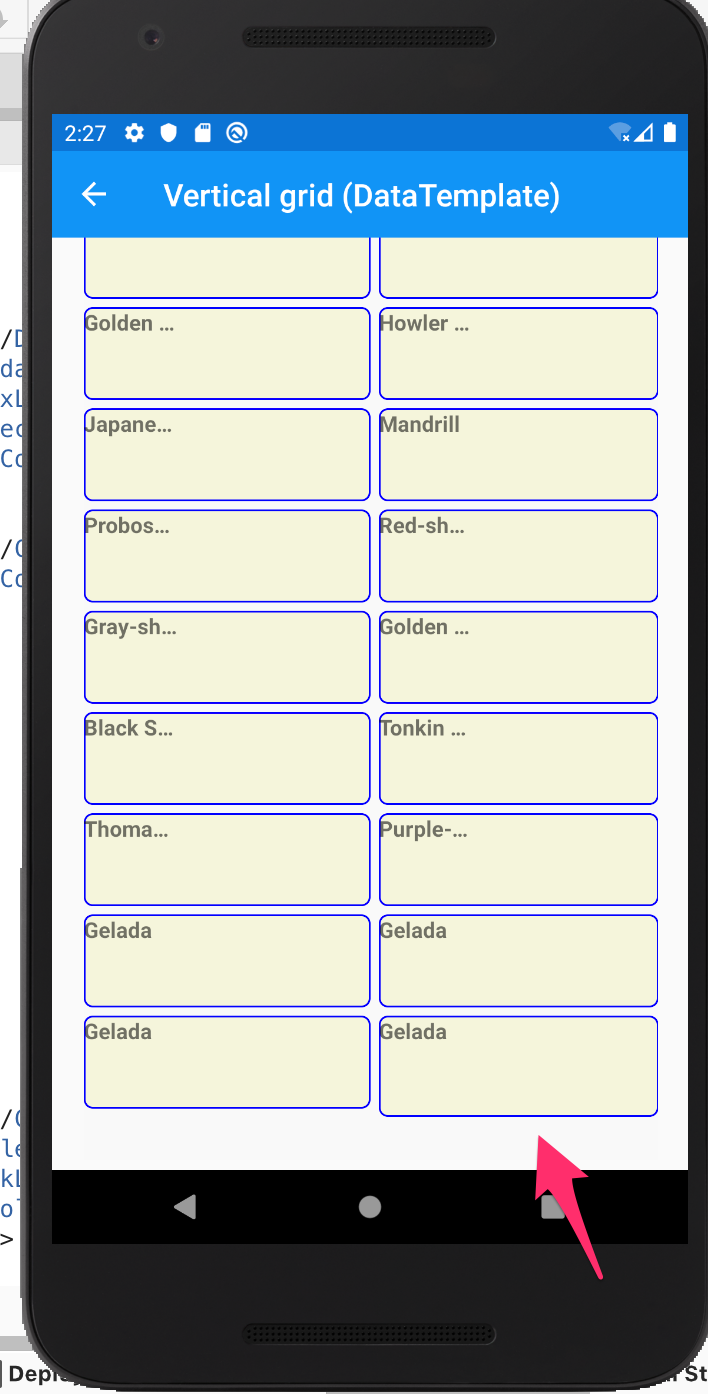
When there is no scroll available the bug remains:

 geojorg
on 14 Jan 2020
geojorg
on 14 Jan 2020
Yes It happens even with "Span=2"
<CollectionView.ItemsLayout>
  <GridItemsLayout VerticalItemSpacing="5" HorizontalItemSpacing="5" Orientation="Vertical" Span="2" />
</CollectionView.ItemsLayout>
 codeanees
on 10 Feb 2020
codeanees
on 10 Feb 2020
Having the same issue. Any workarounds ?
Here is the project to reproduce this bug
https://github.com/maxlapihin/CollectionView_LastElement
 maxlapihin
on 14 Feb 2020
maxlapihin
on 14 Feb 2020
I'm getting the same issue, a CollectionView in "Grid mode". It's configured as GridItemsLayout and Span = 2.
So the last element of the last row appears a little bit higher than the previous.
This behaviour ocurrs only if the number of items is even.
 MookieFumi
on 19 Feb 2020
MookieFumi
on 19 Feb 2020
Same issue here.
 bio90
on 7 Apr 2020
bio90
on 7 Apr 2020
I found a workaround.
The bug seems to be in the Xamarin.Forms.Platform.Android.SpacingItemDecoration class
public override void GetItemOffsets(Rect outRect, AView view, RecyclerView parent, RecyclerView.State state)
{
   ...
    if (_orientation == ItemsLayoutOrientation.Vertical)
    {
        outRect.Left = spanIndex == 0 ? 0 : (int)_adjustedHorizontalSpacing;
        // BUG ?
        if (parent.GetChildAdapterPosition(view) != parent.GetAdapter().ItemCount - 1)
            outRect.Bottom = (int)_adjustedVerticalSpacing;
    }

    if (_orientation == ItemsLayoutOrientation.Horizontal)
    {
        outRect.Top = spanIndex == 0 ? 0 : (int)_adjustedVerticalSpacing;
        // BUG ?
        if (parent.GetChildAdapterPosition(view) != parent.GetAdapter().ItemCount - 1)
            outRect.Right = (int)_adjustedHorizontalSpacing;
    }
}
I'm not sure why the item offsets are calculated that way.
Removing the if (parent.GetChildAdapterPosition(view) != parent.GetAdapter().ItemCount - 1) statement seems to fix the issue but the items are still not equal horizontal or vertical (if orientation is horizontal )
I decided to create my own offsets.
First you will need to create a custom CollectionViewRenderer overriding the CreateSpacingDecoration method like so:
using Android.Content;
using STRE.Mobile.Droid.Renderers;
using Xamarin.Forms;
using Xamarin.Forms.Platform.Android;

[assembly: ExportRenderer(typeof(CollectionView), typeof(CustomCollectionViewRenderer))]
namespace STRE.Mobile.Droid.Renderers
{
    public class CustomCollectionViewRenderer : CollectionViewRenderer
    {
        public CustomCollectionViewRenderer(Context context) : base(context)
        {
        }

        protected override ItemDecoration CreateSpacingDecoration(IItemsLayout itemsLayout)
        {
            return new CustomSpacingItemDecoration(itemsLayout);
        }
    }
}
You will also need a CustomSpacingItemDecoration class. I copied the original one and made changes to it.
using Android.Graphics;
using Android.Support.V7.Widget;
using System;
using Xamarin.Forms;
using Xamarin.Forms.Platform.Android;
using AView = Android.Views.View;

namespace STRE.Mobile.Droid.Renderers
{
    public class CustomSpacingItemDecoration : RecyclerView.ItemDecoration
    {
        readonly ItemsLayoutOrientation _orientation;
        readonly double _verticalSpacing;
        double _adjustedVerticalSpacing = -1;
        readonly double _horizontalSpacing;
        double _adjustedHorizontalSpacing = -1;
        int spanCount = 1;

        public CustomSpacingItemDecoration(IItemsLayout itemsLayout)
        {
            if (itemsLayout == null)
            {
                throw new ArgumentNullException(nameof(itemsLayout));
            }

            switch (itemsLayout)
            {
                case GridItemsLayout gridItemsLayout:
                    _orientation = gridItemsLayout.Orientation;
                    _horizontalSpacing = gridItemsLayout.HorizontalItemSpacing;
                    _verticalSpacing = gridItemsLayout.VerticalItemSpacing;
                    spanCount = gridItemsLayout.Span;
                    break;
                case LinearItemsLayout listItemsLayout:
                    _orientation = listItemsLayout.Orientation;
                    if (_orientation == ItemsLayoutOrientation.Horizontal)
                        _horizontalSpacing = listItemsLayout.ItemSpacing;
                    else
                        _verticalSpacing = listItemsLayout.ItemSpacing;
                    break;
            }
        }

        public override void GetItemOffsets(Rect outRect, AView view, RecyclerView parent, RecyclerView.State state)
        {
            base.GetItemOffsets(outRect, view, parent, state);

            if (_adjustedVerticalSpacing == -1)
            {
                _adjustedVerticalSpacing = parent.Context.ToPixels(_verticalSpacing);
            }

            if (_adjustedHorizontalSpacing == -1)
            {
                _adjustedHorizontalSpacing = parent.Context.ToPixels(_horizontalSpacing);
            }

            var itemViewType = parent.GetChildViewHolder(view).ItemViewType;

            if (itemViewType == ItemViewType.Header)
            {
                outRect.Bottom = (int)_adjustedVerticalSpacing;
                return;
            }

            if (itemViewType == ItemViewType.Footer)
            {
                return;
            }

            var spanIndex = 0;
            if (view.LayoutParameters is GridLayoutManager.LayoutParams gridLayoutParameters)
            {
                spanIndex = gridLayoutParameters.SpanIndex;
            }

            if (_orientation == ItemsLayoutOrientation.Vertical)
            {
                int dividedHorizontalSpacing = (int)_adjustedHorizontalSpacing / spanCount;
                outRect.Left = spanIndex * dividedHorizontalSpacing;
                outRect.Right = (int)_adjustedHorizontalSpacing - (spanIndex + 1) * dividedHorizontalSpacing;
                outRect.Bottom = (int)_adjustedVerticalSpacing;
            }

            if (_orientation == ItemsLayoutOrientation.Horizontal)
            {
                var dividedVerticalSpacing = (int)_adjustedVerticalSpacing / spanCount;
                outRect.Top = spanIndex * dividedVerticalSpacing;
                outRect.Bottom = (int)_adjustedHorizontalSpacing - (spanIndex + 1) * dividedVerticalSpacing;
                outRect.Right = (int)_adjustedHorizontalSpacing;
            }
        }
    }
}
This seems to cause an issue with the first element being rendered incorrectly if the span = 1.
But why would you use a GridItemsLayout if you have span = 1 ?
This is most likely not the best solution but I hope it puts you on the right track.
bio90
on 8 Apr 2020
The same issue here, when delete element the collectionview, ignore spacing...
any solution?????
 angelru
on 12 May 2020
angelru
on 12 May 2020
@angelru I think #10624 should fix this issue.
 sjordanGSS
on 12 May 2020
sjordanGSS
on 12 May 2020
@sjordanGSS I imagine there will be an update to the xamarin forms soon, right?
angelru
on 12 May 2020
VerticalItemSpacing still miscalculating when adding or removing data from CollectionView dynamically
angelru
on 18 Jul 2020
any update ?
angelru
on 5 Nov 2020
I tried this workaround to fix the original grid's issue, but haven't tested with a huge amount of data.
https://github.com/xamarin/Xamarin.Forms/issues/9125#issuecomment-577776128
 Arcadi13
on 5 Nov 2020
Arcadi13
on 5 Nov 2020
Related issues
 dan5602
·
124Comments
hartez
·
55Comments
dan5602
·
124Comments
hartez
·
55Comments
 mfeingol
·
58Comments
mfeingol
·
58Comments
 juepiezhongren
·
66Comments
juepiezhongren
·
66Comments
 RsZoli
·
58Comments
RsZoli
·
58Comments