Xamarin.forms: [ANDROID] ToolbarItem IsEnabled doesnt read initial binding, and doesnt behave like it should
Description
ToolbarItems in a NavigationPage ignores the default value for a binding to the IsEnabled property.
On versions Before 4.X you have to force-set the default value on the UI-thread.
On versions 3.5.X and up it totally ignores the IsEnabled property.
Steps to Reproduce
- Start The app
- The default value for the IsEnabled binding is false
- You can see that the initial behaviour is that the toolbarItem actually is enabled.
- Uncomment the "MakeItWork" method and now it works.
Expected Behavior
If enabled is false either by changing the binding or reading the bindings initial value, the behaviour of the toolbaritem should be false too.
Actual Behavior
Initial value is not respected. Forcing the value to false (again) only works if you do it on UI thread.
On the later versions of XF IsEnabled is ignored.
Basic Information
On 4.X and 3.5.X changing isEnabled is totally ignored.
- Last known good version: 3.4.X (here the behaviour actullay changes, but fails
to set initial value/behavior) IDE:
Microsoft Visual Studio Enterprise 2017
Version 15.9.7
VisualStudio.15.Release/15.9.7+28307.423
Microsoft .NET Framework
Version 4.7.03190
Installed Version: Enterprise
Mono Debugging for Visual Studio 4.13.12-pre (9bc9548)
Support for debugging Mono processes with Visual Studio.
Xamarin 4.12.3.80 (d15-9@914127c74)
Visual Studio extension to enable development for Xamarin.iOS and Xamarin.Android.
Xamarin.Android SDK 9.1.7.0 (HEAD/ba9da7a76)
Xamarin.Android Reference Assemblies and MSBuild support.Platform Target Frameworks:
- Android: testes on 8.1 and 9.0
Reproduction Link
 bentmar
All 18 comments
I believe this is because MenuItem.IsEnabledProperty was changed to a readonly BindableProperty in 3.5. Putting IsEnabled="False" in XAML rather than a binding throws an exception.
 jcmanke
on 27 Feb 2019
jcmanke
on 27 Feb 2019
That was done here: https://github.com/xamarin/Xamarin.Forms/pull/4659 We'll have to investigate the implications. Thanks for the report!
 samhouts
on 2 Mar 2019
samhouts
on 2 Mar 2019
I also run into the IsEnabled issue with 3.6:
System.InvalidOperationException: The BindableProperty "IsEnabled" is readonly.
when using it in XAML.
 MagicAndre1981
on 29 Mar 2019
MagicAndre1981
on 29 Mar 2019
What does "Returned to backlog" mean? @samhouts
bentmar
on 24 Apr 2019
@bentmar
https://en.wikipedia.org/wiki/Scrum_(software_development)#Product_backlog
MagicAndre1981
on 24 Apr 2019
@bentmar We ran out of time in sprint 150. Sprint 151 and Sprint 152 theme is Shell stabilization, so it wasn't moved forward to those sprints. After this sprint, we'll be reassessing the backlog, including this item. Thanks!
samhouts
on 24 Apr 2019
@MagicAndre1981 well yes..
Thanks for info @samhouts
bentmar
on 7 May 2019
Setting the IsEnabled property of an ToolbarItem somewhere in Code is completely ignored also in Android with XF 4.1.0.496342-pre2.
It is also not working when using Commands and ChangeCanExecute.
 marcellangmaier
on 26 Jun 2019
marcellangmaier
on 26 Jun 2019
It is also not working when using Commands and ChangeCanExecute.
this is also reported here
MagicAndre1981
on 26 Jun 2019
I got this problem solved by managing the state of the command which is bound to the toolbar item.
 <ContentPage.ToolbarItems>
    <ToolbarItem Text="Add" Command="{Binding AddCommand}" />
</ContentPage.ToolbarItems>
ViewModel code
 public Command AddCommand
        {
            get
            {
                return _addCommand ?? (_addCommand = new Command(() =>
                {
                    // your code comes here
                }, () => CanAddNewItem));
            }
  }
public bool CanAddNewItem
        {
             get => _canAddNewItem;
            set
            {
                _canAddNewItem = value;
                AddCommandCommand.ChangeCanExecute();
            }
        }
 ilkeSylmz
on 31 Jul 2019
ilkeSylmz
on 31 Jul 2019
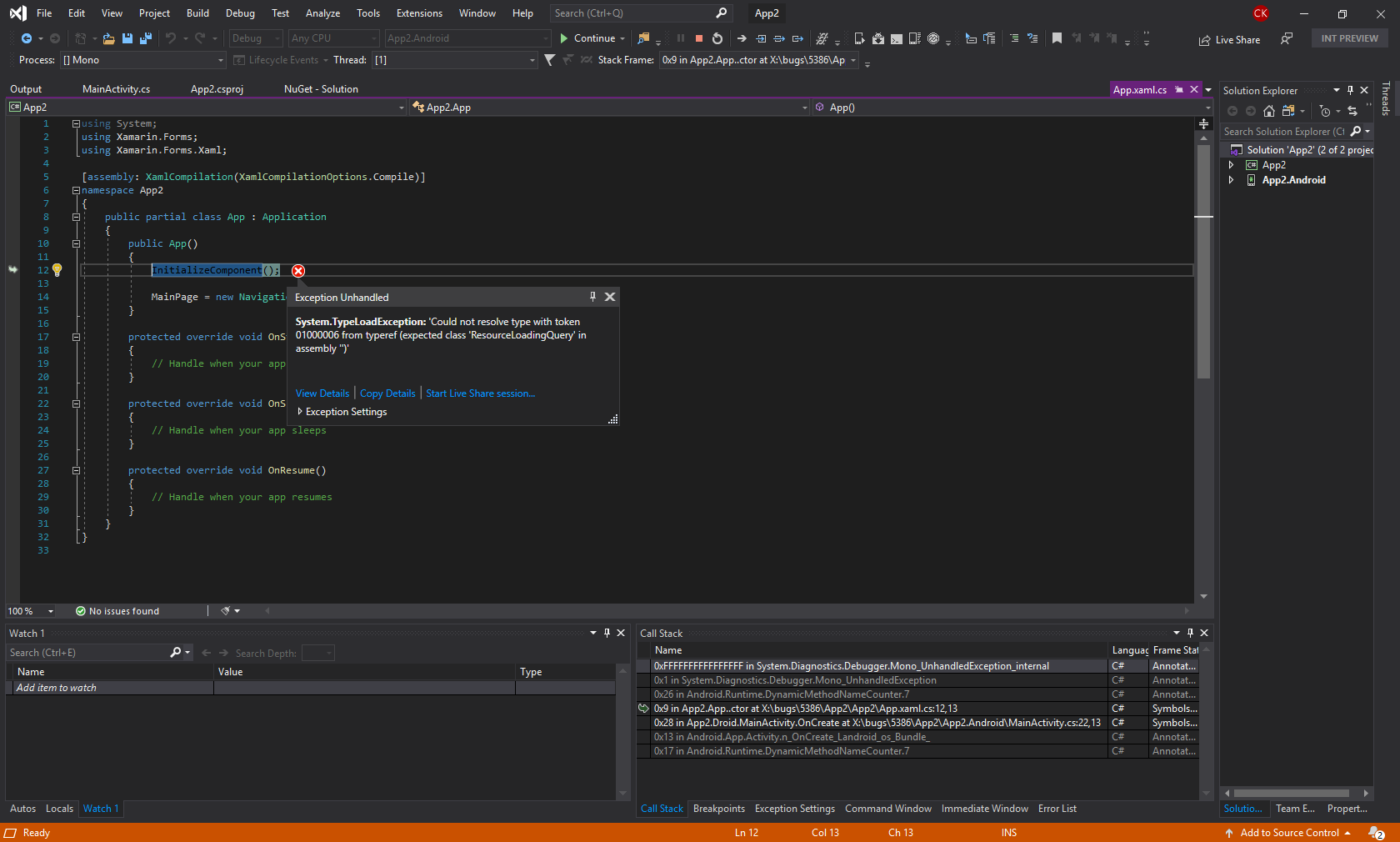
Hm, getting this on master:
 kingces95
on 29 Aug 2019
kingces95
on 29 Aug 2019
Looks like it's working on the latest master. The reproduction shows disabled on launch and can be toggled from both the UIThread (and background thread). Please re-open if I'm interpreting what I'm seeing incorrectly.

kingces95
on 30 Aug 2019
@kingces95 if that gif is your experience on master id say its still an issue, The toolbaritem still doesnt change.
The issue is with the toolbaritem. If the initial value for the binding is never set ( = false) the toolbaritem should be disabled = tapping on it should do nothing (you never tap it in the gif after starting the app).
The label is just to show what the value of binding is.
step 2.
If the toolbaritem is disabled it should be "greyed out" like it is in 3.4
Please reopen this and solve it ;)
I tried updating the project to latest public XF. It seems thats the isEnabled property is now completely ignored.
bentmar
on 30 Aug 2019
@samhouts This is closed but not fixed
bentmar
on 2 Sep 2019
Any idea were we are on this? This is a BIG DEAL for enterprise app's both the ability to toggle and it graying out if disabled.
 jamesmcmenamin
on 25 Oct 2019
jamesmcmenamin
on 25 Oct 2019
@samhouts This item keeps getting carried over and its a known outstanding Sort of a big deal (not EoW or anything but is it possible to at least have @kingces95 pulled off or at least a hot message as to status assignee so maybe someone will pick this up)
Looks like actions taken by him were producing a sample and it was not working in sample (gif linked further up the page but it was closed)
jamesmcmenamin
on 21 Nov 2019
I can get this to work by using @ilkeSylmz suggestion above on 31 Jul 2019, but the toolbar item is still initially enabled.
I can set it to be initially disabled by (using their example), setting CanAddItem to false in the Page.OnAppearing() or whatever your preferred method of setting behavior when your page appears. Since the property setter invokes CanChangeExecute() that will ultimately set the IsEnabled on the toolbar item to false.
Alternately, you can not bind to IsEnabled at all. If your property's value returned by CanExecute() starts as false the toolbar item will start as disabled. Avoiding binding to IsEnabled will prevent its initial default value of true being used.
See OnCommandCanExecute() in MenuItem.cs which does this via IsEnabledCore.
 brunck
on 28 Nov 2019
brunck
on 28 Nov 2019
@samhouts
I can confirm that this is still an issue in Xamarin.Forms 4.4.0.991265. However, it's not just an Android issue. It's also an issue on iOS, and doubtless all platforms as it's a problem in Xamarin.Forms.Core.
To reiterate the issue, the following code is fine and works (ToolbarItem is disabled):
            ToolbarItem item2 = new ToolbarItem
            {
                Text = "Text Item",
                Order = ToolbarItemOrder.Primary,
                IsEnabled = false,
                Priority = 1
            };
However, the XAML equivalent throws a TargetInvocationException:
        <ToolbarItem Order="Primary"
                     Text="Text Item"
                     IsEnabled="False"
                     Priority="1"
                     Clicked="OnItemClicked" />
In XAML, attempting to bind IsEnabled to a view model property that's set to false has no effect (ToolbarItem is still enabled).
The workaround is as described by @brunck above.
 davidbritch
on 24 Feb 2020
davidbritch
on 24 Feb 2020
Related issues
 MartinWegner
·
3Comments
MartinWegner
·
3Comments
 deakjahn
·
3Comments
deakjahn
·
3Comments
 jamiewest
·
3Comments
jamiewest
·
3Comments
 jgold6
·
3Comments
jgold6
·
3Comments
 Hudhud
·
3Comments
Hudhud
·
3Comments