Xamarin.forms: [UWP] TitleView does not appear when used with TabbedView
Description
Not sure if it's related to #3834 , but I'm not seeing the TitleView I expect on UWP.
Steps to Reproduce
<NavigationPage.TitleView>
        <StackLayout Orientation="Horizontal" VerticalOptions="Center" Spacing="10">
            <Image Source="{OnPlatform UWP=Assets/iconXamagon.png, Default=iconXamagon.png}">
                <Image.GestureRecognizers>
                    <TapGestureRecognizer
                        Command="{Binding TapCommand, Mode=OneWay}"
                        CommandParameter="https://www.xamarin.com"/>
                </Image.GestureRecognizers>
            </Image>
            <Label Text="3.2.0" FontSize="16" TextColor="Black" VerticalTextAlignment="Center" />
        </StackLayout>
    </NavigationPage.TitleView>
Expected Behavior
TitleView content appears in the blue bar title space.
Actual Behavior
It's empty.
Basic Information
- Version with issue: 3.4.0.1008975
Screenshots

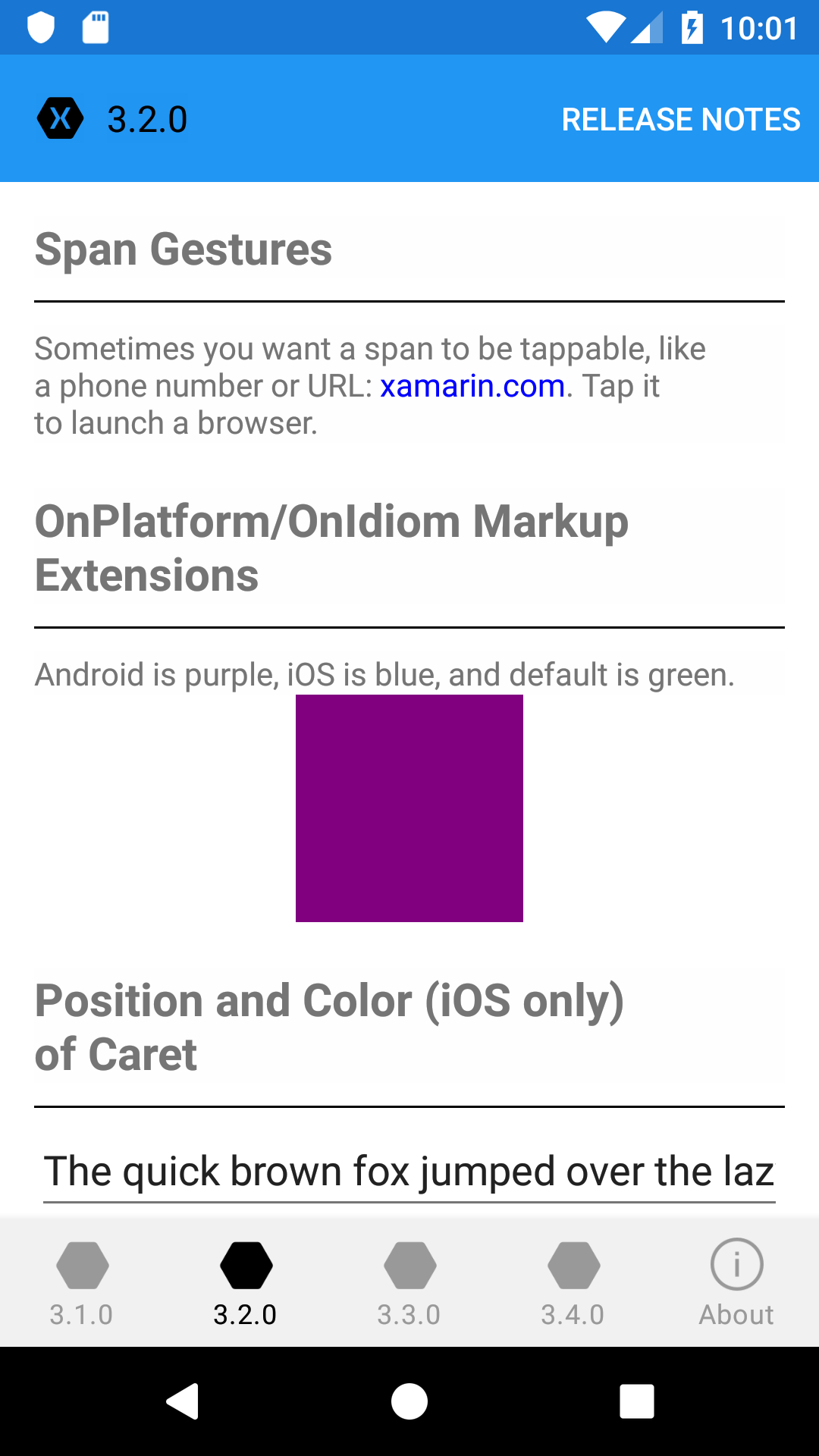
Android version showing the xamagon and 3.2.0 label I expect to see somewhere on UWP.
Reproduction Link
 davidortinau
❤2
👍1
All 6 comments
Still happens on master. But our gallery page works
 rmarinho
on 23 Nov 2018
rmarinho
on 23 Nov 2018
The TabbedPage implementation for TitleView on UWP was never implemented which is why it's not showing up here for UWP.
 PureWeen
on 23 Nov 2018
PureWeen
on 23 Nov 2018
😕1
any progress on that please?
 EmilAlipiev
on 2 Feb 2019
EmilAlipiev
on 2 Feb 2019
Would be awesome to have!
 philipblaquiere
on 28 Feb 2019
philipblaquiere
on 28 Feb 2019
👍2
Any news on this?
 AlleSchonWeg
on 25 May 2020
AlleSchonWeg
on 25 May 2020
Does anybody have a solution for fix it?
 superbeller
on 21 Aug 2020
superbeller
on 21 Aug 2020
Was this page helpful?
0 / 5 - 0 ratings
Related issues
 samhouts
·
3Comments
samhouts
·
3Comments
 MartinWegner
·
3Comments
MartinWegner
·
3Comments
 sonic1015
·
3Comments
sonic1015
·
3Comments
 simontocknell
·
3Comments
EmilAlipiev
·
3Comments
simontocknell
·
3Comments
EmilAlipiev
·
3Comments
Most helpful comment
Would be awesome to have!