Xamarin.forms: RightToLeft's FlowDirection not working when Force to ContentPage
Hi,
I have tried to set the ContentPage's FlowDirection to RightToLeft and it's working beautifuly on my Android device when I change the device language to Arabic
but when I change the language back to English then few things won't work, as an example Header and back button directions although the FlowDirection is set to RightToLeft not to Device.FlowDirection
 jrahma
All 8 comments
@jrahma Do you have a small reproduction project you can share? Thank you!
 samhouts
on 9 Aug 2018
samhouts
on 9 Aug 2018
Try the attached... It works when the device language is set to Arabic but when you change it to English then it will move the header to LTR although the FlowDirection is set to RightToLeft in the News page and the android:supportsRtl="true" and the MinSDKVersion is 17+. as per your article
please see the attached video..
jrahma
on 9 Aug 2018
Yes, there are a few things that we were unable to force the flow direction on during our first pass. The Navigation Bar is one of them, and more are listed in the Known Issues of #1222. We will work on improving this support. Thank you!
samhouts
on 6 Sep 2018
FlowDirection applied in parent is also not working on ListView HeaderTemplate
 SagarPanwala
on 7 May 2019
SagarPanwala
on 7 May 2019
@samhouts
This is still not fixed?
Please see below screenshot
The page is set to RightToLeft and everything is fine except the Page Title
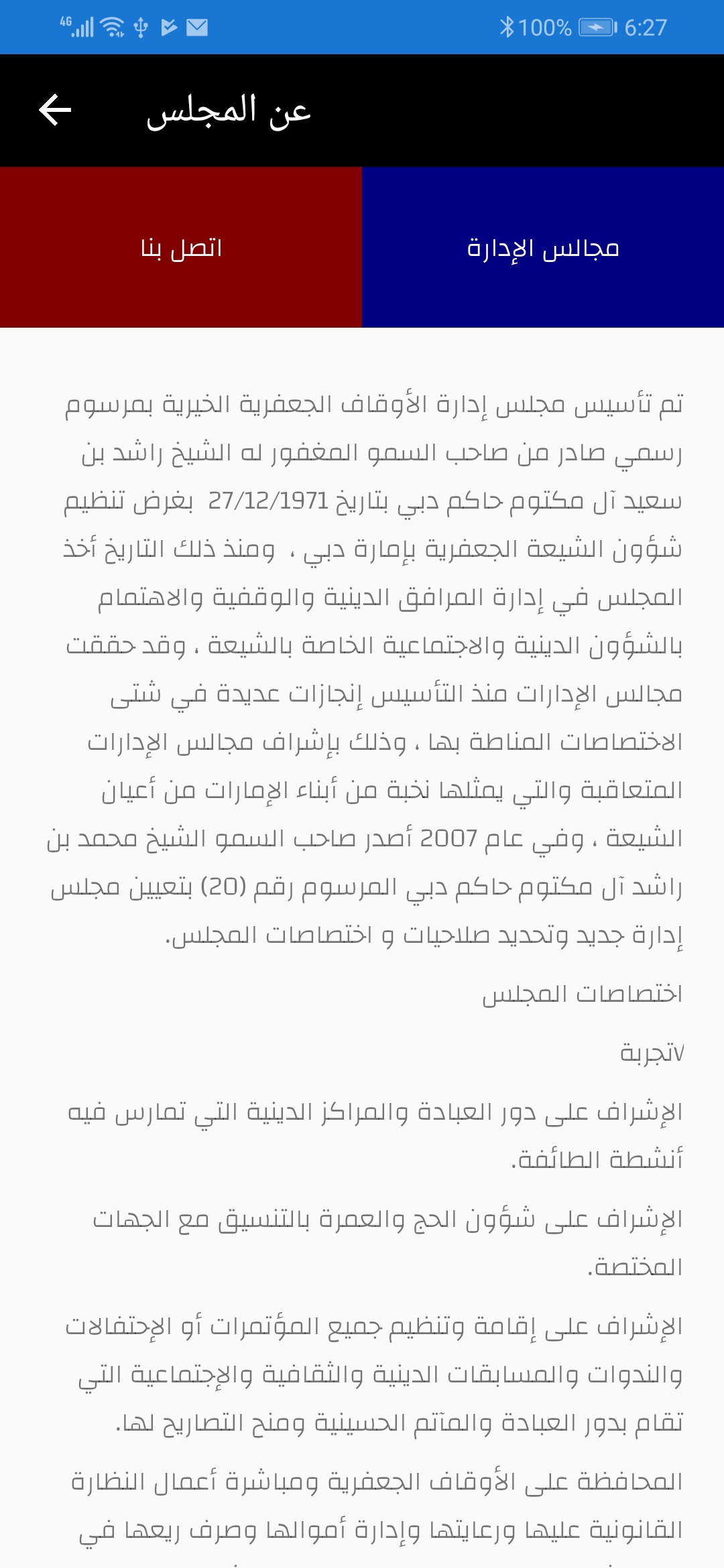
Thanks,
Jassim
jrahma
on 5 Aug 2019
@jrahma This is on the backlog. I do not currently have an estimate of when we may begin working on it. Thanks for your patience!
samhouts
on 5 Aug 2019
Even I am facing the same issue and we have a release of the App in near future. When can we have a this issue fixed. ?
Kindly work on this on priority.
 nikhildpardasani
on 21 Nov 2019
nikhildpardasani
on 21 Nov 2019
i have the same issue in ios
 KevinAnass
on 25 Apr 2020
KevinAnass
on 25 Apr 2020
Related issues
 AppGrate
·
3Comments
AppGrate
·
3Comments
 leobragatti
·
3Comments
samhouts
·
3Comments
leobragatti
·
3Comments
samhouts
·
3Comments
 Papirosnik
·
3Comments
Papirosnik
·
3Comments
 deakjahn
·
3Comments
deakjahn
·
3Comments