Xamarin.forms: [iOS] Cells aren't highlighted on touch-down when the ListView's CachingStrategy is set to "RecycleElement"
Description
On iOS, cells aren't highlighted on touch-down when the ListView's CachingStrategy is set to RecycleElement. Works fine on Android and with RetainElement.
Steps to Reproduce
- Create a list and set the
CachingStrategytoRecycleElement - Press down on a cell and don't move the finger
Expected Behavior
The cell should highlight like it does when using RetainElement.
Actual Behavior
The cell is highlighted (default grey color) only on touch-up when ItemSelected event is also triggered.
Basic Information
- Version with issue: Xamarin.Forms 3.1.0.637273
- Last known good version: it's an older issue
- IDE:
- Platform Target Frameworks:
- iOS: 11.4
Reproduction Link
 endarea
All 12 comments
As an additional note, there are three different behaviors, one for each CachingStrategy:
- For default RetainElement, behavior is as expected, item highlights when tapping the item and holding briefly.
- For RecycleElement, behavior is that the item will not highlight until finger is lifted
3. For RecycleElementAndDataTemplate, behavior is that on first tap, the item is not highlighted even after finger is lifted, but on second tap, behavior is as with RecycleElement.Upon further testing, the behavior is the same as RecycleElement
 jgold6
on 25 Jul 2019
jgold6
on 25 Jul 2019
After a deep dive into the Xamarin Forms code I have come up with this
My guess on why RecycleElement works differently comes down to this.
Whatever happens to RecycleElement the native Gesture selection is broken for whatever reason. Now the devs must have recognized this because if we trace the code we see that they actually implement a TapGestrueReconizer and add it to the UITableView when recycleelement is used. Now this TapGestureReconizer only sends touch's to the ViewCell using the ShouldReceiveTouch delegate method. But this data is only sent at the end of a Touch, its how TapGestureRecognizer works.
My workaround is simple, call this on TouchesBegan, thereby selecting the row at the beginning of the touch
I've tested this and it works, but I'm not an expert on the code so I'm not sure if this is the best soltuion, but it does show what the issue is and around how it can be solved
if we go to \Xamarin.Forms\Xamarin.Forms.Platform.iOS\ContextActionCell.cs
Scroll down near the bottom to
private class SelectGestureRecognizer : UITapGestureRecognizer
and add this code
public override void TouchesBegan(NSSet touches, UIEvent evt)
{
Tapped(this);
base.TouchesBegan(touches, evt);
}
it will fix the select issue
 v-haroha
on 26 Jul 2019
v-haroha
on 26 Jul 2019
I have a local branch created with a fix. I have created the UI test case to go along with it, but I do not have access to push a branch to this repo. Can someone help me out so I can create the PR?
v-haroha
on 26 Jul 2019
@v-haroha That's awesome to hear!!
you need to fork this repository and then create a branch on your own fork. Then from there you can create a pull request
https://help.github.com/en/articles/fork-a-repo
https://help.github.com/en/articles/creating-a-pull-request-from-a-fork
 PureWeen
on 26 Jul 2019
PureWeen
on 26 Jul 2019
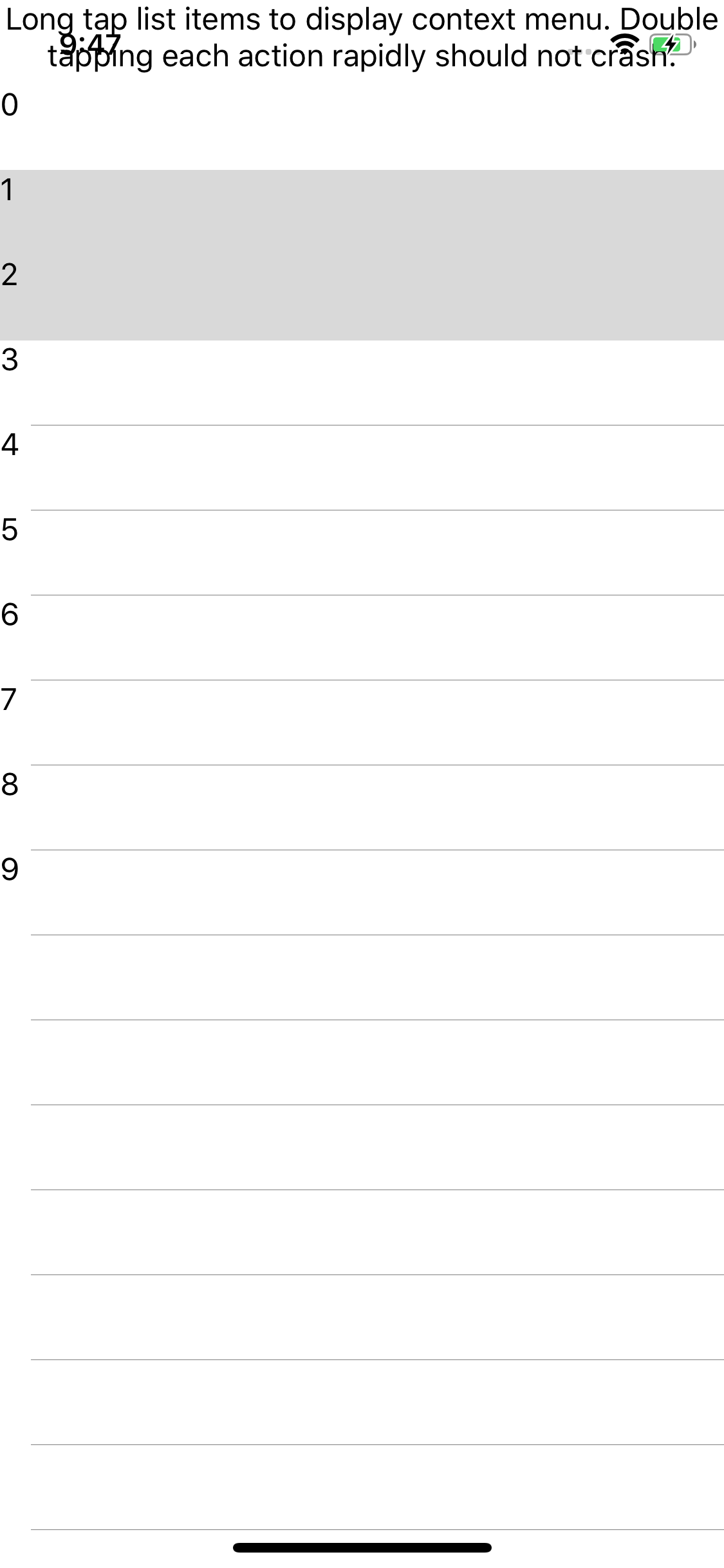
Had to reopen this issue since I reverted ( #7787 ) the pr that was merged because it doesn't fix the issue on iOS13 and was causing issues with context actions not working, or having multiple selected rows at the same time
 rmarinho
on 3 Oct 2019
rmarinho
on 3 Oct 2019
@rmarinho There is another issue open regarding iOS13 and highlighting.
Highlighting on iOS13 doens't work at all, this is a separate matter.
v-haroha
on 3 Oct 2019
@v-haroha oh, do we have an issue for that? I wasn't aware, but still the other PR broke the context actions so we need to make sure we have a fix for iOS12 or 11 that doesn't break context actions.
But I do think we might need a better approach to make it work in all versions
rmarinho
on 3 Oct 2019
this is the background color issue for iOS13
https://github.com/xamarin/Xamarin.Forms/issues/7680
its a completely different issue then this.
How are Context Actions broken with this change?
v-haroha
on 3 Oct 2019
Run the issue Bugzilla45027 in our gallery, if you open the context actions click action, and try to open context action again in the same sell it doesn't open again.
It was failing in our UITests
rmarinho
on 3 Oct 2019
Thanks, I'll check this out.
We can fix the Context actions, but the highlighting solution that I implemented will work for iOS 13 when the other issue has been resolved. Highlighting isnt working for any listview in iOS13, regardless of recycle element or not.
v-haroha
on 3 Oct 2019
I don't think this Context not working is related to my changes. I took the current branch and removed all my changes, which isnt hard given that I tried to change as little as possible, and the LongPress Reveal for Bug45027 still does not work.
I took this a step further and modified the test for Bug45027 so the list view will use RetainElement, still had the same results. Would you be available over Slack to talk about this?
v-haroha
on 3 Oct 2019
So I rolled back to an older Version, beta-4.1.0-pre2

And Long Press to reveal for 45027 still does not work. I think you should probably open a new issue, as whatever is going on here is buried under a mountain of updates and changes.
v-haroha
on 3 Oct 2019
Related issues
 AppGrate
·
3Comments
AppGrate
·
3Comments
 mattregul
·
3Comments
jgold6
·
3Comments
mattregul
·
3Comments
jgold6
·
3Comments
 simontocknell
·
3Comments
simontocknell
·
3Comments
 suihanhbr
·
3Comments
suihanhbr
·
3Comments