Xamarin.forms: Edit and Continue doesn't work with .NET Standard
When a Xamarin.Forms cross-platform library uses .NET Standard, Edit and Continue doesn't work on UWP. (I didn't try other ways of incorporating the cross-platform code, so I don't know whether this is specific to .NET Standard.)
Repro:
- Create a new UWP project.
- Add a .NET Standard class library.
- Verify that Edit and Continue works. (Start the app. Debug > Break All. Edit some code in the class library. Continue.)
- Add Xamarin.Forms to the class library and UWP project. Add a page to the class library. Add the standard startup code to the UWP project. This repro project is in this state.
- Test whether Edit and Continue works. Notice that it doesn't (although Edit and Continue does work if you edit the UWP project).
In the repro project, the Error List window doesn't show any errors. However, for my production project, this error appears:
Error CS7038: Failed to emit module '_name_'.
 breyed
All 8 comments
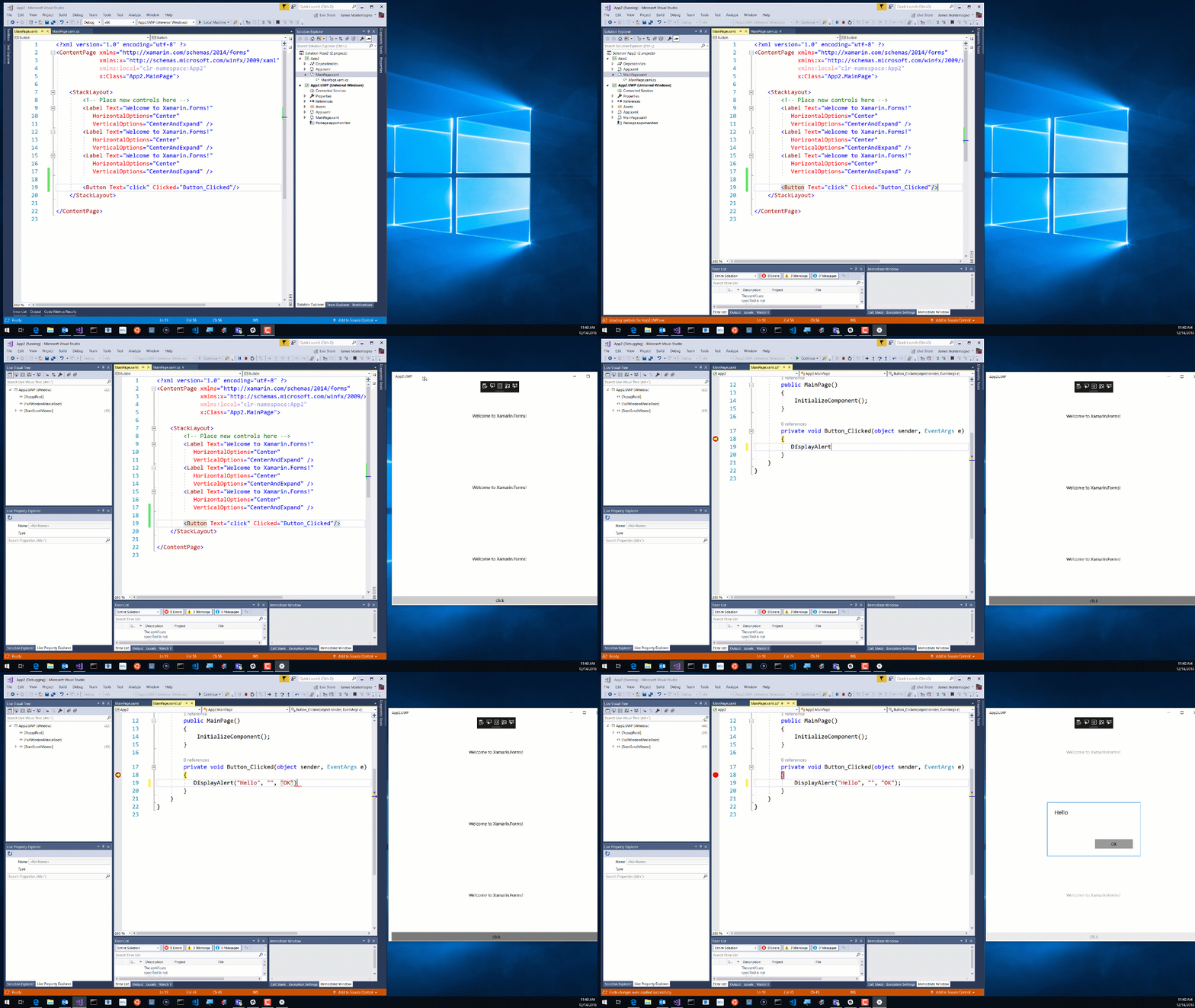
I do believe this works in newer version of VS:
 jamesmontemagno
on 14 Dec 2018
jamesmontemagno
on 14 Dec 2018
This is NOT working on my VS 15.9.4 if I open a project which is created on another computer.
But if I create a new project on my system it will work correctly.
 arminrasoulian
on 21 Dec 2018
arminrasoulian
on 21 Dec 2018
This is NOT working on my VS 15.9.4 if I open a project which is created on another computer.
But if I create a new project on my system it will work correctly.
Do you have a sample?
jamesmontemagno
on 21 Dec 2018
Yes, there is a training project in Github.
Sample link
Edit and continiue is not working with this project in my visual studio. But edit and continue works correctly if I create a new project in my own system.
arminrasoulian
on 23 Dec 2018
This is NOT working on my VS 15.9.4 if I open a project which is created on another computer.
But if I create a new project on my system it will work correctly.
Could you please try to edit & continue some codes in UWP project instead of changing .net standard library codes? @arminrasoulian
As an example, develop a custom renderer and try to change its codes at runtime. Surprisingly it gonna work on all machines. But changing .net standard library codes results into an error on some machines! :-S
 ysmoradi
on 21 Jan 2019
ysmoradi
on 21 Jan 2019
This is NOT working on my VS 15.9.4 if I open a project which is created on another computer.
But if I create a new project on my system it will work correctly.Could you please try to edit & continue some codes in UWP project instead of changing .net standard library codes? @arminrasoulian
As an example, develop a custom renderer and try to change its codes at runtime. Surprisingly it gonna work on all machines. But changing .net standard library codes results into an error on some machines! :-S
Yes, I've already tested this before, and the result is exactly as you said.
arminrasoulian
on 21 Jan 2019
Not working on my VS 15.9.4 too.
 mehrandvd
on 23 Jan 2019
mehrandvd
on 23 Jan 2019
Same here, VS 15.9.0
 massaraksh33
on 25 Mar 2019
massaraksh33
on 25 Mar 2019
Related issues
 fazil1987
·
3Comments
fazil1987
·
3Comments
 deakjahn
·
3Comments
deakjahn
·
3Comments
 xabre
·
3Comments
xabre
·
3Comments
 EmilAlipiev
·
3Comments
EmilAlipiev
·
3Comments
 Hudhud
·
3Comments
Hudhud
·
3Comments
Most helpful comment
This is NOT working on my VS 15.9.4 if I open a project which is created on another computer.
But if I create a new project on my system it will work correctly.