Wysiwyg-editor: on chrome browsers, dropping images from another tab would load it as blob instead of uploading.
Expected behavior.
On chrome browser
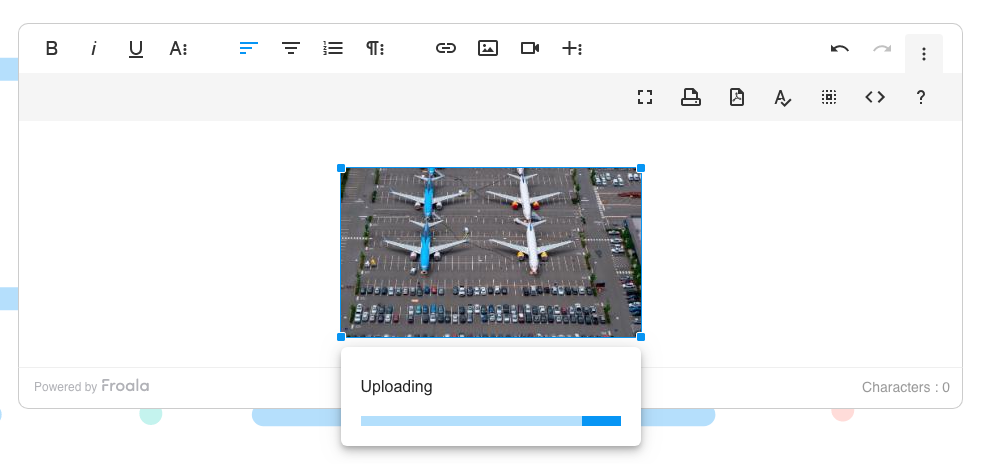
When dragging an image from a website on another tab to a froala editor, the editor will upload it and insert it.
Actual behavior.
The editor would rendered an uploading message with animation endlessly. When you check for code view it is inserted as blob
Steps to reproduce the problem.
Works on the demo page. https://www.froala.com/wysiwyg-editor
Open two tabs, one for the froala editor one for a website with images (cnn.com)
drag an image from the other website then drop it inside the froala editor.
OS.
macos mojave, windows 10
Browser.
google chrome 75

 brayanph
All 7 comments
+1 Having this same issue, as we are unable to drag images from Google docs.
Loads endlessly and displays blob and does not upload the image to the server.
 zstrad44
on 5 Aug 2019
zstrad44
on 5 Aug 2019
Same problem when we copy paste a html that contains some img html tag
 acemtp
on 7 Aug 2019
acemtp
on 7 Aug 2019
We have the same problem with our Froala editor...
 kceusters
on 5 Sep 2019
kceusters
on 5 Sep 2019
Same problem, has anyone solved this problem?
 elonbase
on 18 Oct 2019
elonbase
on 18 Oct 2019
Any news on that issue? Does Sencha will fix it anytime soon ?
 peernohell
on 29 Nov 2019
peernohell
on 29 Nov 2019
@peernohell I think the issue is fixed in latest 3.0.6 version. https://www.froala.com/wysiwyg-editor/changelog#3.0.6
 slavik-chapelskyi
on 29 Nov 2019
slavik-chapelskyi
on 29 Nov 2019
@slavik-chapelskyi Thanks!
We just update our version and it's fixed.
I think this issue could be closed now :)
peernohell
on 5 Dec 2019
Related issues
 cristianst
·
4Comments
cristianst
·
4Comments
 kikeso77
·
3Comments
kikeso77
·
3Comments
 archonic
·
4Comments
archonic
·
4Comments
 cksachdev
·
4Comments
cksachdev
·
4Comments
 thedotedge
·
4Comments
thedotedge
·
4Comments