Wysiwyg-editor: Backspace can not delete elements, you must press Ctrl, you can delete
Expected behavior.
(Describe expected behaviour here)
Do not need to press Ctrl, you can delete
Actual behavior.
(Describe actual behaviour here)
Steps to reproduce the problem.
(Describe the steps to reproduce the problem here)
example:
https://jsfiddle.net/11csLex6/4/
After deleting the page text, you can not delete it
Press ctrl, or delete the three div, you can delete all normally
这个页面 文字删除后,也不能删完
按着ctrl,或者删除那三个div,就可以正常删除全部
or:
- copy from other editor

- paste to froala
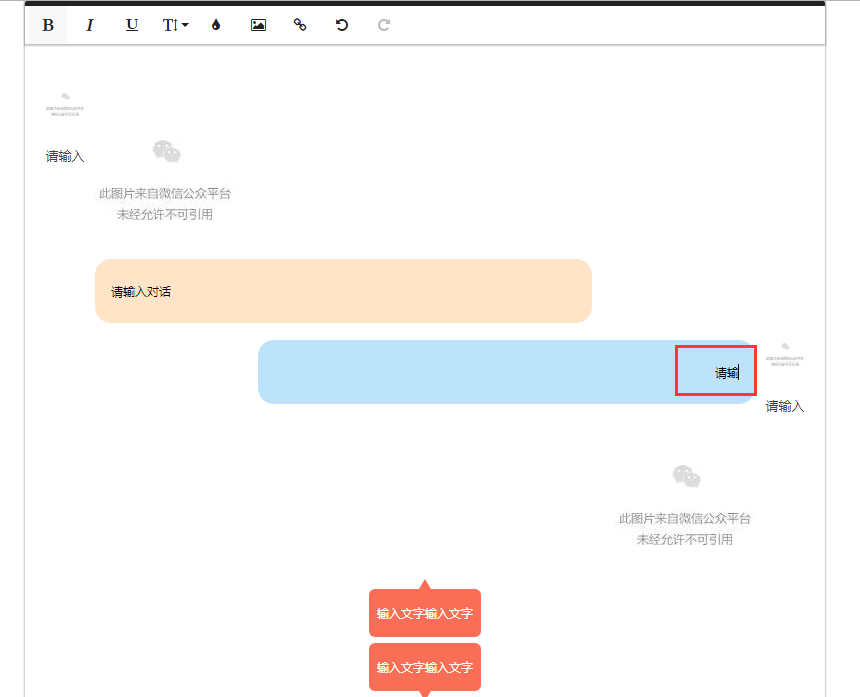
# When you delete the text, you can not delete the background, but press Ctrl to delete
OS.
(OS name and version here)
windows10
Browser.
(Browser name an version here)
版本 63.0.3239.132(正式版本) (64 位)
editor latest 2.74
 docikaci
All 11 comments
 docikaci
on 16 Jan 2018
docikaci
on 16 Jan 2018
@stefanneculai Help me to see what the problem, thank you very much
docikaci
on 18 Jan 2018
@stefanneculai
Help Help me to see what the problem, thank you very much
docikaci
on 19 Jan 2018
@docikaci we are not able to reproduce this. The link from where you are copying requires authentication. Otherwise, we have to build ourselves the same layout you have in that other editor. This is quite impossible for us, because we don't understand the language and the menu items doesn't seem to be the same.
Could you please create a jsfiddle with the content copied form the other editor already in the Froala editor?
 dianaprajescu
on 19 Jan 2018
dianaprajescu
on 19 Jan 2018
@dianaprajescu
example:
https://jsfiddle.net/11csLex6/4/
After deleting the page text, you can not delete it
Press ctrl, or delete the three div, you can delete all normally
docikaci
on 19 Jan 2018
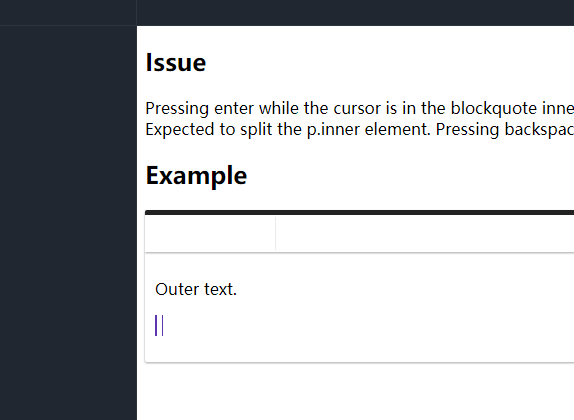
Can not delete the rest of this
docikaci
on 19 Jan 2018
This is a blockquote. How is this related to copying from the other editor?
dianaprajescu
on 19 Jan 2018
I feel similar, all can press Ctrl to delete
I am trying to provide a jsfiddle
docikaci
on 19 Jan 2018
@dianaprajescu
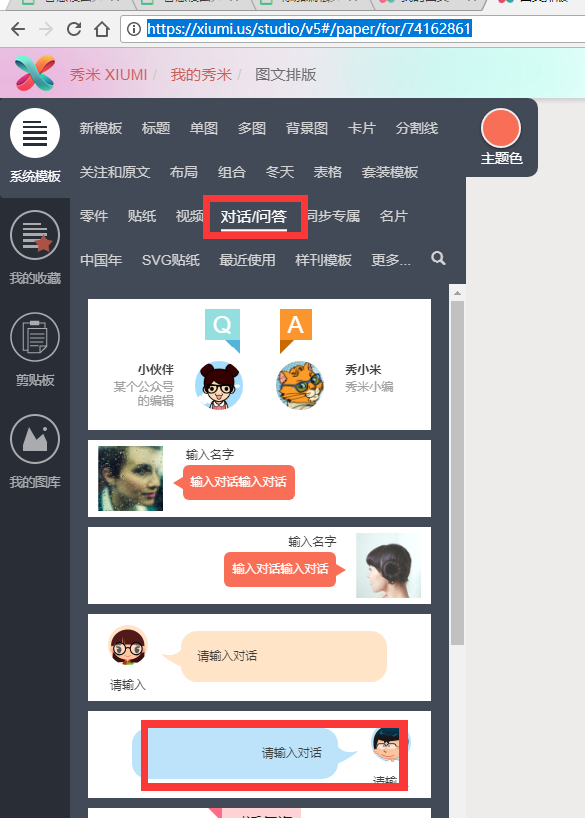
step! step! step!
open url:
https://xiumi.us/studio/v5#/paper/for/newfind content
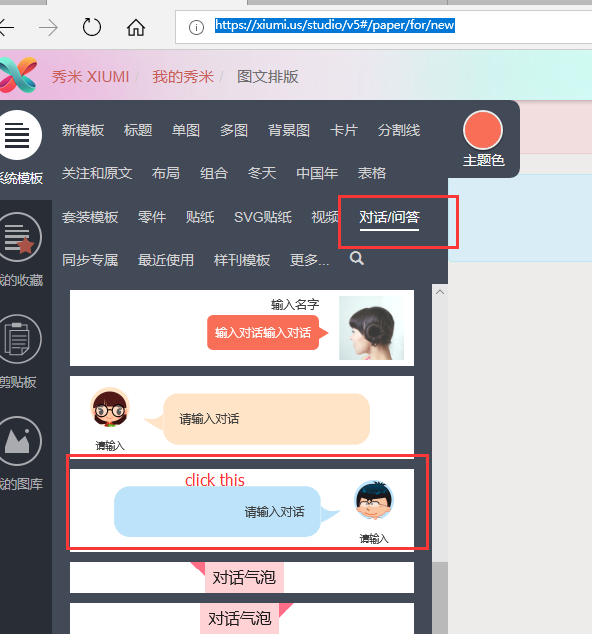
copy content
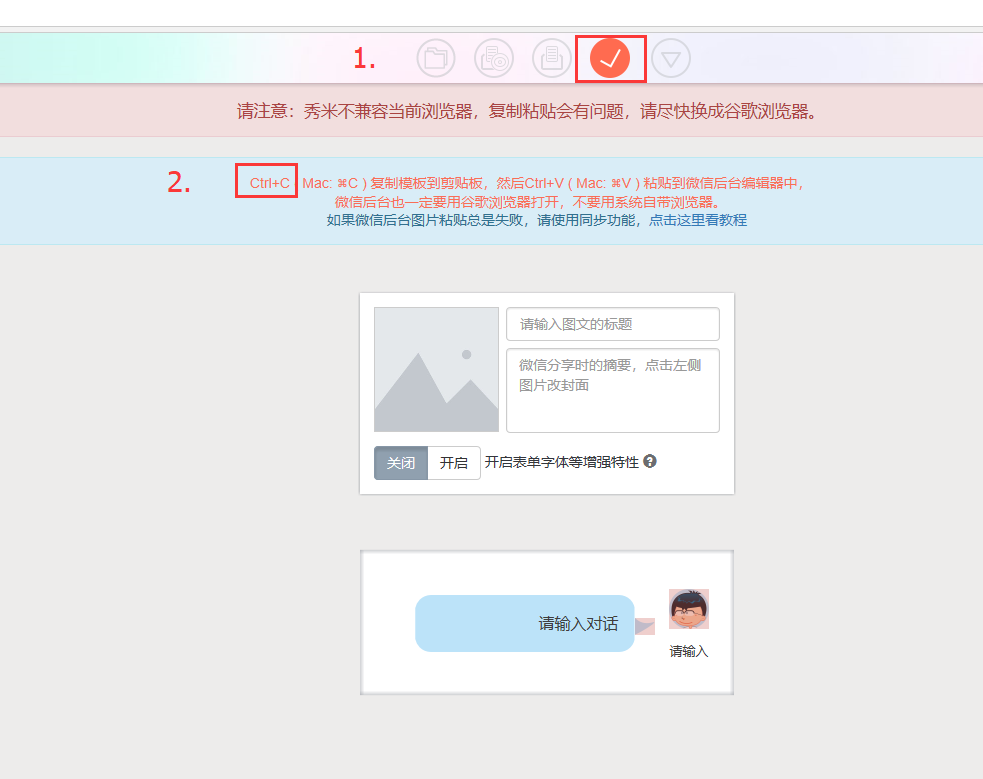
4.copy to froala
https://jsfiddle.net/docikaci/bcmt6c5f/2/
5.delete text , but can't delete background。
6.press ctrl,you can delete all normally。
docikaci
on 22 Jan 2018
@dianaprajescu hi Would like to ask about when to fix a version ? thanks
docikaci
on 25 Jan 2018
This fix is going to be included in the next release which we'll make in the following days or next week.
dianaprajescu
on 25 Jan 2018
Related issues
 horatiua
·
4Comments
horatiua
·
4Comments
 Nucs
·
4Comments
Nucs
·
4Comments
 Fandangi
·
3Comments
Fandangi
·
3Comments
 cristianst
·
4Comments
cristianst
·
4Comments
 rogersteblerbsi
·
3Comments
rogersteblerbsi
·
3Comments