Wttr.in: For autodetected (based on IP) locations, country information seems to be ignored
Examples:
(from issue #62):
when we do not pass any input to the url and it recognizes the location through ip address, the results are still from Carlisle, UK.
There are some other issues like that.
 chubin
All 10 comments
I'm in Melbourne Florida. wttr.in auto-locates to 'Melbourne', which pulls up Melbourne, Australia.
If I manually type in wttr.in/Florida, it pulls up Florida, Cuba, literally a city in Cuba.
 KM4YRI
on 25 Jan 2017
KM4YRI
on 25 Jan 2017
Try wttr.in/Melbourne,Florida
 WZinda
on 27 Jan 2017
WZinda
on 27 Jan 2017
Another occurance: https://twitter.com/Matt24Ray/status/827517408311181312
chubin
on 3 Feb 2017
@KM4YRI @wZguy @lfaraone Please check if it is better now. It should work now
chubin
on 19 Feb 2017
MattRay has reported that it works for him now:
https://twitter.com/Matt24Ray/status/827517408311181312
chubin
on 21 Feb 2017
@KM4YRI @wZguy @lfaraone Please check if it is better now. It should work now
wttr.in/Melbourne,Florida works, as does Try wttr.in/32901, but Try wttr.in/Florida still brings up Florida, Cuba. Ideally in ambiguous cases like this, the 'biggest' of the two by population or something to that effect should be used.
But at this point it's usable, if I just use my zip code.
So I'm content.
KM4YRI
on 2 Mar 2017
@KM4YRI It's actually already so like you say, but it does not work this way with Florida, because Florida,US is not a city/location, is a state, and states/countires are not supposed to be used here. So you can't check the weather in France or in Germany. I mean wttr.in/France or wttr.in/Germany will not work (though it would be a really good feature I think).
My original question was about autolocation: so what happens if you do curl wttr.in, do you still the the weather report for Melbourne,Australia or it is Mebourne,US now?
chubin
on 2 Mar 2017
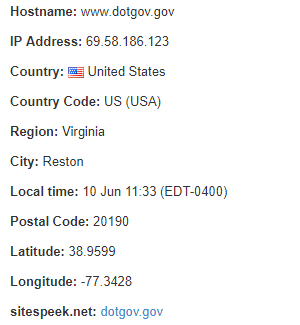
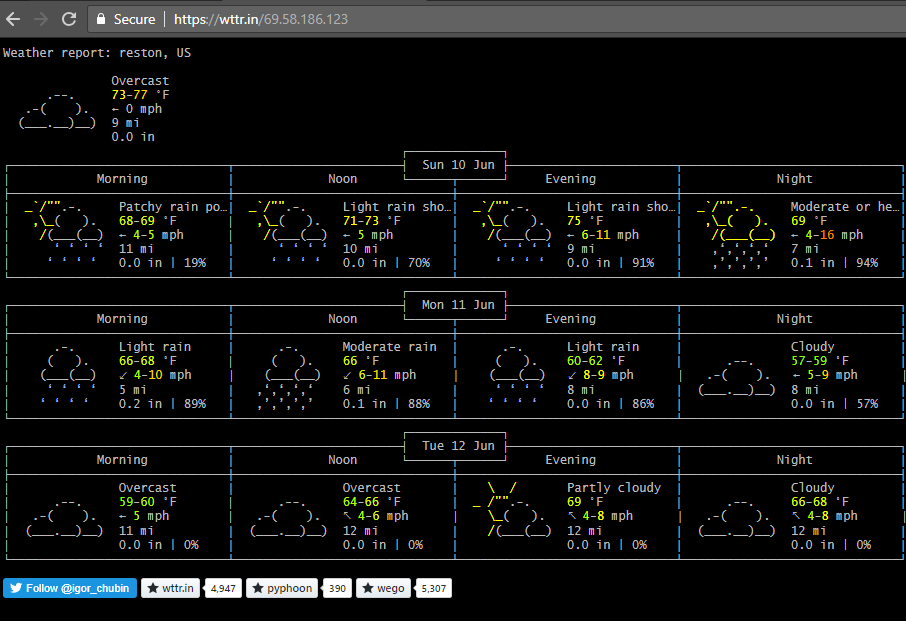
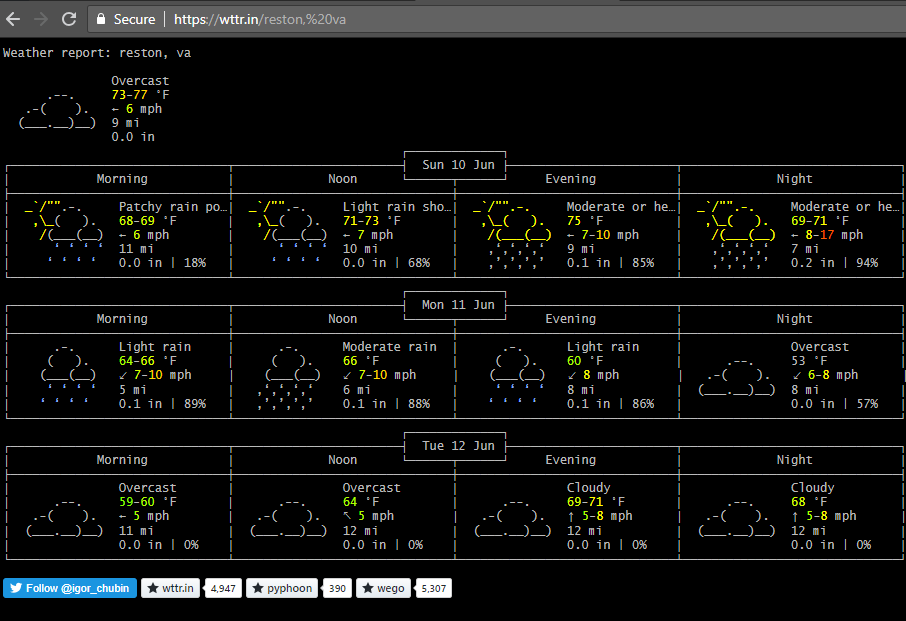
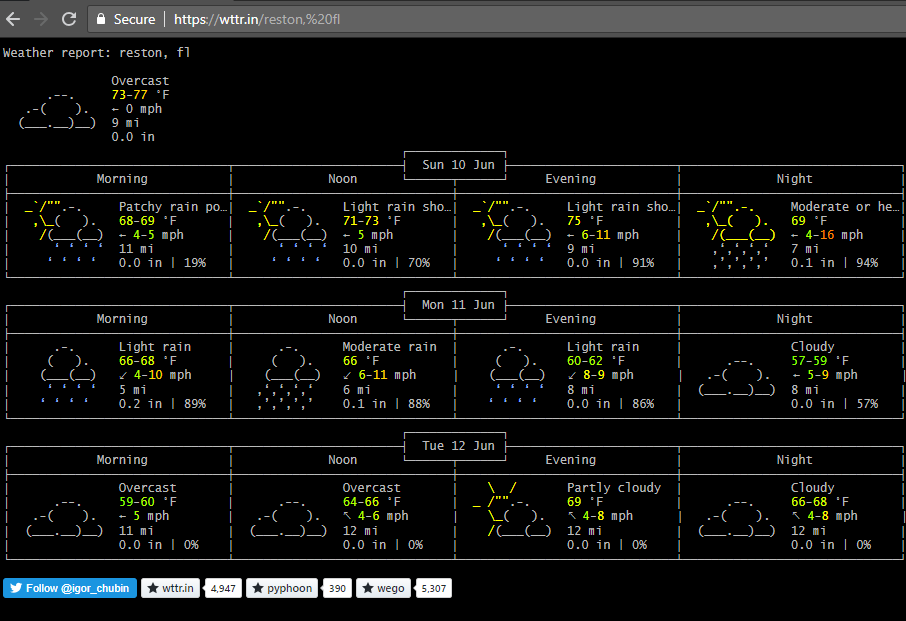
Another example, using the IP address for dotgov.gov. The state is ignored and weather for a generic Reston, in this case Florida, is used.
 carlstoker
on 10 Jun 2018
carlstoker
on 10 Jun 2018
@KM4YRI @wZguy @lfaraone @cstok
I've fixed several bugs related to geolocation based on IP-address.
curl wttr.in/@dotgov.gov
should now work as it should.
For other locations, if they are resolved incorrectly, use advanced location search using ~ in front of the location name:
~Florida
~Reston,Florida
etc.
In future, we should probably use advanced location search by default,
so the ~ will be not necessary.
Please check, if IP-based geolocation works for you now.
chubin
on 27 Oct 2018
I apologize for not responding here, for some reason I've completely failed to see the notifications here on github.
No, IP-based geolocation is still wildy incorrect, and when I use wttr.in I make sure to invoke it as wttr.in/<city>,<State> i.e., curl wttr.in/Dallas,Tx.
To be exact, I live in a city called Clinton. There are 23 states with a city called Clinton. https://www.geodatos.net/en/homonymous-cities/clinton
When I invoke it by default, I get a response that doesn't match any Clinton in the United States despite saying so. I know because I ran wttr.in against every state manually to double check, but I don't want to flood this comment with too many screenshots.
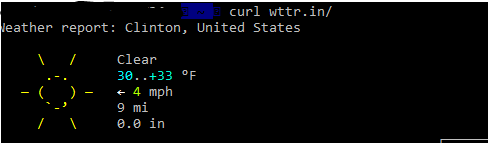
When I request specifically Clinton, I get:
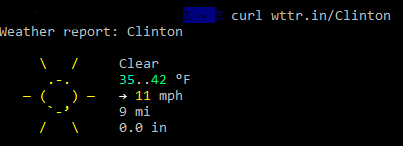
This is the same as asking for Clinton,Maryland:
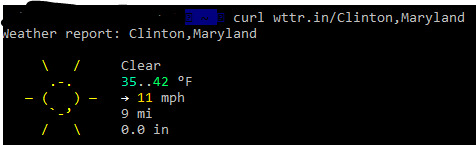
If I ask for Clinton,US I again get the results for Clinton,Maryland
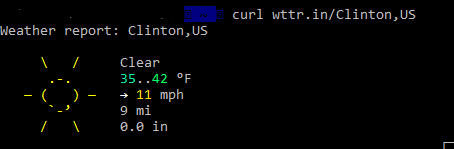
If I request Clinton,UnitedStates, I receive the same response as Clinton,NorthCarolina:
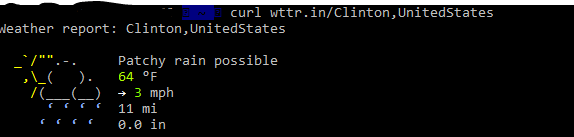
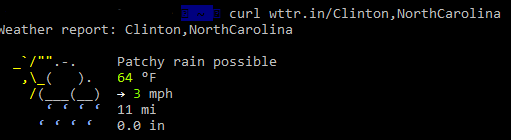
I don't live in Clinton,Maryland or Clinton,North Carolina, and when I browse to any generic 'find your location from your IP' website, the results from those services are accurate. When viewing http://wttr.in, I am also presented with the same result as curl wttr.in from my shell.
WZinda
on 26 Feb 2019
Related issues
 sleeperzjf
·
7Comments
sleeperzjf
·
7Comments
 cjwelborn
·
6Comments
cjwelborn
·
6Comments
 wonderil
·
7Comments
wonderil
·
7Comments
 a0s
·
8Comments
a0s
·
8Comments
 097115
·
6Comments
097115
·
6Comments
Most helpful comment
@KM4YRI @wZguy @lfaraone Please check if it is better now. It should work now