Wsl: Error 0x80370102 The Virtual machine could not be started because a required feature is not installed ....
Following instructions on https://docs.microsoft.com/en-us/windows/wsl/wsl2-install#feedback with a fairly clean install of Build 18922
- enabled The VMPlatform, reboot
- enabled wsl, reboot
wsl set-default-verion 2- Install Ubuntu from store - https://aka.ms/wslstore as directed by
wsl -l -v - Launch Ubuntu
Get the above error.
 SteveALee
All 18 comments
Is virtualization enabled in your BIOS? That could be a quick fix.
We're tracking this issue over in #404 and we can help you troubleshoot there!
 craigloewen-msft
on 27 Jun 2019
craigloewen-msft
on 27 Jun 2019
Ah, yes. I didn;t check as 0x80370102 is different error number to that listed for that issue. I forgot to enable it as Insiders Machine was not a dev PC. Still getting the error though. Will head over to #404 (a very suitable number) :D
SteveALee
on 28 Jun 2019
I had a similar problem on when installing on my new system. I checked my BIOS @craigloewen-msft as mentioned. The first time I didn't find anything but after doing a bit more research I tried turning on SVM in the BIOS and it worked. (I also turned on the Windows Hypervisor setting in Windows Features)
(Advanced → CPU Configuration → SVM → Enable)
This is the case for AMD systems. Apparently it is different for Intel based systems.
 blackmasks
on 2 Sep 2020
blackmasks
on 2 Sep 2020
Hi i am have i BIG issue with getting Kali Linux installed on my Windows 10 PC. i was having a problem with Kali it said that there were unmet dependencies. try 'apt --fix-broken install' with no packages (or specify a solution). and i looked it up and i just could not find anything to fix it so i was like "ok i will just uninstall and try a again later". but when i installed it again it will not even work like at ALL!!
and this is the error (╯°□°)╯︵ ┻━┻
WslRegisterDistribution failed with error: 0x80370102
Error: 0x80370102 The virtual machine could not be started because a required feature is not installed.
but i have all the right "dependencies" #i say with sarcasm, pls pls pls help MeEeeE
 helloiamyeet
on 3 Sep 2020
helloiamyeet
on 3 Sep 2020
Is virtualization enabled in your BIOS? That could be a quick fix.
We're tracking this issue over in #404 and we can help you troubleshoot there!
Thank you, i enable and work.
 ManoloMoraes
on 6 Sep 2020
ManoloMoraes
on 6 Sep 2020
Is virtualization enabled in your BIOS? That could be a quick fix.
We're tracking this issue over in #404 and we can help you troubleshoot there!Thank you, i enable and work.
how did u do it
 ghost
on 22 Sep 2020
ghost
on 22 Sep 2020
"The Virtual machine could not be started because a required feature is not installed"
How about make the message say which feature is not installed.
I got Virtualization enabled in BIOS, Windows Subsystems for Linux and Virtual Machine Platform enabled in Windows features, still get the message.
Do I need Hyper-V enabled? Do I need Windows Hypervisor Platform?
Edit: no, enabling these 2 didn't solve it either.
Edit 2: running bcdedit /set hypervisorlaunchtype auto start and reboot seems to have worked for me. So maybe I did need Hyper-V and/or Hypervisor Platform enabled, but it doesn't tell you anything useful.
 ktmn
on 25 Sep 2020
ktmn
on 25 Sep 2020
Hi @ktmn ,
Windows Subsystem for Linux or #WSL is for me and I'm aware this issue was closed. I got the following error after
Upgrading #WSL Windows Subsystem for #Linux on Windows 10 Professional with only bios #Virtualization and not SLAT.
"#0x80370102 the #virtual #machine could not be started because a required feature is not installed."
C:>wsl --set-default-version 1, Set default version 1, resolves the error on my desktop.
The above resolves the error and got me further. Now...
C:>ubunutu.exe
Prompts with new username and password.
 kscott5
on 28 Sep 2020
kscott5
on 28 Sep 2020
Yes I fix it thank you very much
On Mon., 28 Sep. 2020, 9:56 am Karega Scott, notifications@github.com
wrote:
Hi @ktmn https://github.com/ktmn ,
Windows Subsystem for Linux or #WSL is for me and I'm aware this issue was
closed. I got the following error after
Upgrading #WSL Windows Subsystem for #Linux on Windows 10 Professional
with only bios #Virtualization and not SLAT."#0x80370102 the #virtual #machine could not be started because a required
feature is not installed."C:>wsl --set-default-version 1, Set default version 1, resolves the error
on my desktop.The above resolves the error and got me further. Now...
C:>ubunutu.exe
Prompts with new username and password.[image: WSL2_Error_0x80370102]
https://user-images.githubusercontent.com/132991/94378978-01ab7980-00f3-11eb-80c9-50b5bc38d2ab.JPG—
You are receiving this because you commented.
Reply to this email directly, view it on GitHub
https://github.com/MicrosoftDocs/WSL/issues/436#issuecomment-699705700,
or unsubscribe
https://github.com/notifications/unsubscribe-auth/AOL4MB6S5AMHC42BBYUUVALSH7GJLANCNFSM4H37NKFA
.
helloiamyeet
on 28 Sep 2020
"The Virtual machine could not be started because a required feature is not installed"
How about make the message say _which_ feature is not installed.
I got Virtualization enabled in BIOS,
Windows Subsystems for LinuxandVirtual Machine Platformenabled in Windows features, still get the message.
Do I needHyper-Venabled? Do I needWindows Hypervisor Platform?Edit: no, enabling these 2 didn't solve it either.
Edit 2: running
bcdedit /set hypervisorlaunchtype auto startand reboot seems to have worked for me. So maybe I _did_ need Hyper-V and/or Hypervisor Platform enabled, but it doesn't tell you anything useful.
This worked for me too. Thank you.
 thomas-griffiths
on 12 Oct 2020
thomas-griffiths
on 12 Oct 2020
Hi @ktmn ,
Windows Subsystem for Linux or #WSL is for me and I'm aware this issue was closed. I got the following error after
Upgrading #WSL Windows Subsystem for #Linux on Windows 10 Professional with only bios #Virtualization and not SLAT."#0x80370102 the #virtual #machine could not be started because a required feature is not installed."
C:>wsl --set-default-version 1, Set default version 1, resolves the error on my desktop.
The above resolves the error and got me further. Now...
C:>ubunutu.exe
Prompts with new username and password.
thank you thank you
 12729582
on 15 Oct 2020
12729582
on 15 Oct 2020
$ wsl --set-default-version 1
This one solved it for me.
Hi @ktmn ,
Windows Subsystem for Linux or #WSL is for me and I'm aware this issue was closed. I got the following error after
Upgrading #WSL Windows Subsystem for #Linux on Windows 10 Professional with only bios #Virtualization and not SLAT."#0x80370102 the #virtual #machine could not be started because a required feature is not installed."
C:>wsl --set-default-version 1, Set default version 1, resolves the error on my desktop.
The above resolves the error and got me further. Now...
C:>ubunutu.exe
Prompts with new username and password.
This one solved it for me.
 dev-mtshikomba
on 16 Oct 2020
dev-mtshikomba
on 16 Oct 2020
How about you come up with specific, non-stupid error messages so people don't have to go through this thread to identify what was the error?
 pluc
on 3 Dec 2020
pluc
on 3 Dec 2020
@ktmn - THANK YOU! the below has solved the issue after days of trying random solutions from google/blogs/ms threads...
Edit 2: running
bcdedit /set hypervisorlaunchtype auto startand reboot seems to have worked for me. So maybe I _did_ need Hyper-V and/or Hypervisor Platform enabled, but it doesn't tell you anything useful.
Although it doesn't show any Hyper-V or Hypervisor platform to be turned on in "Turn windows features on". And in services.msc the only one working currently is: Hyper-V host compute service...
 WhiteZorin
on 14 Dec 2020
WhiteZorin
on 14 Dec 2020
I had the same problem and changing the setting in my bios to enable VM fixed this issue, so try that too in case none of the commands above fixed it for you
 gabrielkemec
on 15 Dec 2020
gabrielkemec
on 15 Dec 2020
"The Virtual machine could not be started because a required feature is not installed"
How about make the message say _which_ feature is not installed.
I got Virtualization enabled in BIOS,
Windows Subsystems for LinuxandVirtual Machine Platformenabled in Windows features, still get the message.
Do I needHyper-Venabled? Do I needWindows Hypervisor Platform?Edit: no, enabling these 2 didn't solve it either.
Edit 2: running
bcdedit /set hypervisorlaunchtype auto startand reboot seems to have worked for me. So maybe I _did_ need Hyper-V and/or Hypervisor Platform enabled, but it doesn't tell you anything useful.
This worked for me as well, thank you!
 DarkChocolate
on 18 Dec 2020
DarkChocolate
on 18 Dec 2020
"The Virtual machine could not be started because a required feature is not installed"
How about make the message say _which_ feature is not installed.
I got Virtualization enabled in BIOS,Windows Subsystems for LinuxandVirtual Machine Platformenabled in Windows features, still get the message.
Do I needHyper-Venabled? Do I needWindows Hypervisor Platform?
Edit: no, enabling these 2 didn't solve it either.
Edit 2: runningbcdedit /set hypervisorlaunchtype auto startand reboot seems to have worked for me. So maybe I _did_ need Hyper-V and/or Hypervisor Platform enabled, but it doesn't tell you anything useful.This worked for me as well, thank you!
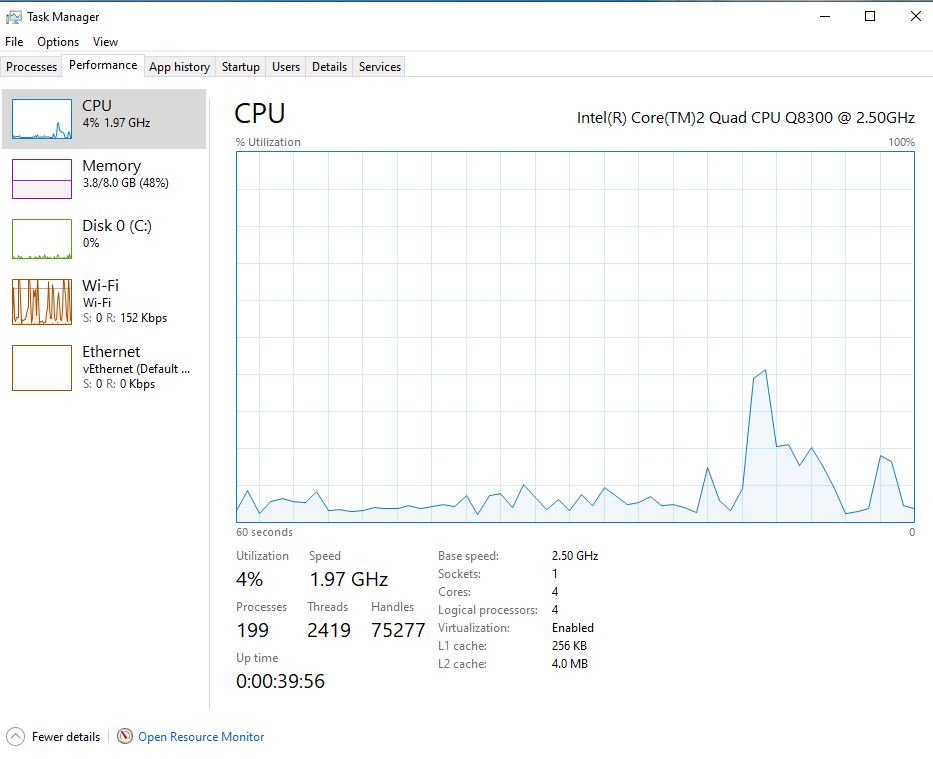
None of them worked for me. I am running WSL2 on Windows 10 VM on proxmox with nested virtualization enabled. Task Manager on Windwows does show Virtualization: Enabled. All the program features are enabled as well. And I did all the steps mentioned above. Still doesn't work. Any ideas?
 imperialguy
on 24 Dec 2020
imperialguy
on 24 Dec 2020
$ wsl --set-default-version 1This one solved it for me.
Hi @ktmn ,
Windows Subsystem for Linux or #WSL is for me and I'm aware this issue was closed. I got the following error after
Upgrading #WSL Windows Subsystem for #Linux on Windows 10 Professional with only bios #Virtualization and not SLAT.
"#0x80370102 the #virtual #machine could not be started because a required feature is not installed."
C:>wsl --set-default-version 1, Set default version 1, resolves the error on my desktop.
The above resolves the error and got me further. Now...
C:>ubunutu.exe
Prompts with new username and password.
This one solved it for me.
This solved my issue too, thanks
 NvkAnirudh
on 27 Dec 2020
NvkAnirudh
on 27 Dec 2020
Related issues
 MedAnd
·
6Comments
MedAnd
·
6Comments
 taoyichen
·
8Comments
taoyichen
·
8Comments
 thesmart
·
6Comments
thesmart
·
6Comments
 jplew
·
5Comments
jplew
·
5Comments
 horvan
·
4Comments
horvan
·
4Comments
Most helpful comment
"The Virtual machine could not be started because a required feature is not installed"
How about make the message say which feature is not installed.
I got Virtualization enabled in BIOS,
Windows Subsystems for LinuxandVirtual Machine Platformenabled in Windows features, still get the message.Do I need
Hyper-Venabled? Do I needWindows Hypervisor Platform?Edit: no, enabling these 2 didn't solve it either.
Edit 2: running
bcdedit /set hypervisorlaunchtype auto startand reboot seems to have worked for me. So maybe I did need Hyper-V and/or Hypervisor Platform enabled, but it doesn't tell you anything useful.