I have installed Ubuntu through the Windows Store, but there is nothing located at %localappdata%\lxss\ on my machine/user. Where is it located?
Document Details
⚠ Do not edit this section. It is required for docs.microsoft.com ➟ GitHub issue linking.
- ID: f2668f02-b96f-7f16-6fc5-950a1e5f86b9
- Version Independent ID: 75f3a2fb-99bd-0161-28ba-5c86e917f4d5
- Content: Install the Linux Subsystem on Windows 10
- Content Source: WSL/install-win10.md
- Service: windows-subsystem-for-linux
- GitHub Login: @scooley
- Microsoft Alias: scooley
 stamminator
All 9 comments
Try %programfiles%\WindowsApps\CanonicalGroupLimited.UbuntuonWindows_1604.2017.922.0_x64__79rhkp1fndgsc
 mavaddat
on 18 Apr 2018
mavaddat
on 18 Apr 2018
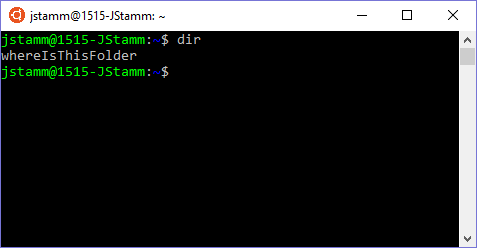
@mavaddat So that's where the application is installed, but what about the files I create in Linux?
stamminator
on 18 Apr 2018
%userprofile%\AppData\Local\Packages\SomeFolderDependingOnYourLinuxDistro
 pcounts
on 19 Apr 2018
pcounts
on 19 Apr 2018
Thanks @pcounts ! That lead me to it. For me, the root directory rootfs was in
%userprofile%\AppData\Local\Packages\CanonicalGroupLimited.UbuntuonWindows_79rhkp1fndgsc\LocalState

mavaddat
on 19 Apr 2018
Perhaps Microsoft should provide an easy way to find these files from Windows ?
 lqueryvg
on 22 Apr 2018
lqueryvg
on 22 Apr 2018
They purposely don't because they don't want you manipulating Linux files with Windows until officially supported. That said, there is more ability in this arena with upcoming Spring Creator's Update due to new WSL features such as enabling metadata -o to extend Linux attributes to Windows. But until it's explicitly stated, modifying Linux files from Windows is unsupported.
The how-to linked above says as much as well.
 WSLUser
on 23 Apr 2018
WSLUser
on 23 Apr 2018
@DarthSpock, thanks that's useful info.
lqueryvg
on 24 Apr 2018
BE WARNED: If you access/modify any of your Linux files using Windows apps/tools, you may well end up with corrupted files! Be sure to read this for more details: https://blogs.msdn.microsoft.com/commandline/2016/11/17/do-not-change-linux-files-using-windows-apps-and-tools/
 bitcrazed
on 4 May 2018
bitcrazed
on 4 May 2018
Fixed in Windows version 1903!
 craigloewen-msft
on 8 Jul 2020
craigloewen-msft
on 8 Jul 2020
Related issues
 SetTrend
·
4Comments
SetTrend
·
4Comments
 thesmart
·
6Comments
thesmart
·
6Comments
 m4tt72
·
4Comments
m4tt72
·
4Comments
 MedAnd
·
6Comments
MedAnd
·
6Comments
 frantret
·
5Comments
frantret
·
5Comments
Most helpful comment
Thanks @pcounts ! That lead me to it. For me, the root directory

rootfswas in%userprofile%\AppData\Local\Packages\CanonicalGroupLimited.UbuntuonWindows_79rhkp1fndgsc\LocalState