- [YES ] I've searched for any related issues and avoided creating a duplicate
issue.
Description
The external HTTP/S Server example provided in the README doesn't appear to work.
Reproducible in:
- version:
- Node.js version(s): v11.10.1
- OS version(s): MacOs 10.13.6
Steps to reproduce:
- Copy and paste the external http/s server example from the README page to
server.js - Change your key and cert files as required
- Change the port to
5443 - run the server with
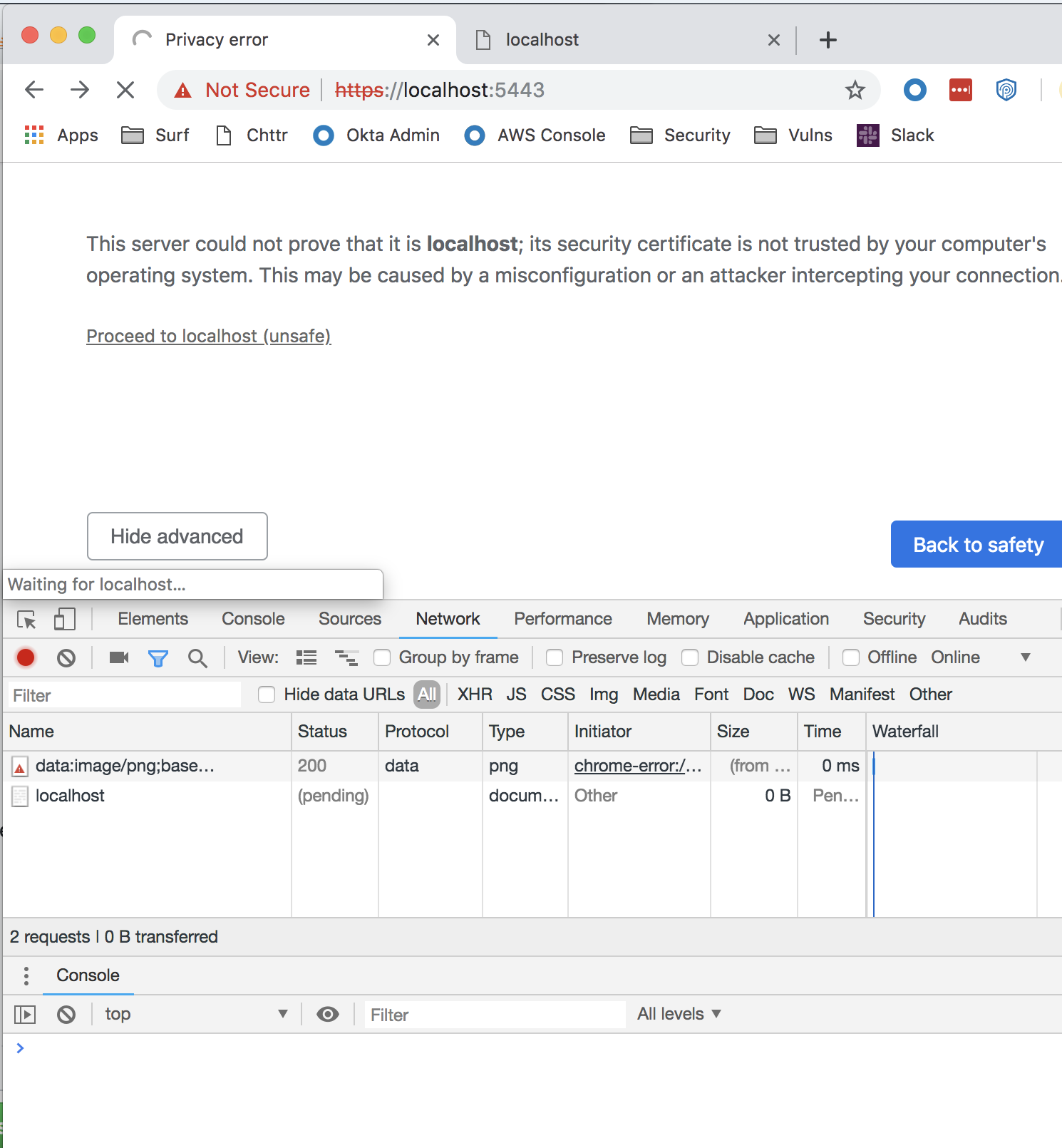
node server.js - Open a browser to 'https://localhost:5443`
Expected result:
I expect to see something sent to the browser.
Actual result:
The browser first complains about the self-signed certificate as expected. After selecting to proceed, the browser loading icon just spins. There is nothing sent to the browser. Eventually it times out.
Attachments:
 adrwh
adrwh
All 9 comments
Where is the client? I see no client connecting to the server.
 lpinca
on 5 Mar 2019
lpinca
on 5 Mar 2019
Ah sorry.. The client is the browser with some JavaScript to connect to wss://localhost:5444 along with onopen and onmessage handlers
adrwh
on 5 Mar 2019
Yes but I see no request upgrade request in your network tab. Where is the client created and the handshake request initiated?
lpinca
on 5 Mar 2019
I’m guessing that is my problem? Can you point me in the right direction to do what you’re talking about?
adrwh
on 5 Mar 2019
Make your server return something like this to the browser:
const data = `<!DOCTYPE html>
<html>
  <head>
    <meta charset="utf-8">
  </head>
  <body>
    <script>
      (function () {
        var ws = new WebSocket('wss://localhost:8080');

        ws.onopen = function () {
          console.log('open');
        };
      })();
    </script>
  </body>
</html>`;

server.on('request', (req, res) => {
  res.setHeader('Content-Type', 'text/html');
  res.end(data);
});
Ok that is excellent, progress, YAY.. Last piece of the puzzle i need to request help for is in a HTTP POST from the client, i handle that on the server inside server.on('request'), but how do i send back to the client?
server.on('request', (req, res) => {

  const { statusCode, statusMessage, headers, method, url, path } = req
  console.log(statusCode, statusMessage, headers, method,url,path )

  if (url === '/') {
    res.setHeader('Content-Type', 'text/html');
    res.end(fs.readFileSync('index.html'))
  }

  if (req.url === '/send') {
    console.log(req.url)
    let body = [];

    req.on('error', (err) => {
      console.error(err)
    })

    req.on('data', (chunk) => {
      body.push(chunk);
    })

    req.on('end', () => {
      body = Buffer.concat(body).toString()

      ws.send('something else') // <-- this is not right
      res.on('error', (err) => {
        console.error(err)
      })
    })
    res.end()
    return
  }
})
Ok I think you can ignore my previous post.. I believe i should be sending and receiving data over the websocket, not via http get and post.. is that correct?
adrwh
on 5 Mar 2019
It depends on you but yes, you can't send a response for a pending request on the websocket.
lpinca
on 5 Mar 2019
Closing this as it's not an issue in ws, please use another channel for general support questions.
lpinca
on 5 Mar 2019
Related issues
 quesurifn
·
3Comments
quesurifn
·
3Comments
 pacmac
·
3Comments
pacmac
·
3Comments
 HanHtoonAung
·
3Comments
HanHtoonAung
·
3Comments
 cmnstmntmn
·
4Comments
cmnstmntmn
·
4Comments
 Globik
·
3Comments
Globik
·
3Comments
Most helpful comment
Make your server return something like this to the browser: