Wpf: I get a error MSB4062 with Build Wpf Project
Issue I get a error MSB4062 with Build Wpf Project
1>------ 已启动全部重新生成: 项目: WpfSimple, 配置: Debug Any CPU ------
1>C:\Program Files (x86)\dotnet\sdk\3.1.100\Sdks\Microsoft.NET.Sdk.WindowsDesktop\targets\Microsoft.WinFX.targets(225,9): error MSB4062: 未能从程序集 C:\Program Files %28x86%29\dotnet\sdk\3.1.100\Sdks\Microsoft.NET.Sdk.WindowsDesktop\tools\net472\PresentationBuildTasks.dll 加载任务“Microsoft.Build.Tasks.Windows.MarkupCompilePass1”。未能加载文件或程序集“file:///C:\Program Files %28x86%29\dotnet\sdk\3.1.100\Sdks\Microsoft.NET.Sdk.WindowsDesktop\tools\net472\PresentationBuildTasks.dll”或它的某一个依赖项。系统找不到指定的文件。 请确认
1>已完成生成项目“WpfSimple.csproj”的操作 - 失败。
========== 全部重新生成: 成功 0 个,失败 1 个,跳过 0 个 ==========
Use .Net Core 3.1.00
System: Windows 7 sp1
Visual Studio 2019 Version: 16.4.2
Demo Project File Content:
<Project Sdk="Microsoft.NET.Sdk.WindowsDesktop">

  <PropertyGroup>
    <OutputType>WinExe</OutputType>
    <TargetFramework>netcoreapp3.1</TargetFramework>
    <UseWPF>true</UseWPF>
  </PropertyGroup>

</Project>
How to fix It?But, I can build with .net core 3.0
Path File tree:
C:\Program Files (x86)\dotnet\sdk\3.1.100\Sdks\Microsoft.NET.Sdk.WindowsDesktop\
tools\net472>tree /f
卷 系统 的文件夹 PATH 列表
卷序列号为 0000-40A4
C:.
│  PresentationBuildTasks.dll
│  System.Collections.Immutable.dll
│  System.Memory.dll
│  System.Numerics.Vectors.dll
│  System.Reflection.Metadata.dll
│  System.Reflection.MetadataLoadContext.dll
│  System.Runtime.CompilerServices.Unsafe.dll
│
├─cs
│      PresentationBuildTasks.resources.dll
│
├─de
│      PresentationBuildTasks.resources.dll
│
├─es
│      PresentationBuildTasks.resources.dll
│
├─fr
│      PresentationBuildTasks.resources.dll
│
├─it
│      PresentationBuildTasks.resources.dll
│
├─ja
│      PresentationBuildTasks.resources.dll
│
├─ko
│      PresentationBuildTasks.resources.dll
│
├─pl
│      PresentationBuildTasks.resources.dll
│
├─pt-BR
│      PresentationBuildTasks.resources.dll
│
├─ru
│      PresentationBuildTasks.resources.dll
│
├─tr
│      PresentationBuildTasks.resources.dll
│
├─zh-Hans
│      PresentationBuildTasks.resources.dll
│
└─zh-Hant
        PresentationBuildTasks.resources.dll
 koangel
All 30 comments
@gomathip02 @vatsan-madhavan any ideas?
 scalablecory
on 20 Dec 2019
scalablecory
on 20 Dec 2019
/cc @SamBent @rladuca
 vatsan-madhavan
on 20 Dec 2019
vatsan-madhavan
on 20 Dec 2019
I met the same problem. Hope this is just bug
https://pasteboard.co/IMic7VB.png
 ks5-dev
on 21 Dec 2019
ks5-dev
on 21 Dec 2019
Hello, All! Me too met the same trouble. I have Windows 10 1803, build 17134.1184, VS Community 2019 16.4.2 and .Net Core SDK 3.1.100 (both, for x86 and x64). When i create new project WPF (.Net Core) I have similar error MSB4062 about file “file:///C:\Program Files %28x86%29\dotnet\sdk\3.1.100\Sdks\Microsoft.NET.Sdk.WindowsDesktop\tools\net472\PresentationBuildTasks.dl". But this file exists in file system. What can I do for fix it?
 alexvkru
on 10 Jan 2020
alexvkru
on 10 Jan 2020
Can you please share MSBuild binary logs corresponding to your failure?
vatsan-madhavan
on 10 Jan 2020
Hello, Vatsan Madhavan. Yes, of course. I created new project "WPF App (.NET Core)", named this as "wd". In opened VS IDE I see the not working constructor window with XAML editor below. In next second i see error, described above.
I made the binary log, please find the attached files (the log-file and the picture with the output from msbuild with errors)
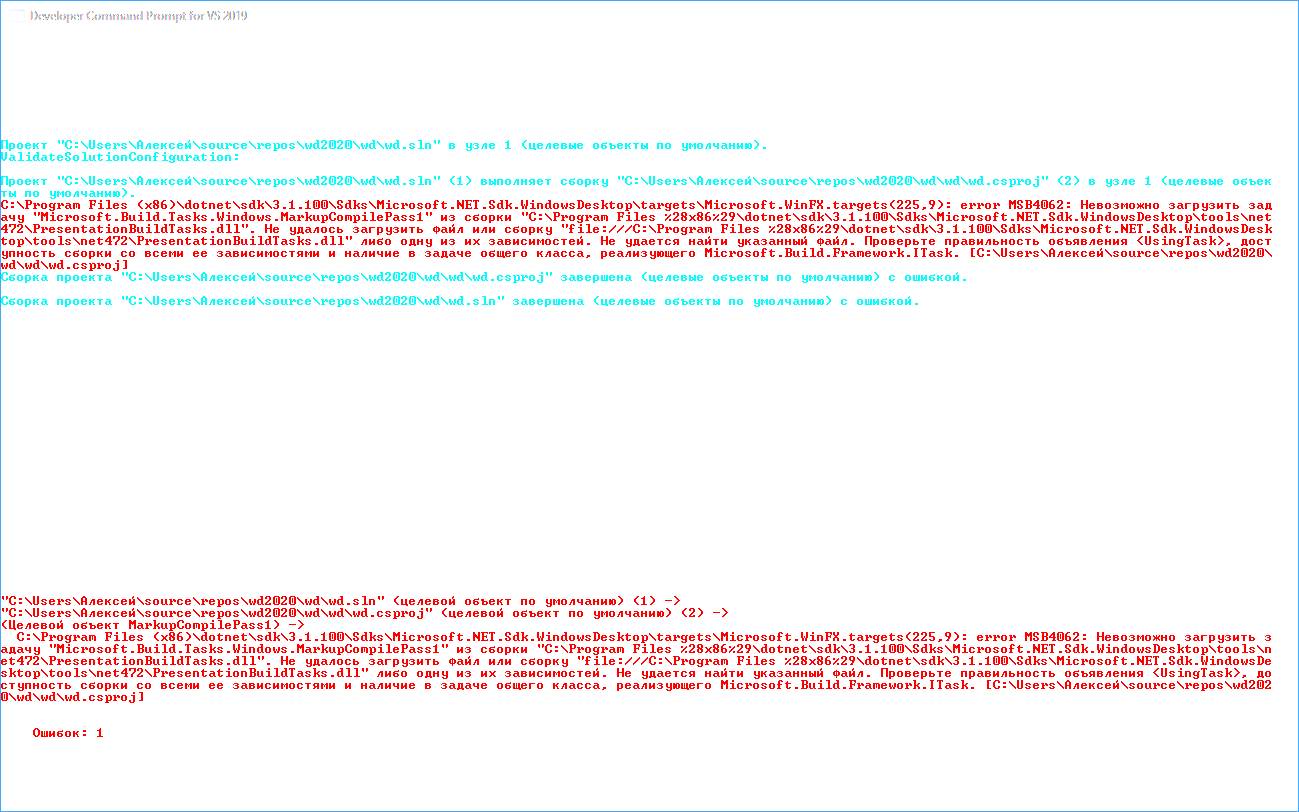
Thank's you!
alexvkru
on 10 Jan 2020
@alexvkru Thanks for the prompt response and the log - I appreciate it.
Is there a chance you could reproduce this problem on an English language system, or set your UI locale to English and reproduce the problem again so that the msbuild logs are generated in English? I tried looking through the logs but it's going to take me a very long time to translate the strings in the log ad-hoc from Russian to English and investigate the problem that way...
vatsan-madhavan
on 13 Jan 2020
@vatsan-madhavan Hello, Vatsan! I'm now out of my work computer. I'll return at Jan/19/2020 and will make new binary log in English UI. Thank's You!
alexvkru
on 16 Jan 2020
This issue has been automatically marked as stale because it has marked as requiring author feedback but has not had any activity for 4 days. It will be closed if no further activity occurs within 3 days of this comment. Thank you for your contributions!
![msftbot[bot] picture](https://avatars2.githubusercontent.com/in/26612?v=4&s=40) msftbot[bot]
on 20 Jan 2020
msftbot[bot]
on 20 Jan 2020
@vatsan-madhavan Hello, Vatsan! I'm come back and made new bin log with a English UI locale. Please, see text output, picture and attached archive with binlog from msbuild
Text output:
* Visual Studio 2019 Developer Command Prompt v16.4.2
* Copyright (c) 2019 Microsoft Corporation
C:\Program Files (x86)\Microsoft Visual Studio\2019\Community>msbuild.exe C:\Users\Алексей\source\reposwd2020wdwd.sln /bl:C:\Users\Алексей\source\reposwd2020wd\out.binlog
Microsoft (R) Build Engine version 16.4.0+e901037fe for .NET Framework
Copyright (C) Microsoft Corporation. All rights reserved.
C:\Program Files (x86)\Microsoft Visual Studio\2019\Community\MSBuild\Current\Bin\msbuild.exe /bl:C:\Users\Алексей\source\reposwd2020wd\out.binlog C:\Users\Алексей\source\reposwd2020wdwd.sln
Building the projects in this solution one at a time. To enable parallel build, please add the "-m" switch.
Build started 1/20/2020 12:20:31 PM.
Project "C:\Users\Алексей\source\reposwd2020wdwd.sln" on node 1 (default targets).
ValidateSolutionConfiguration:
Building solution configuration "Debug|Any CPU".
Project "C:\Users\Алексей\source\reposwd2020wdwd.sln" (1) is building "C:\Users\Алексей\source\reposwd2020wdwdwd.csproj" (2) on node 1 (default targets)
.
C:\Program Files (x86)\dotnet\sdk\3.1.100\Sdks\Microsoft.NET.Sdk.WindowsDesktop\targets\Microsoft.WinFX.targets(225,9): error MSB4062: The "Microsoft.Build.Tas
ks.Windows.MarkupCompilePass1" task could not be loaded from the assembly C:\Program Files %28x86%29\dotnet\sdk\3.1.100\Sdks\Microsoft.NET.Sdk.WindowsDesktop\t
ools\net472PresentationBuildTasks.dll. Could not load file or assembly 'file:///C:\Program Files %28x86%29\dotnet\sdk\3.1.100\Sdks\Microsoft.NET.Sdk.WindowsDe
sktop\tools\net472PresentationBuildTasks.dll' or one of its dependencies. The system cannot find the file specified. Confirm that the
is correct, that the assembly and all its dependencies are available, and that the task contains a public class that implements Microsoft.Build.Framework.ITask
. [C:\Users\Алексей\source\reposwd2020wdwdwd.csproj]
Done Building Project "C:\Users\Алексей\source\reposwd2020wdwdwd.csproj" (default targets) -- FAILED.
Done Building Project "C:\Users\Алексей\source\reposwd2020wdwd.sln" (default targets) -- FAILED.
Deferred Messages
Detailed Build Summary
======================
============================== Build Hierarchy (IDs represent configurations) =====================================================
Id : Exclusive Time Total Time Path (Targets)
0 : 0.233s 1.137s C:\Users\Алексей\source\reposwd2020wdwd.sln ()
. 1 : 0.903s 0.903s C:\Users\Алексей\source\reposwd2020wdwdwd.csproj ()
============================== Node Utilization (IDs represent configurations) ====================================================
Timestamp: 1 Duration Cumulative
637151088320521669: 0 0.226s 0.226s ....
637151088322780495: 1 0.903s 1.129s ..................
637151088331811764: 0 0.012s 1.141s
Utilization: 100.0 Average Utilization: 100.0
Build FAILED.
"C:\Users\Алексей\source\reposwd2020wdwd.sln" (default target) (1) ->
"C:\Users\Алексей\source\reposwd2020wdwdwd.csproj" (default target) (2) ->
(MarkupCompilePass1 target) ->
C:\Program Files (x86)\dotnet\sdk\3.1.100\Sdks\Microsoft.NET.Sdk.WindowsDesktop\targets\Microsoft.WinFX.targets(225,9): error MSB4062: The "Microsoft.Build.T
asks.Windows.MarkupCompilePass1" task could not be loaded from the assembly C:\Program Files %28x86%29\dotnet\sdk\3.1.100\Sdks\Microsoft.NET.Sdk.WindowsDesktop
\tools\net472PresentationBuildTasks.dll. Could not load file or assembly 'file:///C:\Program Files %28x86%29\dotnet\sdk\3.1.100\Sdks\Microsoft.NET.Sdk.Windows
Desktop\tools\net472PresentationBuildTasks.dll' or one of its dependencies. The system cannot find the file specified. Confirm that the
n is correct, that the assembly and all its dependencies are available, and that the task contains a public class that implements Microsoft.Build.Framework.ITa
sk. [C:\Users\Алексей\source\reposwd2020wdwdwd.csproj]
0 Warning(s)
1 Error(s)
Time Elapsed 00:00:01.63
C:\Program Files (x86)\Microsoft Visual Studio\2019\Community>
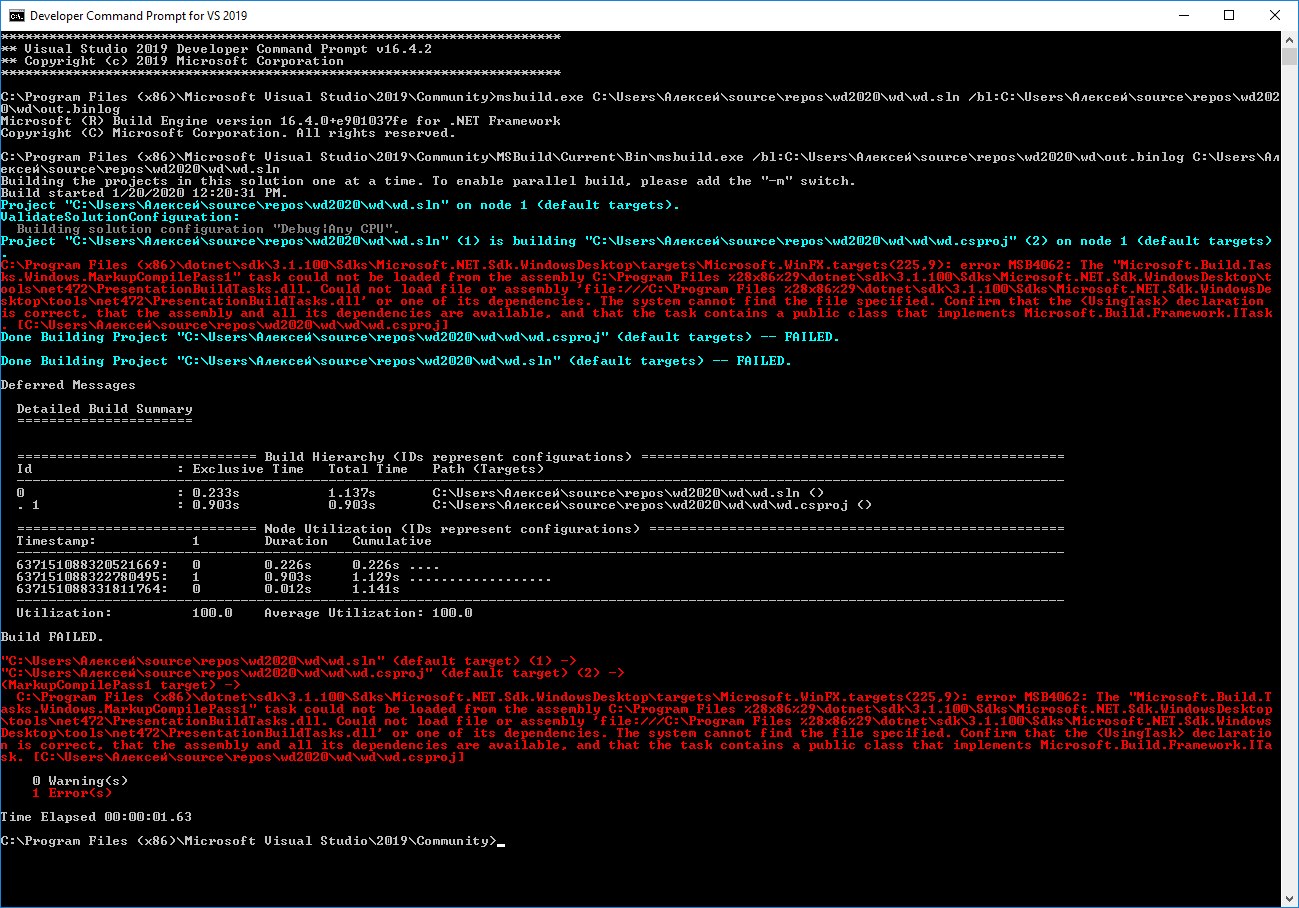
alexvkru
on 20 Jan 2020
I updated Visual Studio to version 16.4.3 but the problem still remains
alexvkru
on 20 Jan 2020
Paging @nguerrera @dsplaisted, the problem could be related to the URI encoding of (x86) in file:///C:\Program Files %28x86%29\dotnet\sdk\3.1.100\Sdks\Microsoft.NET.Sdk.WindowsDesktop\tools\net472\PresentationBuildTasks.dll
Assembly::LoadFrom doesn't seem to like the URL encoded form either:
C:\
λ  [System.Reflection.Assembly]::LoadFrom('C:\Program Files (x86)\dotnet\sdk\3.1.100\Sdks\Microsoft.NET.Sdk.WindowsDesktop\tools\net472\PresentationBuildTasks.dll')
>>

GAC    Version        Location
---    -------        --------
False  v4.0.30319     C:\Program Files (x86)\dotnet\sdk\3.1.100\Sdks\Microsoft.NET.Sdk.WindowsDesktop\tools\net472\PresentationBuildTasks.dll


C:\
λ  [System.Reflection.Assembly]::LoadFrom('file:///C:\Program Files (x86)\dotnet\sdk\3.1.100\Sdks\Microsoft.NET.Sdk.WindowsDesktop\tools\net472\PresentationBuildTasks.dll')
>>

GAC    Version        Location
---    -------        --------
False  v4.0.30319     C:\Program Files (x86)\dotnet\sdk\3.1.100\Sdks\Microsoft.NET.Sdk.WindowsDesktop\tools\net472\PresentationBuildTasks.dll


C:\
λ  [System.Reflection.Assembly]::LoadFrom('file:///C:\Program Files %28x86%29\dotnet\sdk\3.1.100\Sdks\Microsoft.NET.Sdk.WindowsDesktop\tools\net472\PresentationBuildTasks.dll')
>>
Exception calling "LoadFrom" with "1" argument(s): "Could not load file or assembly 'file:///C:\Program Files
%28x86%29\dotnet\sdk\3.1.100\Sdks\Microsoft.NET.Sdk.WindowsDesktop\tools\net472\PresentationBuildTasks.dll' or one of its dependencies. The system cannot
find the file specified."
At line:1 char:1
+ [System.Reflection.Assembly]::LoadFrom('file:///C:\Program Files %28x ...
+ ~~~~~~~~~~~~~~~~~~~~~~~~~~~~~~~~~~~~~~~~~~~~~~~~~~~~~~~~~~~~~~~~~~~~~
    + CategoryInfo          : NotSpecified: (:) [], MethodInvocationException
    + FullyQualifiedErrorId : FileNotFoundException

C:\
λ  [System.Reflection.Assembly]::LoadFrom('C:\Program Files %28x86%29\dotnet\sdk\3.1.100\Sdks\Microsoft.NET.Sdk.WindowsDesktop\tools\net472\PresentationBuildTasks.dll')
>>
Exception calling "LoadFrom" with "1" argument(s): "Could not load file or assembly 'file:///C:\Program Files
%28x86%29\dotnet\sdk\3.1.100\Sdks\Microsoft.NET.Sdk.WindowsDesktop\tools\net472\PresentationBuildTasks.dll' or one of its dependencies. The system cannot
find the file specified."
At line:1 char:1
+ [System.Reflection.Assembly]::LoadFrom('C:\Program Files %28x86%29\do ...
+ ~~~~~~~~~~~~~~~~~~~~~~~~~~~~~~~~~~~~~~~~~~~~~~~~~~~~~~~~~~~~~~~~~~~~~
    + CategoryInfo          : NotSpecified: (:) [], MethodInvocationException
    + FullyQualifiedErrorId : FileNotFoundException
Going through the logs, Pbt.props is setting $(_PresentationBuildTasksAssembly) to C:\Program Files (x86)\dotnet\sdk\3.1.100\Sdks\Microsoft.NET.Sdk.WindowsDesktop\tools\net472\PresentationBuildTasks.dll. After that, very next (and only) refererence to PresentationBuildTasks.dll is when MarkupCompileTask1 is about to run, and the UsingTask element is executed to load the DLL.
At this point, somehow (for reasons I don't understand yet) msbuild seems to be encountering AsssemblyFile=file:///C:\Program Files %28x86%29\dotnet\sdk\3.1.100\Sdks\Microsoft.NET.Sdk.WindowsDesktop\tools\net472\PresentationBuildTasks.dll in the following UsingTask declaration:
vatsan-madhavan
on 21 Jan 2020
/cc @rainersigwald
vatsan-madhavan
on 21 Jan 2020
@Asuurkuusk in #2483 pointed out that this happens when using x86 SDK.
https://github.com/dotnet/wpf/issues/2483#issuecomment-578277153
I can confirm that I'm able to reproduce this problem.
C:\Temp\wpf\test13
λ dotnet new globaljson --sdk-version 3.1.101
The template "global.json file" was created successfully.

C:\Temp\wpf\test13
λ "C:\Program Files (x86)\dotnet\dotnet.exe" new wpf
Getting ready...
The template "WPF Application" was created successfully.

Processing post-creation actions...
Running 'dotnet restore' on C:\Temp\wpf\test13\test13.csproj...
  Restore completed in 145.22 ms for C:\Temp\wpf\test13\test13.csproj.

Restore succeeded.


C:\Temp\wpf\test13
λ "C:\Program Files (x86)\dotnet\dotnet.exe" build
Microsoft (R) Build Engine version 16.4.0+e901037fe for .NET Core
Copyright (C) Microsoft Corporation. All rights reserved.

  Restore completed in 31.82 ms for C:\Temp\wpf\test13\test13.csproj.
C:\Program Files (x86)\dotnet\sdk\3.1.101\Sdks\Microsoft.NET.Sdk.WindowsDesktop\targets\Microsoft.WinFX.targets(225,9): error MSB4062: The "Microsoft.Build.Tasks.Windows.MarkupCompilePass1" task could not be loaded from the assembly C:\Program Files %28x86%29\dotnet\sdk\3.1.101\Sdks\Microsoft.NET.Sdk.WindowsDesktop\tools\netcoreapp2.1\PresentationBuildTasks.dll. Could not load file or assembly 'C:\Program Files %28x86%29\dotnet\sdk\3.1.101\Sdks\Microsoft.NET.Sdk.WindowsDesktop\tools\netcoreapp2.1\PresentationBuildTasks.dll'. The system cannot find the path specified. Confirm that the <UsingTask> declaration is correct, that the assembly and all its dependencies are available, and that the task contains a public class that implements Microsoft.Build.Framework.ITask. [C:\Temp\wpf\test13\test13.csproj]

Build FAILED.

C:\Program Files (x86)\dotnet\sdk\3.1.101\Sdks\Microsoft.NET.Sdk.WindowsDesktop\targets\Microsoft.WinFX.targets(225,9): error MSB4062: The "Microsoft.Build.Tasks.Windows.MarkupCompilePass1" task could not be loaded from the assembly C:\Program Files %28x86%29\dotnet\sdk\3.1.101\Sdks\Microsoft.NET.Sdk.WindowsDesktop\tools\netcoreapp2.1\PresentationBuildTasks.dll. Could not load file or assembly 'C:\Program Files %28x86%29\dotnet\sdk\3.1.101\Sdks\Microsoft.NET.Sdk.WindowsDesktop\tools\netcoreapp2.1\PresentationBuildTasks.dll'. The system cannot find the path specified. Confirm that the <UsingTask> declaration is correct, that the assembly and all its dependencies are available, and that the task contains a public class that implements Microsoft.Build.Framework.ITask. [C:\Temp\wpf\test13\test13.csproj]
    0 Warning(s)
    1 Error(s)

Time Elapsed 00:00:01.30
As soon as switching to x64 dotnet, it works ok.
C:\Temp\wpf\test13
λ "C:\Program Files\dotnet\dotnet.exe" build
Microsoft (R) Build Engine version 16.4.0+e901037fe for .NET Core
Copyright (C) Microsoft Corporation. All rights reserved.

  Restore completed in 133.89 ms for C:\Temp\wpf\test13\test13.csproj.
  test13 -> C:\Temp\wpf\test13\bin\Debug\netcoreapp3.1\test13.dll

Build succeeded.
    0 Warning(s)
    0 Error(s)

Time Elapsed 00:00:03.50
Hello! How i can reproduce it from Visual Studio? I set Platform Target in the Project properties to "x64", but still have error. I want compile project and for x86 platform too, if some people use x86 operating systems. Thank's!
alexvkru
on 25 Jan 2020
@alexvkru : Could it be that the x86 SDK is listed in your PATH variable ahead of the x64 SDK? I think you might need to swap the PATH entries if you intend to target x64.
 puchs
on 28 Jan 2020
puchs
on 28 Jan 2020
Hello, @puchs! Yes, there are a part of my %path% from Developer Command Prompt:
C:\Program Files (x86)\dotnet\
C:\Program Files\dotnet\
If i swap this two strings, may be i can to compile a x64 project. But trouble with x86 still remains...
May be, I want too much to make new WPF project in .Net Core. Now I compelled to work with .Net Framework 4.7.2 again.
alexvkru
on 28 Jan 2020
@rainersigwald Thoughts/updates on this? Should we be opening a new issue against msbuild? Looks like WPF on x86 is pretty much broken in 3.1 (though its not clear whether it is broken for everyone, or just broken on some systems depending on environmental factors).
/cc @dotnet/wpf-developers
vatsan-madhavan
on 28 Jan 2020
Yeah, let's track this in MSBuild for now.
 rainersigwald
on 28 Jan 2020
rainersigwald
on 28 Jan 2020
This issue was moved to microsoft/msbuild#5090
rainersigwald
on 28 Jan 2020
I think I have an idea about what may be going on:
Let's see how $(_PresentationBuildTasksAssembly) is defined:
It uses an MSBuild property function to normalize a relative path.
Now, this is what the documentation says about using property functions:
String values returned from property functions have special characters escaped. If you want the value to be treated as though it was put directly in the project file, use
$([MSBuild]::Unescape())to unescape the special characters.
...
In static property functions, you can use any static method or property of these system classes:System.Byte
...
System.IO.Path
...
Microsoft.Build.Utilities.ToolLocationHelper
I think the problem here is that WPF ought to be un-escaping $(_PresentationBuildTasksAssembly), but it is not doing so.
What I don't understand is why, when MSBuild escapes results of path property functions by default, then it isn't able to handle escaped paths in UsingTask. Nevertheless, as long as this has always been the behavior of UsingTask (i.e., inability to handle escaped paths is not a recent regression/bug in UsingTask), I think WPF should be fixing this rather than having MSBuild handle it via https://github.com/microsoft/msbuild/issues/5090.
@rainersigwald does this analysis look right to you ? Can you also confirm that this isn't a recent regression in MSBuild/UsingTask ?
vatsan-madhavan
on 29 Jan 2020
We talked about this offline, but yes--that analysis sounds right to me.
rainersigwald
on 30 Jan 2020
Related - https://github.com/dotnet/wpf/pull/2075
vatsan-madhavan
on 30 Jan 2020
Replace line:
<_PresentationBuildTasksAssembly Condition="'$(_PresentationBuildTasksAssembly)'==''">$([System.IO.Path]::GetFullPath('$(MSBuildThisFileDirectory)..\tools\$(_PresentationBuildTasksTfm)\PresentationBuildTasks.dll'))</_PresentationBuildTasksAssembly>with
<_PresentationBuildTasksAssembly Condition="'$(_PresentationBuildTasksAssembly)'==''">$(MSBuildThisFileDirectory)..\tools\$(_PresentationBuildTasksTfm)\PresentationBuildTasks.dll</_PresentationBuildTasksAssembly>in file
Microsoft.WinFx.props.
Works for me.
 sloter69
on 30 Jan 2020
sloter69
on 30 Jan 2020
@sloter69, this is what we really want there:
<_PresentationBuildTasksAssembly Condition="'$(_PresentationBuildTasksAssembly)'==''">$([MSBuild]::Unescape($([System.IO.Path]::GetFullPath('$(MSBuildThisFileDirectory)..\tools\$(_PresentationBuildTasksTfm)\PresentationBuildTasks.dll'))))</_PresentationBuildTasksAssembly>
@ASuurkuusk, please look for updates here - I've closed #2483 in favor of this issue.
vatsan-madhavan
on 31 Jan 2020
This has been fixed via #2487 and will be part of 3.1.3 update.
vatsan-madhavan
on 13 Feb 2020
@sloter69, this is what we really want there:
<_PresentationBuildTasksAssembly Condition="'$(_PresentationBuildTasksAssembly)'==''">$([MSBuild]::Unescape($([System.IO.Path]::GetFullPath('$(MSBuildThisFileDirectory)..\tools\$(_PresentationBuildTasksTfm)\PresentationBuildTasks.dll'))))</_PresentationBuildTasksAssembly>
anyone wondering where to find this:
the file to edit could be found at C:\Program Files (x86)\dotnet\sdk\3.1.102\Sdks\Microsoft.NET.Sdk.WindowsDesktop\targets edit Microsoft.WinFx.props
 wstaelens
on 10 Mar 2020
wstaelens
on 10 Mar 2020
Hello, All!
Thank's for help!
.Net Core SDK 3.1.3 still not available. I modified Microsoft.WinFx.props file and very glad to see 0 errors in new Net Core WPF empty project :)
alexvkru
on 18 Mar 2020
What is the current status of this issue? It is still occurring to me when using .NET Core SDK 3.1.102.
- Edit: I have fixed this bug by installing .NET Core SDK v3.1.201 for x86.
 MikeRosoft
on 30 Apr 2020
MikeRosoft
on 30 Apr 2020
Related issues
 heaths
·
30Comments
heaths
·
30Comments
 Jogge
·
25Comments
Jogge
·
25Comments
 hez2010
·
21Comments
hez2010
·
21Comments
 bignis
·
24Comments
bignis
·
24Comments
 JamesBlack2
·
38Comments
JamesBlack2
·
38Comments
Most helpful comment
anyone wondering where to find this:
the file to edit could be found at
C:\Program Files (x86)\dotnet\sdk\3.1.102\Sdks\Microsoft.NET.Sdk.WindowsDesktop\targetsedit Microsoft.WinFx.props