Wp-graphql-woocommerce: Mutation: updateCustomer Not updating the customer details
I have made a mutation to update the customer's details, more specifically only the billing details. I passed in the same clientMutatuinId that gets generated when the user logs in. The mutation gets executed successfully and it returns the updated customer details. But the actual customers details do not get changed at all it just stays the same.
However, it does work in graphiql but not on my frontend next.js app.
 britzdylan
All 24 comments
@britzdylan can you provide more detail about you both you query and application setup?
 kidunot89
on 4 Jun 2020
kidunot89
on 4 Jun 2020
Hi, Thank you for your reply.
What am I trying to achieve: I am in the process of building an entire front-end website using React SSR. So far I have built quite a bit.
What I have done successfully so far:
- Query any and all products/categories single products including simple and variations
- ability to add to cart and display the correct choice of variation based on user input
- view a cart page, clear cart items and display cart required cart information
- I made a simple login mutation with JWT it works by returning the token and using the token saving it to local storage
- I added the ability to create a new woocommerce account as well
- after a user logs in all their details get displayed fine
Here some info on my environment:
- I am running a dev server on localhost
- I am using NEXT.js with Material UI
- I am using Apollo to make queries and mutations
- All data is being queried and mutated from a live working WordPress & woo-commerce website.
- WP-graphql : Version 0.8.4
- graphiql : Version 1.0.1
- WooGraphQL: Version 0.5.0
- WPGraphQL JWT Authentication: Version 0.4.1
My Current probelm
- I created a simple mutation with updateCustomer mutation
- There are only ONE required input and that is the _clientMutationId_
- I save the _clientMutationId_ that gets generated when a user logs in and pass hat same _clientMutationId_ as an input, including any of the details that need updating.
- For this particular case, I am trying to update the billing details.
Step by step walkthrough
Here is my login screen
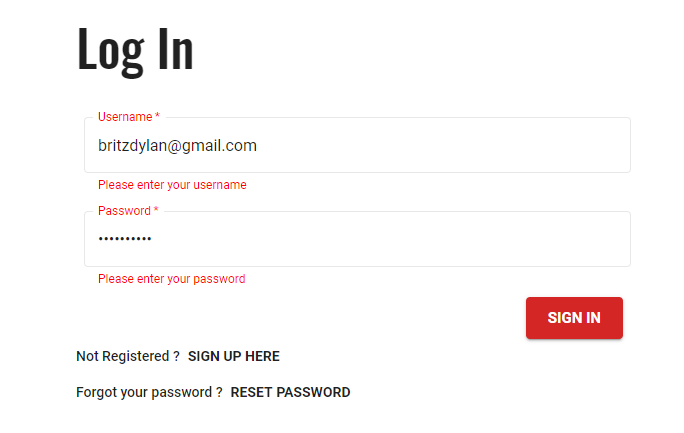
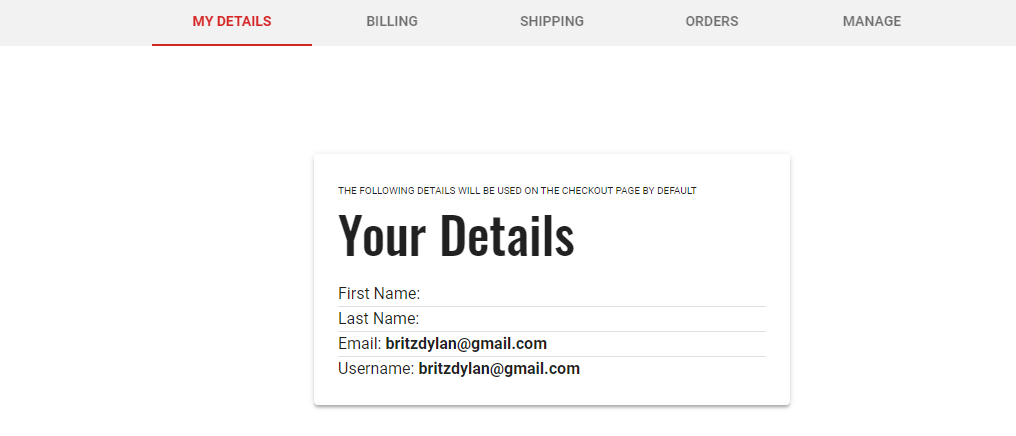
Pass in the data user gets logged in and returns the data ( at this point the cleintMutationId get stroed)
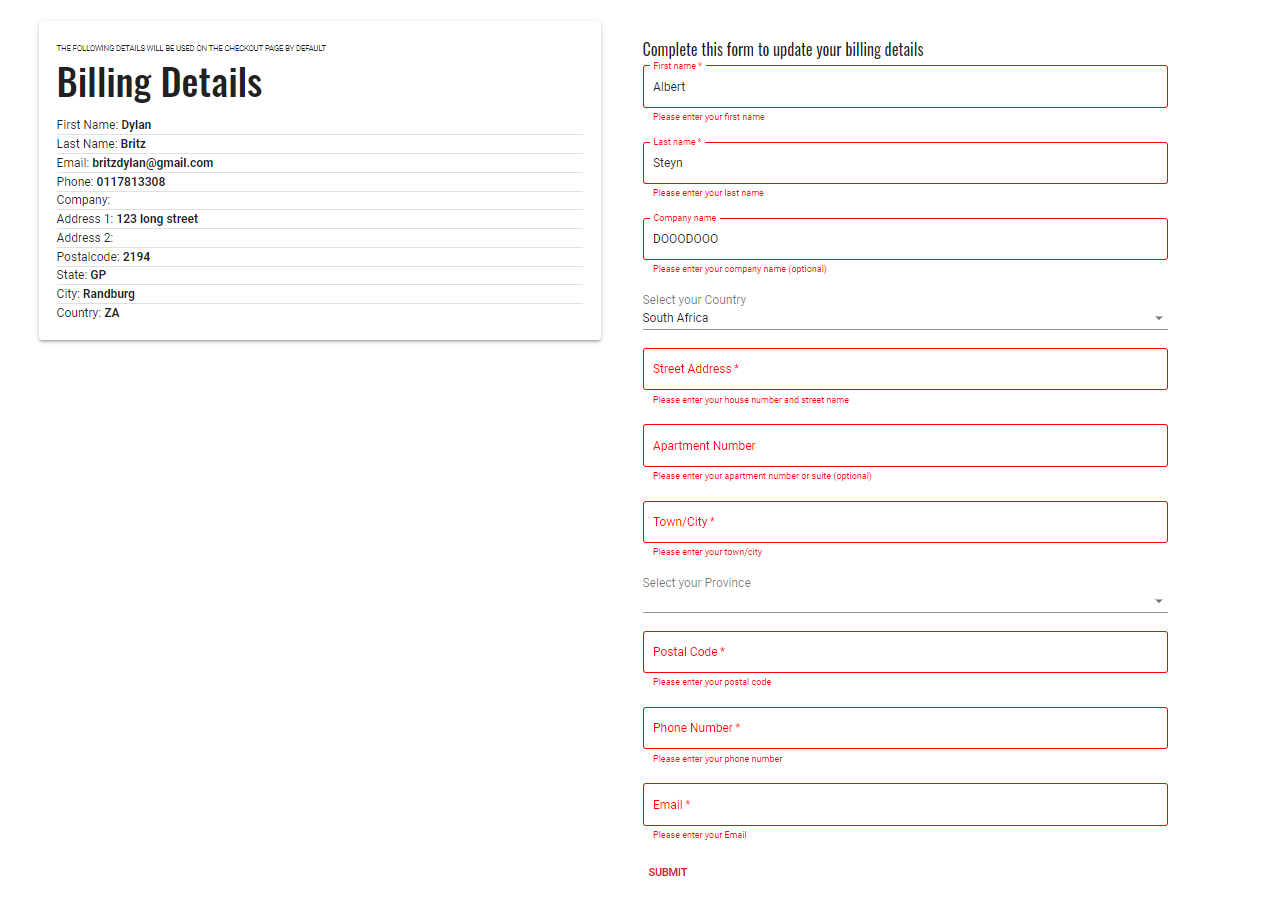
Here I update the billing details: Left-hand side is the current billing details
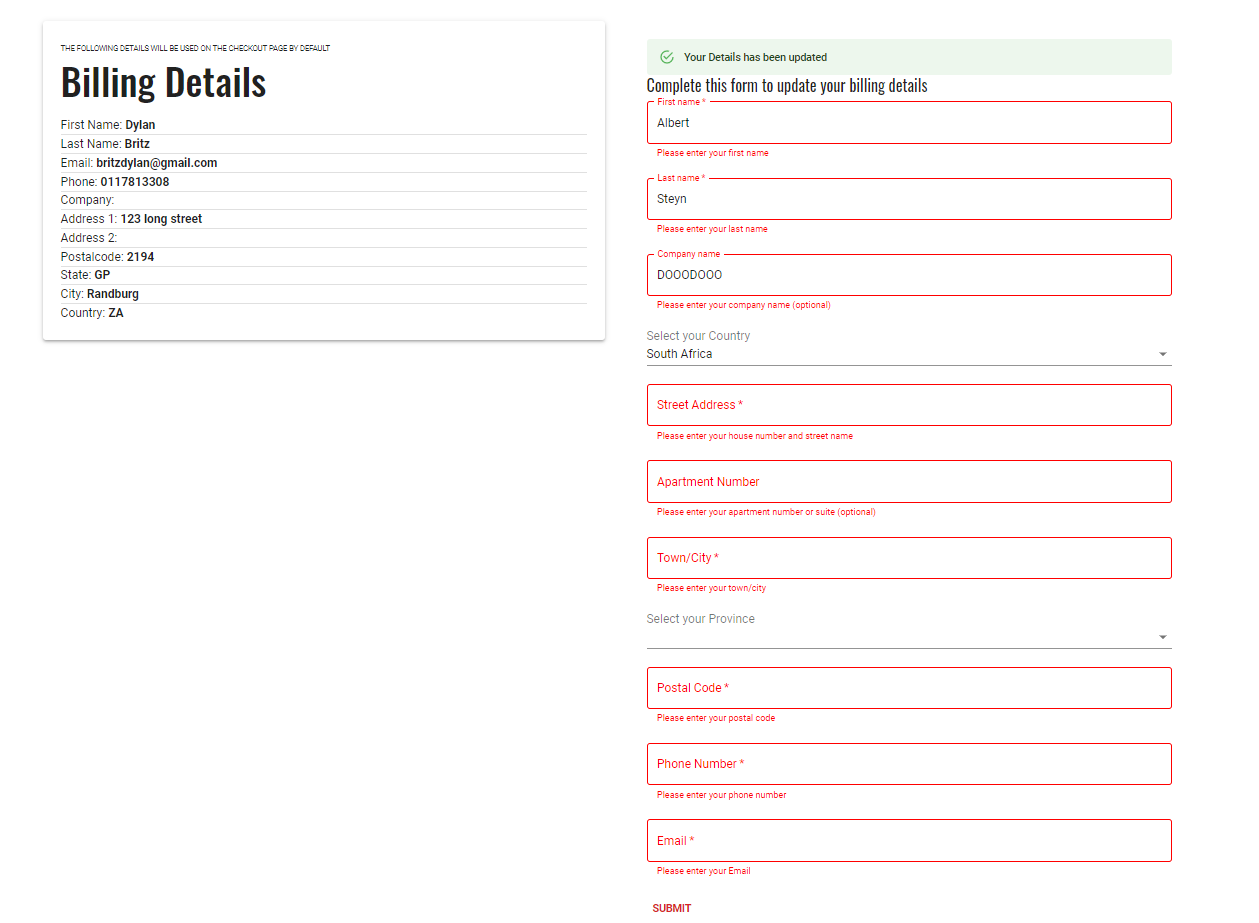
Form gets submitted and returns a true value that the mutation succeeded
Here is my mutation to change thee details
import gql from "graphql-tag";
const UPDATE_BILING = gql`
mutation ($input: UpdateCustomerInput!) {
    updateCustomer(input: $input) {
        clientMutationId
        customer {
        email
        billing {
            address1
            address2
            city
            company
            email
            firstName
            lastName
            phone
            postcode
            state
            country
        }
    }
  }
}`;
export default UPDATE_BILING;`
- Current billing details gets passed in through props
const { fName,
        lName,
        email,
        Phone,
        company,
        address1,
        address2,
        city,
        country,
        state,
        postalcode,
        clientMutationId,
        id } = props;
- I use useState to grab the values from the forms
```
const [newcountry, setCountry] = React.useState('');
const [newprovince, setProvince] = React.useState('');
const [newaddress1, setAddress1] = React.useState('');
const [newaddress2, setAddress2] = React.useState('');
const [newcity, setCity] = React.useState('');
const [newcompany, setCompany] = React.useState('');
const [newemail, setEmail] = React.useState('');
const [newfirstname, setFirstname] = React.useState('');
const [newlastname, setLastname] = React.useState('');
const [newphone, setPhone] = React.useState('');
const [newpostcode, setPostcode] = React.useState('');
const [ requestError, setRequestError ] = useState( null ); //request error from the mutation will be passed to setRequestError
const [ifSuccessFull, setSuccess ] = useState(false); //bool to change depending if the mutation is successfull or not
8. query input for the mutation
const billngQryInput = {
clientMutationId: clientMutationId, // same id used to log in the user
billing : {
address1: newaddress1,
address2 : newaddress2,
city : newcity,
company : newcompany,
email : newemail,
firstName : newfirstname,
lastName : newlastname,
phone : newphone,
postcode : newpostcode,
state : newprovince,
country : newcountry,
overwrite: true
}
}
9. mutation
const [ updateBillingAttempt, { data: updateBillingAttemptRes, loading: updateBillingAttemptLoading, error: updateBillingAttemptError }] = useMutation( UPDATE_BILING, {
variables: {
input: billngQryInput, //pass in the mutation variables
},
onCompleted: ( data ) => { //pass the return data
        // If error.
        if ( updateBillingAttemptError ) {
            setRequestError( updateBillingAttemptError.graphQLErrors[ 0 ].message );
            console.log(requestError); // logs the error for debugging
        }

        // On Success:
        setSuccess(true); //displays the success alert on the page
        console.log("success", data); //logs the return data

    },
    onError: ( error ) => {
        if ( error ) {
            setRequestError( error.graphQLErrors[ 0 ].message );
            console.log(error);
        }
    }
} );

const handleClick = (event) => {
    updateBillingAttempt(); //call the mutation when the user clikcs the submit button
}
```
- Returned data is 100% correct
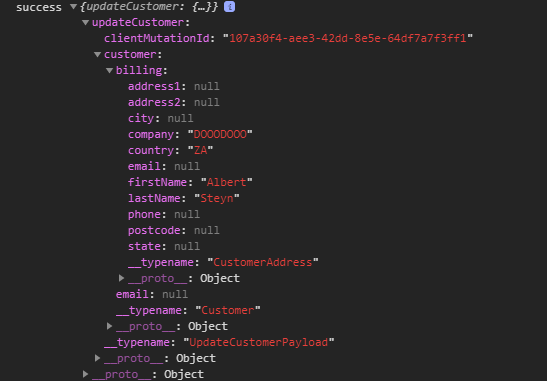
Now this is where my problem comes in
- After I log out and back in the old user's data is still there
- I checked the user on WordPress and nothing has changed
- if I use the exact same mutation in graphiql it works and the user gets updated as long as I use the same clientMutationId I used to login with
Sorry for the long post and I hope this helps.
britzdylan
on 5 Jun 2020
@kidunot89 Hi see above reply, thanks.
britzdylan
on 9 Jun 2020
@britzdylan Sorry for the late response. Are you passing both the HTTP Authorization header and the woocommerce-session header?
kidunot89
on 4 Jul 2020
I have the same bug. Any solutions? @britzdylan
 sand24ro
on 27 Aug 2020
sand24ro
on 27 Aug 2020
OK to all the others who have the same problem. I fixed it by adding the id of the user to the mutation. It is marked as not required so i thought it will update the customer depending on the authtoken. No, it does execute the mutation and give a response of the new entered data but there is no user behind. So you have to add the userID depending on which user you want to edit the shipping and billing adress.
sand24ro
on 27 Aug 2020
@sand24ro Thank I will have a look and try again, let you know if it works
britzdylan
on 28 Aug 2020
@britzdylan @sand24ro are you using the WooCommerce session token here is a example implementation WPGraphQL JWT Authentication is used for authenticating the user, but the session token is needed to keep track of session data. This is for both authenticated and unauthenticated users.
kidunot89
on 9 Sep 2020
@kidunot89 And how do you get the woocommerce-session for an authenticated user? For unauthenticated users, we grab it when they add something to the cart, don't know if this is the proper way.
 videomugre
on 11 Sep 2020
videomugre
on 11 Sep 2020
@britzdylan Are you using WPGraphQL-JWT-Authentication?
kidunot89
on 11 Sep 2020
@britzdylan Are you using WPGraphQL-JWT-Authentication?
@kidunot89 For what it's worth, I do and I get a lot of unexpected behavior, but using both the HTTP Authorization header and the woocommerce-session seems to do the trick.
videomugre
on 12 Sep 2020
Yes, you should use both of them in conjunction.
kidunot89
on 12 Sep 2020
@kidunot89 so what's your recommended method of retrieving the woocommerce-session?
videomugre
on 12 Sep 2020
The method most recommended by me is checking every response for the header and storing the most recent token received. This can typically be done in the afterware layer of whatever GraphQL client your using.
kidunot89
on 12 Sep 2020
@kidunot89 When we first faced the issue of unauthenticated users, we figured out we could grab it when the guest user adds something to the cart (since in our application that's really the only thing that such user can do). Not really sure what's the best way to approach this for an authenticated user which has access to more mutations such as this one, updateCustomer, this is where I'm confused.
videomugre
on 12 Sep 2020
Authenticated users shouldn't need a WooCommerce-session to initialize the session if a previous session exists 🤔.
kidunot89
on 12 Sep 2020
@kidunot89 But... as I understand it, when a user logins, you should grab the HTTP Authorization header, I don't see the woocommerce-session in this response... where should I grab it?
videomugre
on 12 Sep 2020
When WooCommerce initialize it'll check for an authenticated user and if found retrieve any persisted sessions linked to that user in the database.
kidunot89
on 12 Sep 2020
Also side note, if a user authenticates after starting a session, that session is assigned to that user by WooCommerce and a new token should be distributed by WooGraphQL.
kidunot89
on 12 Sep 2020
Trying to update customer billing using updateCustomer. but fields are not getting updated. getting a successful response from the request. but fields are not updated. also, I am sending both Authorization and woocommerce-session keys
using this mutation:
mutation UpdateCustomer($customer: UpdateCustomerInput!) {
    updateCustomer(input: $customer) {
      clientMutationId
    }
}
 akshaykatale99
on 26 Dec 2020
akshaykatale99
on 26 Dec 2020
OK to all the others who have the same problem. I fixed it by adding the id of the user to the mutation. It is marked as not required so i thought it will update the customer depending on the authtoken. No, it does execute the mutation and give a response of the new entered data but there is no user behind. So you have to add the userID depending on which user you want to edit the shipping and billing adress.
When i use id i am getting An unknown error occurred. error
akshaykatale99
on 26 Dec 2020
OK to all the others who have the same problem. I fixed it by adding the id of the user to the mutation. It is marked as not required so i thought it will update the customer depending on the authtoken. No, it does execute the mutation and give a response of the new entered data but there is no user behind. So you have to add the userID depending on which user you want to edit the shipping and billing adress.
@sand24ro Thanks you so much! It works by adding the user->id (Now there is a databaseId and could be confusing, also check that you are using user->id and not customer->id)
 IsraSenior
on 4 Apr 2021
IsraSenior
on 4 Apr 2021
OK to all the others who have the same problem. I fixed it by adding the id of the user to the mutation. It is marked as not required so i thought it will update the customer depending on the authtoken. No, it does execute the mutation and give a response of the new entered data but there is no user behind. So you have to add the userID depending on which user you want to edit the shipping and billing adress.
When i use id i am getting An unknown error occurred. error
@akshaykatale99 Try using user.id (not databaseId or customer.id || customer.databaseId), it works
IsraSenior
on 4 Apr 2021
Can confirm - if I add input : { id : "CUSTOMER_ID" } it works.
Better error handling could help to find this kind of issue.
 fishme
on 14 May 2021
fishme
on 14 May 2021
Related issues
 jake-101
·
7Comments
jake-101
·
7Comments
 hwsiew
·
6Comments
hwsiew
·
6Comments
 huniqcast
·
3Comments
huniqcast
·
3Comments
 kenchoong
·
5Comments
kenchoong
·
5Comments
 jacobarriola
·
5Comments
jacobarriola
·
5Comments
Most helpful comment
Can confirm - if I add input : { id : "CUSTOMER_ID" } it works.
Better error handling could help to find this kind of issue.