Wp-calypso: Images do not show in the Reader, notifications, or email if the first content of the post
Steps to reproduce
- Create/edit a post with more than 100 characters of text.
- Add an image in the very beginning, before any text.
- Update/publish.
- Check the site’s Reader Feed. The image will not appear.
- Edit the post and put the image AFTER the text.
- Update the post and check the Reader Feed. The image will appear.
What I expected
The image should appear in the Reader, email, or notifications.
What happened instead
The image does not appear in any of the above contexts.
Screenshot / Video
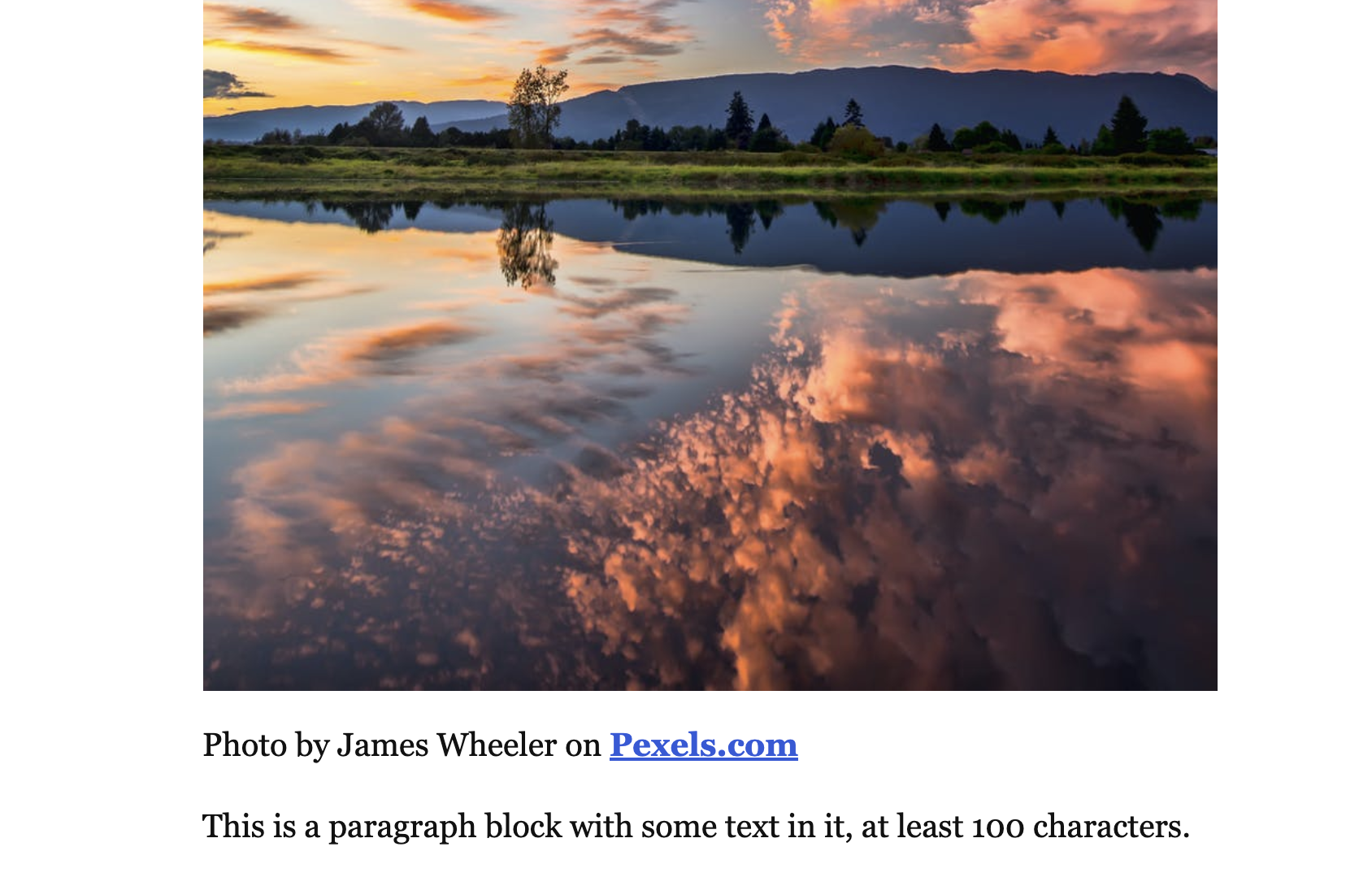
Front-end post
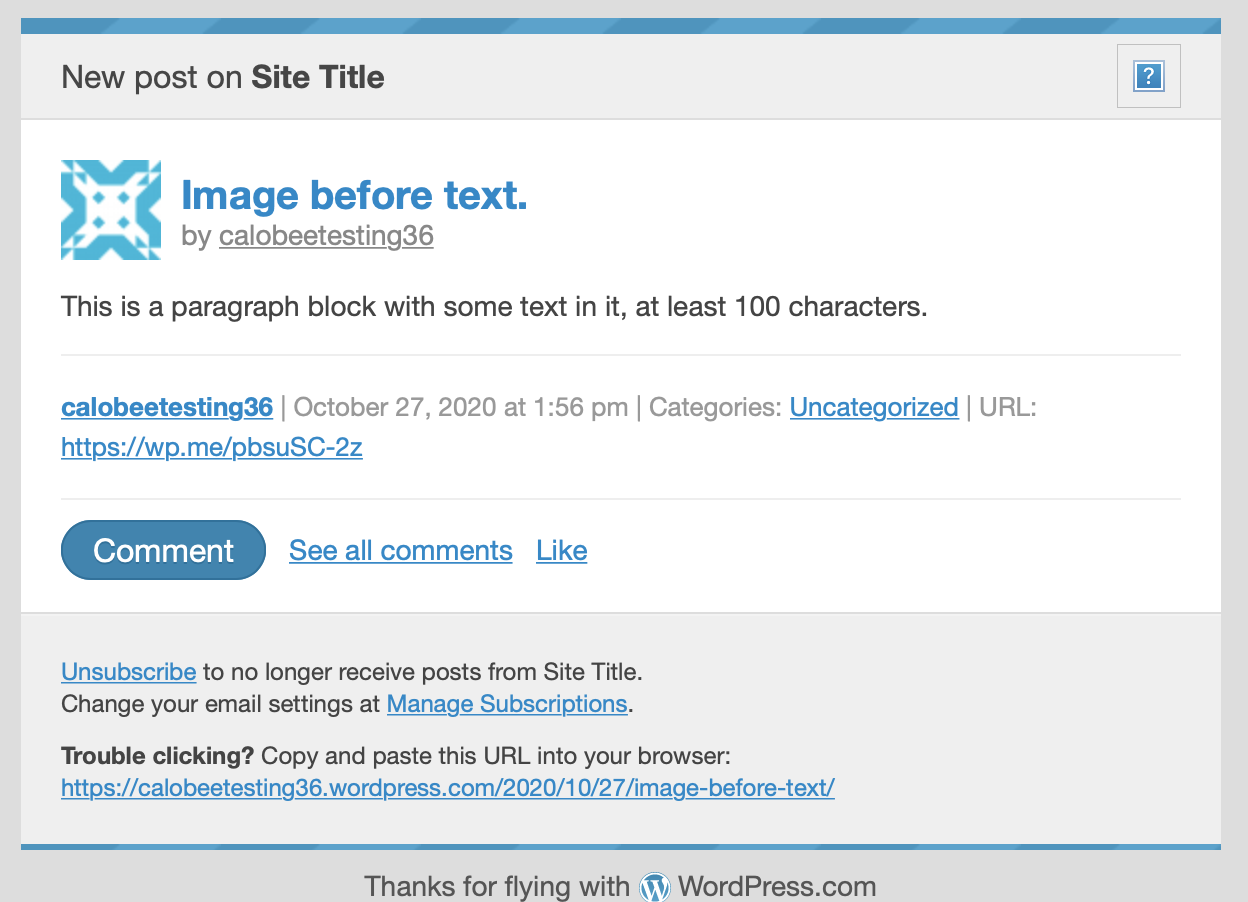
Reader
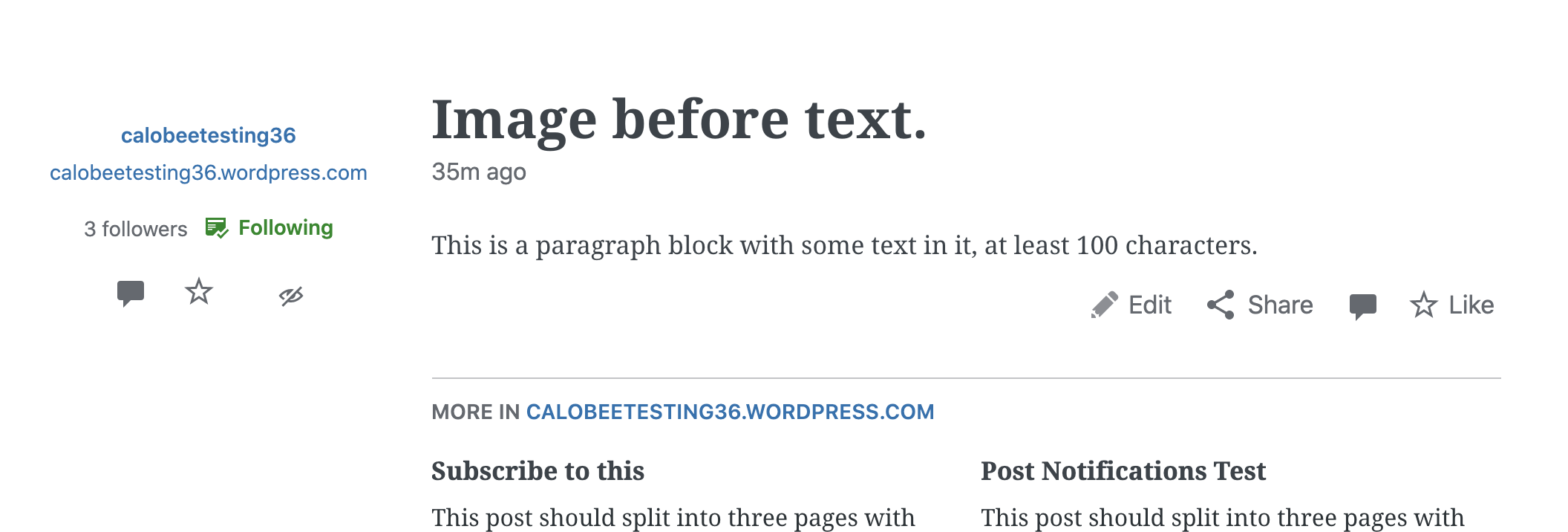
Notification
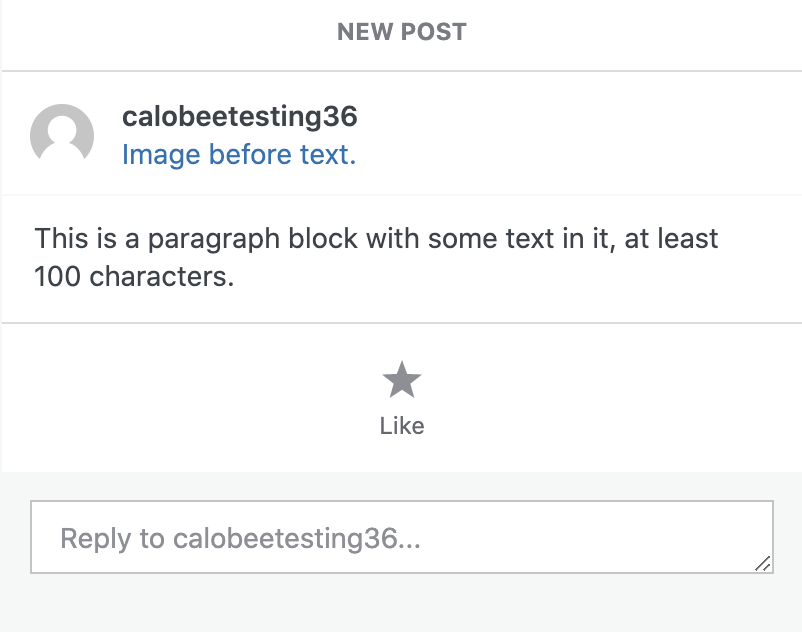
Context / Source
Carried over from discussion at p5PDj3-4Vz-p2 , thanks @sarahcada for bringing this to our attention in Slack!
 sixhours
All 8 comments
@mmtr successfully traced this back to our inline_block_styles filter on the_content.
sixhours
on 27 Oct 2020
Temporarily disabled the inline block styles in D51850-code to prevent further user issues while we figure out a fix.
sixhours
on 27 Oct 2020
I've figured out (generally) what's going on here. It seems to be not an issue with Emogrifier but rather a bug (or perhaps more accurately, quirk) of the underlying DOMDocument class (https://www.php.net/manual/en/class.domdocument.php) that it uses.
There's a method inside wp-content/lib/emogrifier-4.0.0/src/HtmlProcessor/AbstractHtmlProcessor.php called createRawDomDocument($html) which is where the figure element containing the image is getting lost:
    private function createRawDomDocument(string $html)
    {
        $domDocument = new \DOMDocument();
        $domDocument->strictErrorChecking = false;
        $domDocument->formatOutput = true;
        $libXmlState = \libxml_use_internal_errors(true);
        $domDocument->loadHTML($this->prepareHtmlForDomConversion($html));
        \libxml_clear_errors();
        \libxml_use_internal_errors($libXmlState);

        $this->setDomDocument($domDocument);
    }
For the post I've been testing with, logging the input HTML of this function looks like this:
<figure class="wp-block-image size-large">
  <img
    data-attachment-id="386"
    data-permalink="ac5xhs-6e-p2"
    data-orig-file="https://rosalindwillstest.files.wordpress.com/2020/10/temp4-1.jpg"
    data-orig-size="1920,1440"
    data-comments-opened="1"
    data-image-meta='{"aperture":"0","credit":"","camera":"","caption":"","created_timestamp":"0","copyright":"","focal_length":"0","iso":"0","shutter_speed":"0","title":"","orientation":"0"}'
    data-image-title="temp4-1"
    data-image-description=""
    data-medium-file="https://rosalindwillstest.files.wordpress.com/2020/10/temp4-1.jpg?w=300"
    data-large-file="https://rosalindwillstest.files.wordpress.com/2020/10/temp4-1.jpg?w=1024"
    src="https://rosalindwillstest.files.wordpress.com/2020/10/temp4-1.jpg?w=1024"
    alt=""
    class="wp-image-386"
  />
</figure>

<p>Here's some text underneath the image.</p>
However, after the processing, logging out $domDocument->saveXML() (the class's print function) produces this:
<!DOCTYPE html>
<html>
  <head>
    <meta http-equiv="Content-Type" content="text/html; charset=utf-8" />
    <figure class="wp-block-image size-large">
      <img
        data-attachment-id="386"
        data-permalink="ac5xhs-6e-p2"
        data-orig-file="https://rosalindwillstest.files.wordpress.com/2020/10/temp4-1.jpg"
        data-orig-size="1920,1440"
        data-comments-opened="1"
        data-image-meta='{"aperture":"0","credit":"","camera":"","caption":"","created_timestamp":"0","copyright":"","focal_length":"0","iso":"0","shutter_speed":"0","title":"","orientation":"0"}'
        data-image-title="temp4-1"
        data-image-description=""
        data-medium-file="https://rosalindwillstest.files.wordpress.com/2020/10/temp4-1.jpg?w=300"
        data-large-file="https://rosalindwillstest.files.wordpress.com/2020/10/temp4-1.jpg?w=1024"
        src="https://rosalindwillstest.files.wordpress.com/2020/10/temp4-1.jpg?w=1024"
        alt=""
        class="wp-image-386"
      />
    </figure>
  </head>
  <body>
    <p>Here's some text underneath the image.</p>
  </body>
</html>
Spot the issue. :P
The figure element is getting parsed as a portion of the head tag rather than the body. I don't pretend to know why this is or why it's only happening for figure elements, but it's definitely what is causing this content to get stripped out.
There's probably a couple different ways we could approach this. One thing I tested as a proof of concept was wrapping the HTML content in <body>...</body> before passing it off to Emogrifier. This seemed to eliminate the issue and caused the image to again display properly as expected. This might be the easiest way to solve the problem but I don't know if there are edge cases where it wouldn't be an appropriate solution - open to input!
 blackjackkent
on 27 Oct 2020
blackjackkent
on 27 Oct 2020
Nice sleuthing @blackjackkent ! Strange indeed.
One thing I tested as a proof of concept was wrapping the HTML content in
... before passing it off to Emogrifier. This seemed to eliminate the issue ... but I don't know if there are edge cases where it wouldn't be an appropriate solution...
Hm, yeah, intentionally introducing a second body tag to our output sounds risky at the least (I couldn't imagine the a11y implications 😬 ).
Another hacky idea: if given HTML beginning with a figure element, swap out that element for a marker (empty p class='emogrifier-figure'), and replace it in the Emogrifier output before returning. 🙃
 kwight
on 27 Oct 2020
kwight
on 27 Oct 2020
Actually, I just did some further testing, and it doesn't have to be a body tag wrapper. Wrapping in a div tag also eliminates the issue. Which I think would have fewer potentially negative consequences.
blackjackkent
on 27 Oct 2020
I put up the fix based on @blackjackkent 's recommendation here: D51894-code. However, I do not believe we're out of the woods. I nailed down the exact function that was causing this. Namely, in wp-content/lib/emogrifier-4.0.0/src/HtmlProcessor/AbstractHtmlProcessor.php, createRawDomDocument. loadHTML is called.
If you make changes to the function to read this:
    private function createRawDomDocument(string $html)
    {
        $domDocument = new \DOMDocument();
        $domDocument->strictErrorChecking = false;
        $domDocument->formatOutput = true;
        $libXmlState = \libxml_use_internal_errors(true);
        $prepHtml = $this->prepareHtmlForDomConversion($html)
        $domDocument->loadHTML($prepHtml);
        \libxml_clear_errors();
        \libxml_use_internal_errors($libXmlState);

        $this->setDomDocument($domDocument);
    }
and log $domDocument->loadHTML($prepHtml)->saveHTML();
You'll see an error message in the logs:
Warning: DOMDocument::loadHTML(): Tag figure invalid in Entity, line: 2 in /home/wpcom/public_html/wp-content/lib/emogrifier-4.0.0/src/HtmlProcessor/AbstractHtmlProcessor.php on line 222
I believe it is due to the forgiving nature of this function and how it parses HTML, because with the div wrapped, it also produces this error:
Warning: DOMDocument::loadHTML(): Misplaced DOCTYPE declaration in Entity, line: 1
But these errors are silenced, I believe, and the function does its best to render the HTML.
It seems like in the documentation here: https://www.php.net/manual/en/domdocument.loadhtml.php there's comments that this function does not work well with HTML5 elements, so I'd be curious if we someone made this "valid" and result in no errors, if that would solve the problem, not just for figure tags, but for others as well, as I'm sure is a possibility that we'll run into.
 krymson24
on 28 Oct 2020
krymson24
on 28 Oct 2020
I also considered using document fragment, but that obviously isn't HTML.
To identify the figure tag as the first tag in the html string, I also considered parsing the HTML, and finding the first element node name/type. However, that just gets us back to the main problem here -- which is how loadHTML is parsing our HTML. I wonder if the error message is what causes the figure tag placement, that @blackjackkent mentioned, or if it's just a red herring 🤔
krymson24
on 28 Oct 2020
I just deployed D51894-code.
It seems like in the documentation here: https://www.php.net/manual/en/domdocument.loadhtml.php there's comments that this function does not work well with HTML5 elements, so I'd be curious if we someone made this "valid" and result in no errors, if that would solve the problem, not just for figure tags, but for others as well, as I'm sure is a possibility that we'll run into.
The problem is that the HTML we're passing down is HTML5 valid, so I don't know how we can satisfy the DOMDocument class parser. Folks suggest we can simply ignore the errors since the class accepts HTML5 tags and will return them despite the warnings (1, 2), although we confirmed that's not true for figure elements being at the beginning of the HTML document.
I don't think we can properly fix this until a new version of PHP brings an improved DOMDocument class. Until then, I think it's fine to stick with hacks that wrap problematic HTML5 tags (we can update our fix with more tags if we receive new reports of content being removed).
Alternatively, we could check if other HTML parsers like https://github.com/Masterminds/html5-php avoid this issue and if so we can suggest Emogrifier to use it rather than the built-in DOMDocument.
Anyway, I'm closing this since the issue is effectively fixed. Thanks @blackjackkent and @krymson24 for your work!
 mmtr
on 28 Oct 2020
mmtr
on 28 Oct 2020
Related issues
 rickybanister
·
3Comments
rickybanister
·
3Comments
 gedex
·
3Comments
gedex
·
3Comments
 aduth
·
3Comments
aduth
·
3Comments
 spen
·
3Comments
spen
·
3Comments
 jjchrisdiehl
·
3Comments
jjchrisdiehl
·
3Comments