Wp-calypso: Pexels Free Photo Quality Degraded as Featured Image
When adding photos from Pexels as a featured image on posts, the image quality is noticeably degraded on the live site. Reproducible on both simple and atomic sites, although turning off Photon on atomic sites fixes the issue. Downloading the image from the Pexels website directly and uploading causes the same issue. Uploading other images doesn't seem to cause an issue.
Steps to reproduce
- Create a New Post
- Add a featured image
- Select a photo from the Pexels free photo library
- See the quality of the image degrade on the live site.
What I expected
The image quality to be retained, like this:

What happened instead
The image quality is clearly degraded and you can see blurriness and aliasing:

 sdixon194
All 2 comments
Downloading the image from the Pexels website directly and uploading causes the same issue
Perhaps this just means that Pexels doesn't offer high quality download? Does the downloaded image have the same compression issues before upload?
 noahtallen
on 22 Oct 2020
noahtallen
on 22 Oct 2020
Nope, seems to be fine. And even when viewing the image URL, it seems fine.
But once it's added as the featured image, things get weird. The thumbnails in the media library also look quite degraded:
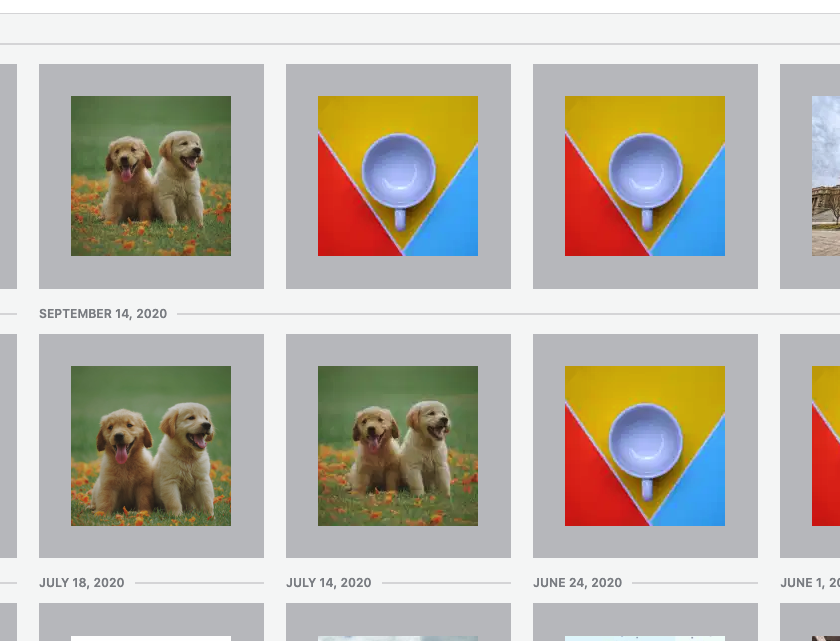
I wonder if maybe it's related to Photon Subsizes?
sdixon194
on 23 Oct 2020
Related issues
 kellychoffman
·
3Comments
kellychoffman
·
3Comments
 spen
·
3Comments
spen
·
3Comments
 lamosty
·
3Comments
lamosty
·
3Comments
 roccotripaldi
·
3Comments
roccotripaldi
·
3Comments
 hoverduck
·
3Comments
hoverduck
·
3Comments