Wp-calypso: Publicize: Connections area missing right after enabling the Publicize module on a Jetpack site
Steps to reproduce
- Connect a brand new site to WordPress.com.
- Go to Jetpack > Settings > Sharing in wp-admin.
- Enable the Publicize feature.
- Click on the configuration link that appears to add a Publicize connection to your site.
On the page that loads, no Publicize connnections can be added:
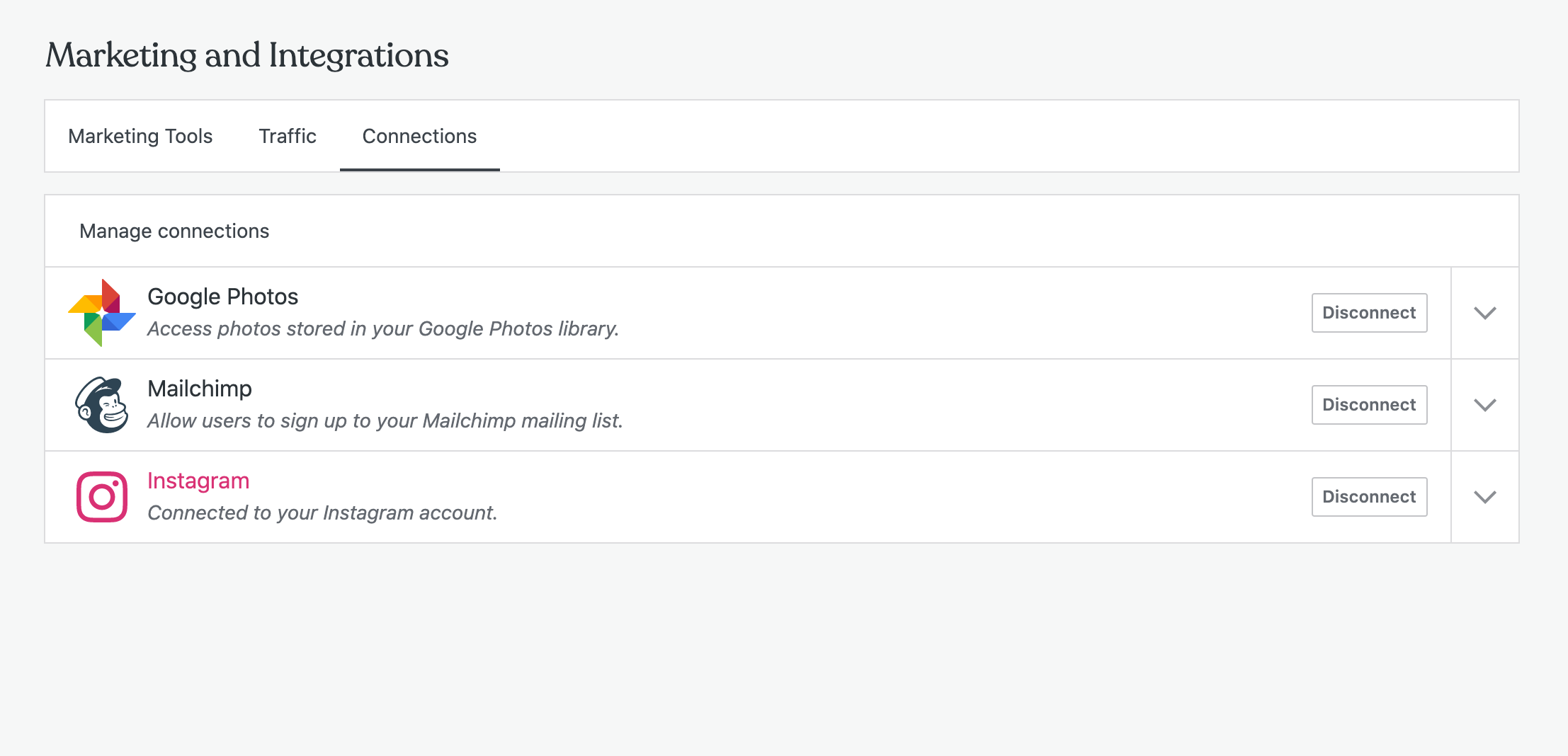
This remains like this for at least a few minutes, like Calypso catches up with the module status.
This makes for a pretty bad experience for anyone looking to configure Publicize immediately after enabling the feature.
 jeherve
All 9 comments
@jeherve this loaded very quickly for me on a JN site. Is there a constraint or step I'm missing? Does this repro consistently for you?
 cathymcbride
on 1 Sep 2020
cathymcbride
on 1 Sep 2020
Yes, it happens for each newly connected Jetpack site I can test with.
this loaded very quickly for me on a JN site.
To clarify, did you see the Publicize connections as well, with Facebook, Twitter, et al.?
jeherve
on 2 Sep 2020
I'm see it now on an atomic site.
cathymcbride
on 4 Sep 2020
I ran into a similar issue while testing the new connection flow. Clicking the "Start sharing" button from /wp-admin/admin.php?page=jetpack#/my-plan (the page you land on immediately after connecting Jetpack and selecting a plan) results in the Publicize section never loading.
I can reproduce the same behaviour by turning off the Publicize module on the Jetpack site, then clicking the "Start sharing" button again. There's no indication that the Publicize module needs to be enabled for this to work properly, and as far as I can tell, the Publicize module is never automatically enabled.
 pento
on 30 Sep 2020
pento
on 30 Sep 2020
@pento That seems to be a different issue (Jetpack > My Plan linking to the Publicize settings screen when the module isn't active). That's definitely a bug though :)
I'm trying to address this here:
https://github.com/Automattic/jetpack/pull/17317
jeherve
on 30 Sep 2020
I was able to reproduce this issue on most new Jetpack sites I connected. The "Publicize posts" section fails to load and the PUBLICIZE_CONNECTIONS_REQUEST_FAILURE action is triggered. I changed the corresponding reducer to return the error instead of false and got:
{
  "path": "/sites/{site-id}/publicize-connections",
  "apiVersion": "1.1",
  "method": "GET",
  "query": "",
  "callback": "...",
  "supports_args": true,
  "supports_error_obj": true,
  "supports_progress": true,
  "name": "PublicizeDisabledError",
  "statusCode": 400,
  "status": 400,
  "message": "Publicize is disabled on this blog.",
  "error": "publicize_disabled"
}
The /sites/{site-id}/publicize-connections API endpoint returns that error if the Jetpack publicize module is disabled. It seems like there's a delay between enabling it and the API getting that info.
@jeherve Would Calypso handling this situation more gracefully solve this issue? Or does it sound like a bug with how the module status is being communicated?
 allilevine
on 22 Oct 2020
allilevine
on 22 Oct 2020
It seems like there's a delay between enabling it and the API getting that info.
Yes, that sounds about right, that would explain why eventually this works.
Would Calypso handling this situation more gracefully solve this issue? Or does it sound like a bug with how the module status is being communicated?
I'm not quite sure. Maybe this is a scenario where we should try to query the site directly instead of relying on data from the cache site (it would appear the API endpoint relies on checking jetpack_publicize and jetpack_active_modules options for the cache site). cc @mdbitz What's your take on this?
jeherve
on 22 Oct 2020
@jeherve Did your change in https://github.com/Automattic/jetpack/pull/17317 get released? I'm having trouble reproducing this with new JN sites; every one I create immediately shows me the options for Facebook et. al as soon as I enable the publicize feature.
 blackjackkent
on 3 Nov 2020
blackjackkent
on 3 Nov 2020
Did your change in Automattic/jetpack#17317 get released?
It did, yes. That change didn't change anything in the sync process though. That said, things do seem a bit better right now indeed; I can still see the options missing when I first load the screen, but if I move to a different tab and come back, the options are there:
https://videopress.com/v/uMGqMCbN
jeherve
on 3 Nov 2020
Related issues
 aduth
·
3Comments
aduth
·
3Comments
 spen
·
3Comments
spen
·
3Comments
 roccotripaldi
·
3Comments
roccotripaldi
·
3Comments
 rickybanister
·
3Comments
rickybanister
·
3Comments
 BrookeDot
·
3Comments
BrookeDot
·
3Comments