Wp-calypso: Verse Block: Font in Editor view is different from Published view
Steps to reproduce
- Add Verse Block to a Page or Post on WordPress.com site
- Type any text
- Click Preview or Publish and view the result
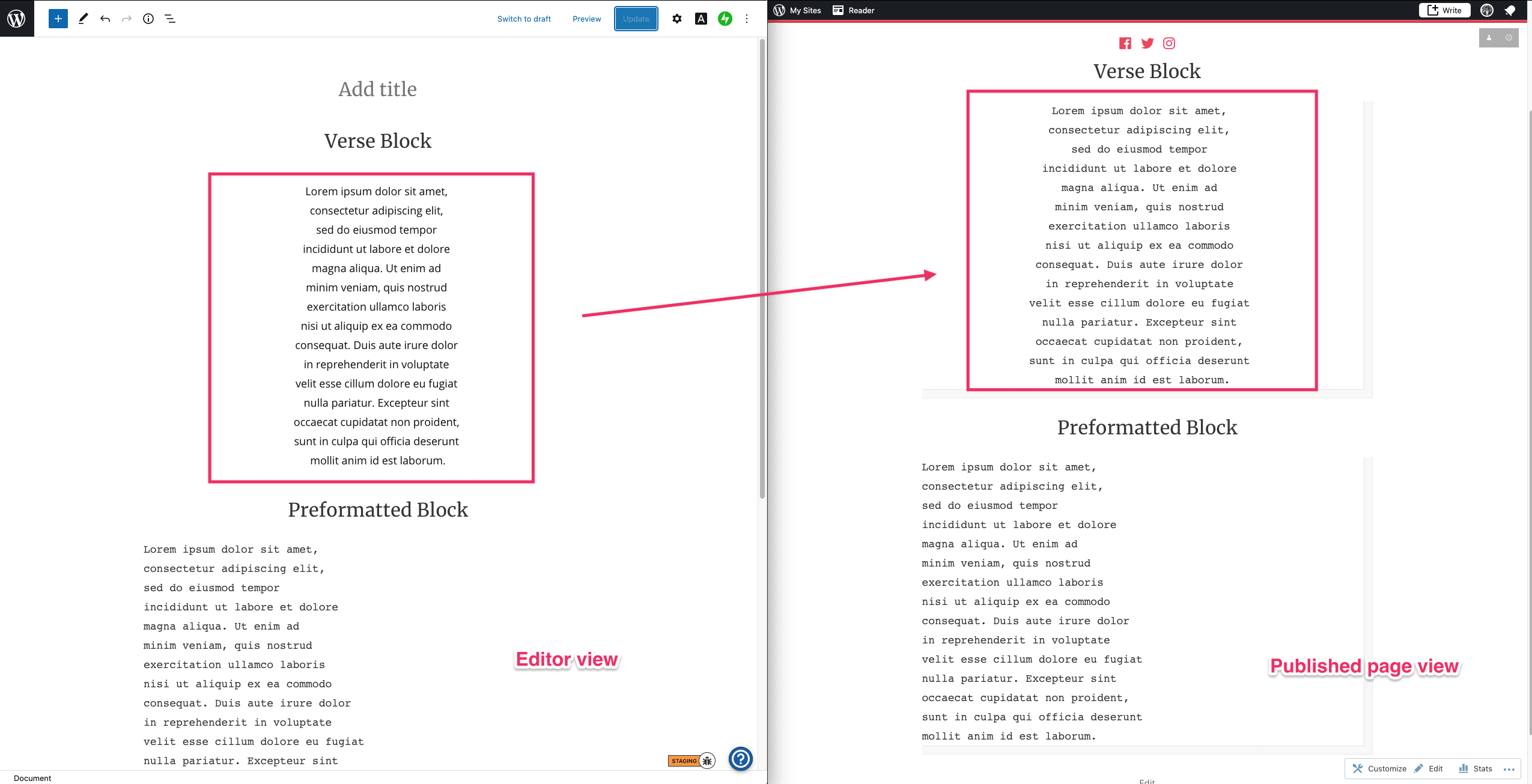
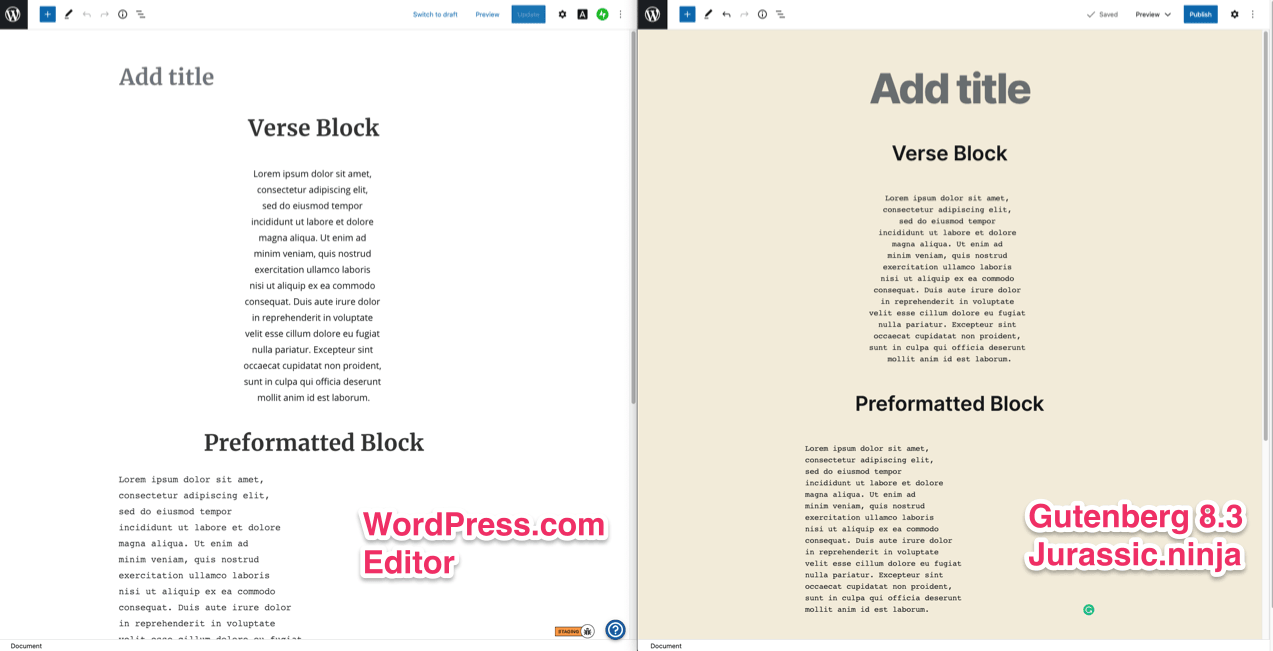
The issue is only present on WordPress.com in the Editor view. With Gutenberg plugin v.8.3 at https://jurassic.ninja/ the font is in the editor is the same as in the Preview or Published view.
What I expected
The font in Editor view to be the same as in Published view
What happened instead
The font in Editor view is different from Published view. It's just the same font as in the Paragraph Block, instead, it should be similar to the Preformatted Block font.
Screenshot / Video
WordPress.com Editor view vs Published page view
WordPress.com Editor vs Gutenberg plugin v.8.3 at https://jurassic.ninja/
Context / Source
dogfooding, #manual-testing, #user-report during Quick Start session 3076327-zen
 zdenys
All 3 comments
Confirmed for Gutenberg v8.3:
- WordPress.com verse block _does not_ display the same font styling as the published view.
- Self-hosted (atomic) verse block _does_ display the same font styling as the published view
 jeyip
on 23 Jun 2020
jeyip
on 23 Jun 2020
This is an issue for Varia themes. It does not exist with a different theme, like Seedlet. So the issue is probably caused by Varia editor CSS.
 noahtallen
on 20 Oct 2020
noahtallen
on 20 Oct 2020
This should be fixed now. Let me know if you still see issues @zdenys
noahtallen
on 22 Oct 2020
Related issues
 jjchrisdiehl
·
3Comments
jjchrisdiehl
·
3Comments
 aduth
·
3Comments
aduth
·
3Comments
 rickybanister
·
3Comments
rickybanister
·
3Comments
 hoverduck
·
3Comments
hoverduck
·
3Comments
 samouri
·
3Comments
samouri
·
3Comments
Most helpful comment
This should be fixed now. Let me know if you still see issues @zdenys