Wp-calypso: Broken Layout Selector: Missing Fonts, Off-canvas Preview in Layout Selector/Editor
To reproduce …
- Create a new WP.com site as a new user
- Click Add New Page at /pages to bring up the layout selector
- Examine the layout selector
- Notice the missing theme fonts in the layout selector
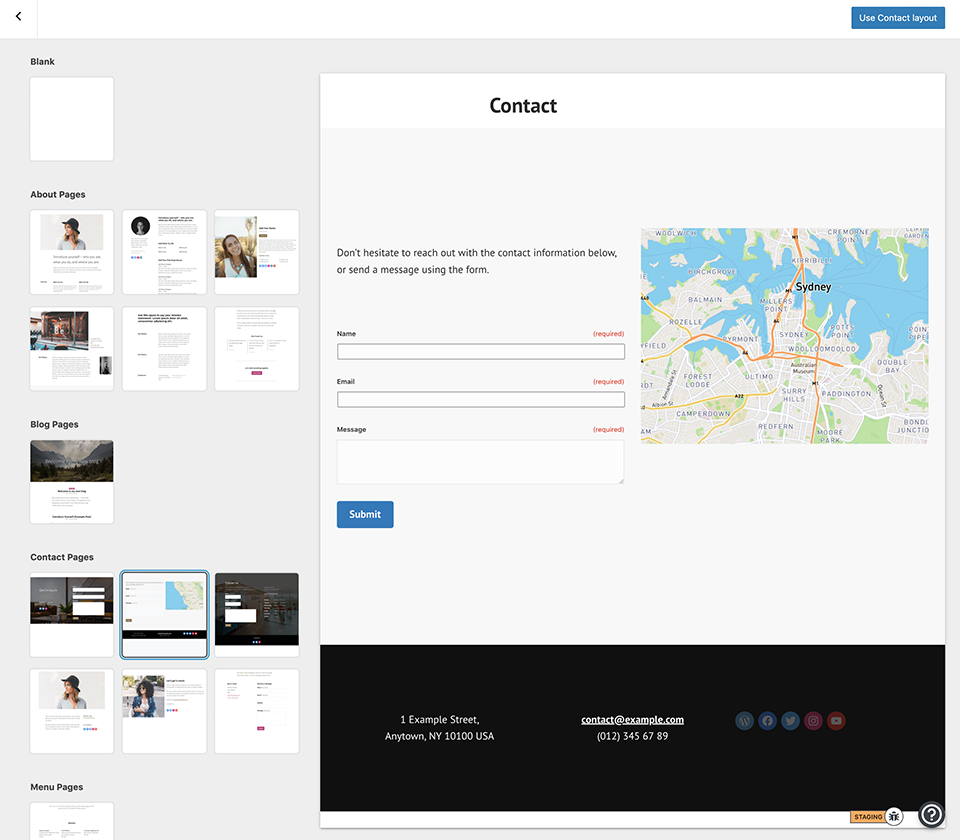
- Examine the two layouts in the screenshot below and notice that the blocks in the layout extend beyond the canvas
- Select one of the layouts and notice the same issue as item 5 in the editor
- Compare with the front-end view where the theme fonts and horizontal display appears to be working correctly.
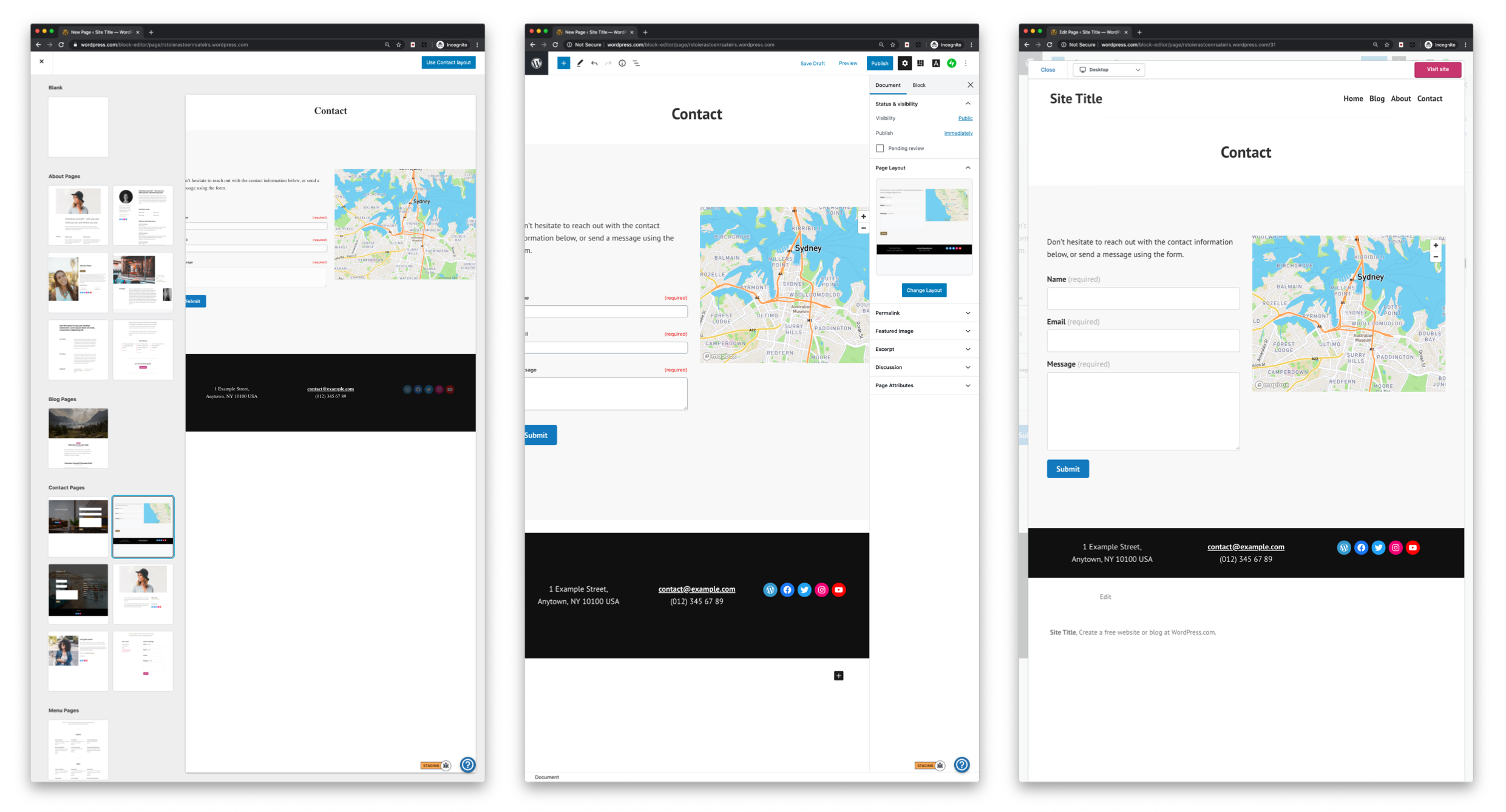
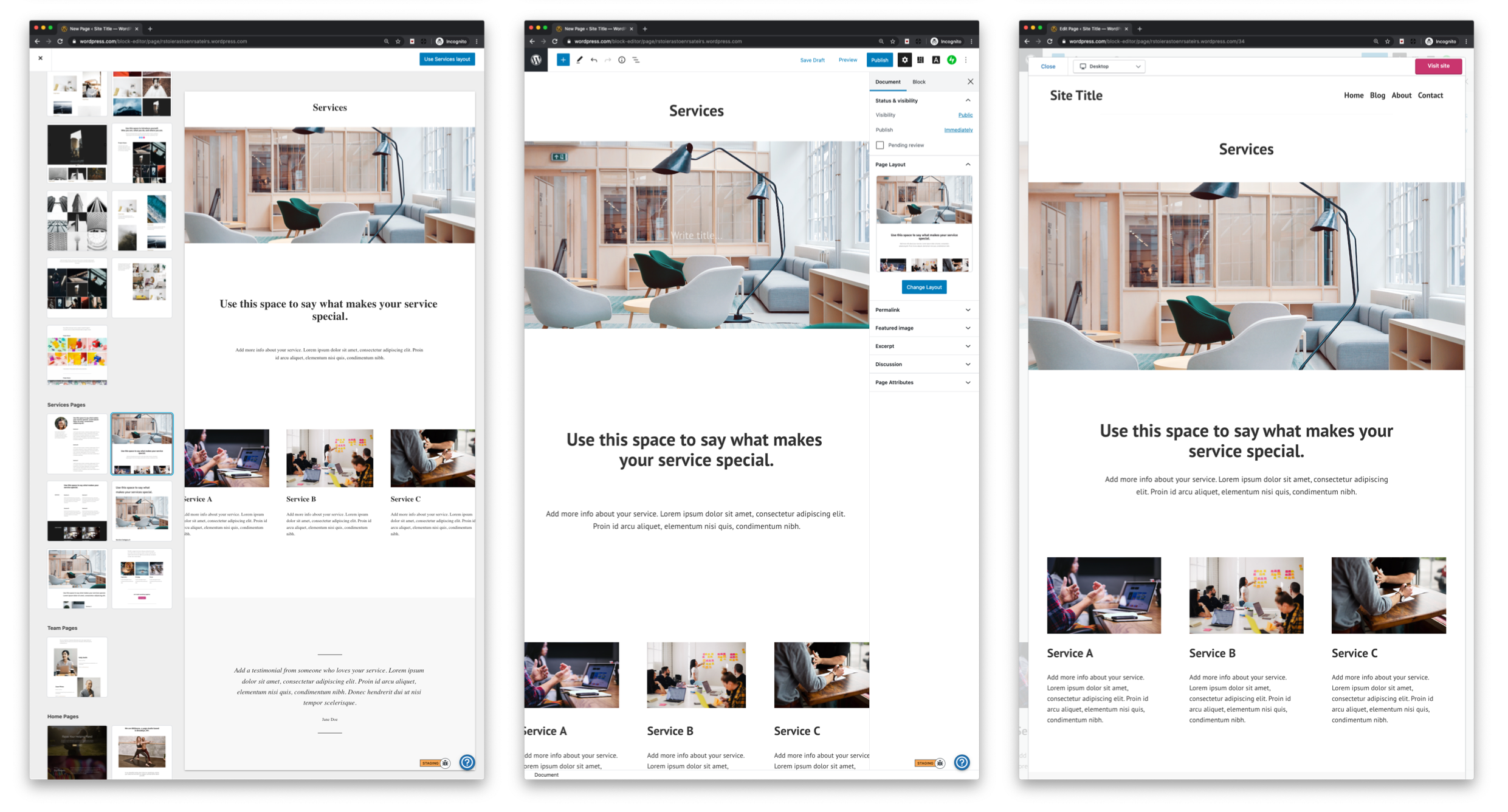
cc @kjellr I believe the editor views are a theme issue.
 ianstewart
All 3 comments
Examine the two layouts in the screenshot below and notice that the blocks in the layout extend beyond the canvas
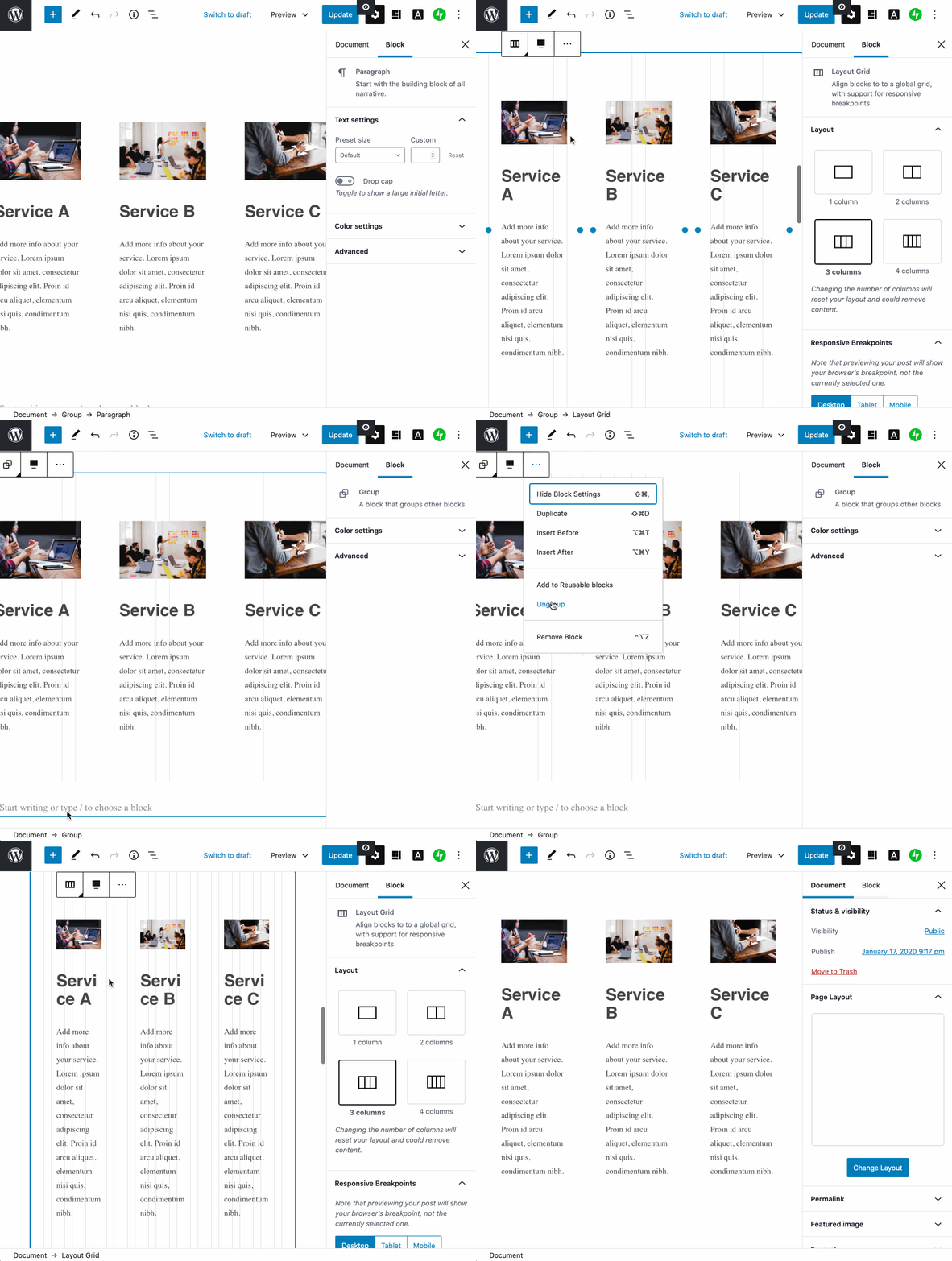
This appears to be a problem with all Varia themes. I think it's just the Jetpack Layout Grid block, whenever its placed inside of a full-width Group. cc @allancole
Removing this from the group container fixes the problem:
 kjellr
on 1 May 2020
kjellr
on 1 May 2020
^ I opened a PR that will fix the theme portion of this, but I'm still a little unsure why this is occurring — I can't reproduce this locally using these themes + layouts, and the rule I'm overriding there come straight from Gutenberg, not from the theme. So I'd suggest we investigate a little more.
If we want to clean this up quickly, we can try removing those Layout Grid Blocks from inside of group blocks in the layouts we offer.
kjellr
on 1 May 2020
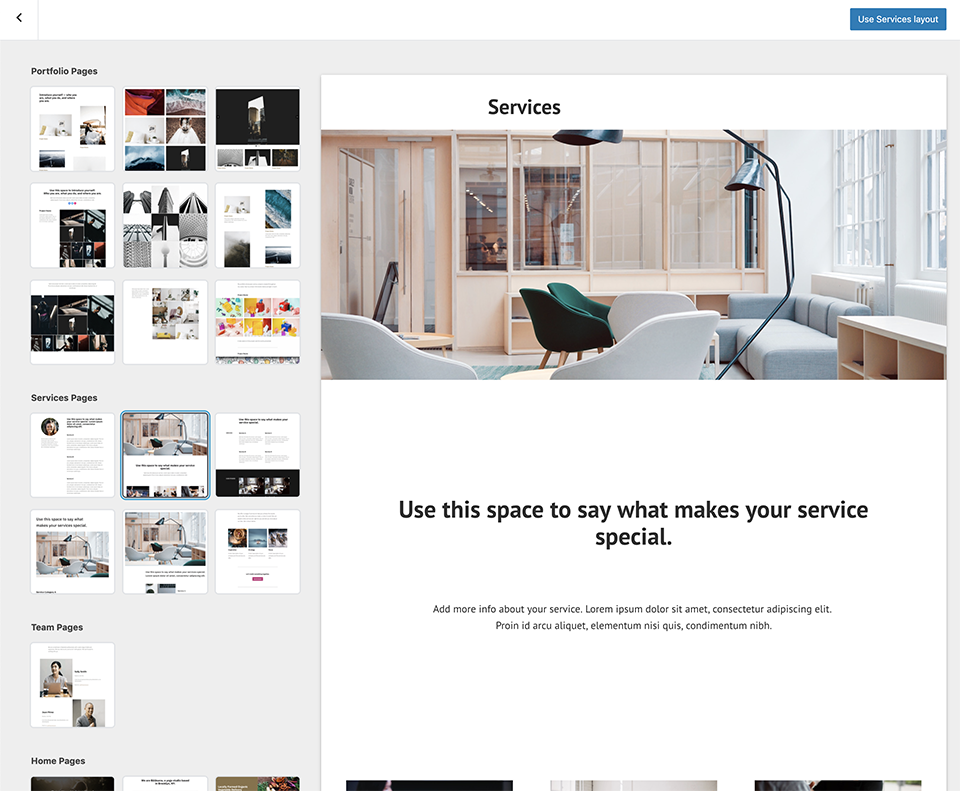
Just tested this issue against a Gutenberg Edge site running v8.0.0 and it looks like upgrading Gutenberg resolves some of this (though for some reason the page title isn't centred correctly):
| Services | Contact |
| -- | -- |
|  |
|  |
|
I know Gutenberg has recently changed a number of classnames in the editor, so that might affect things in the page layout previews, too.
 andrewserong
on 4 May 2020
andrewserong
on 4 May 2020
Related issues
 samouri
·
3Comments
samouri
·
3Comments
 aduth
·
3Comments
aduth
·
3Comments
 ghost
·
3Comments
ghost
·
3Comments
 lamosty
·
3Comments
lamosty
·
3Comments
 vparkhere
·
3Comments
vparkhere
·
3Comments
Most helpful comment
Just tested this issue against a Gutenberg Edge site running v8.0.0 and it looks like upgrading Gutenberg resolves some of this (though for some reason the page title isn't centred correctly):
| Services | Contact | |
|  |
|
| -- | -- |
|
I know Gutenberg has recently changed a number of classnames in the editor, so that might affect things in the page layout previews, too.