Wp-calypso: Gutenboarding: don't allow empty confirm
When searching for a specific domain in domain picker (free or paid), it loses all selections but still shows "confirm" button:
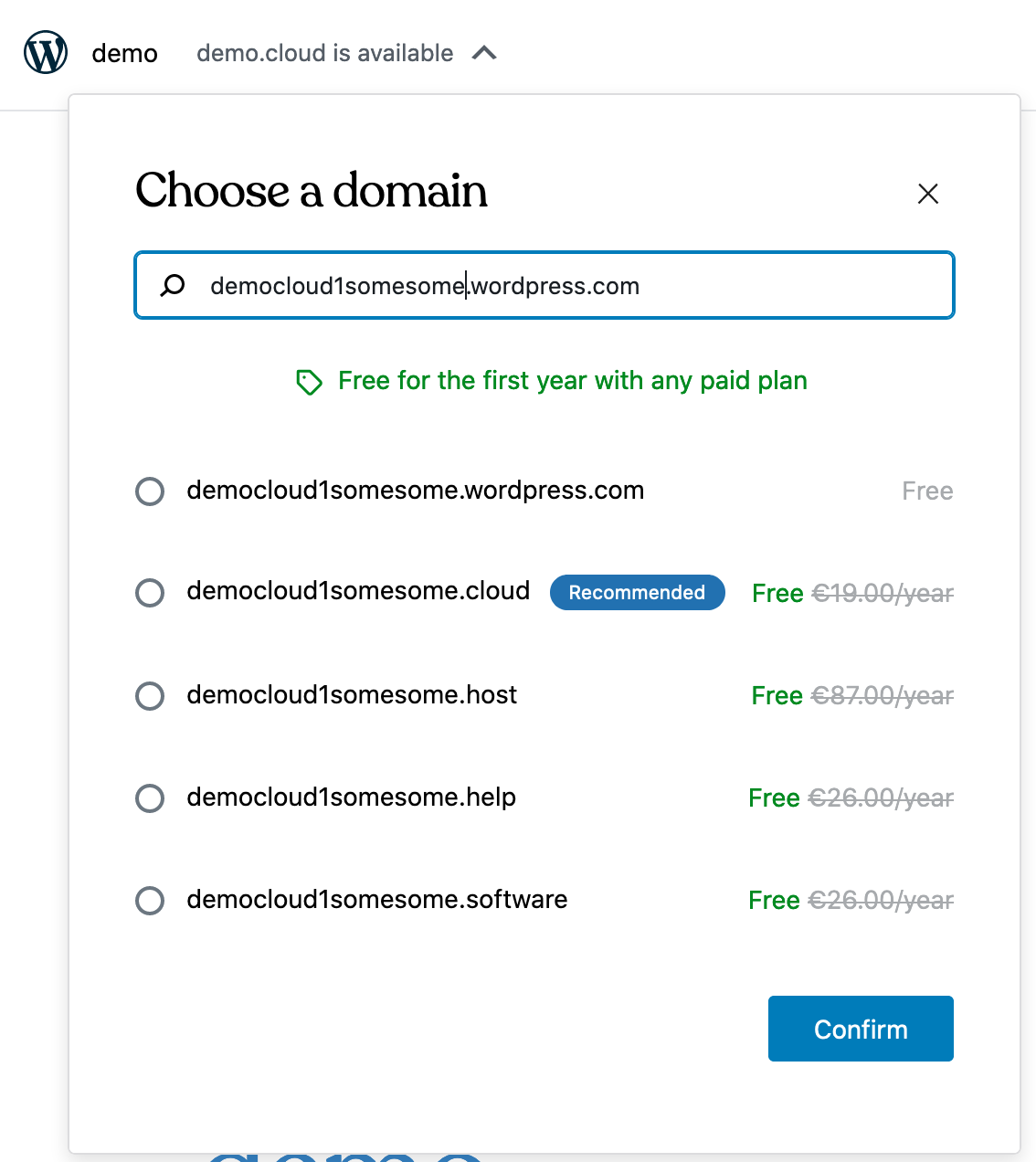
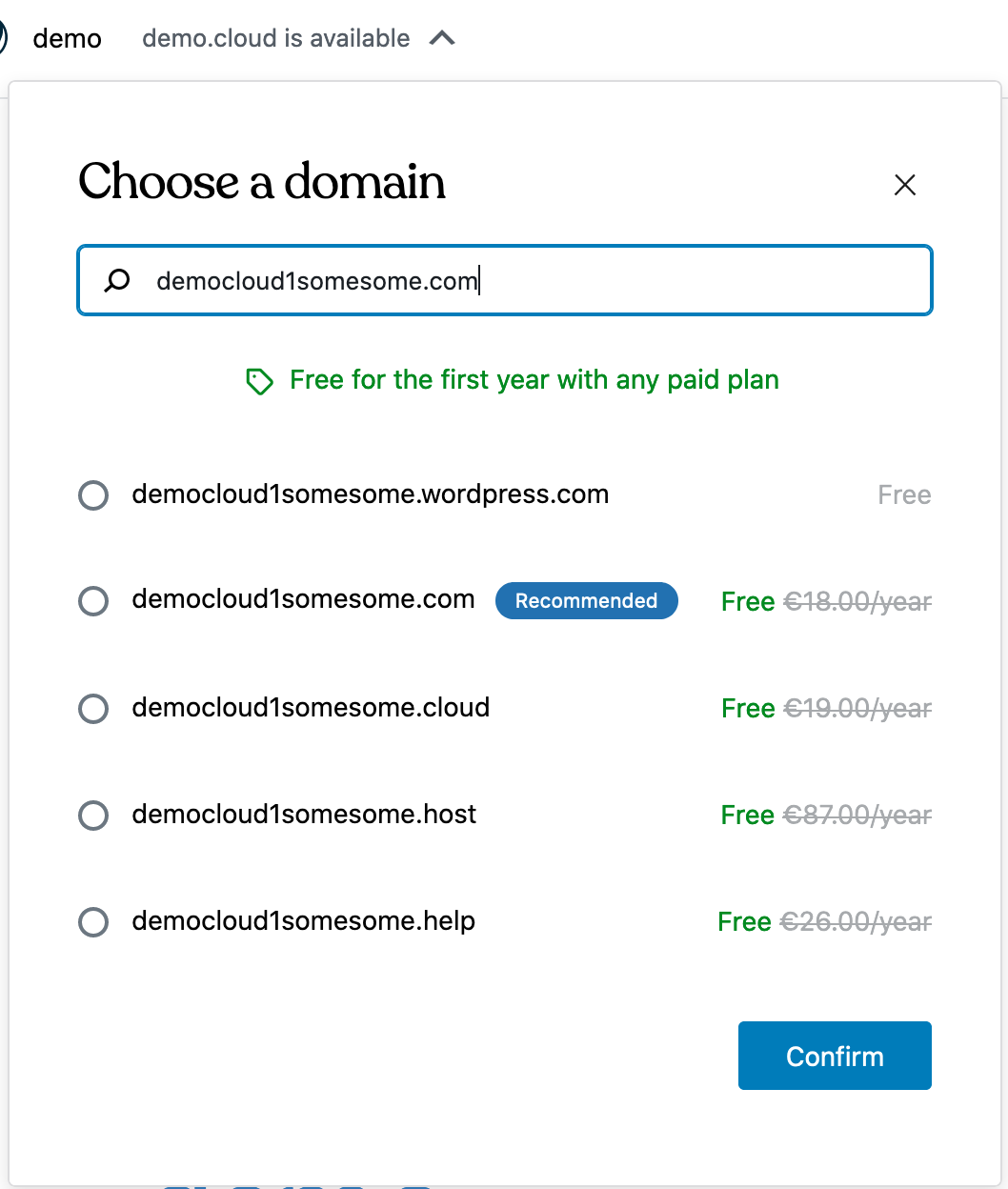
The selected domain stays selected even if it's not indicated on the list. You can see it when removing text in the search field:
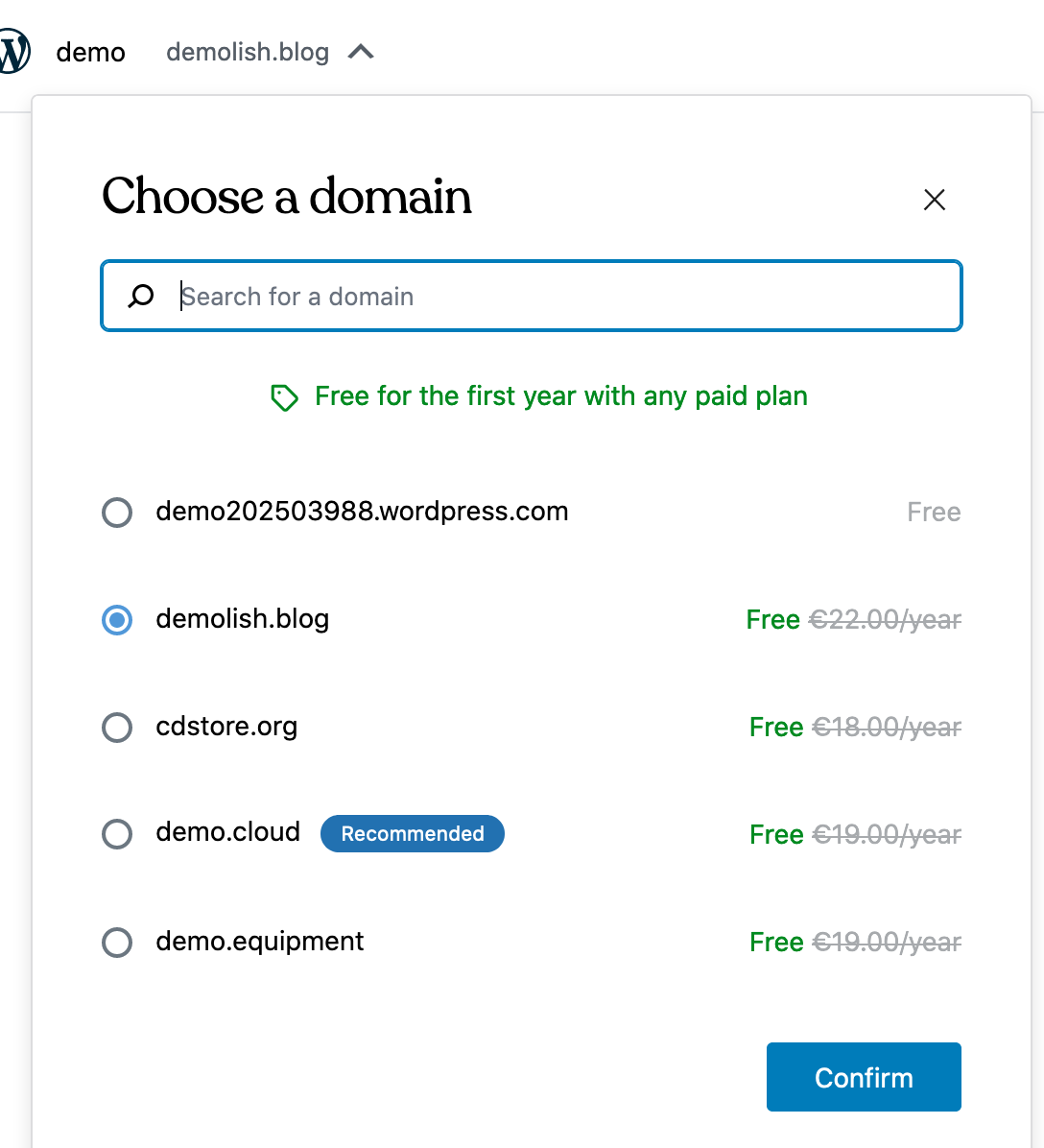
Should we just make "confirm" disabled at this stage until they pick something? "X" would just keep current selection. @dubielzyk
cc @yansern
 simison
All 7 comments
No, since _sitename.wordpress.com_ is the checked by default. We shouldn't force them to change from that.
 dubielzyk
on 8 Apr 2020
dubielzyk
on 8 Apr 2020
Right but what I'm actually confirming here is unclear:
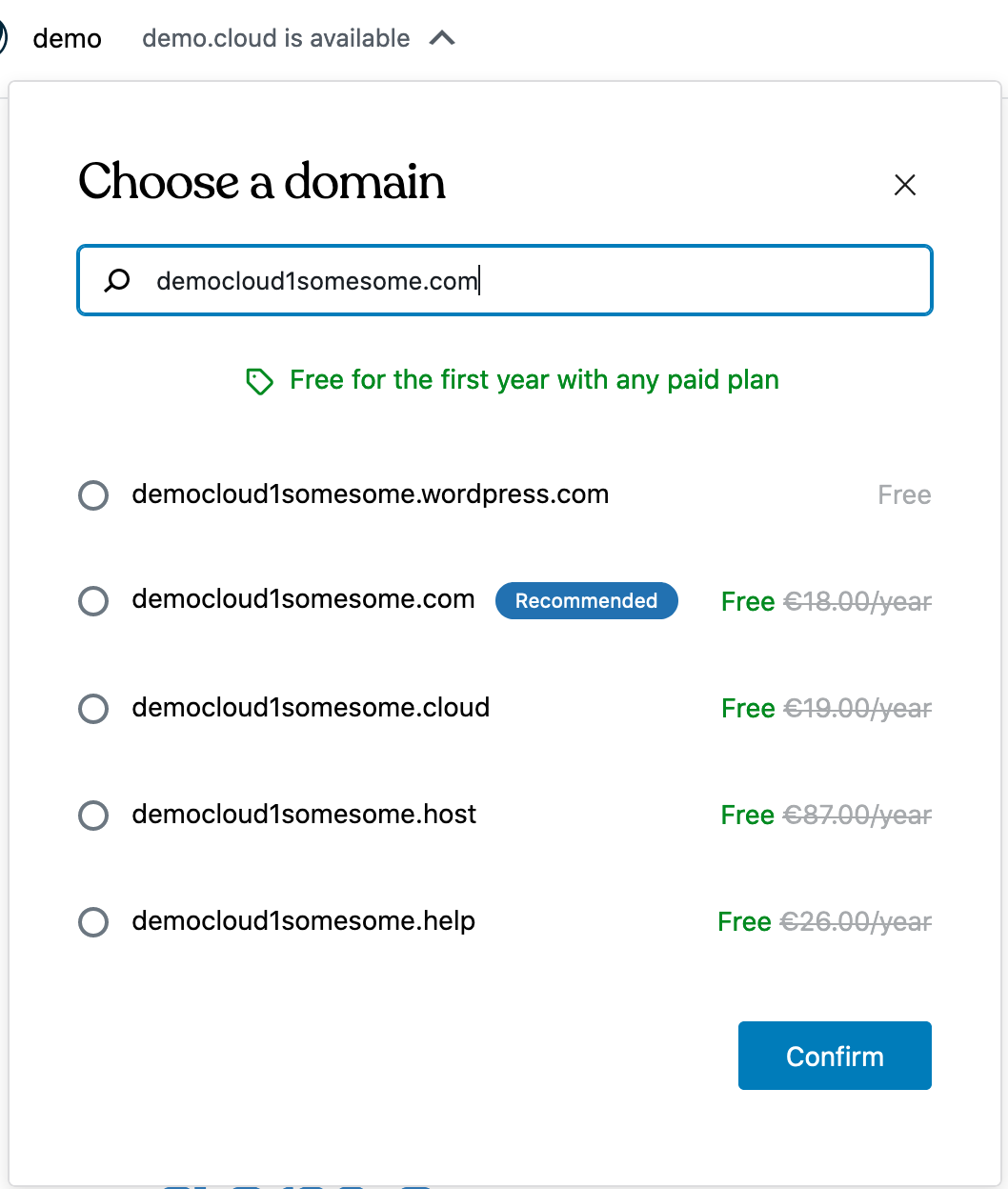
I'd expect now to click "confirm" to whatever is written in the search field.
simison
on 8 Apr 2020
Sorry, I misunderstood. We should default to _newsitename.wordpress.com_ and let them confirm. If they want to chose a paid domain they can do that.
dubielzyk
on 8 Apr 2020
We should default to newsitename.wordpress.com
So just to confirm — matching search result (free or paid) should get auto-selected? "Confirm" button should stay available all the time?
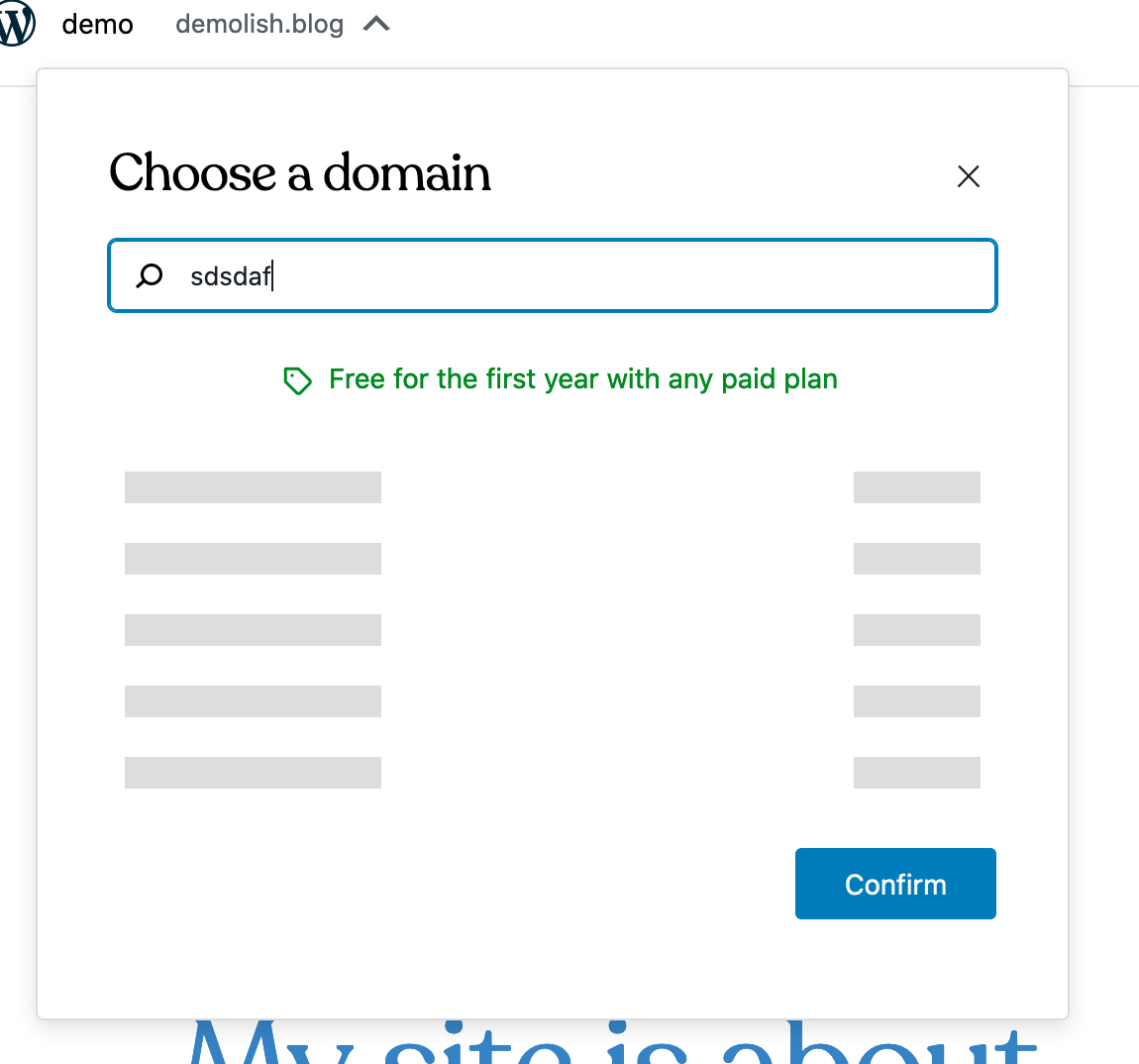
Aside, "confirm" could get disabled while results are loading — but that's minor:
simison
on 8 Apr 2020
So just to confirm — matching search result (free or paid) should get auto-selected? "Confirm" button should stay available all the time?
Only free should be auto-selected (user can chose a paid upgrade if they prefer) and _Confirm_ button should stay available.
Aside, "confirm" could get disabled while results are loading — but that's minor:
Yep, great shout.
dubielzyk
on 8 Apr 2020
Have a sorta fix here: https://github.com/Automattic/wp-calypso/pull/41390
 ramonjd
on 23 Apr 2020
ramonjd
on 23 Apr 2020
The "confirm" button currently works more like a "close popup" button. The selection actually changes as soon as the radio button is clicked. So I think the first thing to fix is to make the domain in the onboarding store only change when "confirm" is clicked.
Then I think the fix described above will work. That way the user is safe to do random searches without changing their selection.
 p-jackson
on 28 Apr 2020
p-jackson
on 28 Apr 2020
Related issues
 BrookeDot
·
3Comments
BrookeDot
·
3Comments
 kellychoffman
·
3Comments
kellychoffman
·
3Comments
 gedex
·
3Comments
gedex
·
3Comments
 ghost
·
3Comments
ghost
·
3Comments
 samouri
·
3Comments
samouri
·
3Comments