Wp-calypso: Login: make "Email me a login link" more intelligent, clear, and user-friendly
Steps to reproduce
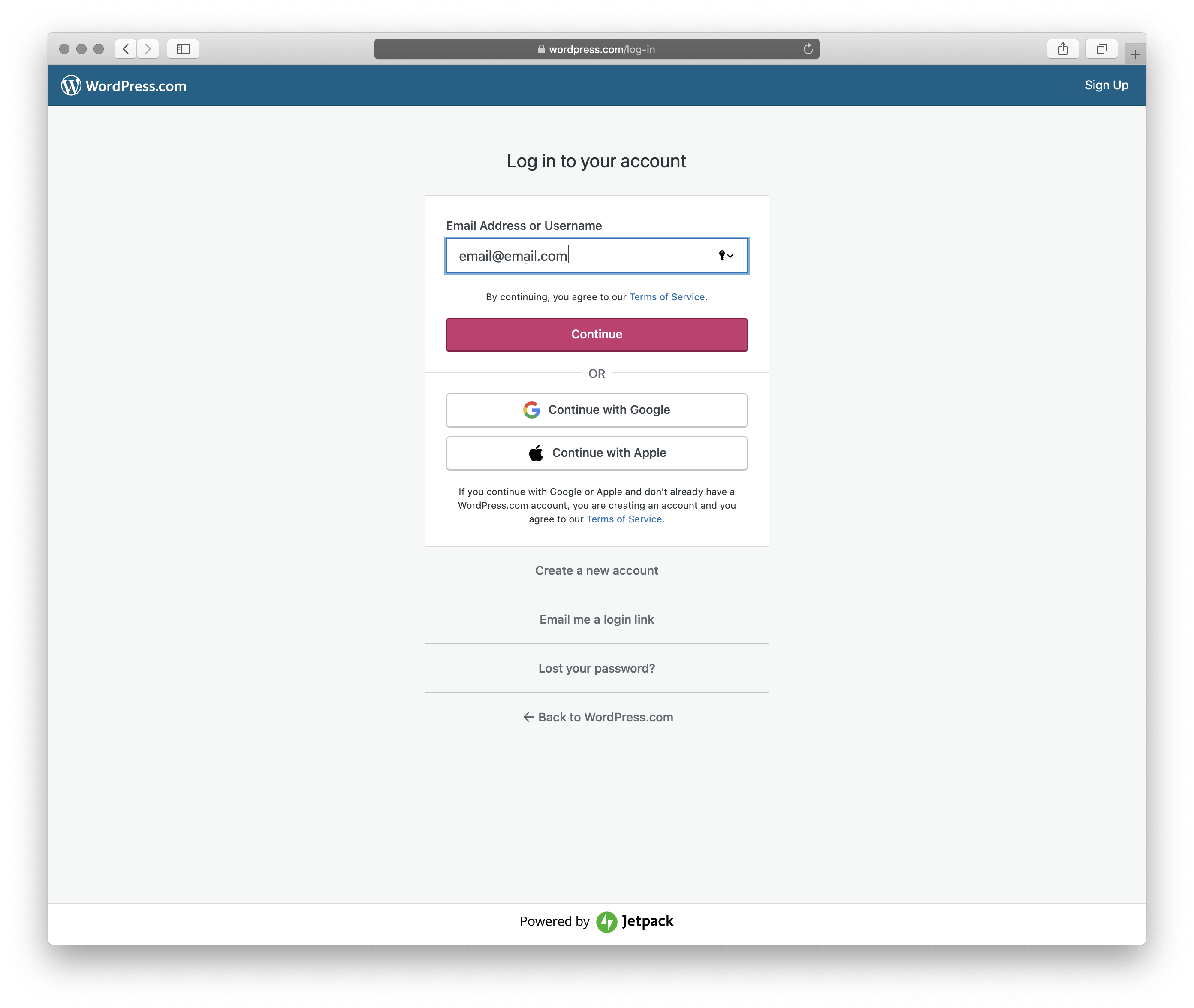
- Starting at URL:
/log-in - Enter your email address
- Click the secondary action "Email me a login link" instead of the main form action which is "Continue"
What I expected
For the form to capture my email address and go ahead and send the login link right away.
What happened instead
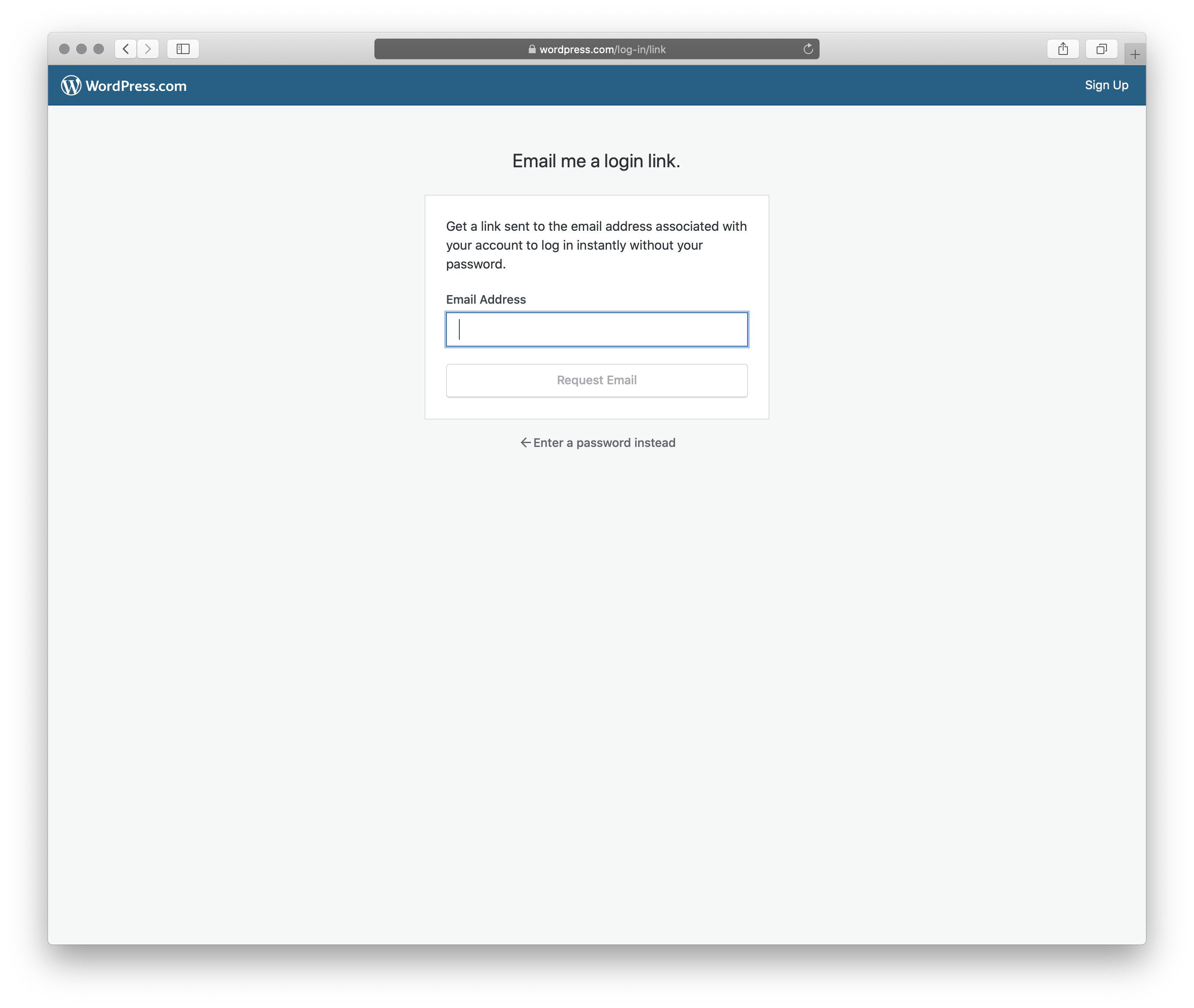
You end up at this page: log-in/link and the form doesn't have the email address filled out.
I'm stuck wondering if I need to re-type the email address, or what.
Screenshots
Context / Source
reallife #dogfooding from @m Too easy to feel like an endless loop with this screen.
Suggestions to improve the missing email address and save a step
- If the email address is entered on the first screen, and the user clicks "Email me a login link" -- just email the magic link — don't ask again — and proceed to the "Check your email!" screen.
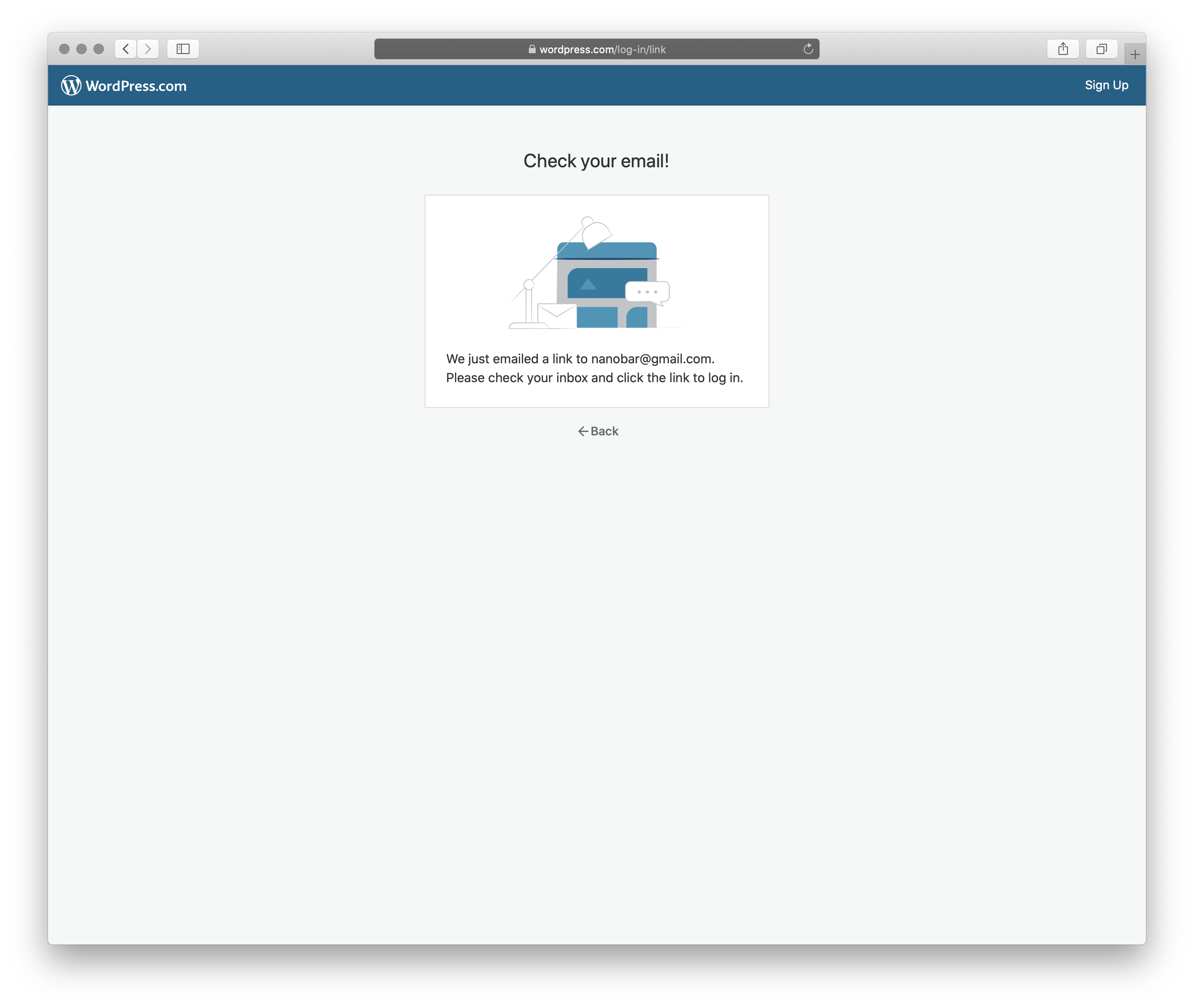
Suggestion to label the "back" action more clearly
The "Email me a login link" page's "back" link should be labeled a bit more clearly.
It is _technically_ accurate that one other way to log in requires a password. But, it's not the first step after going back, and it's not the only option.
An improvement to the back link text would be something like, "Start over." Or "Log in another way."

 lancewillett
All 3 comments
cc @Automattic/dotcom-manage-design @elibud any thoughts on UX flow here?
 gwwar
on 31 Mar 2020
gwwar
on 31 Mar 2020

@mattmiklic could you please add the mockups of how we handle this flow in the WP apps?
 elibud
on 31 Mar 2020
elibud
on 31 Mar 2020
Here's the new flow being developed for the WordPress app covering 1) magic link login, 2) the alternative password option, and 3) magic link signup.
 mattmiklic
on 31 Mar 2020
mattmiklic
on 31 Mar 2020
Related issues
 spen
·
3Comments
spen
·
3Comments
 vparkhere
·
3Comments
vparkhere
·
3Comments
 kellychoffman
·
3Comments
kellychoffman
·
3Comments
 lamosty
·
3Comments
kellychoffman
·
3Comments
lamosty
·
3Comments
kellychoffman
·
3Comments
Most helpful comment
@mattmiklic could you please add the mockups of how we handle this flow in the WP apps?