Wp-calypso: Customizer: font Puritan is incorrectly displayed
The Customizer shows a preview of a serif font for Puritan, but Puritan is sans-serif:
https://fonts.google.com/specimen/Puritan
https://www.fontsquirrel.com/fonts/puritan-2.0
https://www.1001fonts.com/puritan-font.html
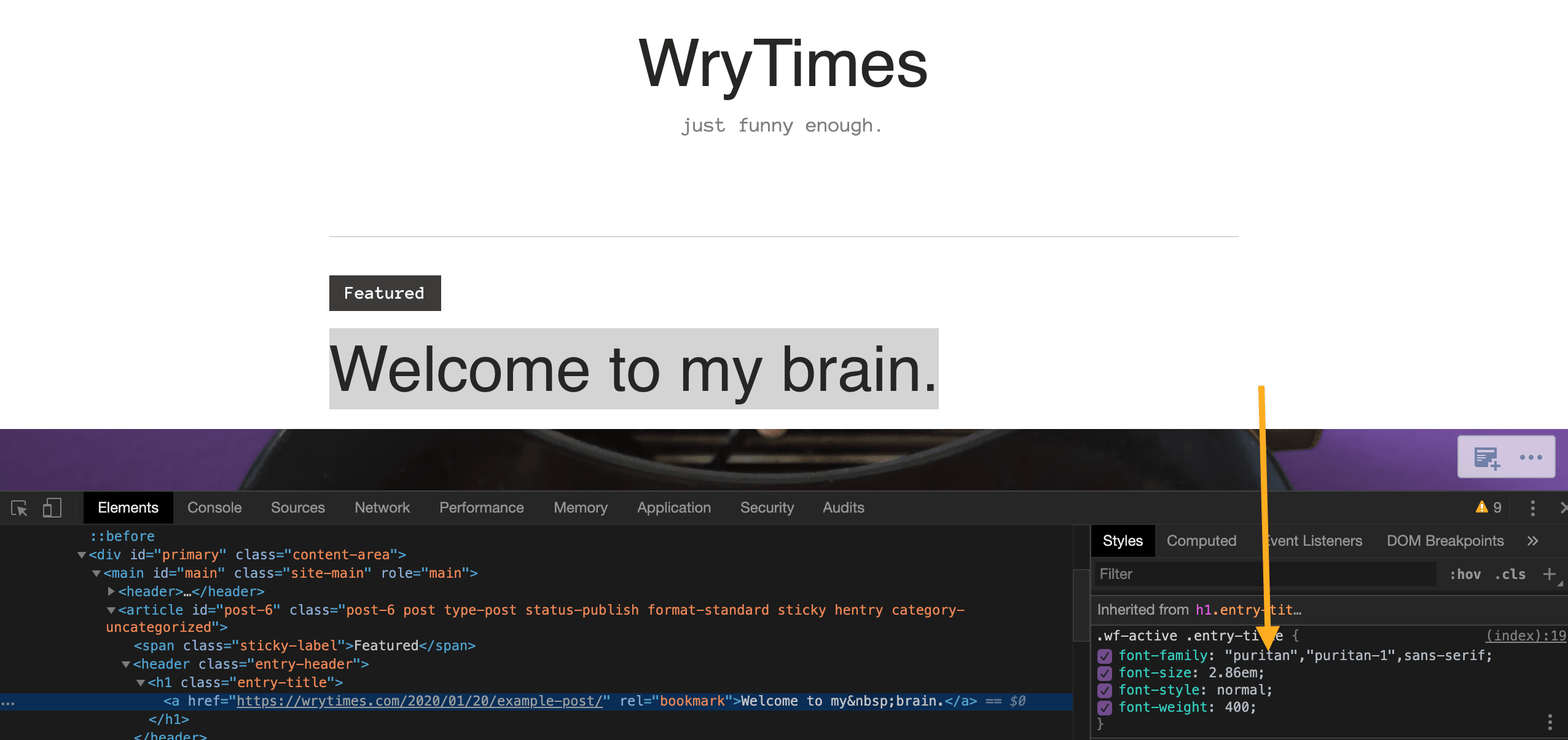
We can confirm with the browser inspector in Google Chrome, for example, that the font is being loaded on the site headings:
The issue is that the font we see on the site is not the one that the site customizer is showing us:
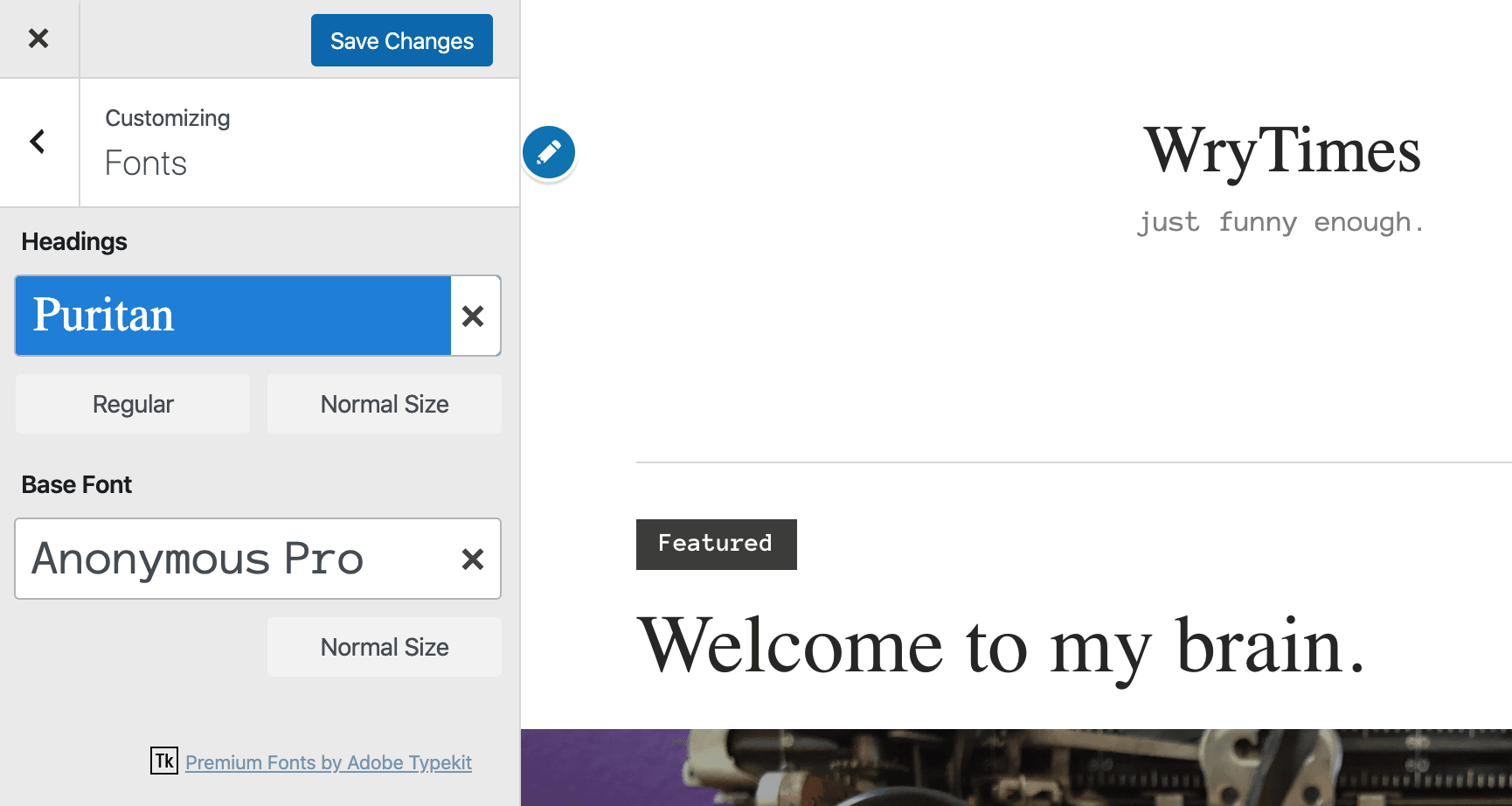
When you leave the customizer after saving the font, and go back to the customizer, the font selected still shows "Puritan", but now it shows the sans-serif one that I can see documented online.
I think what's happening here is that either that font loaded in the Customizer is incorrect, or the font has been updated because everything I find online about the font shows the sans-serif one we see on the live site, not the serif one that the site Customizer shows.
Steps to reproduce
- Starting at URL: https://wordpress.com/
- Log in to a site
- Pick a theme that has font options, like "Independent Publisher 2" for example
- Go to Design > Customize > Fonts
- Pick the font "Puritan"
What I expected
To see the font in the customizer preview that will show on my site when I save my selection.
What happened instead
In the preview, I see a serif font, and in the site live I see a sans-serif font.
Browser / OS version
Chrome Version 80.0.3987.132 (Official Build) (64-bit)
Context / Source
User report #2794331-zen
user-report
 davipontesblog
All 5 comments
Good find. This font and another called Chunk were removed from Adobe Fonts sometime last year.
The next step is to make sure we replace them with the equivalent Google Fonts typefaces — and help migrate sites over (depends on how many, and how feasible or simple of a change it would be).
 lancewillett
on 17 Mar 2020
lancewillett
on 17 Mar 2020
I did some more spot-checking and I just don't see most of the heading Typekit fonts working.
I haven't checked them all but here's some that I spot checked on two Simple sites across multiple themes. It appears briefly in the Customizer but if I look at the live site, even after a cache clear, it's not working. Tested in Chrome and Safari.
Abril Text
Ambroise Std
Arvo
Brandon Grotesque
Bree
Calluna
Calluna Sans
Chaparral Pro
Chunk
Coquette
FF Basic Gothic
FF Dagny Pro
Puritan
Tinos
That said, the base fonts appear to be working and some heading fonts such as Tekton Pro work.
 JoshuaGoode
on 21 Mar 2020
JoshuaGoode
on 21 Mar 2020
I'm working on this issue as part of a review of what Google fonts we will offer on WordPress.com.
 allilevine
on 30 Jul 2020
allilevine
on 30 Jul 2020
This is being handled by @Automattic/explorers and does not need to be picked up under the @Automattic/ajax janitor rotation. See p1598433481423500-slack-explorers.
 getdave
on 26 Aug 2020
getdave
on 26 Aug 2020
I'm closing this issue because we've updated the fonts on WordPress.com and Puritan is no longer available.
allilevine
on 12 Oct 2020
Related issues
 roccotripaldi
·
3Comments
roccotripaldi
·
3Comments
 spen
·
3Comments
spen
·
3Comments
 samouri
·
3Comments
samouri
·
3Comments
samouri
·
3Comments
samouri
·
3Comments
 hoverduck
·
3Comments
hoverduck
·
3Comments