Wp-calypso: Editor: AMP warning about post types appearing on pages when AMP is enabled
Steps to reproduce
- Starting from a site on a wpcomstaging domain
- Create a new page
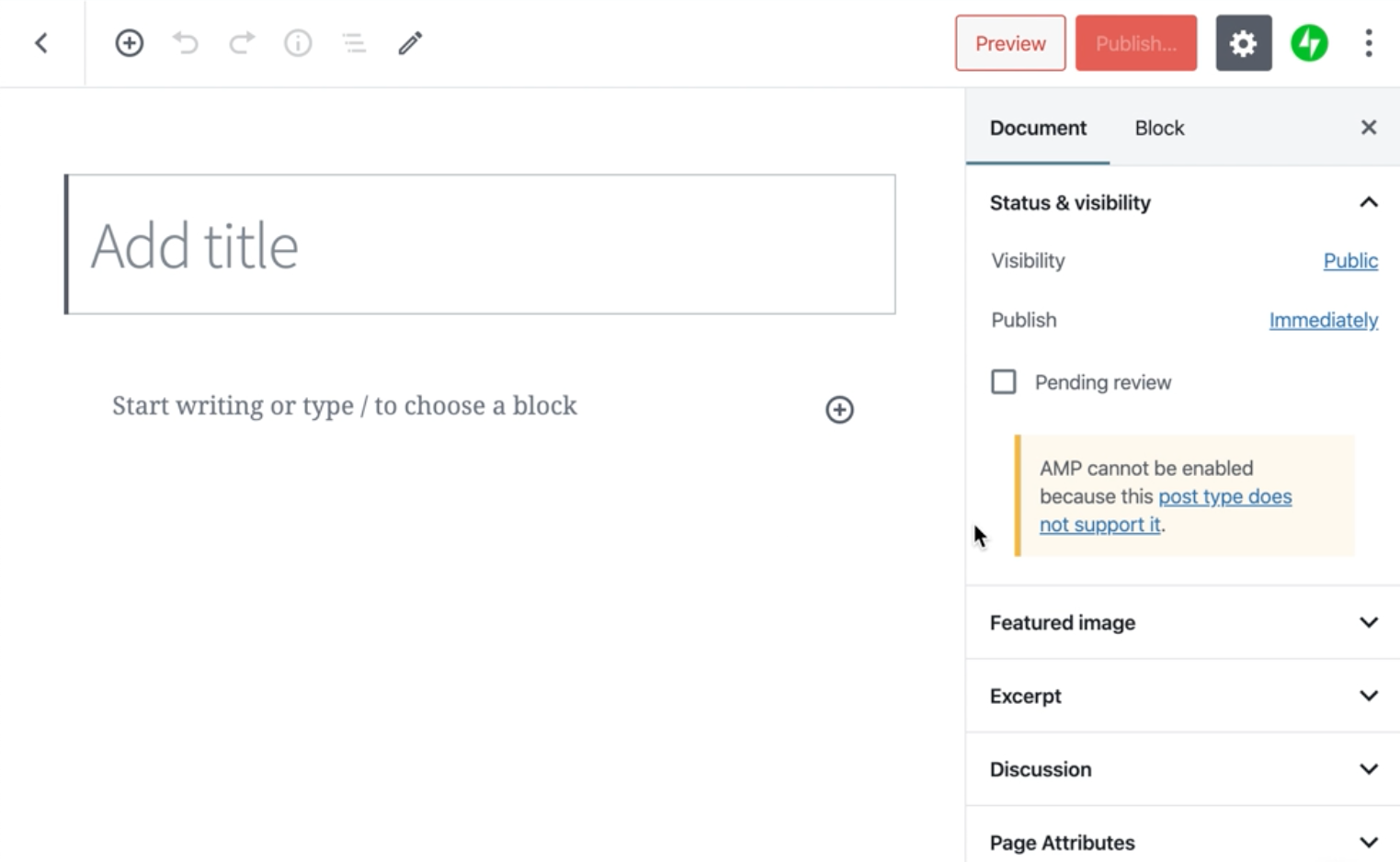
- Check out the Status & visibility module in the Document inspector.
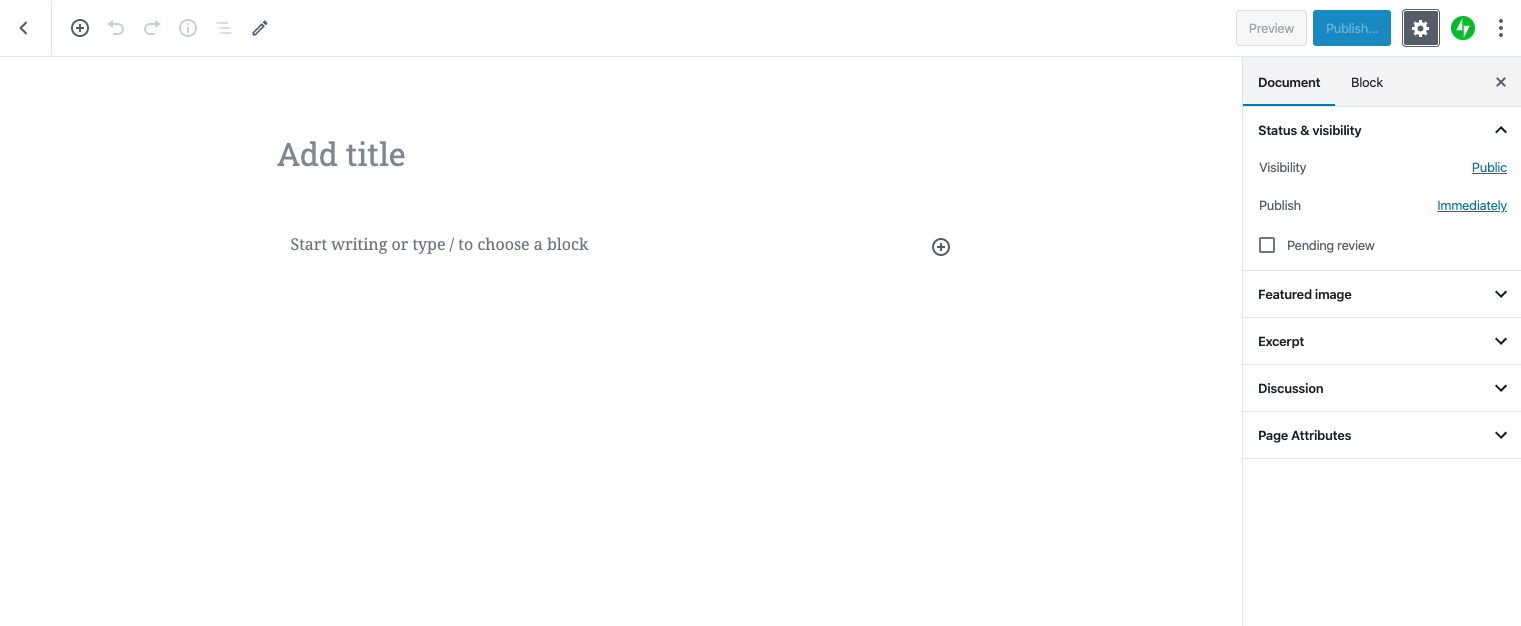
What I expected
To have it match the view of a typical .wordpress.com site with no warnings about AMP on pages …
What happened instead
 ianstewart
All 14 comments
I can see this warning for Atomic site which is not staging, when editing a page that's private:
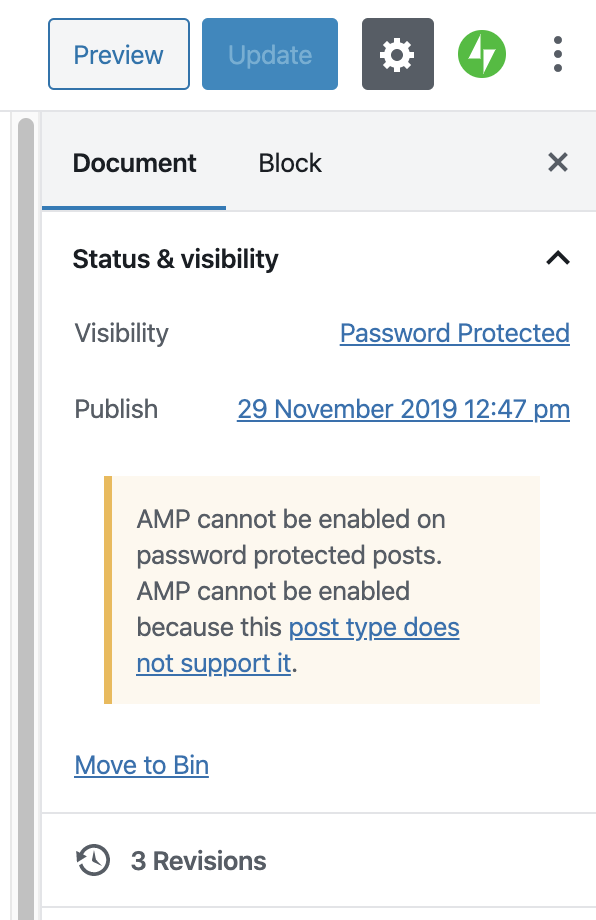
Clicking on link similarly leads to an error with this in the console:
Refused to display 'https://mikaelkorpela.fi/wp-admin/admin.php?page=amp-options' in a frame because it set 'X-Frame-Options' to 'sameorigin'.

 simison
on 14 Feb 2020
simison
on 14 Feb 2020
I had a user with this warning on a Simple Site using the Maywood theme and their own custom domain that they registered with us. I had them disable AMP as a work around for now.
 separatelyunited
on 18 Feb 2020
separatelyunited
on 18 Feb 2020
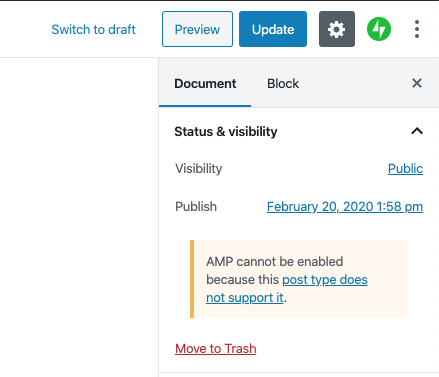
I saw this issue today while editing a page on a simple site with AMP enabled. To help anyone searching on the message, here's the text:
AMP cannot be enabled because this post type does not support it.
I also observed that clicking on the link (/wp-admin/admin.php?page=amp-options&frame-nonce=abc123) takes me to a page with this error:
The page requested does not exist
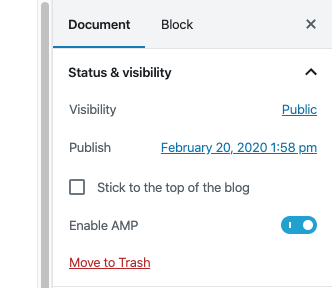
The AMP warning itself makes sense given that AMP doesn't work on pages (per the support doc) but it seems out of place there and is more confusing given that the link doesn't work. I assume the placement is because on a post that's where the "Enable AMP" setting appears:
 rachelmcr
on 20 Feb 2020
rachelmcr
on 20 Feb 2020
I came across this issue with a user in chat today - they had a Simple Site and were also using the Maywood theme, trying to create a gallery block and enable the Lightbox effect under the AMP settings to enlarge their image.
That said, they were trying to do this on a page rather than a post, but the post type warning was popping up as above regardless.
 geekinthegirl
on 24 Feb 2020
geekinthegirl
on 24 Feb 2020
I ran into this same issue with a user today on a Simple site using Morden. All their pages had the error.
separatelyunited
on 3 Mar 2020
Same case in pages at a simple site, using Hever theme. (2790737-zd)
 kspilarski
on 15 Mar 2020
kspilarski
on 15 Mar 2020
Just discussed this in a team meeting, this one is really confusing for users. Any way we could prioritize hiding this message?
 davipontesblog
on 31 Mar 2020
davipontesblog
on 31 Mar 2020
The issue to fix Atomic site settings link not opening should be treated separately. In that case, the setting page exists at /wp-admin/admin.php?page=amp-options but isn't always reachable from the Gutenberg editor sidebar because of blocked cross-origin framing.
The Simple site change is to hide the admin notice entirely. Simple sites do not have the ability to turn on Pages and Media post type support (or future Stories and other types of AMP content). In the case of a Simple site — the admin notices should be always hidden. See change in D41407-code
 lancewillett
on 4 Apr 2020
lancewillett
on 4 Apr 2020
Simple site fix deployed now: r205378-wpcom.
Next steps for Atomic sites:
- Verify if there's a way to authorize the AMP setting link to open from Calypso block editor context. Showing the WP Admin settings page in the same iframe.
- If not, force the link to open in a new tab/window authenticated into WP Admin
lancewillett
on 4 Apr 2020
Removing the High label as we solved the Simple sites issue, which wasn't solvable by end users.
Atomic "works" OK if you open the link in a new tab, so not as critical of a fix. Keeping this issue open until that is fixed.
lancewillett
on 24 Apr 2020
Atomic "works" OK if you open the link in a new tab, so not as critical of a fix. Keeping this issue open until that is fixed.
Are we forcing the new tab?
ianstewart
on 27 Apr 2020
Not yet — needs fixing still.
lancewillett
on 27 Apr 2020
Decided to not fix the Atomic case, because the effort to patch it is not a good tradeoff for the time spent.
In addition, we hope to soon remove the iframed block editor context and load posts and pages directly, which removes the need to fix this issue.
lancewillett
on 6 May 2020
In addition, we hope to soon remove the iframed block editor context and load posts and pages directly, which removes the need to fix this issue.
That's a lot of work so likely not happening very soon.
simison
on 6 May 2020
Related issues
 kellychoffman
·
3Comments
kellychoffman
·
3Comments
 samouri
·
3Comments
samouri
·
3Comments
 BrookeDot
·
3Comments
BrookeDot
·
3Comments
 hoverduck
·
3Comments
kellychoffman
·
3Comments
hoverduck
·
3Comments
kellychoffman
·
3Comments
Most helpful comment
Simple site fix deployed now: r205378-wpcom.
Next steps for Atomic sites: