Wp-calypso: Tiled Gallery Block: Edit does not link directly to images
Steps to reproduce
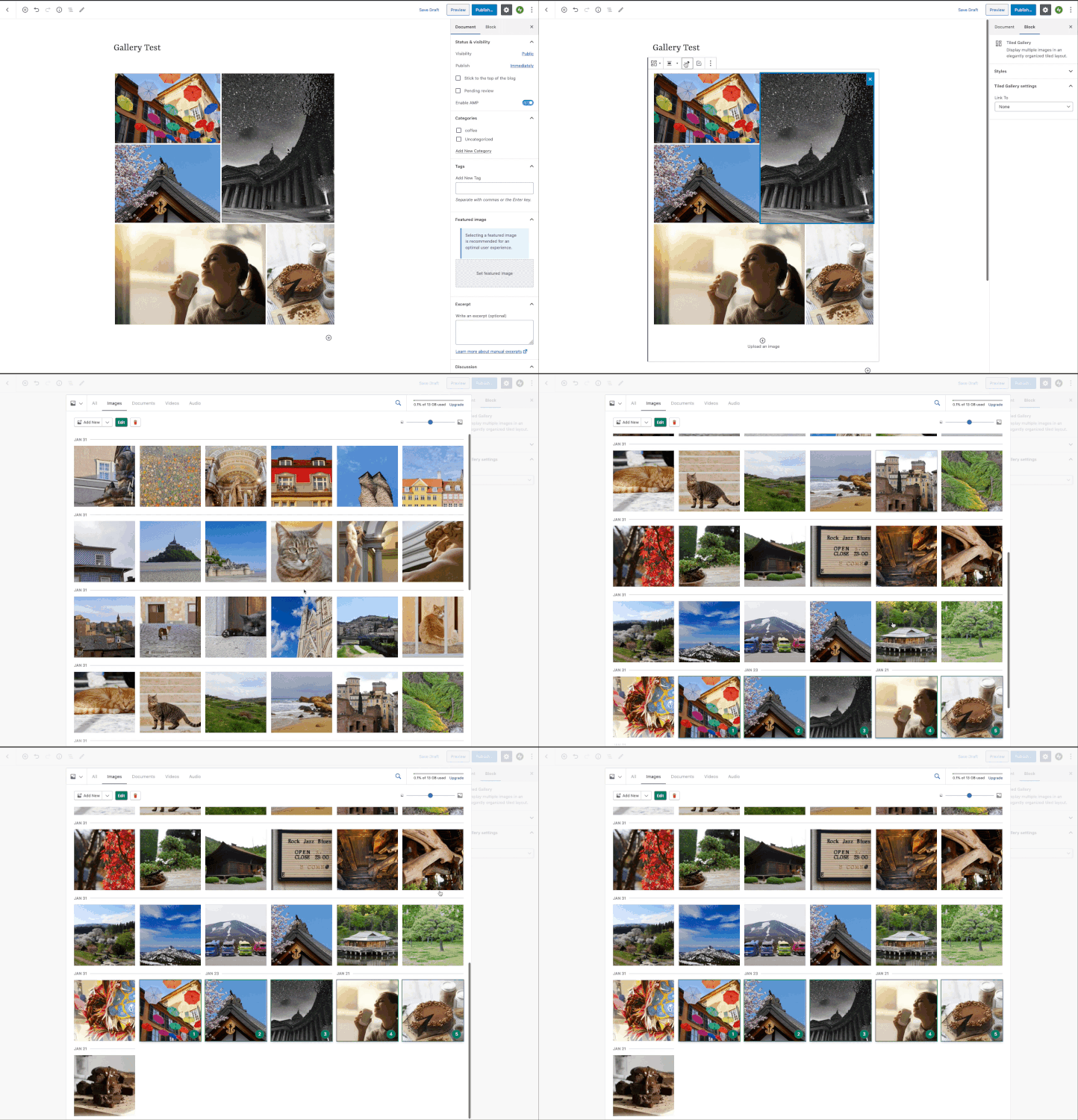
- Insert a Tiled Gallery Block with several images.
- Click the Edit button.
What I expected
That the media library would bring me directly to the images that are within this block
What happened instead
The media library is shown at the default starting place.
Video
Context / Source
This is not a painpoint if you only have a few images in within your Media Library but if you have thousands of images this can be quite difficult to find the images that are in your titled gallery to edit/remove.
User report: 2666951-zen
Improvement
It would be a huge improvement if when pressing the edit button from within this gallery, the images that are added to the gallery would be displayed first instead of having to scroll down to find them.
 joweber123
All 2 comments
This seems to be an issue with Calypso Media modal integration.
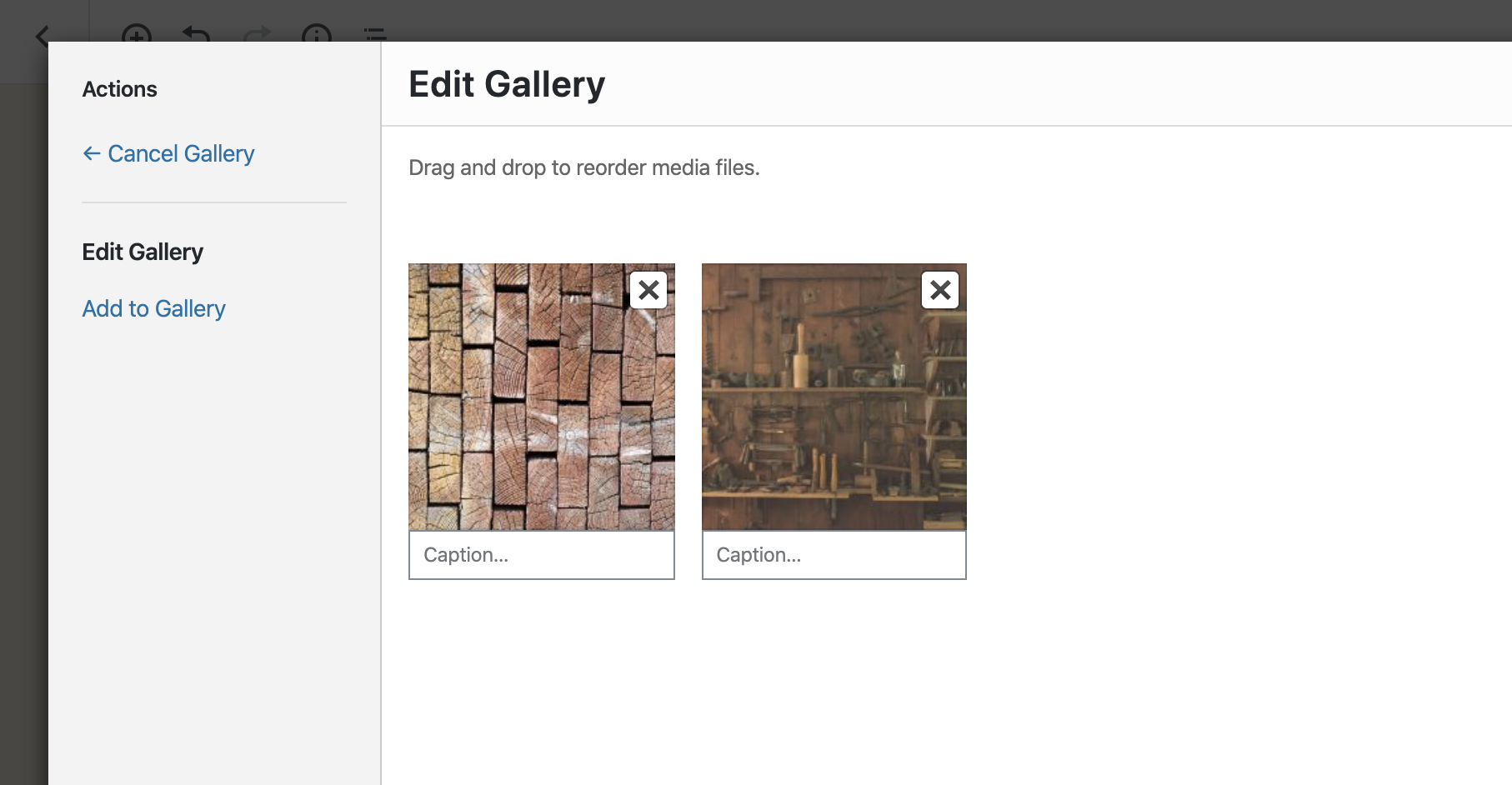
On WP Admin it brings up to "edit gallery" modal:
Using classic block and adding a gallery via there, I see there's this view:
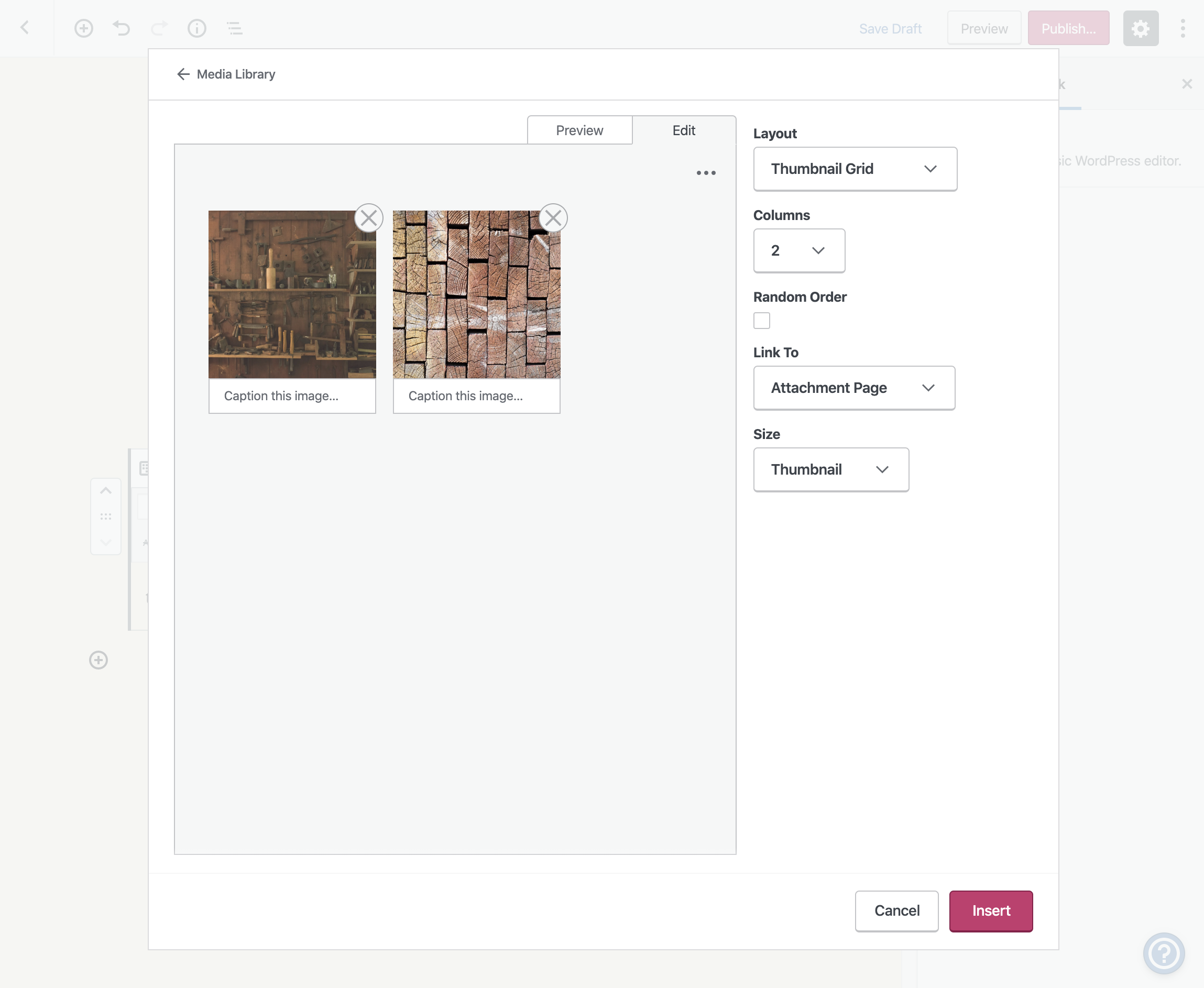
That's where we should bring them to.
 simison
on 31 Jan 2020
simison
on 31 Jan 2020
Hello, I'm calypso user with tons of images on gallery. This is a problem for us, so thanks for this post.
 AndyB3672
on 31 Jan 2020
AndyB3672
on 31 Jan 2020
Related issues
 samouri
·
3Comments
samouri
·
3Comments
 spen
·
3Comments
spen
·
3Comments
 vparkhere
·
3Comments
vparkhere
·
3Comments
 apeatling
·
3Comments
apeatling
·
3Comments
 roccotripaldi
·
3Comments
roccotripaldi
·
3Comments