Wp-calypso: Block Editor: Edit Image option missing on image block
Steps to reproduce
- Starting at URL: https://wordpress.com/block-editor/page/ or https://wordpress.com/block-editor/post
- Add an Image blog and add an image (method should not matter)
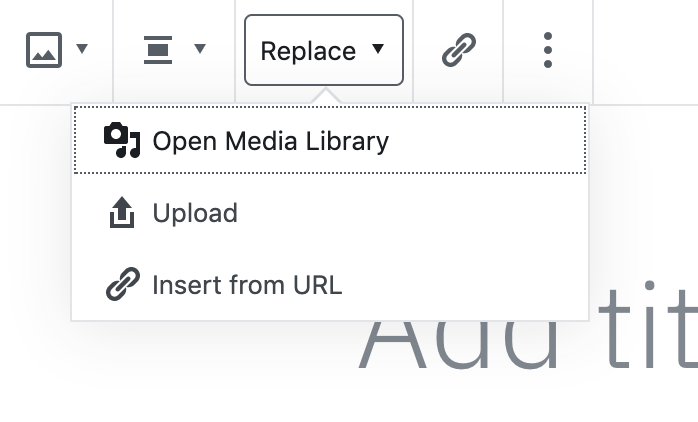
- There is no Edit Image option:

Instead it seems to have been replaced by Replace text with a dropdown:
What I expected
To be able to edit an inserted image.
What happened instead
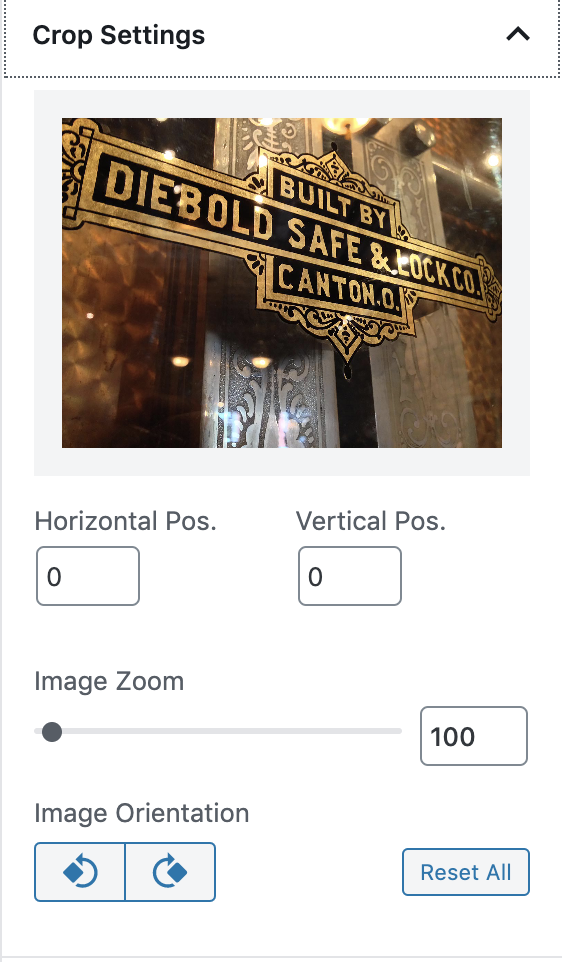
Without the Edit Image button there is no easy way to modify an already inserted image. On Atomic/core it looks like these have moved to Crop Settings in the sidebar but maybe due to our custom library we haven't brought that over?
Context / Source
2559723-zd - The user reported this changed in the last 24 hours
 kriskarkoski
All 6 comments
Thanks @kriskarkoski for the report! There's a current awkward workaround, with replace > media modal, select an image then click edit, but it's not great.
@apeatling @olaolusoga any thoughts on how we should adapt this in our integration?
The crop settings are from the full CoBlocks plugin. We whitelist a subset of blocks on Simple Sites so this is the reason why we don't see this in the sidebar.
One option might be to see if this extension is safe to include the CoBlocks crop extension, another option would be to add back an edit button, but this could be more fragile if it's a wpcom only customization.
 gwwar
on 13 Dec 2019
gwwar
on 13 Dec 2019
Thanks for clarifying where the Crop Settings were coming from!
It looks like this would be the related core Gutenberg issue for adding support for in-editor cropping: https://github.com/WordPress/gutenberg/issues/13748
kriskarkoski
on 13 Dec 2019
@kriskarkoski From memory the "edit image" button previously on blocks was never really an option to edit the image, it only opened the media library for the option to edit from there or replace. So really, this change just renamed the option to what it really does. So yes, this would be a core issue.
 kristarella
on 13 Dec 2019
kristarella
on 13 Dec 2019
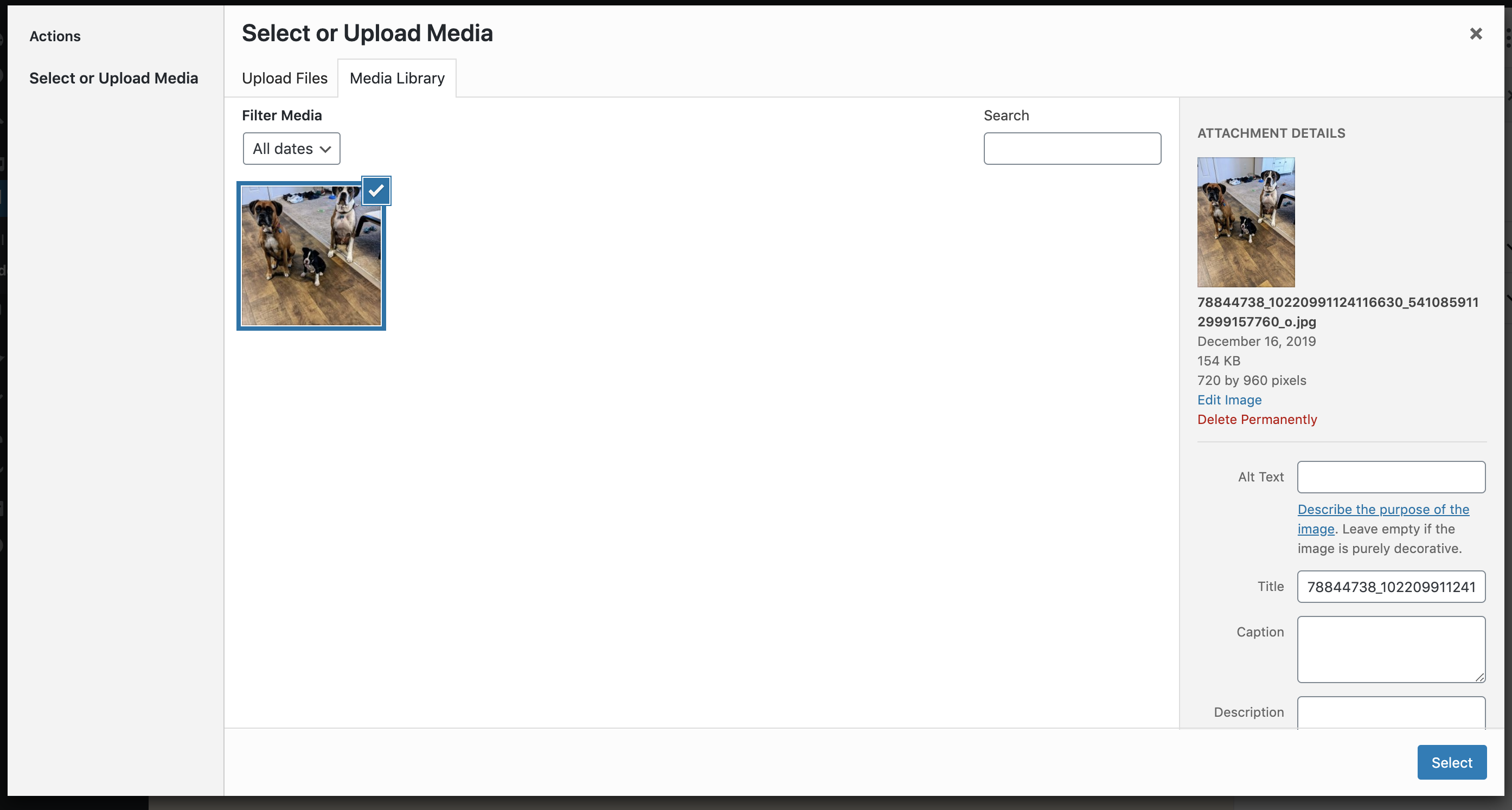
I didn't use this much recently so I can't recall the previous behavior, but it looks like the main difference now is when you open the library on our version no image is selected, where on core the current image is shown and you can click Edit without needing to find it again:
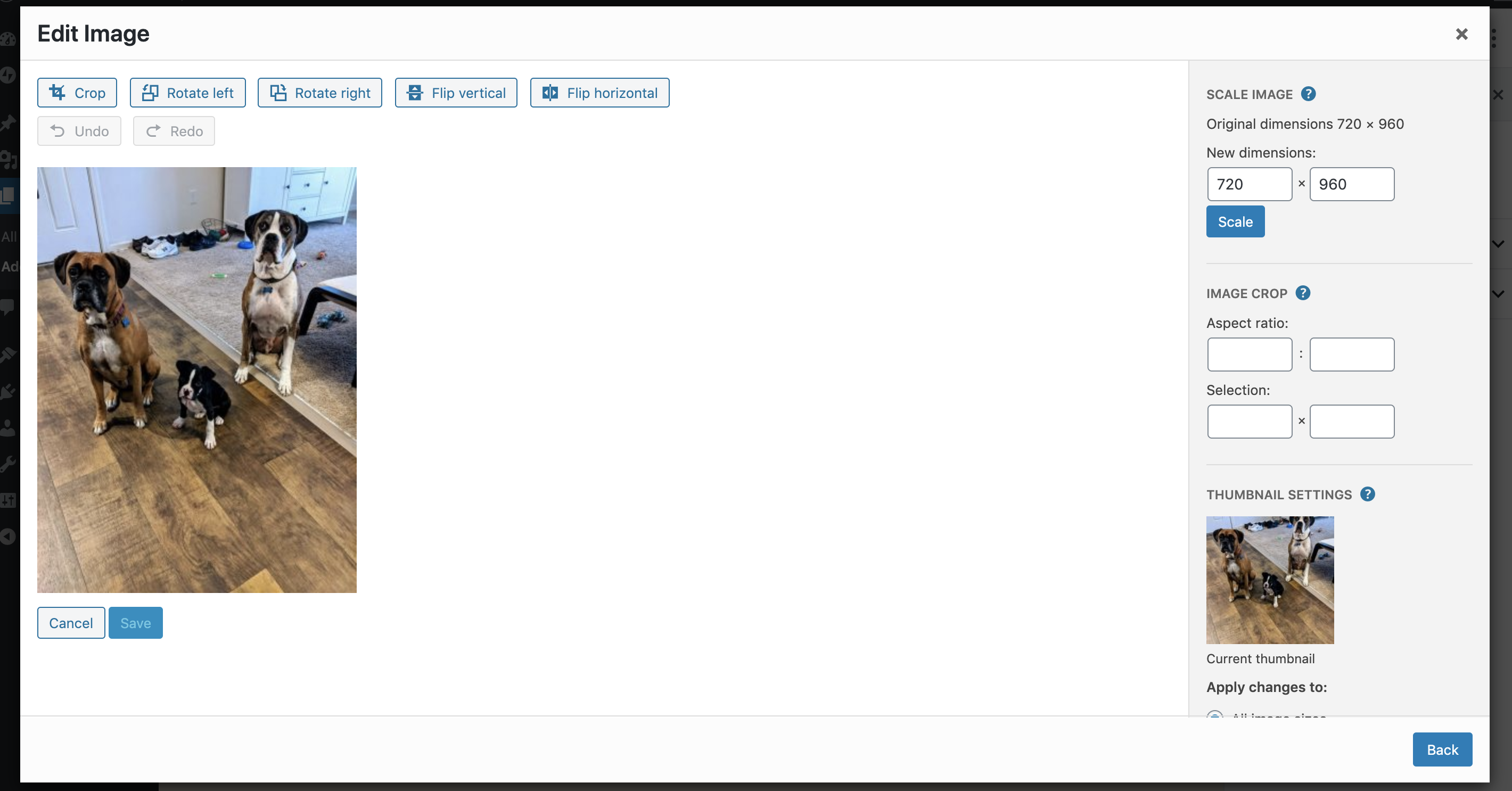
Clicking Edit opens this:
I'll leave it up to @gwwar and team if we want to keep this issue open on our side given this difference or wait for https://github.com/WordPress/gutenberg/issues/13748 to be addressed.
kriskarkoski
on 16 Dec 2019
where on core the current image is shown and you can click Edit without needing to find it again:
I get a different behavior than this. Actually, I get the same behavior as currently in WP.com: the core media modal shows up without any image selected, which matches with what I found on the code (the id of the current image is not passed to the MediaUpload component).
@kriskarkoski Maybe you're using the block editor bundled in WP core rather than the Gutenberg plugin? WP 5.3.2 doesn't not include yet the changes from https://github.com/WordPress/gutenberg/pull/16200, so the "Edit" button has not been changed yet to "Replace" and therefore, it relies on the _old_ flow that passes the current image id to the the MediaUpload component.
 mmtr
on 2 Jan 2020
mmtr
on 2 Jan 2020
This is being worked on in core at https://github.com/WordPress/gutenberg/pull/20637. Marking this issue as closed as we'll get the core improvement soon enough.
kriskarkoski
on 13 Mar 2020
Related issues
 vparkhere
·
3Comments
vparkhere
·
3Comments
 rickybanister
·
3Comments
rickybanister
·
3Comments
 lamosty
·
3Comments
lamosty
·
3Comments
 roccotripaldi
·
3Comments
roccotripaldi
·
3Comments
 ghost
·
3Comments
ghost
·
3Comments