Wp-calypso: Purchases: Site domain missing on removal confirmation
Steps to reproduce
- Start at https://wordpress.com/me/purchases
- Click on a paid WordPress.com plan
- Follow the removal instructions
- On the final removal step, note a copy that reads
Are you sure you want to remove {plan} from Site Plan?
What is expected
Site Plan here should be the name of the site name / domain.
What happens instead
It reads Site plan
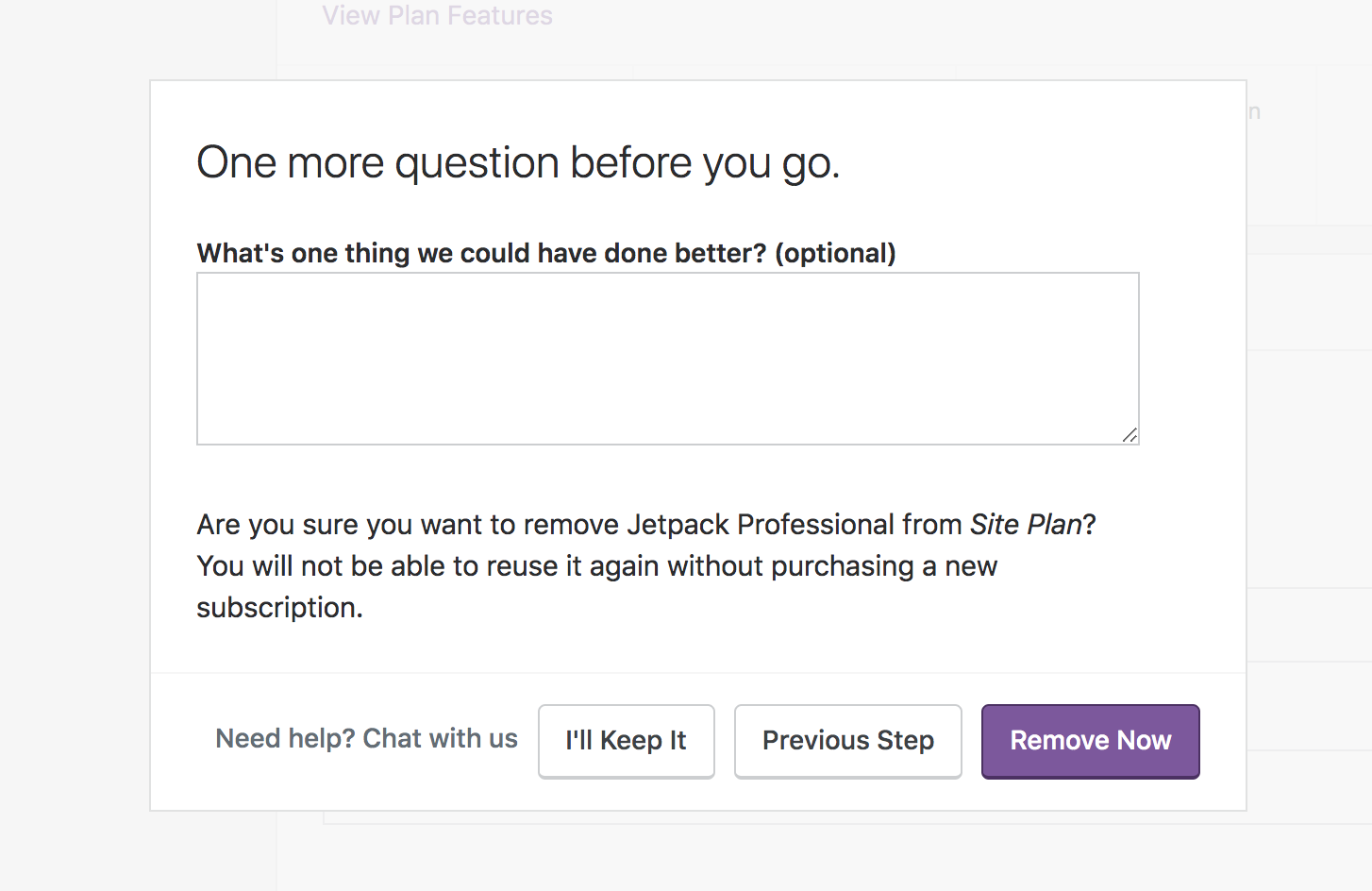
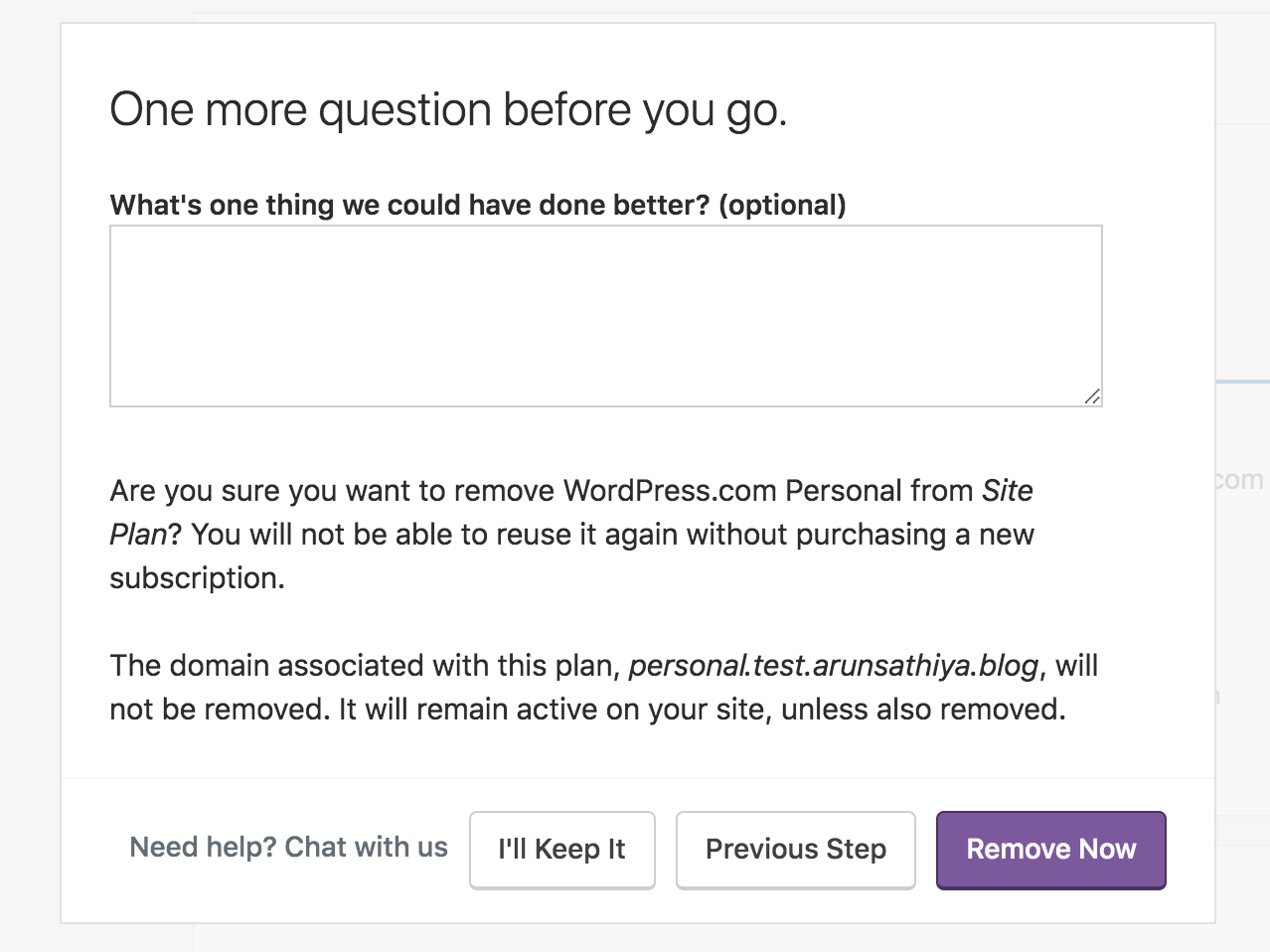
This happens for both WordPress.com sites and Jetpack sites.
My initial understanding was that this should be the site name, but I think it should be the site domain. Because G Suite removal shows site domain:
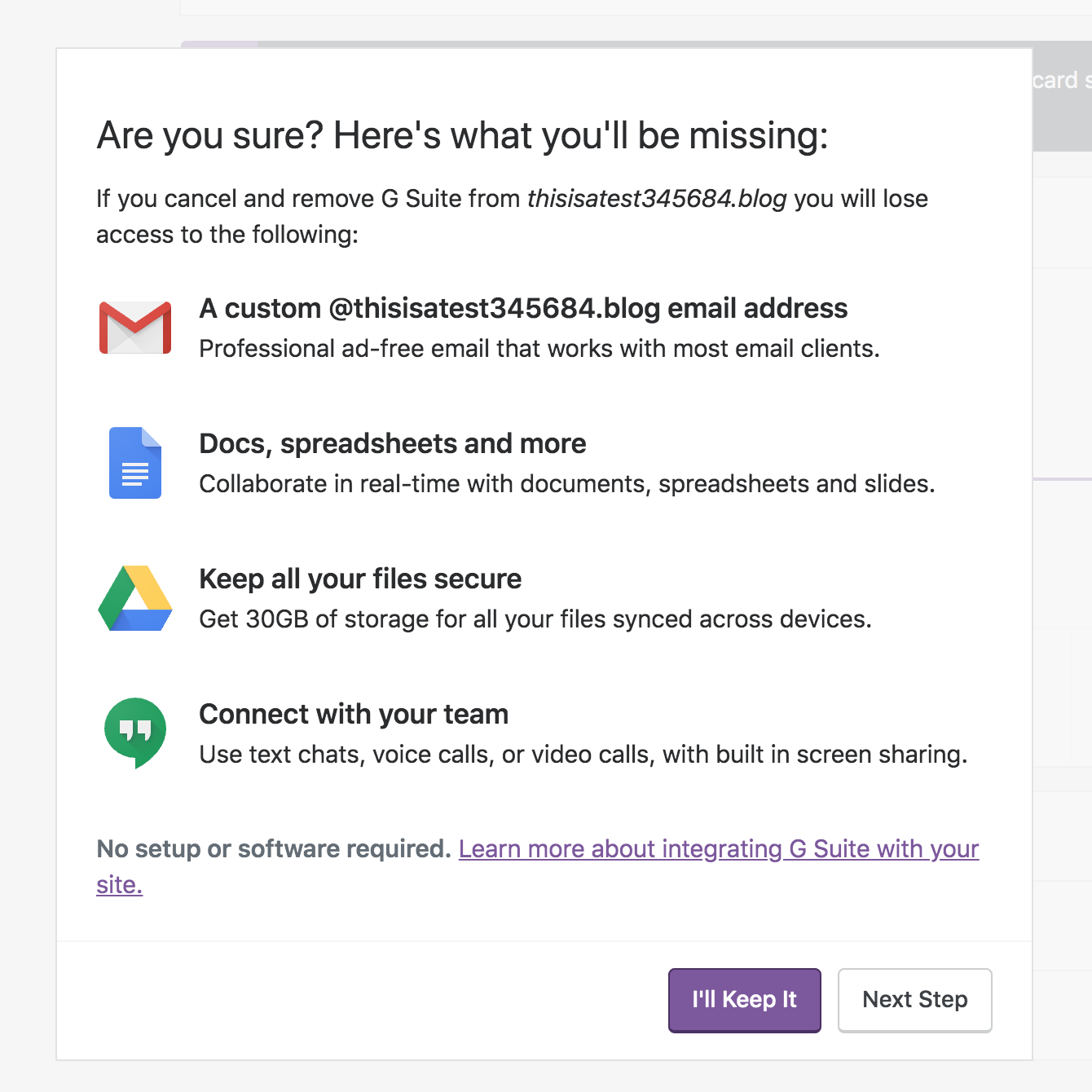
Two or more sites having same site name can be confusing, but domains are unique. :)
 arunsathiya
All 2 comments
Hey @arunsathiya thanks for reporting this. I'll work on this it (and I shudder to say) _seems_ like an easy enough fix.
I'll reply when I have an update.
 rfaile313
on 2 May 2019
rfaile313
on 2 May 2019
❤2
Oh, nice work, @rfaile313! Thanks for the patch!
arunsathiya
on 2 May 2019
Was this page helpful?
0 / 5 - 0 ratings
Related issues
 apeatling
·
3Comments
apeatling
·
3Comments
 jjchrisdiehl
·
3Comments
jjchrisdiehl
·
3Comments
 spen
·
3Comments
spen
·
3Comments
spen
·
3Comments
spen
·
3Comments
 roccotripaldi
·
3Comments
roccotripaldi
·
3Comments
Most helpful comment
Hey @arunsathiya thanks for reporting this. I'll work on this it (and I shudder to say) _seems_ like an easy enough fix.
I'll reply when I have an update.