Wp-calypso: Store: Store tab displays perpetual update message
Steps to reproduce
- Starting at URL: https://WordPress.com
- install WooCommerce/ set up store tab
- Woo updates either automatically or manually
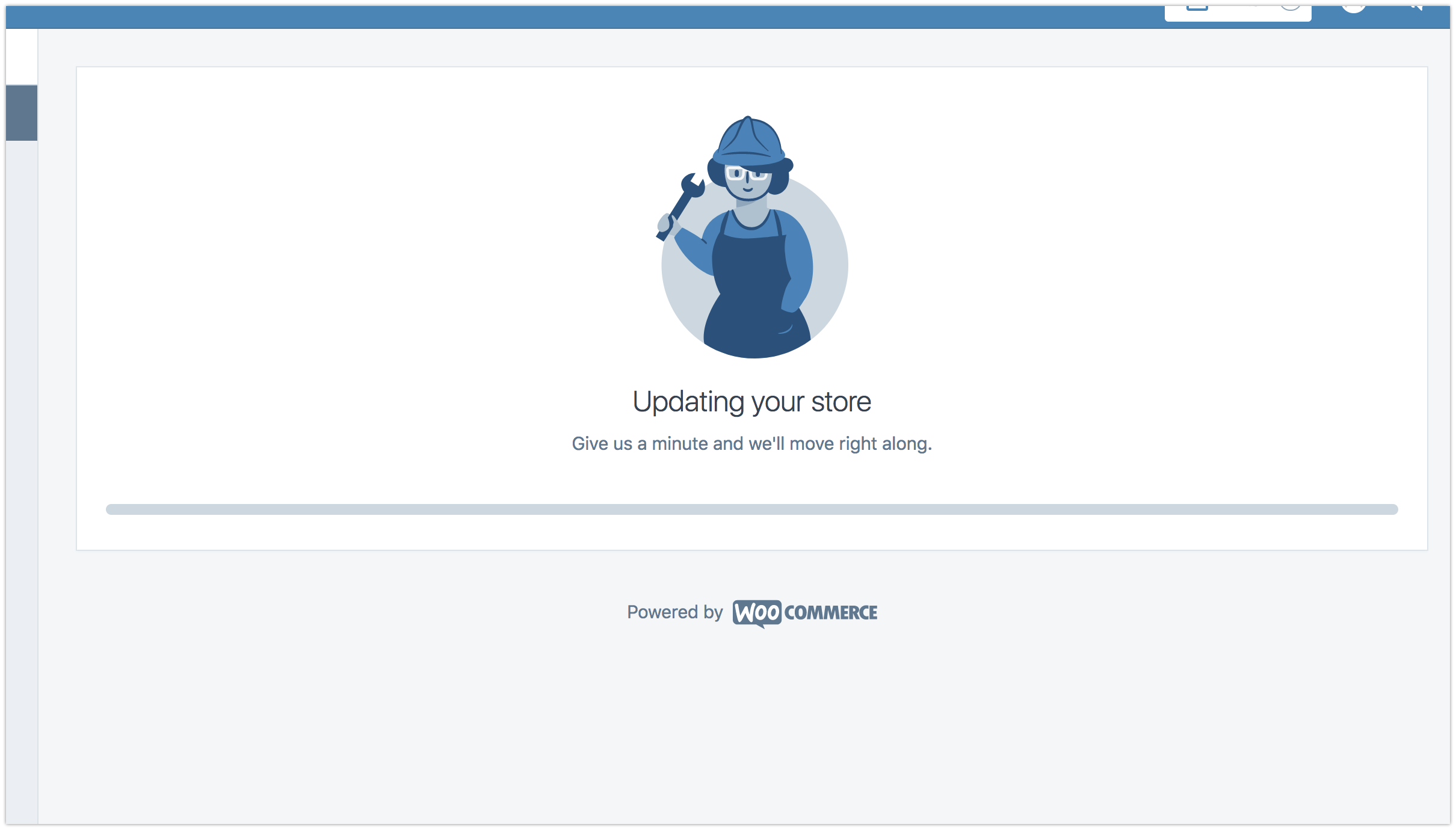
- Visit Store tab and see stuck update message
What I expected
Store tab in calypso to function manage WooCommerce
What happened instead
Store tab in Calypso displays perpetual update message (see screenshot)
Browser / OS version
Browser and OS agnostic
Screenshot / Video
Context / Source
user-report two different users in 1800561-hc and 1064580-zd-woothemes
 automattic-ian
All 15 comments
Another user with similar issue. 2517890-hc 1057223-zd-woothemes
 pankmr
on 5 Apr 2018
pankmr
on 5 Apr 2018
One more report: #1068136-zen
 arunsathiya
on 5 Apr 2018
arunsathiya
on 5 Apr 2018
I took a look at the site in the first user report, and noted that when you open the Store section in Calypso an uncaught error appears in the console:
Uncaught (in promise) Error: folder_exists
    at D (build.31e03eca623bb270a176.opt.js:1)
I see a POST request to https://public-api.wordpress.com/rest/v1.1/sites/{SITE_ID}/plugins/woocommerce-gateway-stripe/install?http_envelope=1 that's returning that error:
{"code":400,"headers":[{"name":"Content-Type","value":"application\/json"}],"body":{"error":"folder_exists","message":"folder_exists"}}
Looks like there's a similar error reported in https://github.com/Automattic/wp-calypso/issues/18462.
 rachelmcr
on 6 Apr 2018
rachelmcr
on 6 Apr 2018
Thanks for the report @automattic-ian and for tagging this @designsimply - sounds like @ryelle is going to look into this today.
 timmyc
on 6 Apr 2018
timmyc
on 6 Apr 2018
I've investigated the reporting sites, and it looks like the new "store fixer" step (Updating your store…) is actually highlighting a few misconfigured stores. All of the reporting sites are missing a required plugin, either woocommerce-gateway-stripe or woocommerce-services. These were installed when the stores were set up, and then possibly the user deleted them, but they weren't fully removed from the server.
When we load up the store, we check that these plugins are installed, and if not, try to install them. This is why we're getting the folder_exists error. So underlying this is the same error as #18462.
I've looked into how to fix this, and it seems that we can't force an install. So currently an HE will need to force a reinstallation of the missing plugin. There are instructions for that at p9HQHe-76-p2.
On the technical side, we can't really force the install without writing a separate version of Plugin_Upgrader (which is how WP-CLI manages the --force install). I'm currently looking at how we can detect this error & give the user more info, maybe with a link to manage their store in wp-admin.
 ryelle
on 6 Apr 2018
ryelle
on 6 Apr 2018
Excellent sleuthing @ryelle. Wondering if we might have 2 "classes" of plugins that store depends on. Obviously woocommerce is a hard requirement, without it, the sky falls. But there might be very valid use cases for someone to not want woocommerce-gateway-stripe. Perhaps they use PayPal or some other method of offline payment and have no need for the plugin. So maybe we still install it by default, but if it is later removed, we gracefully handle this by ensuring we don't show any Stripe oriented features in Settings > Payments.
woocommerce-services might be a bit more difficult to handle since the shipping experience feels a bit more prevalent in various parts of the code. But I'd have to test things out with it disabled to see what happens.
Just some random thoughts on the topic since the MailChimp scenario is still really fresh in my mind, I have definitely been 🤔 about this a bit lately.
timmyc
on 6 Apr 2018
Wondering if we might have 2 "classes" of plugins
I was also thinking that might be useful - rather than relying on the keys from the required plugins list, we could have a few different lists in there. I think one "setup" list, which would install the three we provide now, and then one "required for Calypso" list, which IMO would have WC and WC Services, since the easy shipping is kind of a selling point for using Calypso.
ryelle
on 6 Apr 2018
+1 it does seem like wcs should be required.
timmyc
on 6 Apr 2018
Another issue in #496207-hc
 nielslange
on 7 Apr 2018
nielslange
on 7 Apr 2018
I've added a check for errors in the "Updating" process, so now users will see something like this screen. It should say which plugin is the problem, but fixing it will require an HE to force-reinstall that plugin.
On Monday, I'll look into updating the required plugins list so this isn't as big of a problem.
ryelle
on 7 Apr 2018
@nielslange's user from #496207-hc reached back out. I've confirmed we cannot reinstall WooCommerce Stripe Payment Gateway even in CLI (I do not currently have access but @lizthefair helped me try to uninstall but it would not). WooCommerce Services has been uninstalled/reinstalled and doesn't appear to be the issue.
 RealCarFax
on 8 Apr 2018
RealCarFax
on 8 Apr 2018
I do not currently have access but @lizthefair helped me try to uninstall but it would not
@RealCarFax / @lizthefair Were you able to force the installation using the steps in p9HQHe-76-p2? The plugin doesn't exist really, so there isn't anything to uninstall -- instead you need to force the installation with --force in WP-CLI, to overwrite the plugin directory.
ryelle
on 9 Apr 2018
Same issue with user axismotosport. I've tried --force installing woocommerce, woocommerce-gateway-strip and woocommerce-services, to no avail. Disconnecting and reconnecting Jetpack didn't help either.
1064580-zen
 detlefholtz
on 11 Apr 2018
detlefholtz
on 11 Apr 2018
@detlefholtz It looks like the plugins are still deactivated. I ran through the setup process once more and it successfully activated the plugins. This user's site should be all fixed, now.
For this problem, that cli command should probably include --activate, or be followed by plugin activate slug
ryelle
on 11 Apr 2018
Now that we've merged #23973 & #24005, only WooCommerce & WooCommerce Services are required for using calypso (so we won't keep trying to install Stripe if the user has deleted it); and if we run into errors while installing, users will be directed to contact support, rather than seeing the updating screen forever. I'm closing this issue, but ping here or in slack if there is still a problem 🙂
ryelle
on 16 Apr 2018
Related issues
 spen
·
3Comments
spen
·
3Comments
spen
·
3Comments
spen
·
3Comments
 ehg
·
3Comments
ehg
·
3Comments
 ghost
·
3Comments
ghost
·
3Comments
 lamosty
·
3Comments
lamosty
·
3Comments