Wp-calypso: Stats panel showing over menu on mobile
Steps to reproduce
- Log in to Calypso on mobile device/emulator, or resize a desktop browser (Chrome, Firefox) to narrow width
- View the site dashboard
What I expected
The dashboard menu to look and work properly
What happened instead
The stats panel is showing over the top
Browser / OS version
Chrome emulator
Chrome/Android
Chrome/Firefox desktop browser with narrow widths
Screenshot / Video
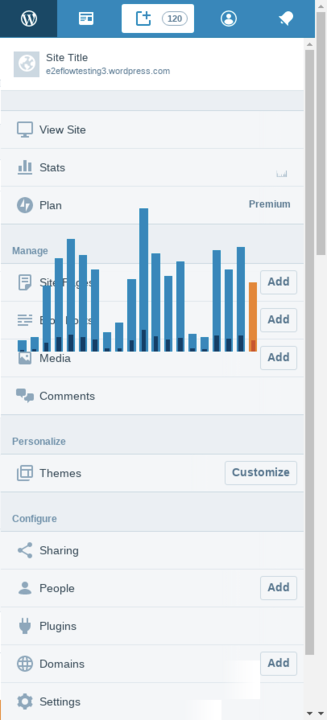
Additional
Seems to have started with this commit: dead79441a45004ad60888bdfb6f7aa905e3dd8e
 bsessions85
All 9 comments
It turns out this is a larger issue, possibly going back days or weeks. It's not just stats showing, but other elements from the primary section – for example, Plans:
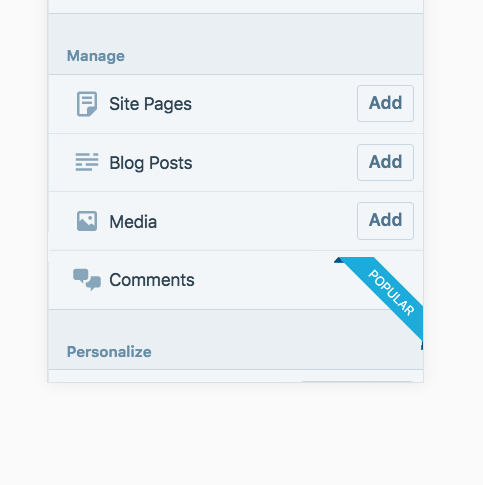
As @gwwar pointed out, the real issue seems to be that the primary section shouldn't be rendered for this sidebar view at all (which would cover any later situations of z-index wars between elements and sections).
 kwight
on 8 Feb 2018
kwight
on 8 Feb 2018
This seems to affect all mobile browser users.
Could we revert the notifications client update to see whether that helps?
Edit - it seems this isn't an issue in Safari (desktop or mobile) so it wouldn't affect iOS mobile users
 alisterscott
on 8 Feb 2018
alisterscott
on 8 Feb 2018
@alisterscott I think proceeding with #22271 would be a better approach, since it's not notifications related.
kwight
on 8 Feb 2018
FWIW, I'm unable to reproduce this on Mobile Safari or Google Chrome iOS.
 shaunandrews
on 13 Feb 2018
shaunandrews
on 13 Feb 2018
FWIW, I'm unable to reproduce this on Mobile Safari or Google Chrome iOS.
Yes, it doesn't happen using Safari on macOS or any browser on iOS (which use Safari)
alisterscott
on 14 Feb 2018
@alisterscott ha, you beat me to it 🙃
kwight
on 15 Feb 2018
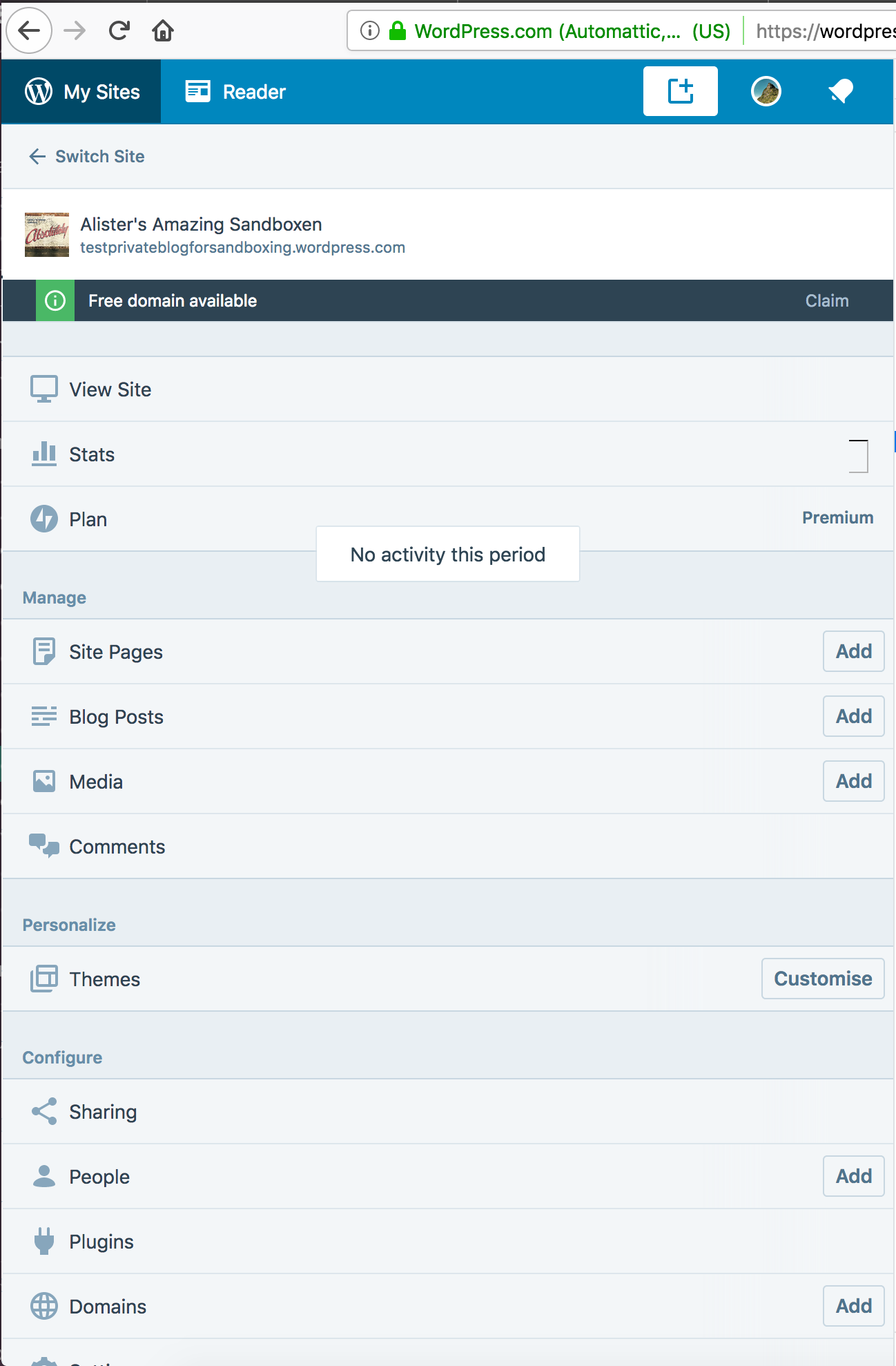
When no stats appear, the text comes through
alisterscott
on 15 Feb 2018
Yup, same type of bug! Basically any elements as a child of the primary div with z-index set will leak through into this view.
 gwwar
on 15 Feb 2018
gwwar
on 15 Feb 2018
The regression I saw with the Reader that led to the revert of #22271 👍
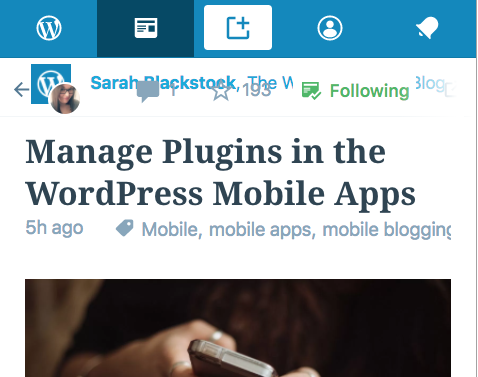
To replicate:
- Click on Reader.
- Select a post title.
kwight
on 15 Feb 2018
Related issues
 vparkhere
·
3Comments
vparkhere
·
3Comments
 roccotripaldi
·
3Comments
roccotripaldi
·
3Comments
 samouri
·
3Comments
samouri
·
3Comments
 gedex
·
3Comments
samouri
·
3Comments
gedex
·
3Comments
samouri
·
3Comments