Wp-calypso: Store - Store Manager role cannot manage the store
I added a user to one of my sites as a Store Manager. They were unable to access any store pages.
 jameskoster
All 18 comments
@jameskoster I attempted to re-create this by adding a user as Store Manager on my site ( via Calypso People ) and as the test user I could see the Store sidebar and load up the page. Can you still get this to not work?
 timmyc
on 21 Dec 2017
timmyc
on 21 Dec 2017
I'm going to go ahead and close this out - please re-open if you still hit this problem @jameskoster
timmyc
on 21 Dec 2017
Added a Store Manager to my test site and when logged in as that user I cannot see the Store menu.
Wonder if it's because I'm outside the US/Canada? But I can see the Store menu when logged in as an admin just fine.
jameskoster
on 22 Dec 2017
Wonder if it's because I'm outside the US/Canada?
Indeed that is likely the problem - let me VPN elsewhere and test that out.
timmyc
on 22 Dec 2017
Well even when I VPN to a non US/CA country I'm still seeing the sidebar Store item, can you pull up the store using the URL when logged in as the Store Manager account?
And just to confirm, you invited the user via Calypso People Setup?
timmyc
on 22 Dec 2017
And just to confirm, you invited the user via Calypso People Setup?
Yup. I just made the user an admin to double check - that worked fine. Can see the Store menu and access Store screens. Reset the user to Store manager and I can no longer see the Store menu or access Store screens. Something is up, somewhere.
Perhaps you could add me as a Store manager to one of your sites so we can figure out if it's just me?
jameskoster
on 3 Jan 2018
Invite sent!
timmyc
on 3 Jan 2018
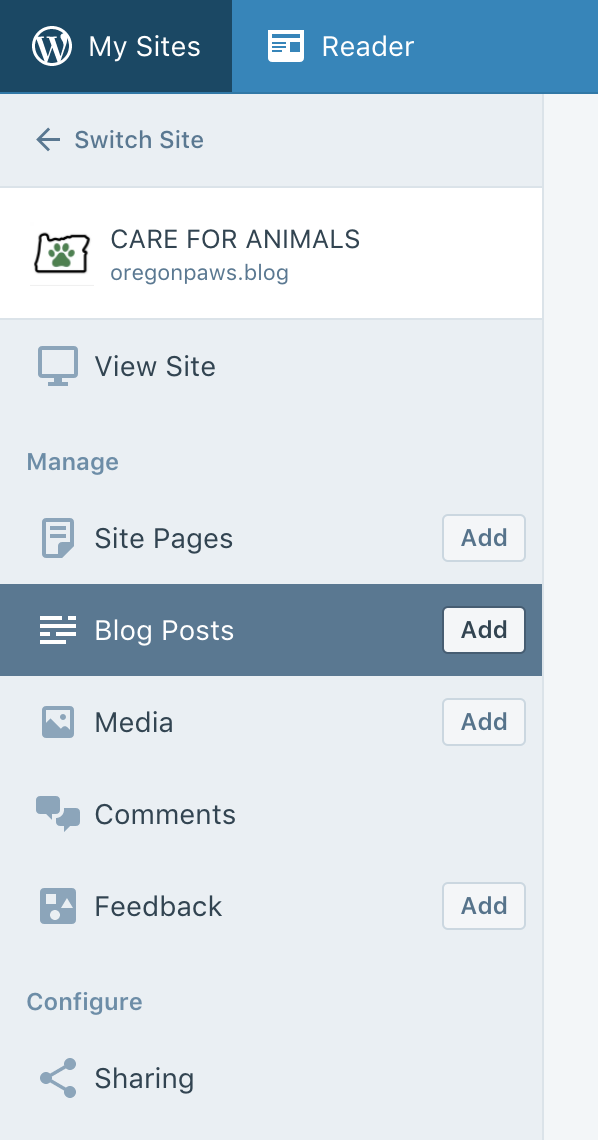
:s
jameskoster
on 3 Jan 2018
😕 !
timmyc
on 3 Jan 2018
This is so weird! Maybe try adding someone US based to compare?
If you wanna make me a temp admin ping me on Slack so we can confirm if the behaviour is consistent.
jameskoster
on 4 Jan 2018
I changed @kellychoffman's role to Shop Manager on oregonpaws.blog - maybe she can give it a test too.
timmyc
on 4 Jan 2018
I'm seeing it.
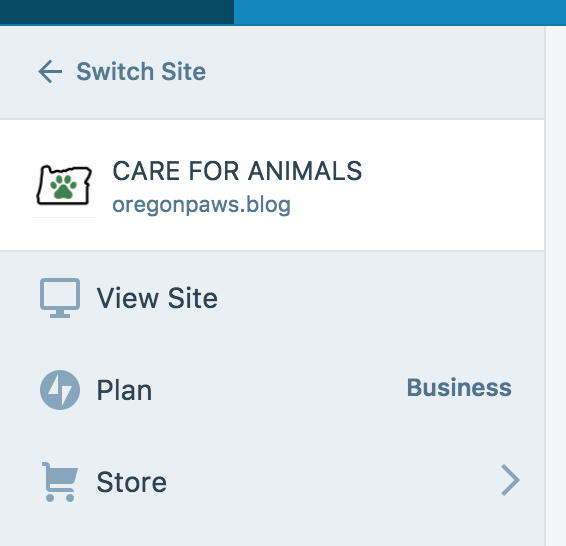
 kellychoffman
on 4 Jan 2018
kellychoffman
on 4 Jan 2018
Heh so must be some geo-IP shenanigans going on. Funny I didn't experience it when using VPN to other countries though 🤔
timmyc
on 4 Jan 2018
Store managers can view plan details as well?
Heh so must be some geo-IP shenanigans going on.
Doesn't the fact that I see/access Store just fine when logged in as an admin rule that out?
Randomly bumped into @jeffstieler mentioning the same thing here.
Is this still an issue for you @jeffstieler (Shop Manager role unable to access Store)?
jameskoster
on 5 Jan 2018
@jameskoster - yep, I just checked and I do not have the Store menu item when logged in as a Shop Manager.
 jeffstieler
on 5 Jan 2018
jeffstieler
on 5 Jan 2018
crazy. well i'm going to be reworking the logic around the store link today, and will ping you both on the PR to have you test it out with your Shop Manager problem sites if that is okay @jameskoster and @jeffstieler
timmyc
on 5 Jan 2018
OK, this is happening because we are testing on the manage_options capability in a few places ( here and here ). Unfortunately, manage_options is one of the few capabilities the shop_manager role is not granted.
Shop managers only get the following ( from https://github.com/woocommerce/woocommerce/blob/127b9a89d01a754b3045eb9422ae0165d2411d10/includes/class-wc-install.php#L848 )
level_9
level_8
level_7
level_6
level_5
level_4
level_3
level_2
level_1
level_0
read
read_private_pages
read_private_posts
edit_users
edit_posts
edit_pages
edit_published_posts
edit_published_pages
edit_private_pages
edit_private_posts
edit_others_posts
edit_others_pages
publish_posts
publish_pages
delete_posts
delete_pages
delete_private_pages
delete_private_posts
delete_published_pages
delete_published_posts
delete_others_posts
delete_others_pages
manage_categories
manage_links
moderate_comments
upload_files
export
import
list_users
 allendav
on 21 Mar 2018
allendav
on 21 Mar 2018
I did a bit more investigation on this, and it looks like the manage_woocommerce capability is also granted to admins and shop managers, and should be the cap we use. The only problem is getting access to it. It looks like there is a whitelist synced from Jetpack: https://github.com/Automattic/jetpack/blob/master/sync/class.jetpack-sync-defaults.php#L461
So we would need to hook in at https://github.com/Automattic/wc-calypso-bridge/blob/master/inc/wc-calypso-bridge-jetpack-sync.php, add to the sites response in class.json-api-site-base.php or class.json-api-site-jetpack.php, and then finally update Calypso to use the correct capability check.
 justinshreve
on 26 Apr 2018
justinshreve
on 26 Apr 2018
Related issues
 spen
·
3Comments
spen
·
3Comments
 BrookeDot
·
3Comments
BrookeDot
·
3Comments
 rickybanister
·
3Comments
rickybanister
·
3Comments
rickybanister
·
3Comments
rickybanister
·
3Comments
 ghost
·
3Comments
ghost
·
3Comments
Most helpful comment
crazy. well i'm going to be reworking the logic around the store link today, and will ping you both on the PR to have you test it out with your Shop Manager problem sites if that is okay @jameskoster and @jeffstieler