Wp-calypso: Help translate WordPress.com: Visual issues
I changed my language for testing yesterday and changed it back to english afterwards.
I chose en-gb but must have been on en previously, because I now see the 'Help translate the WordPress.com dashboard' notice.
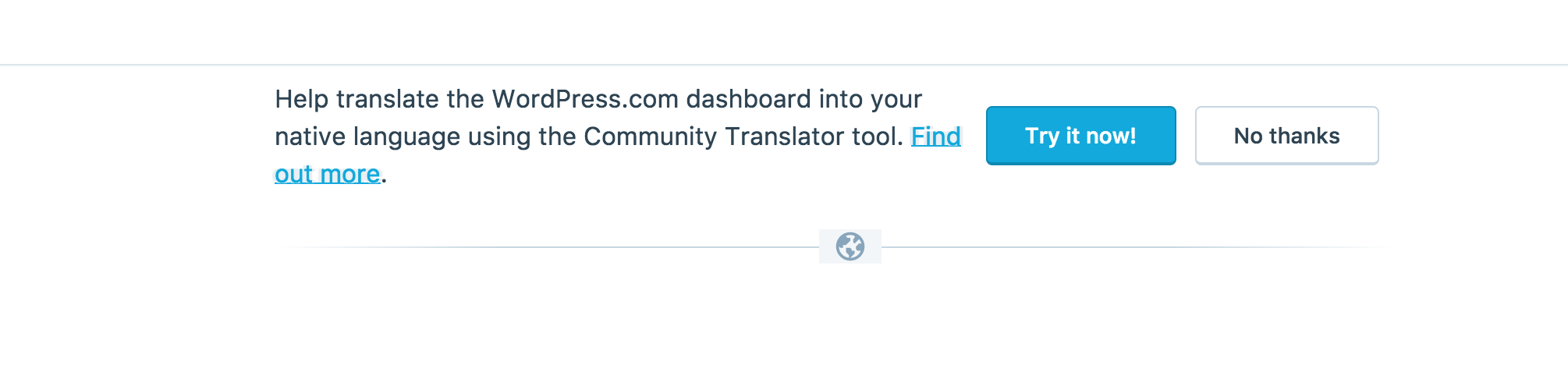
I first saw this notice on the post editor (/post/x.wordpress.com/1) where it appears on a white background. It looks as though this was designed to be placed on a grey background as the globe icon is set on a grey background.
Also, the link looks blurry against white, it looks to be styled in such a way that likely aids it's appearance against grey.
 spen
spen
All 7 comments
For completeness - here's the same component on the stats page, against grey.
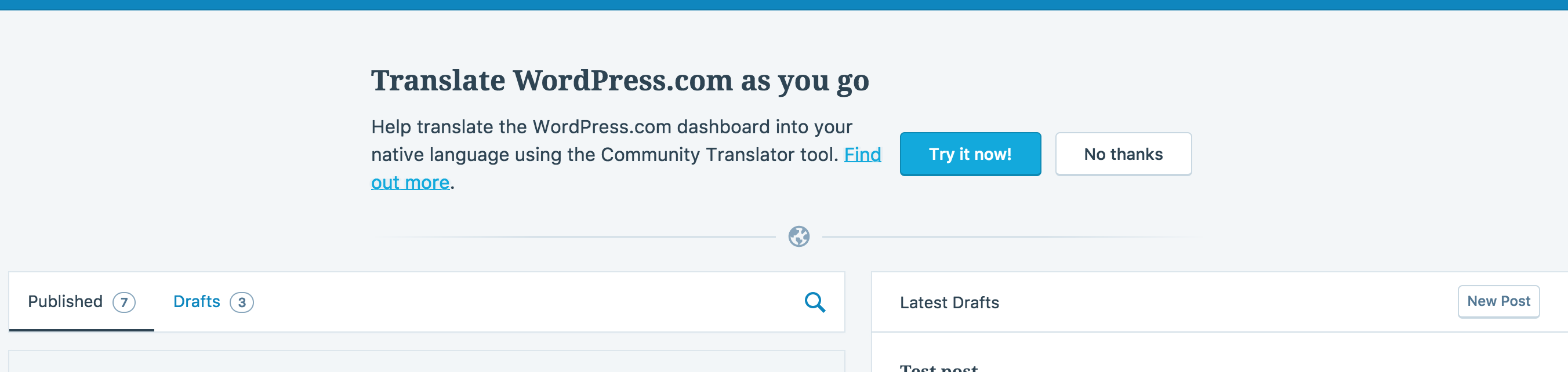
I've tagged this with the 'design' label as I think the solution will be dependant on some design decision upfront - do we only render this component in areas with grey backgrounds? (Seems plausible, at least for now), do we restyle the banner so that we don't rely on the trick of overlaying the icon with a background colour? (flexbox or display: table might help if so) or something else?
spen
on 22 Aug 2017
It seems that this is only ever rendered against light grey or white - adding a whiteBackground prop (or similar) to the component would allow us to activate different styles depending on whether the component is rendered against a white BG or not. It's not ideal as things can change but so far I think it's the better option.
spen
on 3 Oct 2017
Is this still an issue @spen? I can't get the invitation to appear when I switch languages: I've tried en to en-gb and back to en, plus a few others. I don't see any place in the code where the CommunityTranslatorInvitation is currently being included, or any feature flag that mentions it, so I'm wondering if it's out of use.
 andfinally
on 23 Feb 2018
andfinally
on 23 Feb 2018
I think it is still in use, just named inconsistently in other files:
https://github.com/Automattic/wp-calypso/blob/6e08d9194a3515eb7827bef43b6f38560cddf4bb/client/layout/index.jsx#L110-L124
Beyond the conditional above I'm not 100% clear on what's going on deeper to decide whether it should be shown but forcing the boolean to true does show the translate invitation as before.
spen
on 24 Feb 2018
I get it now, thanks! On my local environment the component isn't initialising because it's waiting for user settings.
Even with the colours tweaked for a white background the invitation looks quite ropey on the post edit page. It's going to need more restyling.
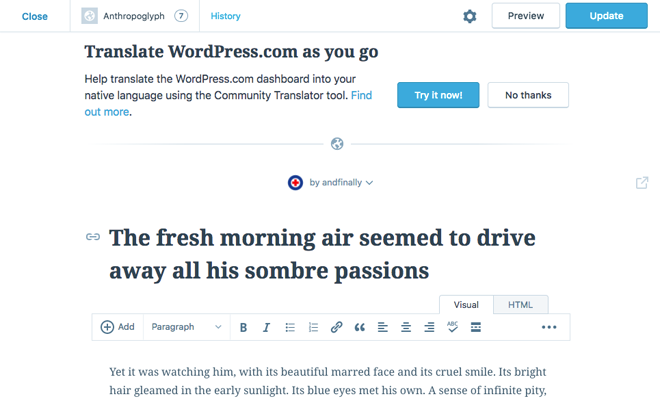
But actually it looks like an accident that you're seeing it, because one of the conditions for showing it is this bit dating from two years ago:
// The calypso editor is styled flush to the top, and makes the invitation
// look bad, so don't show it there
isValidSection: function( section ) {
    return section !== 'post';
},
I think we just need to change the section string to post-editor to get it working correctly. I've created https://github.com/Automattic/wp-calypso/pull/22790 with that change.
andfinally
on 25 Feb 2018
Hi @spen on looking into this further I found the translation invitation was actually disabled a month ago in #22084 because of the issues associated with it. There's a plan to create a new translation module, #21591. So I'll close this issue.
andfinally
on 3 Mar 2018
Good sleuthing! 🕵️
Thanks :)
spen
on 3 Mar 2018
Related issues
 samouri
·
3Comments
samouri
·
3Comments
 apeatling
·
3Comments
apeatling
·
3Comments
 gedex
·
3Comments
gedex
·
3Comments
 ghost
·
3Comments
samouri
·
3Comments
ghost
·
3Comments
samouri
·
3Comments