Wp-calypso: Pages: show comments in pages view
It is possible to see comments against /posts in Calypso:

But there doesn't appear to be any such thing for pages:

Since pages can contain comments as well, could we add comments to the /pages view?
 alisterscott
All 6 comments
We can add that, but given the UI differences between pages and posts, I think we can include them when we get the new comments section sorted out.
cc: @drw158
 rodrigoi
on 14 Apr 2017
rodrigoi
on 14 Apr 2017
Tested and confirmed that you cannot reach comments for pages via https://wordpress.com/pages
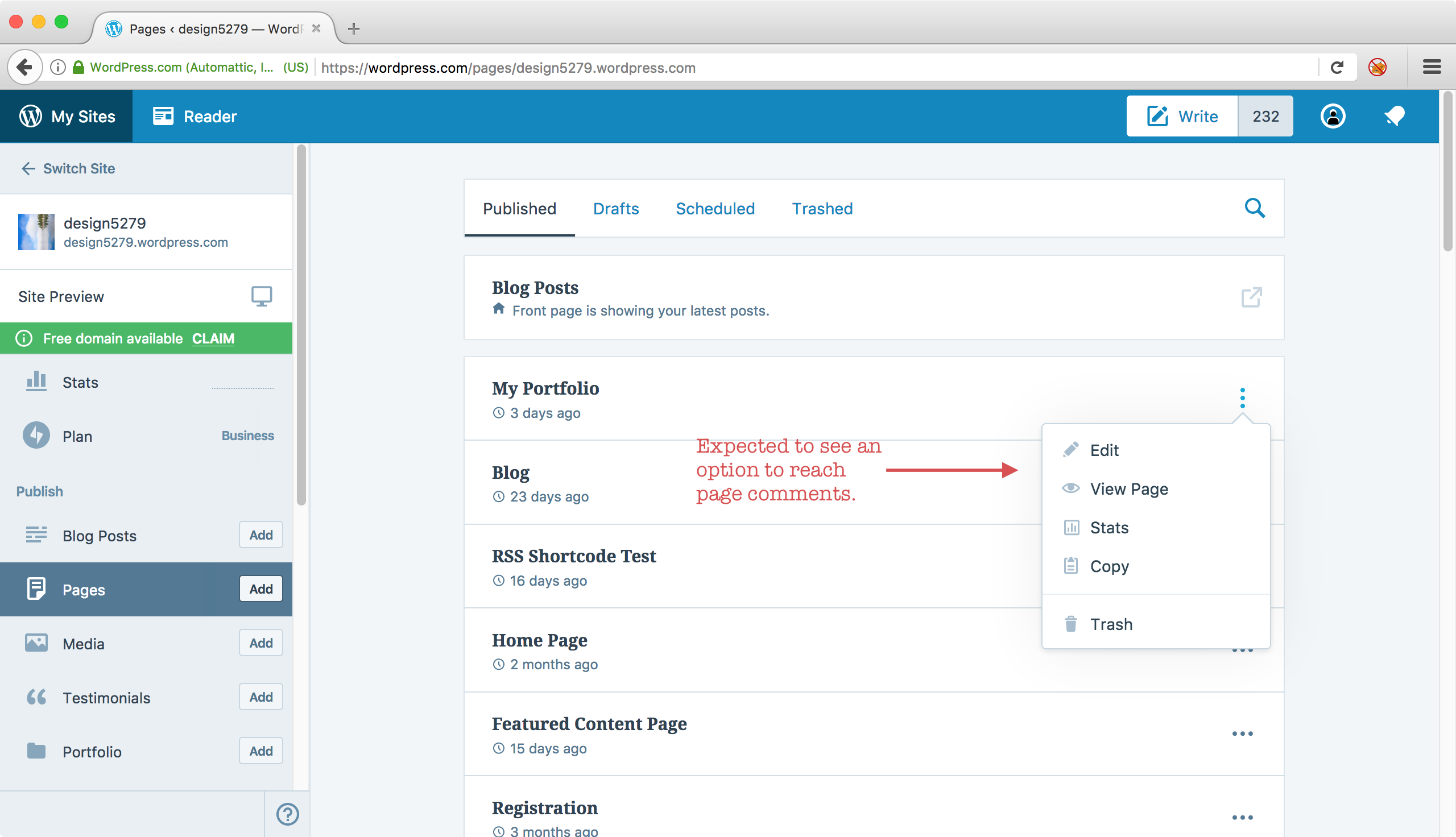
Seen at https://wordpress.com/pages/design5279.wordpress.com using Firefox 54.0 on Mac OS X 10.12.5.
 designsimply
on 23 Jun 2017
designsimply
on 23 Jun 2017
@drw158 @rodrigoi what if we just linked out to /comments from /pages instead of building in a UI within /pages similar to /posts?
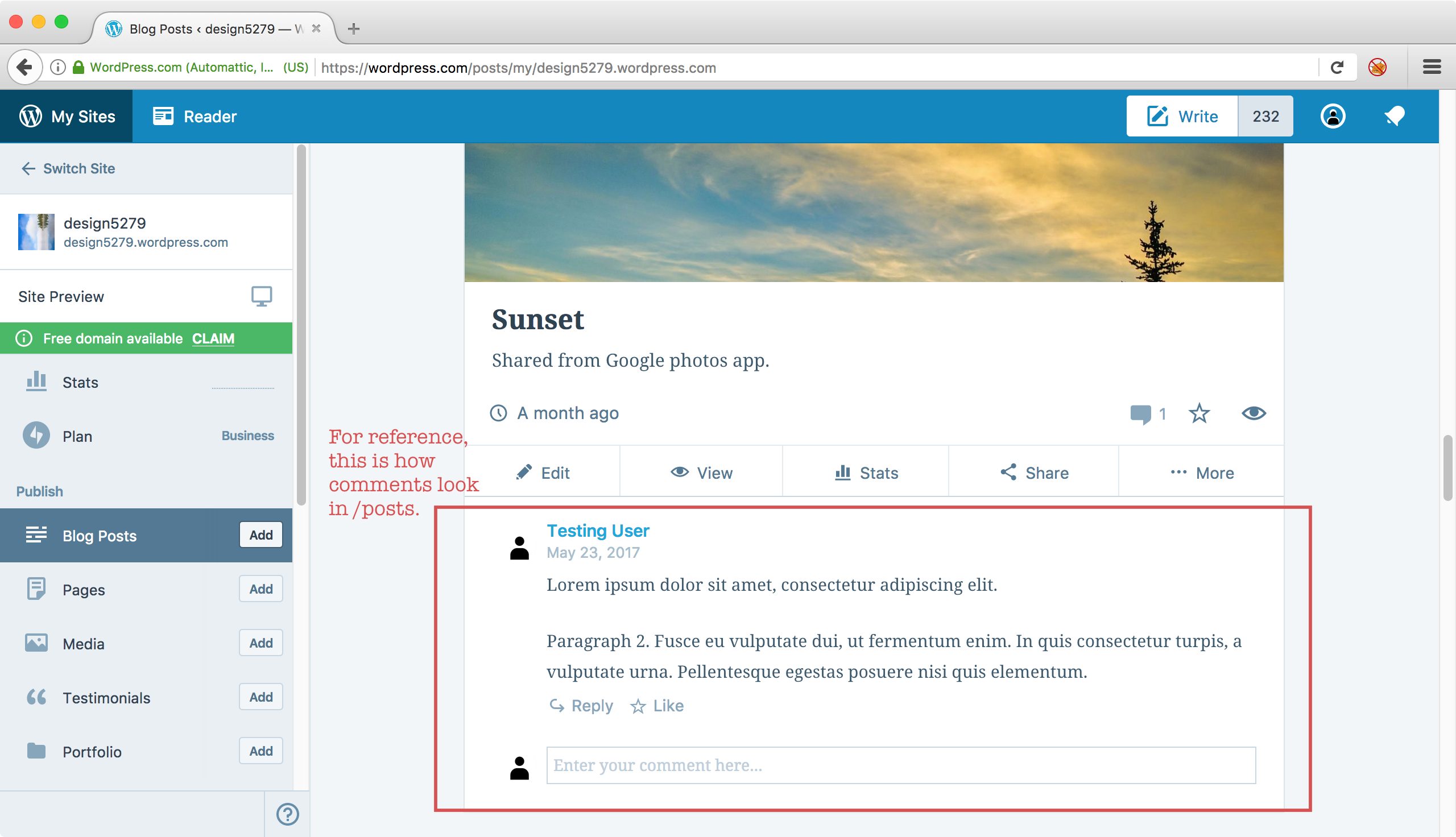
Seen at https://wordpress.com/posts/my/design5279.wordpress.com using Firefox 54.0 on Mac OS X 10.12.5.
designsimply
on 23 Jun 2017
Ran into this today during a team meetup: @mcsf was going to force us to use Calypso Reader to comment on ordering our lunch. However, we realized:
- Can't view pages in Reader.
- Can't comment on pages via Calypso.
 lancewillett
on 8 Aug 2017
lancewillett
on 8 Aug 2017
Hi @apeatling — is this on the roadmap for Comments (Triton/Lannister)?
lancewillett
on 28 Sep 2017
This issue has been marked as stale and will be closed in seven days. This happened because:
- It has been inactive in the past 9 months.
- It isn't a project or a milestone, and hasn’t been labeled `[Pri] Blocker`, `[Pri] High`, `[Status] Keep Open`, or `OSS Citizen`.
You can keep the issue open by adding a comment. If you do, please provide additional context and explain why you’d like it to remain open. You can also close the issue yourself — if you do, please add a brief explanation.
![stale[bot] picture](https://avatars3.githubusercontent.com/in/1724?v=4&s=40) stale[bot]
on 17 Sep 2018
stale[bot]
on 17 Sep 2018
Related issues
 samouri
·
3Comments
samouri
·
3Comments
 spen
·
3Comments
spen
·
3Comments
 rickybanister
·
3Comments
rickybanister
·
3Comments
 ghost
·
3Comments
ghost
·
3Comments
 kellychoffman
·
3Comments
kellychoffman
·
3Comments
Most helpful comment
Ran into this today during a team meetup: @mcsf was going to force us to use Calypso Reader to comment on ordering our lunch. However, we realized: