Wp-calypso: Editor: geotagging not working, location doesn't display on front-end
The Geotagging feature is not currently functioning when added from Calypso on WordPress.com. To reproduce:
- Create a post in WP Admin and add a location.
- Post displays location:

- Create a post on the same site from Calypso, and add location. There is no real way to ensure the location is applied through the interface:

- Publish the post, no location data is displayed:

 eurello
All 15 comments
Links to posts:
https://eurellotest.wordpress.com/2016/03/16/geotag-test-calypso/
https://eurellotest.wordpress.com/2016/03/16/geotag-test-olddash/
eurello
on 22 Mar 2016
The metadata is correctly saved to the post, but is not exposed anywhere on the front-end because it lacks the meta indicating that the location should be publicly published. There are additional user settings which are not being considered in the Calypso editor for checking to see whether the geolocation should be made public.
In fact, this is likely related to 507-gh-io , as this could be processed with the post as it's saved to the REST API.
 aduth
on 22 Mar 2016
aduth
on 22 Mar 2016
I was about to report the same bug. For me it manifests itself differently though.
I have a preexisting post, tried to add a location, and it didn't show up on the front end:

I then went into wp-admin where the location button just showed geo coordinates, not the name of the location:

Once I searched it again in wp-admin and saved, the location button showed the name of the location and it also showed up in the front-end.
http://konstantin.obenland.it/2016/03/23/point-vicente-lighthouse/
 obenland
on 24 Mar 2016
obenland
on 24 Mar 2016
Closed #1443 as a duplicate.
 lancewillett
on 7 Apr 2016
lancewillett
on 7 Apr 2016
My previous assessment turned out to be incorrect. Instead, it seems we're simply not accounting for posts being saved via the REST API instead of from wp-admin.
Two questions though:
- Where exactly does one manage their setting to share posts publicly by default? I'm having the hardest time finding this option.
- Should we just assume that posts saved with location data should have that location data shared publicly? Our support documentation doesn't really do much to indicate that it'd ever not be public, and the feature doesn't seem very useful unless included in the front-end markup of the post.
aduth
on 7 Apr 2016
I don't know where to set that up either, but given that we've been showing this data historically I wouldn't be too concerned to continue doing so from Calypso.
obenland
on 11 Apr 2016
If we're still waiting on the questions above, might be worth a further discussion (say on an internal P2) to get more opinions on it.
lancewillett
on 19 May 2016
CC @supernovia as you mentioned Geo-tagging recently as not working equally in Calypso as it does in wp-admin.
lancewillett
on 10 Oct 2016
Related; this functionality should ideally be exposed for, and shipped with, Jetpack.
 beaulebens
on 5 Feb 2017
beaulebens
on 5 Feb 2017
User recently asked about it in 3223210-t .
Also, some (kind of) recent internal discussion around Geotag/Location usage on p4hfux-1qy-p2 .
 formosattic
on 22 May 2017
formosattic
on 22 May 2017
Another user report:
https://en.forums.wordpress.com/topic/showing-geotagged-location-in-the-post
 kathrynwp
on 27 Dec 2017
kathrynwp
on 27 Dec 2017
Another user report: 1014356-zen
 Robertght
on 13 Mar 2018
Robertght
on 13 Mar 2018
Confirmed this is fixed with #24905 🎉
Editing the location in post sidebar before publishing:
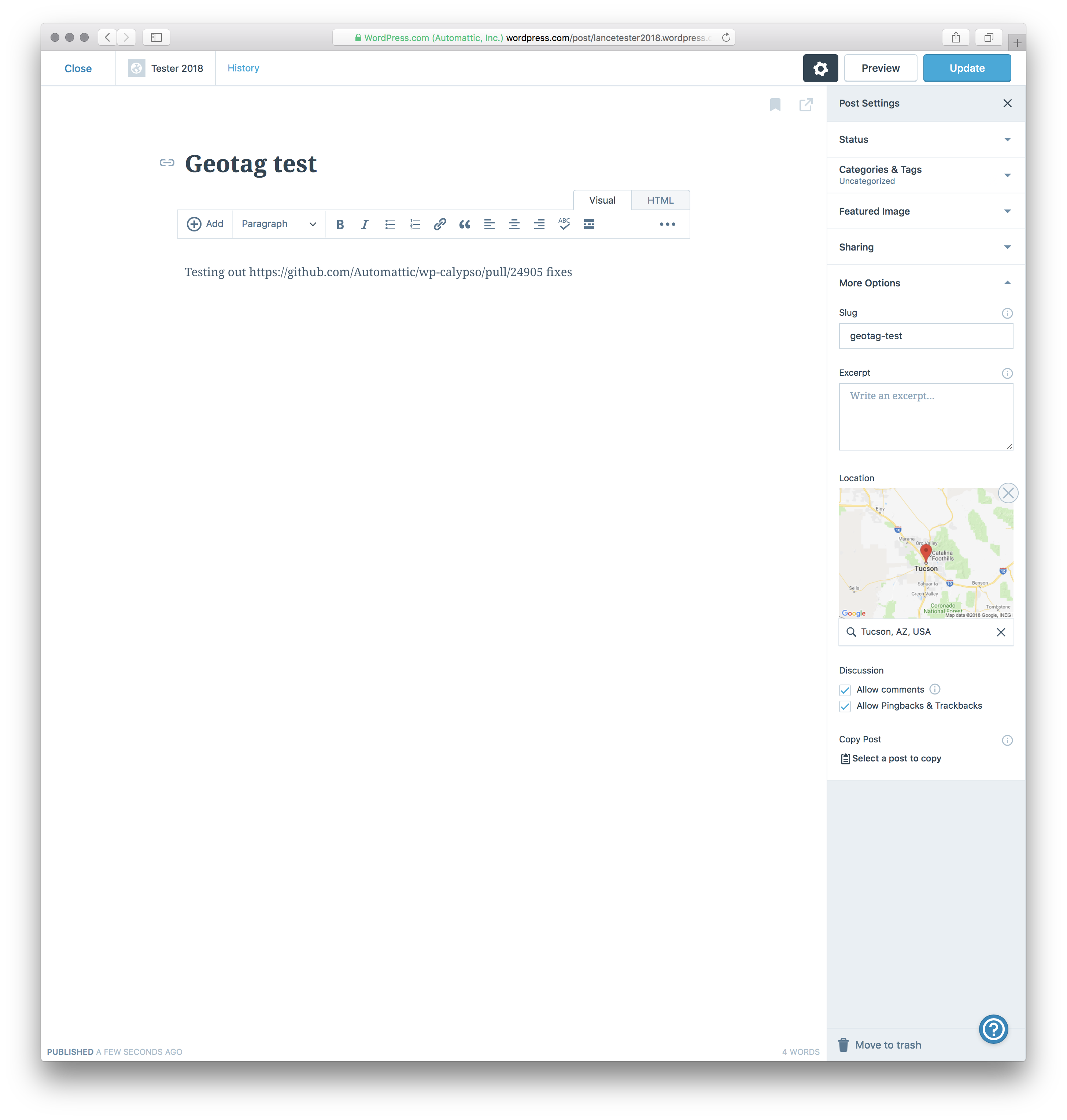
The location shows on the front-end now:

lancewillett
on 24 Jul 2018
w00t!
obenland
on 24 Jul 2018
Noticed when prompted to upgrade to a Business plan, I got an AT warning message:
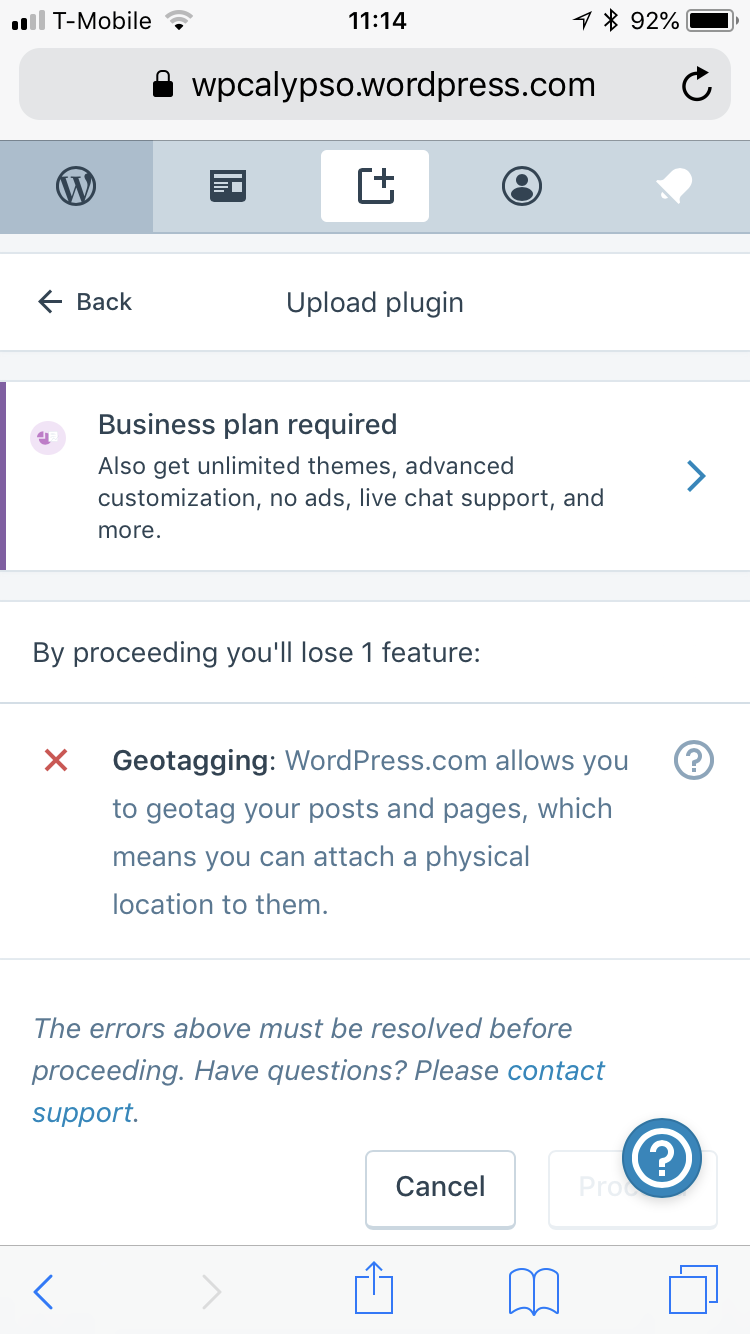
Now that geolocation is supported we should remove this particular warning, CC @jhnstn / @Automattic/atomic
lancewillett
on 6 Aug 2018
Related issues
 hoverduck
·
3Comments
hoverduck
·
3Comments
 apeatling
·
3Comments
apeatling
·
3Comments
 spen
·
3Comments
aduth
·
3Comments
spen
·
3Comments
aduth
·
3Comments
 samouri
·
3Comments
samouri
·
3Comments
Most helpful comment
Confirmed this is fixed with #24905 🎉
Editing the location in post sidebar before publishing:

The location shows on the front-end now:
