Wox: Win10 无法启动快捷方式( can't start any software shortcuts)
Are you submitting a bug report?
(write your answer here)
Steps to reproduce
- win10 wox version:1.3.524
- can't start any software links
3.
Wox Error Window text
(paste here)
Plugin:Program
Can't start ******
Detailed logs
Screenshots (optional)
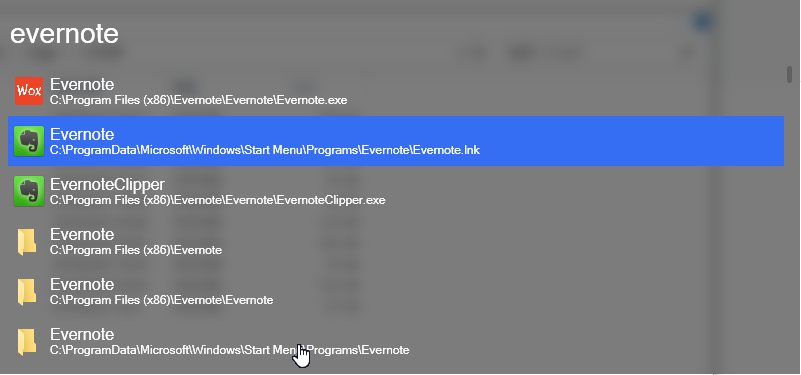

 rumingruyue
All 3 comments
我不久前也遇到这个问题, 后来摸索着解决了, 感觉你可以参照我的方法检验一下是不是相同的情况. 运行 cmd.exe , 试着用 start 命令随便启动一个能双击启动的 .lnk 文件, 如果有弹窗说缺少关联程序不能启动这个文件, 那么你跟我之前的情况可能是一样的, 是注册表有冲突之类的, 用清理软件(注意可能不是所有清理软件都有足够的清理面, 我之前一直在用的 CCleaner 就一直没能解决问题, 为了这特意装了一回 360)清理下注册表就行了.
I met with the same issue before, and fixed it somehow. You could try my way out and see if it could help. First, run cmd.exe and start whichever .lnk file that is funtionable when double clicked. If it fails to be opened out of no associations to execute it, then perhaps your are in just the same case as I was, registries conflicting. Simply run some cleaner program (like 360 I used. Not the free CCleaner, I always used it before but it never solved that problem.) and clean up unnecessary registries , and you issue could probably be solved.
 guanxiux
on 10 May 2018
guanxiux
on 10 May 2018
@rumingruyue
我通过修改注册表解决问题。
I solved the problem by modifying the registry.
reg add "HKCR\lnkfile" /v IsShortcut /f && taskkill /f /im explorer.exe && explorer.exe
 wll8
on 14 Jul 2018
wll8
on 14 Jul 2018
Please try new release with tons of bug fix and 100 times speedup.
https://github.com/Wox-launcher/Wox/releases
If problem still exist, try reset by delete %APPDATA%Wox directory.
Reopen if above method won't help.
 bao-qian
on 26 May 2020
bao-qian
on 26 May 2020
Related issues
 huaf22
·
5Comments
huaf22
·
5Comments
 ghost
·
6Comments
ghost
·
6Comments
 Bourne-M
·
3Comments
Bourne-M
·
3Comments
 BayMRX
·
5Comments
BayMRX
·
5Comments
 NickSeagull
·
6Comments
NickSeagull
·
6Comments
Most helpful comment
@rumingruyue
我通过修改注册表解决问题。
I solved the problem by modifying the registry.
reg add "HKCR\lnkfile" /v IsShortcut /f && taskkill /f /im explorer.exe && explorer.exe