Wowchemy-hugo-modules: Menu bar logo not displaying correctly on Firefox
Describe the bug
After upgrading from version v4.4 to v4.6.2, the logo on the menu bar has started displaying over the sandwich menu icon. This issue only occurs on Firefox (mobile and desktop), as can be seen from the screenshots below.
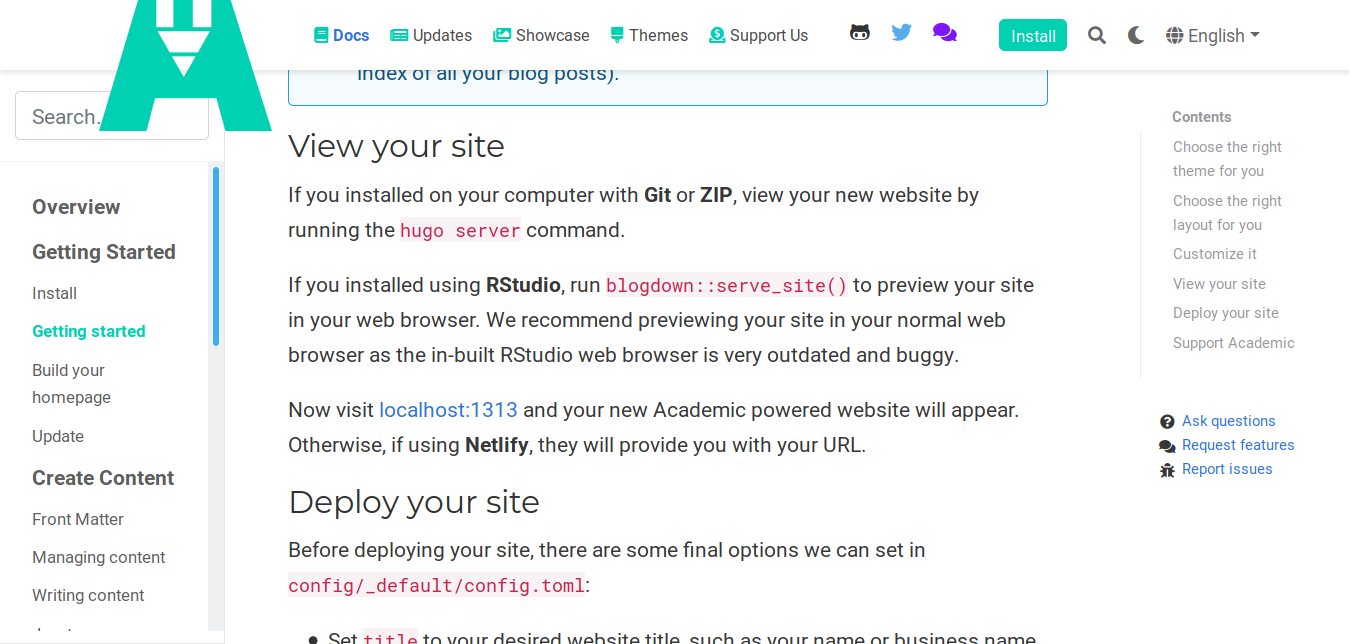
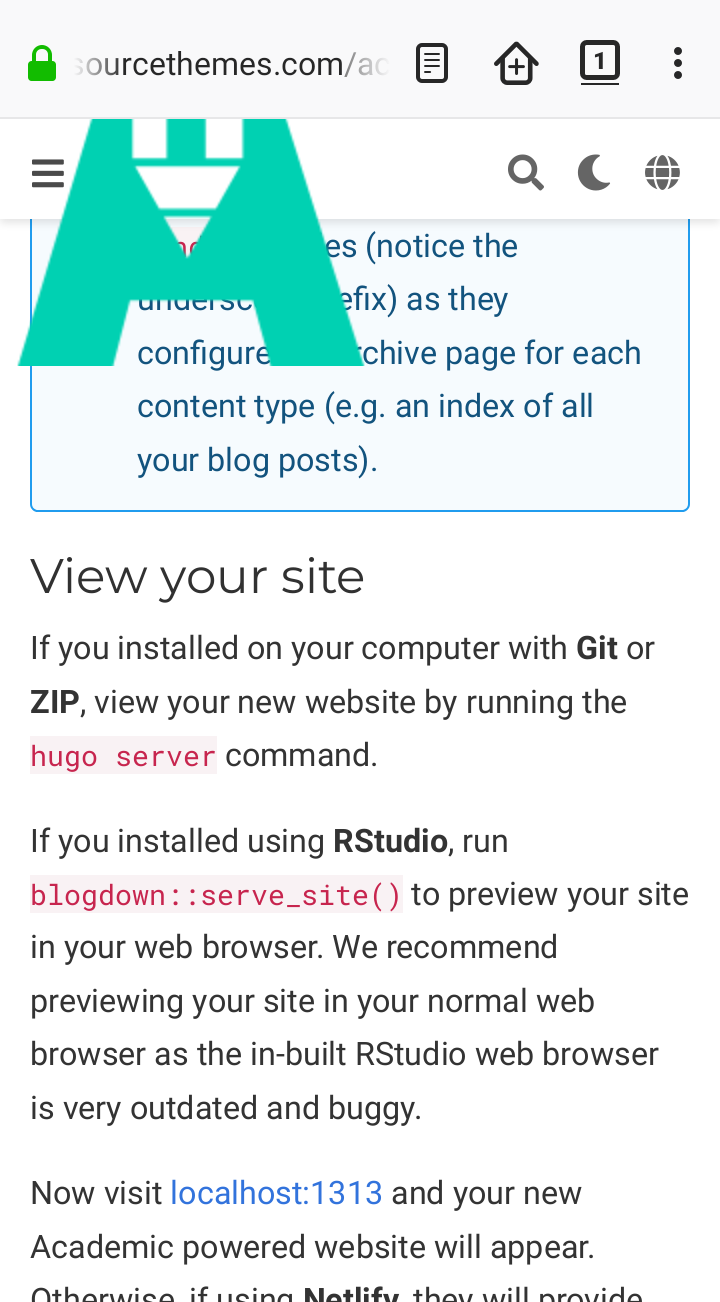
To Reproduce
Steps to reproduce the behavior:
- Go to https://sourcethemes.com/academic/ using a Firefox browser.
Expected behavior
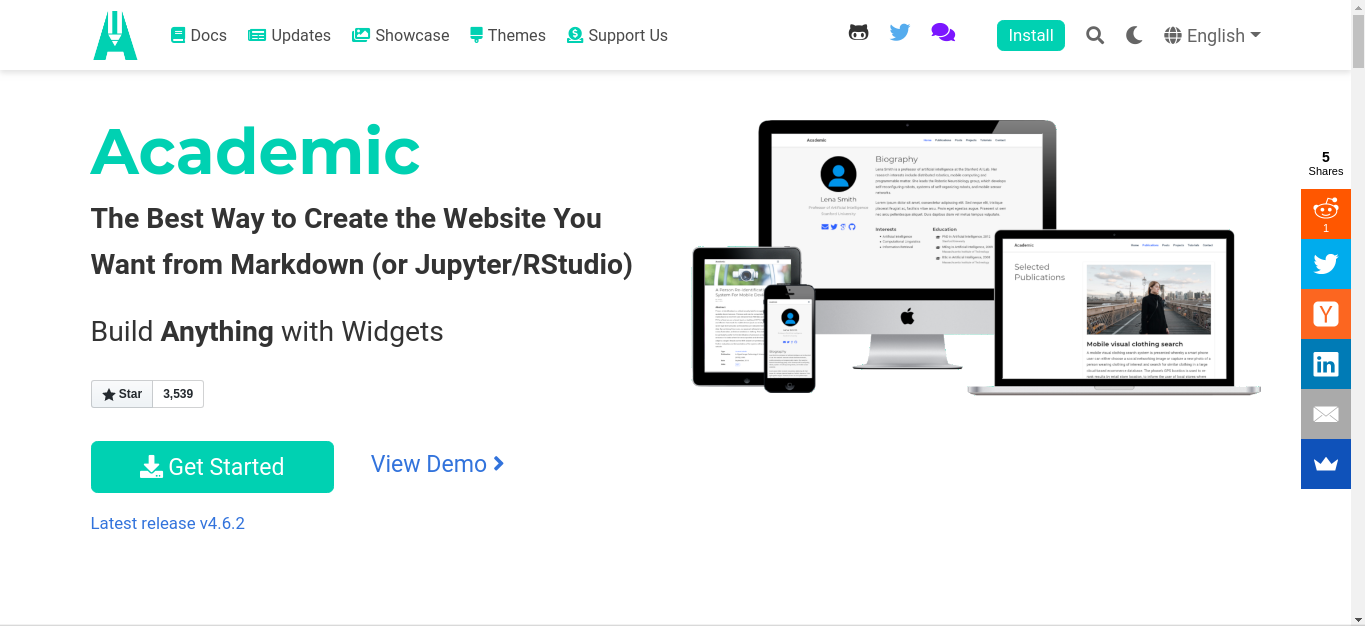
Technical details:
- Academic Version: v4.6.2
- Hugo Version: -
- Browser/OS: Firefox (Android, Ubuntu)
 nunesgh
All 8 comments
Just saying Firefox is not enough info to reproduce this, please provide the Firefox versions you tested with too. Likely the Firefox version(s) you are using have not fully implemented the relevant CSS properties. Perhaps updating Firefox may show different behaviour?
 gcushen
on 4 Dec 2019
gcushen
on 4 Dec 2019
I met the same problem: I'm using firefox 71.0 (64-bit) on Linux (Debian). This is the very last version as of today. I have clean the cache, refresh page, etc.
On Chromium, it works fine.
Edit : Problems appear with Commit 197b5d1. webkit is reserved for chrome/safari webbrowsers, maybe it comes from there?
 Bertbk
on 4 Dec 2019
Bertbk
on 4 Dec 2019
Just saying Firefox is not enough info to reproduce this, please provide the Firefox versions you tested with too. Likely the Firefox version(s) you are using have not fully implemented the relevant CSS properties. Perhaps updating Firefox may show different behaviour?
@gcushen I am using the latest versions of Firefox available for the respective platforms, i.e. Firefox 70.0.1 (64-bit) on Linux (Kubuntu 18.04) and Firefox 68.3.0 on Android 9.
nunesgh
on 4 Dec 2019
Same issue on Firefox 71.0 (64-bit) / macOS 10.14.6 for my own site (hamburger menu icon obstructed by title) as well as on https://sourcethemes.com/academic (looking exactly as in the OP's screenshot). With the latest Safari on macOS (Version 13.0.3) and iOS 13.2.3 the issue does not occur.
 nheeren
on 7 Dec 2019
nheeren
on 7 Dec 2019
Hi all - I think this is related to the closed topic, so I'm asking here...
For me, on firefox 68.3.0 and android devices (phone + tablet), the sandwich menu is not only covered by the logo, but clicking anywhere on the navbar brings back to the home page. The website works and I can navigate to other pages by typing the complete URL, but can't from the sandwich menu as it simply doesn't show... It works OK on Chrome (in the mobile devices) and on firefox (71.0/ubuntu) it is all good.
Am I missing something obvious?
Thanks!
 giabaio
on 18 Dec 2019
giabaio
on 18 Dec 2019
Have you updated your Hugo website to v4.6.3? This version fixes the issue.
nunesgh
on 18 Dec 2019
Ha --- will try that now.
Thanks
giabaio
on 18 Dec 2019
Did work --- thanks!
giabaio
on 18 Dec 2019
Related issues
 somnathrakshit
·
3Comments
somnathrakshit
·
3Comments
 saadjavaid
·
3Comments
saadjavaid
·
3Comments
 CommonClimate
·
4Comments
CommonClimate
·
4Comments
 petzi53
·
4Comments
petzi53
·
4Comments
 brianguay
·
4Comments
brianguay
·
4Comments