Wordpress: Mounting custom .ini files freeze wordpress installation
Hi, i'm using 4.9.8-php7.1-apache on a server (public subnet) and a separate mysql:5.7 container on another one (private subnet).
Everything works smoothly, unless i want to mount a custom .ini files for tweaking some settings.
So, this is the docker-compose yaml working (setup, install, database connection, login, plugin ecc.):
```version: '3.3'
services:
wordpress:
image: wordpress:4.9.8-php7.1-apache
container_name: mywp
restart: always
volumes:
- ./wp-content:/var/www/html/wp-content
environment:
WORDPRESS_DB_HOST: 10.0.1.138:3306
WORDPRESS_DB_NAME: dbwp
WORDPRESS_DB_USER: wordpress
WORDPRESS_DB_PASSWORD: TDTcfbX4
ports:
- 80:80
- 443:443
networks:
- wordpress-network
networks:
wordpress-network:
But if i launched the docker-compose with this configuration below it won't even let me through the first install step.:

```version: '3.3'
services:
  wordpress:
    image: wordpress:4.9.8-php7.1-apache
    container_name: mywp
    restart: always
    volumes:
      - ./wp-content:/var/www/html/wp-content
      - ./conf.d/local.ini:/usr/local/etc/php/conf.d/local.ini
    environment:
      WORDPRESS_DB_HOST: 10.0.1.138:3306
      WORDPRESS_DB_NAME: dbwp
      WORDPRESS_DB_USER: wordpress
      WORDPRESS_DB_PASSWORD: TDTcfbX4
    ports:
      - 80:80
      - 443:443
    networks:
      - wordpress-network
networks:
  wordpress-network:
I even tried to docker exec directly into the container and create a local.ini there, then restarted apache with:
apache2ctl restart
But it just won't work.
Is there a better way to add custom .ini settings?
 marcogoldin
All 8 comments
Could you post your docker-compose logs and the contents of the local.ini
 wglambert
on 28 Aug 2018
wglambert
on 28 Aug 2018
Hi, thank you for replying, unfortunately i don't have all the logs anymore. Of course i checked and there wasn't anything wrong:
I got these 2 lines that i copied before, these were the only one in the logs after the not-working docker-compose with local.ini:
[Tue Aug 28 15:15:45.324351 2018] [mpm_prefork:notice] [pid 1] AH00163: Apache/2.4.25 (Debian) PHP/7.1.21 configured -- resuming normal operations
[Tue Aug 28 15:15:45.324401 2018] [core:notice] [pid 1] AH00094: Command line: 'apache2 -D FOREGROUND'
Anyway, i just made it working by mounting the volume:
- ./html:/var/www/html
and modifying wp-config with the usual stuff:
define( 'WP_MEMORY_LIMIT', '256M' );
define( 'WP_MAX_MEMORY_LIMIT', '512M' );
define('WP_UPLOAD_MAX_FILESIZE', '64M');
define('WP_POST_MAX_SIZE','64M');
define('WP_UPLOAD_MAX_SIZE','64M');
local.ini was simple as this:
upload_max_filesize = 64MB
post_max_size = 64MB
memory_limit = 256M
upload_max_size = 64M
max_execution_time = 300
max_input_time = 1000
Since the issue's resolved I'm going to close, there isn't anything denoting an error in the image and I can't reproduce the problem
version: '3'

services:
  wordpress:
    image: wordpress:4.9.8-php7.1-apache
    container_name: mywp
    restart: always
    volumes:
      - ./wp-content:/var/www/html/wp-content
      - ./conf.d/local.ini:/usr/local/etc/php/conf.d/local.ini
    ports:
      - 8080:80
      - 443:443
Logs with connecting to webui
$ docker-compose logs
Attaching to mywp
mywp         | WordPress not found in /var/www/html - copying now...
mywp         | WARNING: /var/www/html is not empty - press Ctrl+C now if this is an error!
mywp         | + ls -A
mywp         | wp-content
mywp         | + sleep 10
mywp         | Complete! WordPress has been successfully copied to /var/www/html
mywp         | AH00558: apache2: Could not reliably determine the server's fully qualified domain name, using 192.168.16.2. Set the 'ServerName' directive globally to suppress this message
mywp         | AH00558: apache2: Could not reliably determine the server's fully qualified domain name, using 192.168.16.2. Set the 'ServerName' directive globally to suppress this message
mywp         | [Tue Aug 28 19:07:41.149653 2018] [mpm_prefork:notice] [pid 1] AH00163: Apache/2.4.25 (Debian) PHP/7.1.21 configured -- resuming normal operations
mywp         | [Tue Aug 28 19:07:41.150017 2018] [core:notice] [pid 1] AH00094: Command line: 'apache2 -D FOREGROUND'
mywp         | 172.29.0.238 - - [28/Aug/2018:19:07:42 +0000] "GET / HTTP/1.1" 302 294 "-" "Mozilla/5.0 (X11; Linux x86_64) AppleWebKit/537.36 (KHTML, like Gecko) Chrome/65.0.3325.183 Safari/537.36 Vivaldi/1.96.1147.64"
mywp         | 172.29.0.238 - - [28/Aug/2018:19:07:42 +0000] "GET /wp-admin/setup-config.php HTTP/1.1" 200 4189 "-" "Mozilla/5.0 (X11; Linux x86_64) AppleWebKit/537.36 (KHTML, like Gecko) Chrome/65.0.3325.183 Safari/537.36 Vivaldi/1.96.1147.64"
mywp         | 172.29.0.238 - - [28/Aug/2018:19:07:44 +0000] "GET /favicon.ico HTTP/1.1" 302 293 "http://172.29.0.109:8080/wp-admin/setup-config.php" "Mozilla/5.0 (X11; Linux x86_64) AppleWebKit/537.36 (KHTML, like Gecko) Chrome/65.0.3325.183 Safari/537.36 Vivaldi/1.96.1147.64"
mywp         | 172.29.0.238 - - [28/Aug/2018:19:07:44 +0000] "GET /wp-admin/setup-config.php HTTP/1.1" 200 4189 "http://172.29.0.109:8080/wp-admin/setup-config.php" "Mozilla/5.0 (X11; Linux x86_64) AppleWebKit/537.36 (KHTML, like Gecko) Chrome/65.0.3325.183 Safari/537.36 Vivaldi/1.96.1147.64"
Sorry for the late update, but i was able to reproduce the error with your configuration.
It turned out that my previous workarounds with wp-config or .htaccess weren't working at all, php settings unaffected.
I used exactly your configuration and the problem seems to be in step 2 of the installation, not the first one.
Logs:
WordPress not found in /var/www/html - copying now...
 Complete! WordPress has been successfully copied to /var/www/html
 AH00558: apache2: Could not reliably determine the server's fully qualified domain name, using 172.19.0.2. Set the 'ServerName' directive globally to suppress this message
 AH00558: apache2: Could not reliably determine the server's fully qualified domain name, using 172.19.0.2. Set the 'ServerName' directive globally to suppress this message
 [Wed Aug 29 12:50:28.418585 2018] [mpm_prefork:notice] [pid 1] AH00163: Apache/2.4.25 (Debian) PHP/7.1.21 configured -- resuming normal operations
 [Wed Aug 29 12:50:28.418634 2018] [core:notice] [pid 1] AH00094: Command line: 'apache2 -D FOREGROUND'
 79.50.239.205 - - [29/Aug/2018:12:50:59 +0000] "GET / HTTP/1.1" 302 379 "-" "Mozilla/5.0 (Macintosh; Intel Mac OS X 10_13_6) AppleWebKit/537.36 (KHTML, like Gecko) Chrome/68.0.3440.106 Safari/537.36"
 79.50.239.205 - - [29/Aug/2018:12:50:59 +0000] "GET /wp-admin/install.php HTTP/1.1" 200 4321 "-" "Mozilla/5.0 (Macintosh; Intel Mac OS X 10_13_6) AppleWebKit/537.36 (KHTML, like Gecko) Chrome/68.0.3440.106 Safari/537.36"
 79.50.239.205 - - [29/Aug/2018:12:51:00 +0000] "GET /favicon.ico HTTP/1.1" 200 228 "http://18.197.102.101/wp-admin/install.php" "Mozilla/5.0 (Macintosh; Intel Mac OS X 10_13_6) AppleWebKit/537.36 (KHTML, like Gecko) Chrome/68.0.3440.106 Safari/537.36"
 79.50.239.205 - - [29/Aug/2018:12:51:06 +0000] "POST /wp-admin/install.php?step=1 HTTP/1.1" 200 2638 "http://18.197.102.101/wp-admin/install.php" "Mozilla/5.0 (Macintosh; Intel Mac OS X 10_13_6) AppleWebKit/537.36 (KHTML, like Gecko) Chrome/68.0.3440.106 Safari/537.36"
 79.50.239.205 - - [29/Aug/2018:12:51:08 +0000] "GET /favicon.ico HTTP/1.1" 200 228 "http://18.197.102.101/wp-admin/install.php?step=1" "Mozilla/5.0 (Macintosh; Intel Mac OS X 10_13_6) AppleWebKit/537.36 (KHTML, like Gecko) Chrome/68.0.3440.106 Safari/537.36"
 79.50.239.205 - - [29/Aug/2018:12:51:18 +0000] "POST /wp-admin/install.php?step=2 HTTP/1.1" 200 2361 "http://18.197.102.101/wp-admin/install.php?step=1" "Mozilla/5.0 (Macintosh; Intel Mac OS X 10_13_6) AppleWebKit/537.36 (KHTML, like Gecko) Chrome/68.0.3440.106 Safari/537.36"
 79.50.239.205 - - [29/Aug/2018:12:51:19 +0000] "GET /favicon.ico HTTP/1.1" 200 228 "http://18.197.102.101/wp-admin/install.php?step=2" "Mozilla/5.0 (Macintosh; Intel Mac OS X 10_13_6) AppleWebKit/537.36 (KHTML, like Gecko) Chrome/68.0.3440.106 Safari/537.36"
 79.50.239.205 - - [29/Aug/2018:12:51:54 +0000] "GET /wp-admin/ HTTP/1.1" 302 379 "-" "Mozilla/5.0 (Macintosh; Intel Mac OS X 10_13_6) AppleWebKit/537.36 (KHTML, like Gecko) Chrome/68.0.3440.106 Safari/537.36"
 79.50.239.205 - - [29/Aug/2018:12:51:54 +0000] "GET /wp-admin/install.php HTTP/1.1" 200 4324 "-" "Mozilla/5.0 (Macintosh; Intel Mac OS X 10_13_6) AppleWebKit/537.36 (KHTML, like Gecko) Chrome/68.0.3440.106 Safari/537.36"
 79.50.239.205 - - [29/Aug/2018:12:51:55 +0000] "GET /favicon.ico HTTP/1.1" 200 228 "http://18.197.102.101/wp-admin/install.php" "Mozilla/5.0 (Macintosh; Intel Mac OS X 10_13_6) AppleWebKit/537.36 (KHTML, like Gecko) Chrome/68.0.3440.106 Safari/537.36"
 79.50.239.205 - - [29/Aug/2018:12:51:57 +0000] "POST /wp-admin/install.php?step=1 HTTP/1.1" 200 2519 "http://18.197.102.101/wp-admin/install.php" "Mozilla/5.0 (Macintosh; Intel Mac OS X 10_13_6) AppleWebKit/537.36 (KHTML, like Gecko) Chrome/68.0.3440.106 Safari/537.36"
 79.50.239.205 - - [29/Aug/2018:12:51:57 +0000] "GET /favicon.ico HTTP/1.1" 200 228 "http://18.197.102.101/wp-admin/install.php?step=1" "Mozilla/5.0 (Macintosh; Intel Mac OS X 10_13_6) AppleWebKit/537.36 (KHTML, like Gecko) Chrome/68.0.3440.106 Safari/537.36"
 79.50.239.205 - - [29/Aug/2018:12:52:07 +0000] "POST /wp-admin/install.php?step=2 HTTP/1.1" 200 2357 "http://18.197.102.101/wp-admin/install.php?step=1" "Mozilla/5.0 (Macintosh; Intel Mac OS X 10_13_6) AppleWebKit/537.36 (KHTML, like Gecko) Chrome/68.0.3440.106 Safari/537.36"
 79.50.239.205 - - [29/Aug/2018:12:52:07 +0000] "GET /favicon.ico HTTP/1.1" 200 228 "http://18.197.102.101/wp-admin/install.php?step=2" "Mozilla/5.0 (Macintosh; Intel Mac OS X 10_13_6) AppleWebKit/537.36 (KHTML, like Gecko) Chrome/68.0.3440.106 Safari/537.36"
Which gives me the same install form over and over again
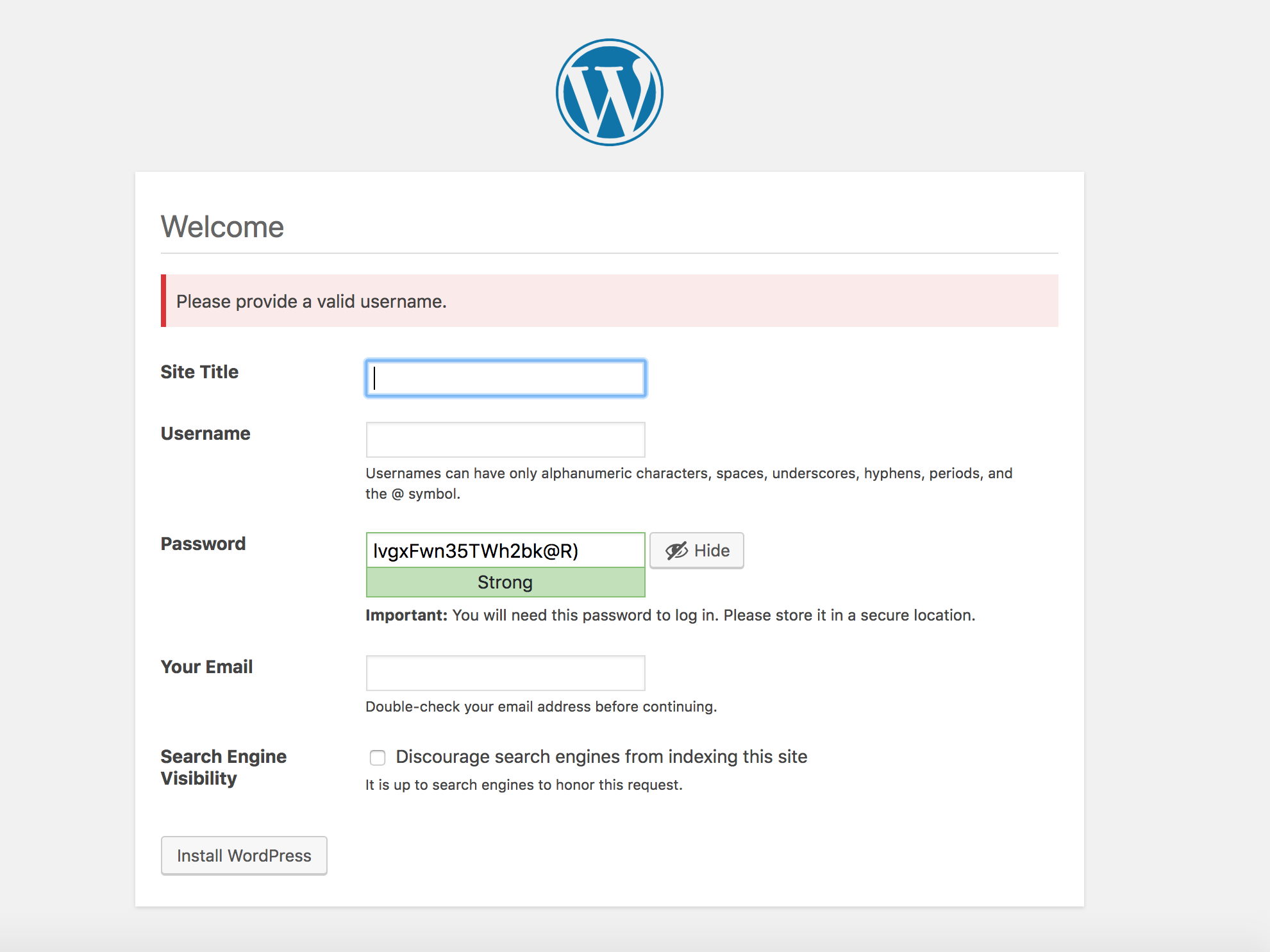
It must be something related to apache i think, but really i don't have a clue of why this isn't working.
A quick phpinfo() gives me all the updated values from local.ini, so it seems working.
But the issue remain, so should it be re-opened?
marcogoldin
on 29 Aug 2018
The error is invalid username, is it giving an incorrect error in that regard? I'm not able to reproduce any issue
version: '3'

services:
  wordpress:
    image: wordpress:4.9.8-php7.1-apache
    container_name: mywp
    restart: always
    volumes:
      - ./wp-content:/var/www/html/wp-content
      - ./conf.d/local.ini:/usr/local/etc/php/conf.d/local.ini
    environment:
      WORDPRESS_DB_HOST: db
      WORDPRESS_DB_NAME: dbwp
      WORDPRESS_DB_USER: wordpress
      WORDPRESS_DB_PASSWORD: TDTcfbX4
    ports:
      - 8080:80
      - 443:443


  db:
    image: mysql:5.7
    environment:
      MYSQL_ROOT_PASSWORD: TDTcfbX4
      MYSQL_DATABASE: dbwp
      MYSQL_USER: wordpress
      MYSQL_PASSWORD: TDTcfbX4
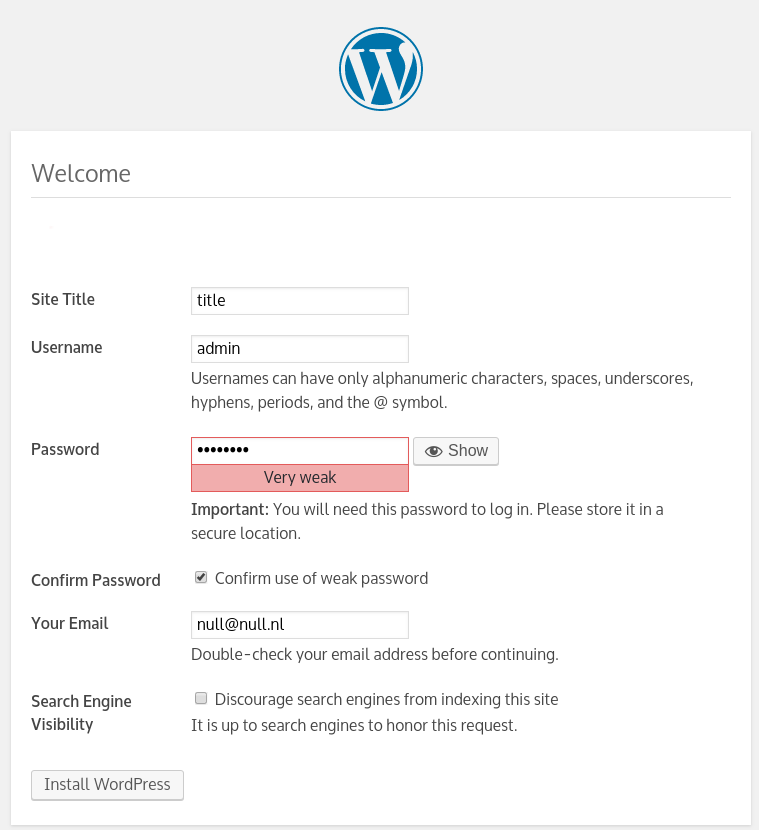
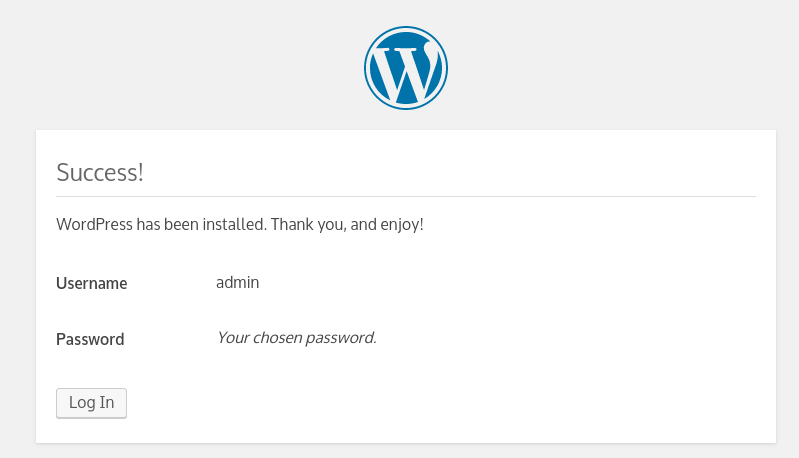
wglambert
on 29 Aug 2018
hi, thanks again for helping.
yes it's giving me that error, no matter which user/title/password/email i put in. But nothing in the logs or even in the browser console, and yet without bind mounting the .ini file everything works fine like in your case.
Could it be ip related? I don't have assigned yet a domain name to point at the instance in the aws vpc. Neither a ssl cert.
Does it matter the owner of the local .ini file in the host? I've noticed that conf.d in the container is owned by root:staff.
I don't know, i'm trying to consider every possibility and test each case.
marcogoldin
on 29 Aug 2018
So the local.ini I was using was a sample I pulled from google, the issue is some option in your local.ini
Your local.ini
upload_max_filesize = 64MB
post_max_size = 64MB
memory_limit = 256M
upload_max_size = 64M
max_execution_time = 300
max_input_time = 1000
my local.ini
file_uploads = On
memory_limit = 500M
upload_max_filesize = 30M
post_max_size = 30M
max_execution_time = 600
oh my, i think you're right. I tried with your local.ini and now it works. Well, i guess that was stupidly wrong of me, sorry.
Thank you so much for your time!
marcogoldin
on 30 Aug 2018
Related issues
 shankie-codes
·
5Comments
shankie-codes
·
5Comments
 ghost
·
5Comments
ghost
·
5Comments
 myuseringithub
·
5Comments
myuseringithub
·
5Comments
 TeachMeHowToUse2FA
·
4Comments
TeachMeHowToUse2FA
·
4Comments
 harobed
·
5Comments
harobed
·
5Comments