Wordpress-seo: Yoast 14.7 breaks NExtGEN galleries.
- [ x] I've read and understood the contribution guidelines.
- [ x] I've searched for any related issues and avoided creating a duplicate issue.
Please give us a description of what happened.
I just installed the latest Yoast (free version) and it generated an error in my error log (see screenprint yoast1.png).
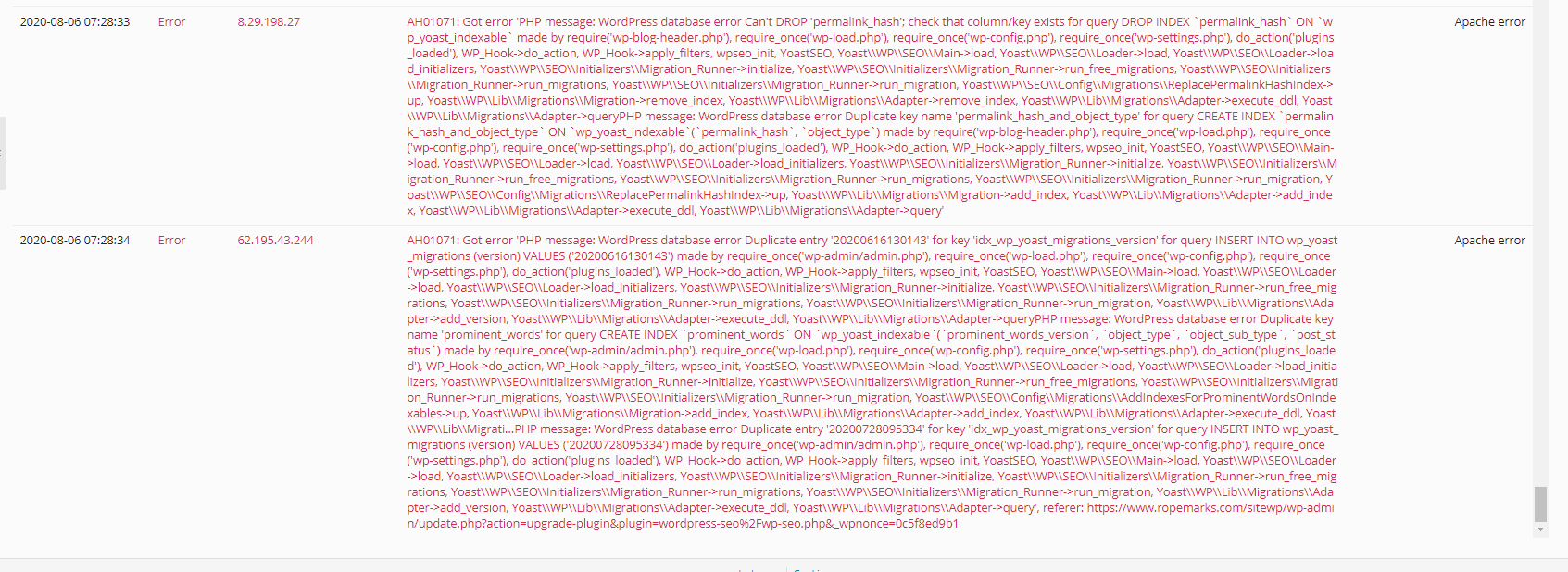
My WordPress looks to be running ok, but I'm not sure on how to check if Yoast is installed ok and what it might break?
Then in the course of the morning I updated one post with SEO data using Yoast. This post has a NextGen gallery on it. After the
update of the post the NextGen gallery is not showing anymore (see screenprint yoast2.jpg)
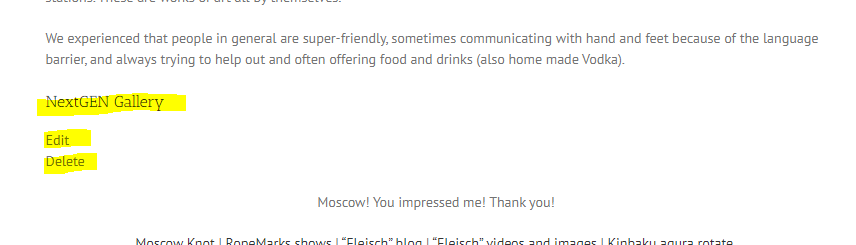
The yellow part should show a photo gallery.
The error log is not showing anything
The post was ok before my SEO update/update of the post (I have no way of checking this anymore).
Then I disabled Yoast and updated the post again, Now the NextGEN gallery was showing again.
One test is no test, I enabled Yoast saved the post, NextGEN was not working.
Disabled Yoast, NextGen was working again
This looks like an open-and-shut case. Installing the latest version of Yoast breaks NextGEN galleries where previous versions never caused any issues here.
Right now I have disabled Yoast, is there a way to revert back to the previous version of Yoast?
Please describe what you expected to happen and why.
I expected to be able to see my NextGEN gallery with an enabled Yoast.
How can we reproduce this behavior?
- Create a page with a NextGEN gallery
- Add some SEO data (optional I think)
- Save page.
- Open page in browser (my main browser is Brave, Chrome fails as well)
Technical info
- WordPress version: 5.4.2
- Yoast SEO version: 14.7 (as reported on the WP plugin page)
* If relevant, which editor is affected (or editors):
- [ ] Classic Editor
- [ ] Gutenberg
- [ ] Classic Editor plugin
* Which browser is affected (or browsers):
- [ ] IE11
- [ ] Edge
- [x] Chrome
- [ ] Firefox
- [x] Safari
- [x] Brave
The boxes ticked are the browser I tested it on.
- Relevant plugins in case of a bug:
NextGen Gallery version 3.3.6, NextGEN Pro version 3.0.15
- Tested with theme: Avada (since this looks like an open-and-shut case no further time is spend on testing with other theme)
I have read the template and the boxes to tick, this particular situation looks like an open-and-shut case. Installing the latest version of Yoast breaks NextGEN galleries where previous version never caused any issues here.
It would be nice to get his fixed, this bug renders Yoast useless for all sites runninig NextGEN, inluding mine.
Right now I have disabled Yoast, is there a way to revert back to the previous version of Yoast?
Thank you for looking into this,
Bob
 BobGoedkoop
All 26 comments
Can't reproduce this with the provided reproduction steps. Please see if you can find any related errors in your logs / browser console. If not, you can try reinstalling one or both of the plugins to see if that solves anything. You should also check for any other possible plugins / themes / custom code that could cause a conflict.
 Djennez
on 6 Aug 2020
Djennez
on 6 Aug 2020
Just reverted back to Yoast 14.6.1 (code only, no db) and there is no problem now.
Also there was the problem when installing Yoast 14.7, the messages do not sound hopeful for having a properly finished installation? Perhaps this can cause the behaviour I got?
The error log is squeaky clean around the moment(s) I tried this. except for the errors during installation.
I can dive in and do a whole range of testing (disabling plugins, default theme, enabling plugins one-by-one; and with every step do an update of the page with the NextGEN gallery - this will take me many hours and I need to find a time frame for that) but that does not change what I see now, Yoast 14.6.1 seems to work ok and Yoast 14.7 seems to conflict with NextGEN (either because of the error during updating or a code-issue). There has been no other change to the system.
BobGoedkoop
on 6 Aug 2020
The error on activation / update to 14.x is expected. This should only happen once. We suppress this error intentionally because this is the fastest / less intrusive way to update to our indexables.
Djennez
on 6 Aug 2020
Thank you for letting me know. I now updated to 14.7 again and performed the following steps:
- Disabled my cache
- Updated to Yoast 14.7
- No errors in the log
- Browsed (Brave browser) to the post that failed when I worked on it
- The NextGEN gallery shows ok
- In the WP backend only pressed "Update" on that post.
- Browsed (Brave browser) to the post
- The NextGEN gallery DOES NOT show (same screen print as in my OP)
- No errors in the log
- No errors in the console
I can do further testing... but this seems very clear... What is the added information that I can supply if I do extra testing?
BobGoedkoop
on 6 Aug 2020
Don't know if you've done a conflict-check with all your plugins / theme / custom code yet, but that would be my next step, short of looking in NextGen code where this goes wrong. Since I can't reproduce the issue locally I can't really help with that any further and this seems like a local / isolated issue to me. If you're able to point out where our plugin is causing this problem I might be able to look into it a bit more.
Djennez
on 6 Aug 2020
Thank you for your answer.
I just reverted back to 14.6.1 and performed the same steps as above. Now everything works.
I have no doubt anymore that it's a Yoast code issue (not other changes to the system except an upgrade to 14.7)
When I move forward with conflict checking I will come up with something like "when I enable Yoast and NextGEN the issue surfaces". From my point of view I am unable to supply more information. And I think at this point I proofed that it's something in/with the 14.7 changes the cause this.
I am unsure on how to proceed?
BobGoedkoop
on 6 Aug 2020
You can try from an empty installation and try to rebuild to your current installation (in terms of settings / plugins / configurations) and see when you start running into problems. It might be a certain configuration that is causing the problem. It might be a combination of plugins that is causing the problem. There's really no telling.
I would agree that the notion "I enable plugin A and troubles start, and I disable plugin A and they stop, so plugin A is at fault" is a fine hypothesis. But that does not hold up if it isn't reproducible on other environments.
Djennez
on 6 Aug 2020
So, here's another direction... We run WP only in a live environment, we don't do WP development and are not set up to do so. Your proposal is undo-able related to time issues and results to start setting this up and do the debugging (there is more than Yoast and it's easy to switch). We have recently found the time to dive more into SEO for the site and are the point where we are ready to purchase and take this a step further.
What are the options to have this fixed when we purchase?
BobGoedkoop
on 6 Aug 2020
When you purchase Yoast SEO Premium, our support team will assist you in further troubleshooting/debugging this problem on your website. Their goal will be to bring back this problem to a reproducible problem, as we can’t solve and test what we can’t reproduce. Having a Yoast SEO Premium subscription would still mean you have to put time and energy into troubleshooting.
So while buying Premium does come with a lot of benefits, buying it to “enforce” a fix wouldn’t be the right one. That said, if you’d purchase it to get personal support in troubleshooting, that would be a good strategy to move towards hopefully solving this problem.
Djennez
on 6 Aug 2020
Hi, I am also experiencing this same problem, where latest Yoast SEO 14.7 breaks the insertion of next-gen galleries into posts.
I primarily use NGG to insert galleries into a WYSIWYG field created with Advanced Custom Fields. THis is ona custom post type.
When inserting the gallery and checking the text (html code tab) the regular NGG shotcode is chaged to this:
<div class="mceItem mceNonEditable nggPlaceholder"
id="1596732509031"
data-shortcode="ngg src="galleries" ids="88" display="basic_thumbnail" override_thumbnail_settings="1" thumbnail_width="350" thumbnail_height="197" thumbnail_crop="0" images_per_page="6" number_of_columns="2" show_slideshow_link="0""
data-mce-resize="false"
data-mce-placeholder="1"
contenteditable="false">
<h3>NextGEN Gallery</h3>
<div class="nggPlaceholderButton nggIgwEdit">
Edit
</div>
<div class="nggPlaceholderButton nggIgwRemove">
Delete
</div>
</div>
The same thing also happens when inserting a gallery into a regular post.
Deactivating Yoast SEO returns the HTML above back into the regular NGG shortcode format and the gallery will then display fine.
I have deactivated all plugins and done testing but Yoast SEO is definitely causing the problem.
However, if I disable classic editor and revert to Gutenberg block editor, inserting a next-gen gallery using the NGG block will not produce this error.
If you could find a solution to this ASAP it would be much appreciated, as my site reklies on next-gen gallery a lot.
Thanks.
 GamerWithADegree
on 6 Aug 2020
GamerWithADegree
on 6 Aug 2020
@BobGoedkoop are you also using the classic editor?
Djennez
on 6 Aug 2020
Hi,
I have just reverted back to Yoast SEO 14.6.1 and the problem is gone now. NGG gallery shortcode displays as it should and the gallery displays on the front end. Whatever files/code was changed with 14.7 it is causing the problem.
GamerWithADegree
on 6 Aug 2020
Hmmm, does not seem to be the classic editor:
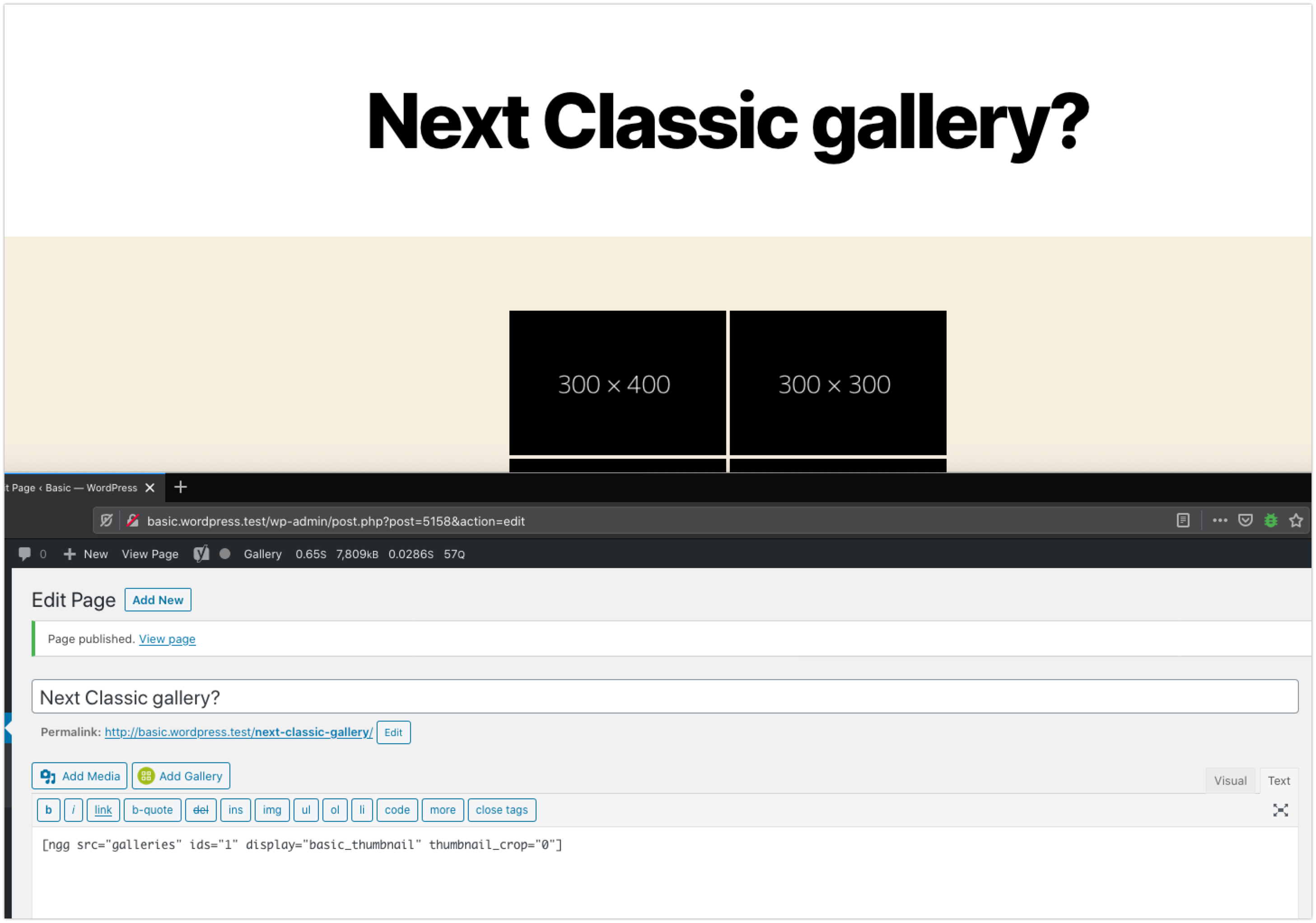
So whatever is causing it might be something your sites share.
Djennez
on 7 Aug 2020
@Djennez I have tested with disabling all my plugins and using the 20/20 theme. Only NextGEN AND NextGEN PRO active and Yoast 14.7. This does not give the problem. When I activate the Avada builder plugin (belonging to my theme, but not activating the theme) then with the new Yoast version I experience this problem.
Yoast 14.7 is the new kid in town, so my pov is still that there is something there that breaks this.
BobGoedkoop
on 7 Aug 2020
@Djennez @BobGoedkoop My site uses a custom theme, I don't use Avada builder or any other page builder.
I agree with @BobGoedkoop that Yoast is the most likely cause of the problem. Next-Gen Galleries worked fine until 14.7 was released. Not to mention the facts that deactivating Yoast 14.7 or reverting back to 14.6.1 fixes the problem.
I was also able to replicate the issue on a local test site with Yoast 14.7, latest NGG and classic editor and the test site only has a handful of plugins.
Sure it's possible that there could be some obscure conflict with another plugin but given the evidence, Yoast 14.7 is the most logical cause.
@Djennez as the plugin developer, is there any change to the code that you can think of, no matter how irrelevant it may seem, that could be causing this?
GamerWithADegree
on 7 Aug 2020
I tested this again on my local install.
I created a post with all plugins including classic editor, yoast 14.7 and next-gen gallery active.
Inserted a gallery with the text tab open, gallery inserted with correct shortcode, when I switched to the visual editor and back to text tab, the shortcode changed to the HTML code.
I then deactivated all other plugins except Yoast 14/7 and next-gen gallery. I returned to the post edit screen (previously published and the HTML code that causes the gallery to not display was still present.
I then inserted a gallery using the NGG block in Gutenberg and the correct shortcode was inserted.
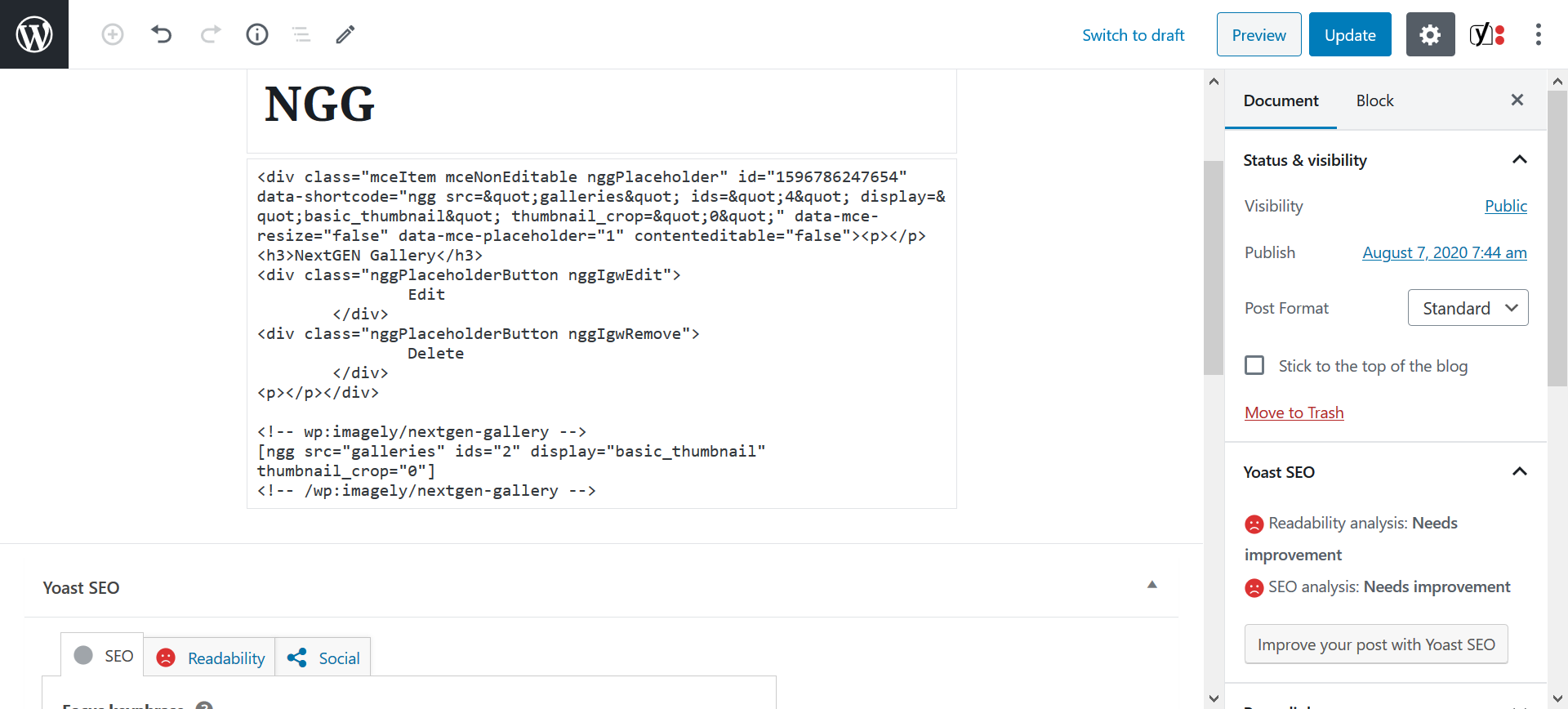
For information, here is the plugins I have installed on my local test site.
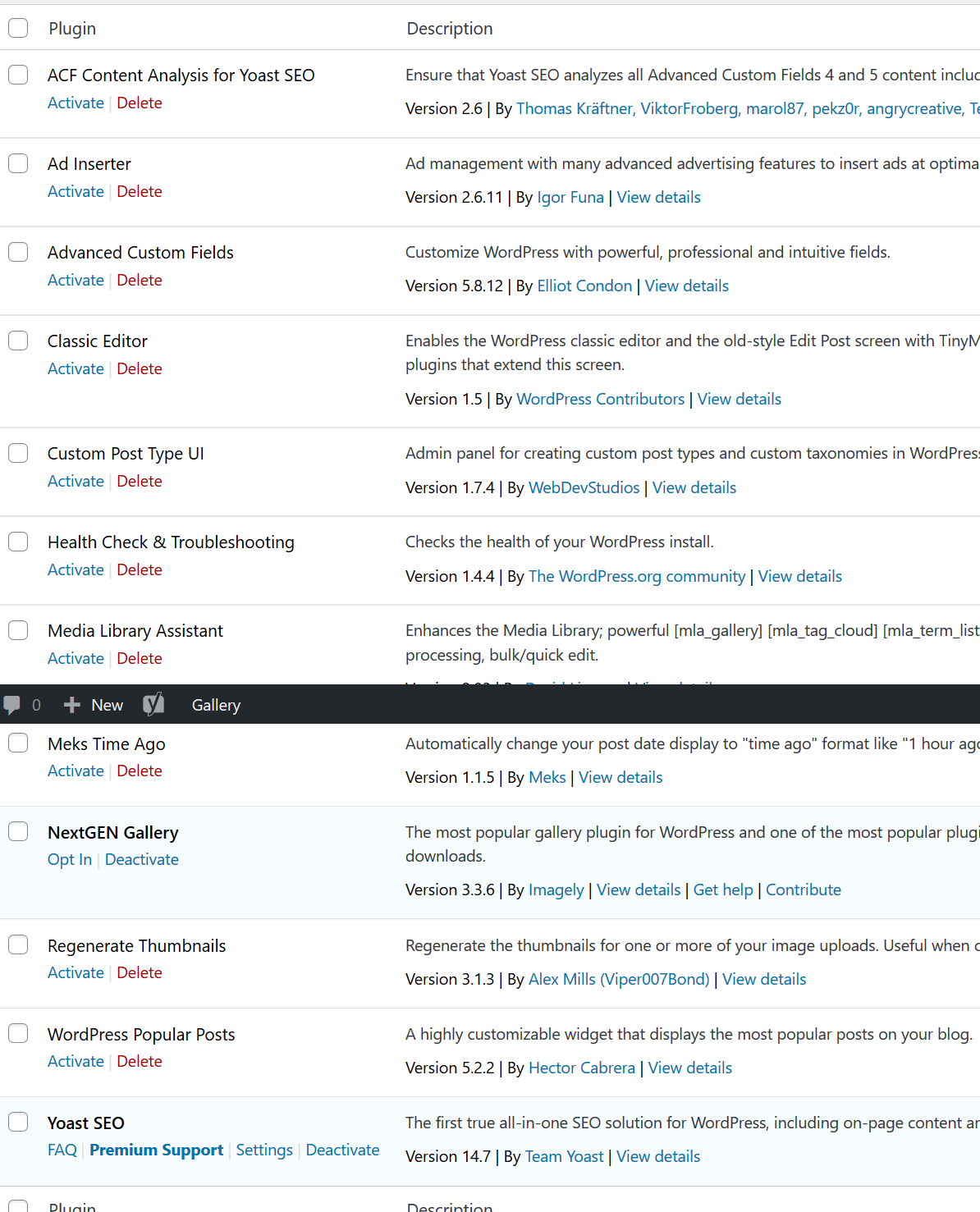
GamerWithADegree
on 7 Aug 2020
I was able to reproduce the issue with Avada Builder enabled. When that plugin is enabled, the classic editor gets used automatically, so that might still be part of the problem. Though it takes some updating and re-saving items after toggling plugins to get the error to appear. It looks like the NextGen placeholder from the backend is saved to the database and displayed on the frontend. Not sure where the cause of the issue is, and where it should get fixed, but at least it's reproducible now.
Running:
- NextGEN Gallery 3.3.6
- Avada Builder 3.0.1 (or possibly classic editor)
- Yoast SEO 14.7
- WP 5.4.2
- Twentytwenty theme
Djennez
on 7 Aug 2020
@Djennez It does seem that there is some strange conflict with Yoast 14.7 and the classic editor and Next-gen gallery.
Thank you for looking into this issue, hopefully, it can be solved soon.
GamerWithADegree
on 7 Aug 2020
Just FYI, but I'm experiencing the same problem described. For the interim I have rolled back the Yoast SEO plugin to 14.6.1 (from 14.7). I'm not sure if it's been mentioned previously but this only affects new posts/pages with NextGEN galleries used, and any existing posts/pages if they're edited.
Site details:
- WP 5.4.2 (running Classic Editor as default)
- NextGEN Gallery 3.3.6
- WPBakery Page Builder 6.2.0, which is bundled with
- QODE Bridge Theme v22.6
So the commonality does appear to be Yoast 14.7, Classic Editor and NextGEN, as mentioned by @Djennez
Hope a fix can be found soon, but in the meantime my site is functional with 14.6.1.
Cheers!
 walski69
on 9 Aug 2020
walski69
on 9 Aug 2020
@Djennez Voor een extra paar ogen heb ik Avada naar het probleem laten kijken. Misschien dat hun een workaround kunnen vinden.
Zij hebben testen zonder de Avada plugins gedaan, zie hieronder (copy/paste):
1) Test 1 ⇒ With Avada, core and builder disabled. The gallery in this situation was not working before hand,
Video here → http://tinyurl.com/y5tgvvww
2) Test 2 ⇒ Test is again made without Avada, The gallery was working in this situation before the test but not after the test,
Video here → http://tinyurl.com/y3zsa759
Op dit moment ben ik officieel een versie teruggegaan met Yoast. Dit werkt prima.
Het zou heel erg fijn als dit gefixed kan worden!
Zonder fix is Yoast niet bruikbaar geworden met (gechargeerd) sites die NextGEN gebruiken.
Dank,
Bob
BobGoedkoop
on 11 Aug 2020
I found the line of code that changed in 14.7 that causes this behavior, though I am still unsure as to why the behavior is happening. The problem is here: https://github.com/Yoast/wordpress-seo/blob/440cd20a0b8c61ab90aca5c2a03504d68597178a/admin/class-admin-asset-manager.php#L304
Our post-edit script seems to not get loaded on classic editor due to this wp-blocks dependency. That script probably has some magic that prevents expanded shortcodes from ending up in the text editor. This commit seems to have added this line. Will ask our developers to look into this.
Djennez
on 11 Aug 2020
I am having the same problem. It is absolutely related to Yoast SEO. I have about 80 websites here. Most use NextGen Gallery and Yoast SEO. When I updated the Yoast SEO plug in, it broke all of the NextGen Galleries.
We were able to trace the problem backward and are completely sure of this.
If I disable Yoast SEO and then recode the Galleries, they work.
I am hoping Yoast SEO can fix the problem or get with the NextGen Gallery developer to sort this out. It is on a number of forums now.
Thanks for any help you can offer.
 whiteLIGHT1221
on 11 Aug 2020
whiteLIGHT1221
on 11 Aug 2020
Thanks for any help you can offer, Omarreiss. I am in the process of removing the latest Yoast SEO from all of my "80" websites. And uploading (FTP) the older version. That returns the NextGen Gallery coding to normal. Maybe someone can let me know when Yoast has fixed the problem.
whiteLIGHT1221
on 13 Aug 2020
14.8 (due next tuesday) is set to ship this fix.
The PR mentioned above was meant to close this issue once merged, but it didn't, so I'm doing that manually now.
Djennez
on 13 Aug 2020
Please note that once this fix is released in 14.8, you will need to re-save the posts with the broken galleries.
Djennez
on 14 Aug 2020
Good to know, Djennez! Thanks again for your help!
whiteLIGHT1221
on 14 Aug 2020
Related issues
 JoshuaPotter
·
4Comments
JoshuaPotter
·
4Comments
 schurig
·
5Comments
schurig
·
5Comments
 PENTAGON4
·
6Comments
PENTAGON4
·
6Comments
 ind88
·
6Comments
ind88
·
6Comments
 stayallive
·
4Comments
stayallive
·
4Comments