Wordpress-seo: Yoast SEO Meta Box Blank (due to issues with Avada?)
- [ X] I've read and understood the contribution guidelines.
- [X ] I've searched for any related issues and avoided creating a duplicate issue.
Please give us a description of what happened.
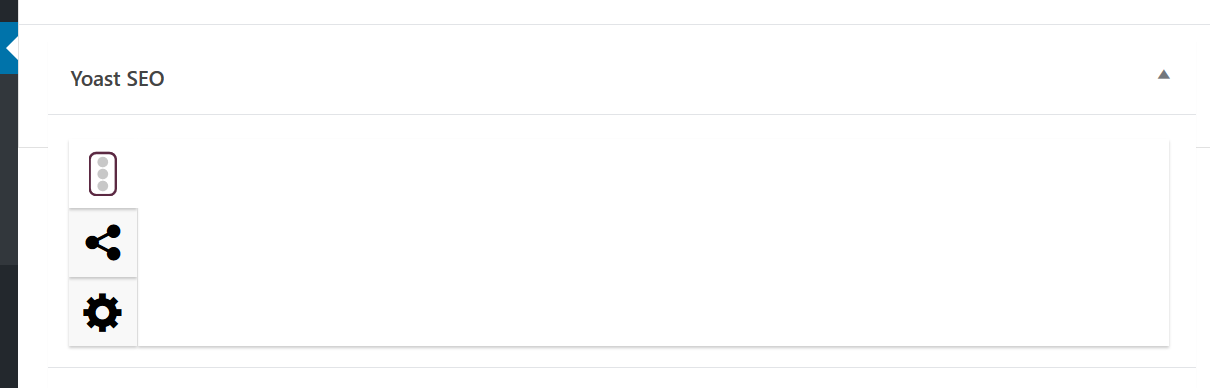
I logged on to the Wordpress account of a client to review and proofread a draft of a post one more time before publishing, and the Yoast meta box is blank. Not just for this one draft, but for all posts within this Wordpress account.
This is a screenshot of what I'm seeing:
Technical info
* If relevant, which editor is affected (or editors):
- [ ] Classic Editor
- [ X] Gutenberg
- [ ] Classic Editor plugin
* Which browser is affected (or browsers):
- [ ] Chrome
- [X ] Firefox
- [ ] Safari
- [ ] Other
Error Messages
Here is a screenshot of the error messages I am seeing:
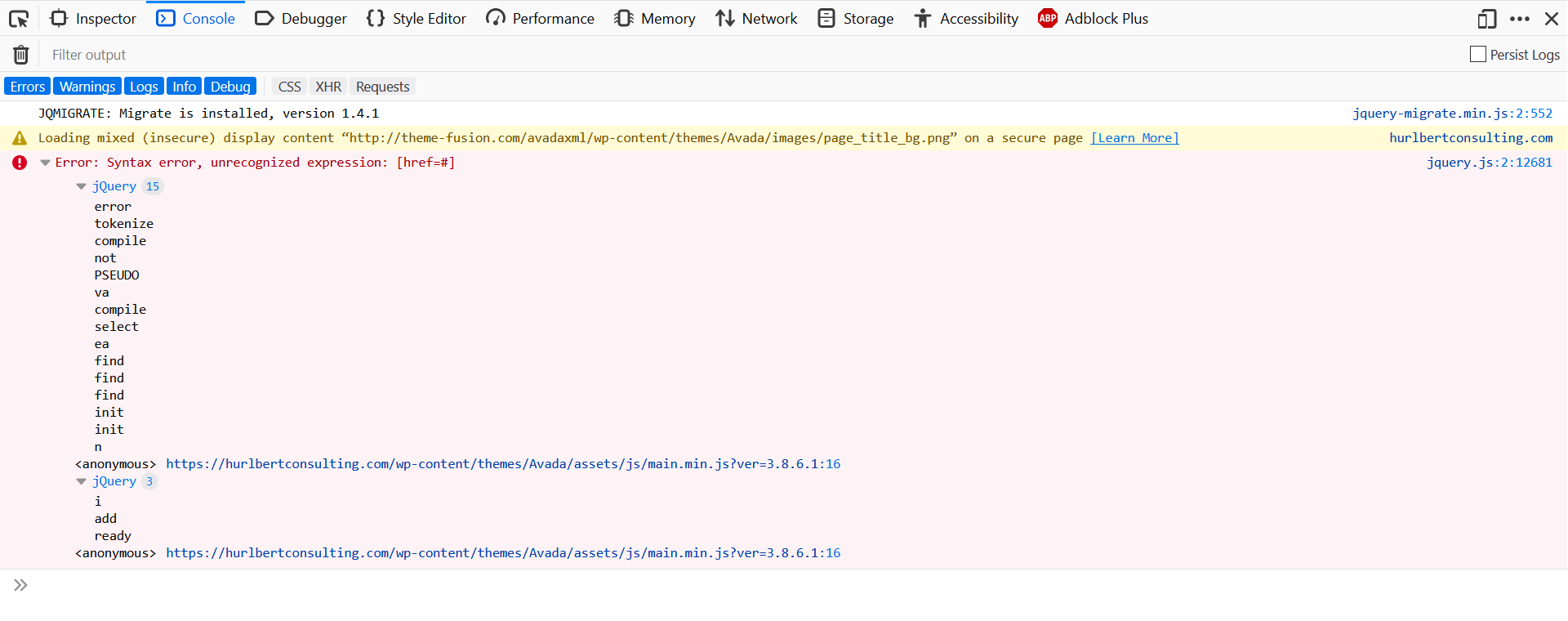
It looks like there is some kind of issue with the Avada theme? Not sure.
Used versions
- WordPress version: 5.2.2
- Yoast SEO version: 11.4
- Gutenberg plugin version:
- Classic Editor plugin version:
- Relevant plugins in case of a bug:
- Tested with theme: ThemeFusion Avada (Version 3.8.6.1)
Any help or suggestions are very much appreciated! Thank you!
 rbellach
All 12 comments
Have you done the standard plugin conflict check?
 Djennez
on 19 Jun 2019
Djennez
on 19 Jun 2019
I forgot to do that. Thank you for pointing that out!
After having done the plugin conflict check, the issue appears to be this plugin:
Fusion Core plugin
ThemeFusion Core Plugin for ThemeFusion Themes
Version 1.7.5.1
rbellach
on 19 Jun 2019
From what I can gather from the information you've provided I don't think this issue is caused by our plugin, but by Avada. Looking at the version numbers in your screenshot it looks like Avada is outdated, can you verify that you're running the latest version of the theme and its plugins?
Djennez
on 20 Jun 2019
You're correct -- it looks like Avada is out of date. I will pass this info back to the client. Thank you!
rbellach
on 20 Jun 2019
I have the same problem after the last update...
 lukash881
on 20 Jun 2019
lukash881
on 20 Jun 2019
i have same problem
v11.4 & v11.5
- WP 4.9.8
- Classic Editor
- FF & chrome
- cherry framework
load-scripts.php?c=0&load[]=jquery-core,jquery-migrate,utils,jquery-ui-core,jquery-ui-widget,jquery-ui-mouse,moxiejs,plupload&ver=4.9.8:9 JQMIGRATE: Migrate is installed, version 1.4.1

wp-components-1150.min.js?ver=11.5:19 Uncaught TypeError: Cannot read property '__' of undefined
    at Object.<anonymous> (wp-components-1150.min.js?ver=11.5:19)
    at n (wp-components-1150.min.js?ver=11.5:1)
    at Object.<anonymous> (wp-components-1150.min.js?ver=11.5:12)
    at n (wp-components-1150.min.js?ver=11.5:1)
    at wp-components-1150.min.js?ver=11.5:1
    at wp-components-1150.min.js?ver=11.5:1

wp-seo-post-scraper-1150.min.js?ver=11.5:1 Uncaught TypeError: Cannot read property 'setLocaleData' of undefined
    at i (wp-seo-post-scraper-1150.min.js?ver=11.5:1)
    at t.setYoastComponentsL10n (wp-seo-post-scraper-1150.min.js?ver=11.5:1)
    at Object.<anonymous> (wp-seo-post-scraper-1150.min.js?ver=11.5:5)
    at f (commons-1150.min.js?ver=11.5:1)
    at t (commons-1150.min.js?ver=11.5:1)
    at Array.r [as push] (commons-1150.min.js?ver=11.5:1)
    at wp-seo-post-scraper-1150.min.js?ver=11.5:1
 hamouhisham
on 25 Jun 2019
hamouhisham
on 25 Jun 2019
I had this exact same issue...
I traced it back to my child theme and a function I had in there to defer parsing of my js using:
function defer_parsing_of_js ( $url ) {
    if ( FALSE === strpos( $url, '.js' ) ) return $url;
    if ( strpos( $url, 'jquery.js' ) ) return $url;
    return "$url' defer ";
  }
  add_filter( 'clean_url', 'defer_parsing_of_js', 11, 1 );
To fix the issue all I had to do was exclude all the admin pages by adding:
if (!(is_admin() )) { and then closing it at the end } so the code should look like this:
if (!(is_admin() )) {
  function defer_parsing_of_js ( $url ) {
    if ( FALSE === strpos( $url, '.js' ) ) return $url;
    if ( strpos( $url, 'jquery.js' ) ) return $url;
    return "$url' defer ";
  }
  add_filter( 'clean_url', 'defer_parsing_of_js', 11, 1 );
}
Everything was working fine after that.
I hope that helps!!!!
 JoeDostie
on 26 Jun 2019
JoeDostie
on 26 Jun 2019
Same problem here. I need to do more test to find if there is a conflict, but it was working fine until the update this morning to 11.5 (from 11.3)
So even if it is a conflict, something has changed on the plugin now.
Rolling back to 11.3 does not fix the issue, which is weird.
 planetahuevo
on 27 Jun 2019
planetahuevo
on 27 Jun 2019
My issue was with the AMP 1.2 plugin too. In case it helps someone.
planetahuevo
on 27 Jun 2019
My issue was with the AMP 1.2 plugin too. In case it helps someone.
you're right, I checked it carefully and it's AMP 1.2 fault...
lukash881
on 27 Jun 2019
AMP is testing a possible fix for this issue in their thread at https://github.com/ampproject/amp-wp/issues/2679 . Please see if you're able to resolve your issues by testing that fix. Please make sure to let them know your findings as more testing data leads to a better conclusion.
Djennez
on 27 Jun 2019
Looks like the fix was working and is merged. According to https://github.com/ampproject/amp-wp/pull/2688 the fix will be in the AMP 1.2.1 release. I will close this thread now as I believe the issue is known and fixed by a third party. If the problem persists after updating AMP to 1.2.1, please do leave a comment and we'll investigate further.
Djennez
on 2 Jul 2019
Related issues
 Pcosta88
·
6Comments
Pcosta88
·
6Comments
 andizer
·
3Comments
andizer
·
3Comments
 theRealRizeo
·
5Comments
theRealRizeo
·
5Comments
 isaumya
·
4Comments
isaumya
·
4Comments
 JoshuaPotter
·
4Comments
JoshuaPotter
·
4Comments
Most helpful comment
AMP is testing a possible fix for this issue in their thread at https://github.com/ampproject/amp-wp/issues/2679 . Please see if you're able to resolve your issues by testing that fix. Please make sure to let them know your findings as more testing data leads to a better conclusion.