Wordpress-seo: Missing Content Optimization (traffic light not working)
Since the last update, the content optimization tab is not functioning and the traffic lights are not working. I have checked the readability analysis functions for the plugin and as a Wordpress user, are enabled.
As a result I cannot use the optimisation tab at all. In addition, I have a warning flag that my homepage cannot be indexed by search engines.
Here is a screenshot of the Yoast SEO box

I am using
- WordPress version: 4.7.5
- Yoast SEO version: 4.8
 juliesfamilykitchen
All 25 comments
Could you please check for any JavaScript errors in your browser?
If you are unsure how to do so, you can find instructions here:
https://kb.yoast.com/kb/how-to-find-javascript-errors-with-your-browsers-console/
https://codex.wordpress.org/Using_Your_Browser_to_Diagnose_JavaScript_Errors
Did you check Settings -> Reading ? There are check box "Search Engine Visibility". ( https://kb.yoast.com/kb/how-do-i-noindex-urls/#site )
 stodorovic
on 26 May 2017
stodorovic
on 26 May 2017
Same probleme. But, since the last update, the content optimization tab is not functioning and the traffic lights are not working. I can not describe my articles
 Sarrus36D
on 30 May 2017
Sarrus36D
on 30 May 2017
@Sarrus36D @juliesfamilykitchen Could you please check browser console? Do you see any JS error?
Without more details, it isn't possible to give any advice. I see that @juliesfamilykitchen checked all options except WP Dashboard ->Settings -> Reading ( https://kb.yoast.com/kb/how-do-i-noindex-urls/#site ). I can't reproduce similar behavior.
Did you check plugin conflicts?
stodorovic
on 31 May 2017
Closing this issue due to inactivity. If this issue is still relevant, please reopen with the requested information.
 thulshof
on 14 Jun 2017
thulshof
on 14 Jun 2017
Hi, I have the same issue as I cannot see or optimize the traffic light. Its not browser specific and I already checked for JavaScript errors in one of my browsers. This is what the js-console in Chrome told me:
JQMIGRATE: Migrate is installed, version 1.4.1
2wp-seo-post-scraper-561.min.js Failed to load resource: the server responded with a status of 500 (Internal Server Error)
post.php?post=30268&action=edit:1
Blink deferred a task in order to make scrolling smoother. Your timer and network tasks should take less than 50ms to run to avoid this. Please see https://developers.google.com/web/tools/chrome-devtools/profile/evaluate-performance/rail and https://crbug.com/574343#c40 for more information.
I have not checked plugin errors yet.
 JanaleinBerlin
on 14 Oct 2017
JanaleinBerlin
on 14 Oct 2017
Hi all.
Same problem here with the last version of WordPress SEO and WordPress.
Traffic lights and Content Analysis not work but other features working fine like progress bar of the title and meta, etc.
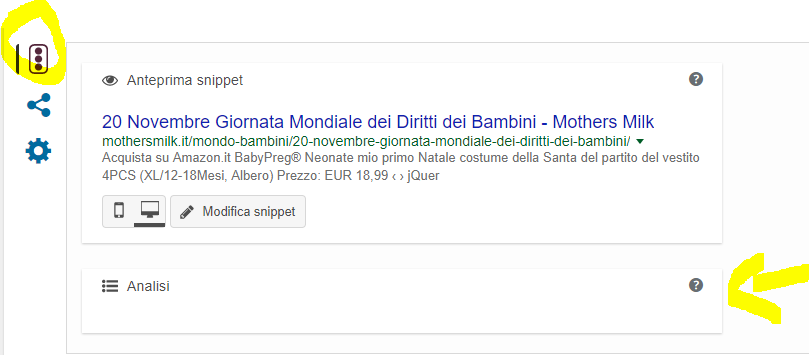
The Javascript console is clean:
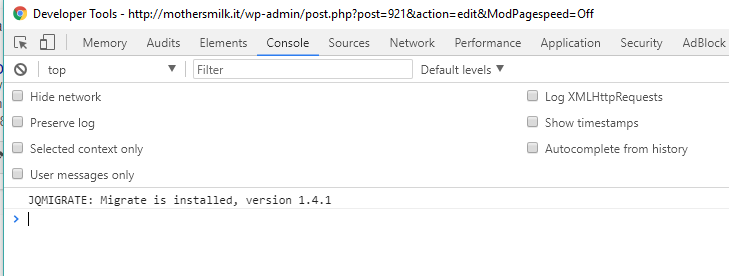
We use server side Pagespeed optimization with Apache Mod_Pagespeed but also disabling it the problem persists.
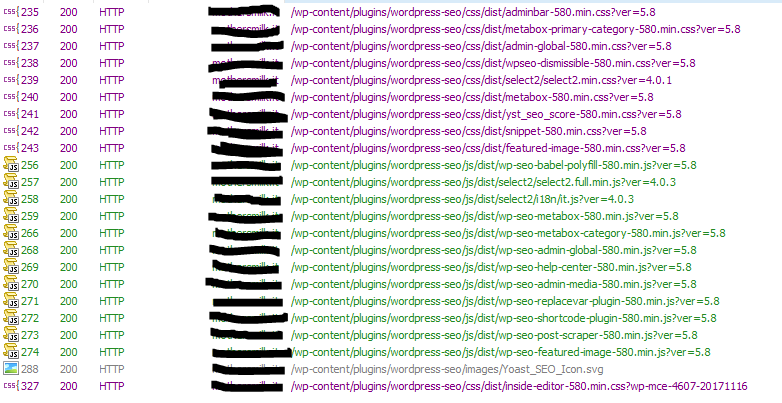
We checked also all the http request with Fiddler but there aren't errors and all the js and css of wordpress-seo are correctly loaded.
Here the screenshot of all request containing "wordpress-seo":
Thanks
Best regards
 WpSEOit
on 27 Nov 2017
WpSEOit
on 27 Nov 2017
Last update of Yoast fix the problem. Thanks
WpSEOit
on 5 Dec 2017
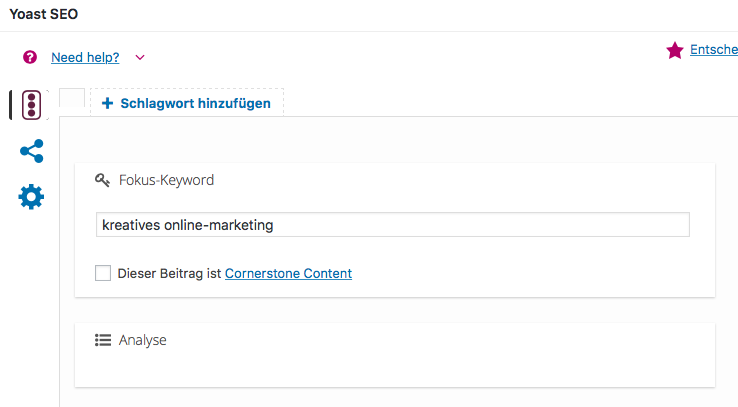
I updated to the latest version and the problem still persists:

JanaleinBerlin
on 6 Dec 2017
I have the same problem. I have changed nothing just opened up WP and Yeost content optimization not working.
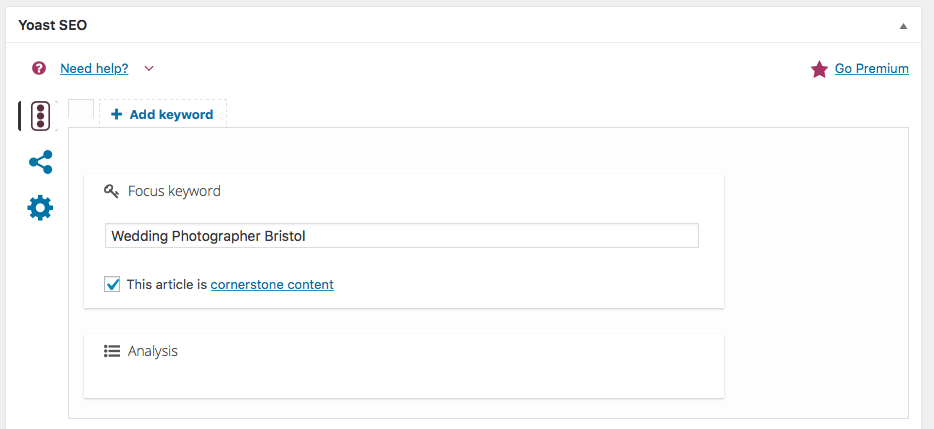
 williams359
on 23 Mar 2018
williams359
on 23 Mar 2018
I am experiencing the same issue after updating to the latest version (7.6) of Yoast SEO this morning. Any tips what can I do to fix that?
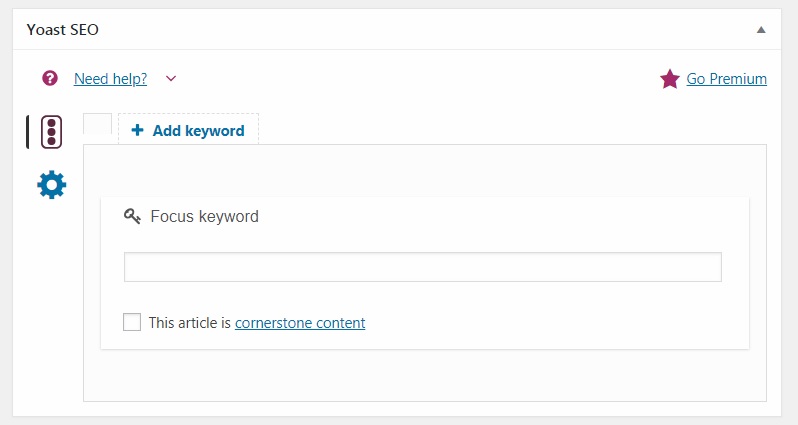
Thanks for your time. Looking forward to a feedback!
 bangelov90
on 6 Jun 2018
bangelov90
on 6 Jun 2018
Same here since this morning. wp-seo-post-scraper-760.min.js?ver=7.6:33 Uncaught TypeError: t.val is not a function
 benoitmercusot
on 6 Jun 2018
benoitmercusot
on 6 Jun 2018
I am also expericing the EXACT same issue as @bangelov90 -- His screenshot is basically how mine looks like so I won't upload another.
This issue has also been reported over at wordpress.org's support forums by other in the last 48 hours or so. So it seems like it's a bug.
 VioAdmin
on 6 Jun 2018
VioAdmin
on 6 Jun 2018
I have the same issue since this morning - with this error in the console: wp-seo-post-scraper-760.min
 eluxton
on 6 Jun 2018
eluxton
on 6 Jun 2018
Update - I tested my plugins and it seems like my Custom Permalinks plugin is causing the issue. Does anyone else use this? I've raised a new bug report since this one is closed.
eluxton
on 6 Jun 2018
I confirm this a conflict with custom permalink. well done @eluxton
benoitmercusot
on 6 Jun 2018
I can also confirm it is a conflict with custom permalink plugin. Good find!! Now who fixes it? Custom Permalinks or Yoast?
VioAdmin
on 6 Jun 2018
I also raised the issue with Custom Permalinks here: https://wordpress.org/support/topic/compatibility-with-yoast-seo-3/#post-10371371
Apparently the issue is due to a typo in the JS field of the updated Yoast plugin so they should fix it. I raised a new bug report and hopefully they will resolve it soon!
Here is the bug report I filed to Yoast - https://github.com/Yoast/wordpress-seo/issues/9966
eluxton
on 6 Jun 2018
Guilty :
add_filter( 'get_sample_permalink_html',
array( $this, 'custom_permalinks_get_sample_permalink_html' ), 10, 4
);
maybe it could be just commented out as a hotfix. It affects the form in backend, but should not break urls
benoitmercusot
on 6 Jun 2018
Hello, I meet the same problem, who can help me?
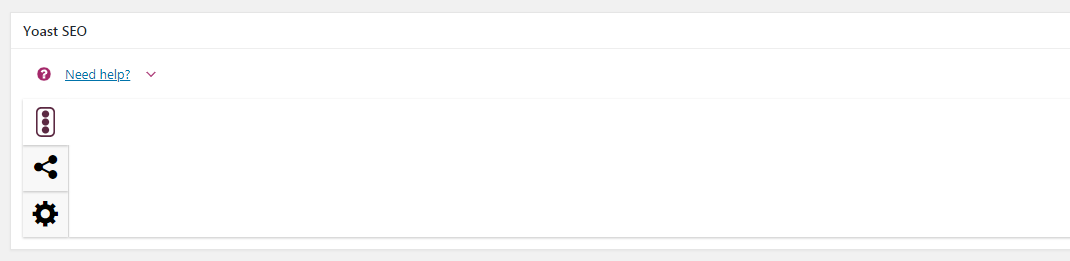
 Joan2787
on 18 Dec 2018
Joan2787
on 18 Dec 2018
Hello, I meet the same problem, who can help me?
I am having this same issue on Wordpress 5.02. disabling other plugins does not resolve. Any known plugin not compatible?
 ixscode
on 3 Jan 2019
ixscode
on 3 Jan 2019
I'm having the exact 100% same issue. Looking at older threads this has been happening for more than 4 months. No change and no answer on any thread even though many have been opened.
 ghost
on 22 Jan 2019
ghost
on 22 Jan 2019
Hello,
the issue was resolved after updating to Version 9.4.
best,
Jana
Am 22.01.2019 um 09:25 schrieb 669966 notifications@github.com:
I'm having the exact 100% same issue. Looking at older threads this has been happening for more than 4 months. No change and no answer on any thread even though many have been opened.
—
You are receiving this because you commented.
Reply to this email directly, view it on GitHub https://github.com/Yoast/wordpress-seo/issues/7165#issuecomment-456310883, or mute the thread https://github.com/notifications/unsubscribe-auth/AfSEZq9LVSQAfCxx3VCTHaOg6WwTw5XYks5vFsrqgaJpZM4NnriL.
JanaleinBerlin
on 22 Jan 2019
Hi and thanks for the fast reply.
Yoast was updated to the latest version when this issue occurred (9.5).
The issue was caused by a conflict with the WPML plugin - at least in my case.
WPML didn't see the website key as valid so I had to Unregister and then Register my key again. I didn't know this because it looked "registered".
ghost
on 23 Jan 2019
Hi, I have the same problem. Yoast is not showing any details at all.
I've de-installed all plugins and still no change. Anyone got any ideas?
I don't use a custom permalink either, just the standard Post Name structure
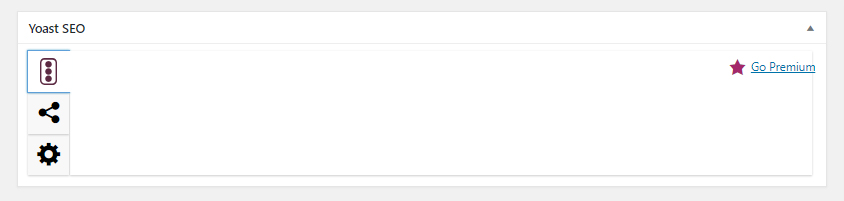
 PhilAinley
on 4 Mar 2019
PhilAinley
on 4 Mar 2019
Also happening for me.
Disabled every plugin except for Yoast.
Running WordPress 5.1, Yoast 9.7
I have also checked for theme conflicts by changing the theme to 2015
 proj65
on 11 Mar 2019
proj65
on 11 Mar 2019
Related issues
 andizer
·
3Comments
andizer
·
3Comments
 garretthyder
·
5Comments
garretthyder
·
5Comments
 stayallive
·
4Comments
stayallive
·
4Comments
 haroldangenent
·
4Comments
haroldangenent
·
4Comments
 PENTAGON4
·
6Comments
PENTAGON4
·
6Comments
Most helpful comment
I confirm this a conflict with custom permalink. well done @eluxton