Wordpress-ios: Reader: Placeholder content appears if you switch tabs while Reader screens are loading
Expected behavior
I expect that any time I open a Reader screen I'll either see a ghost view (while content is loading) or the expected Reader content.
Actual behavior
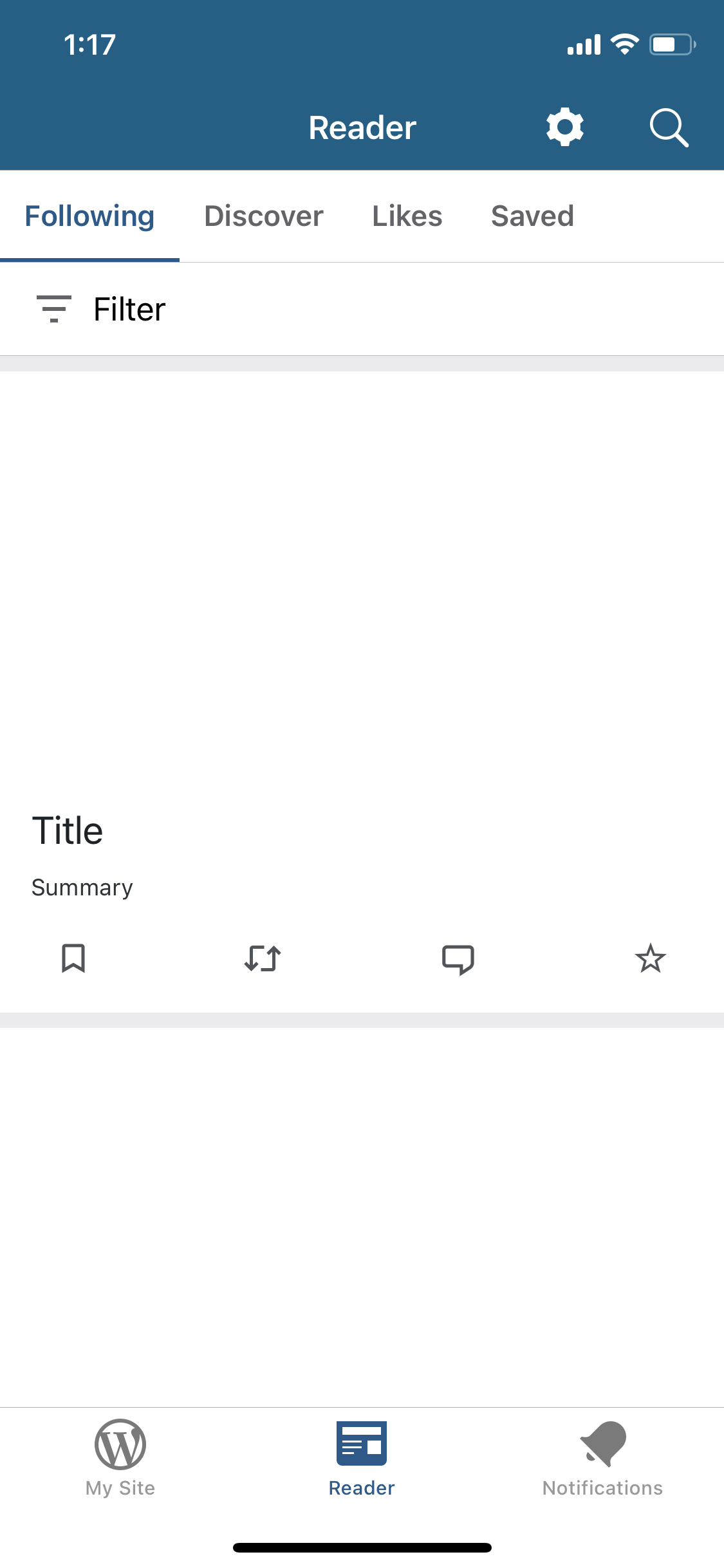
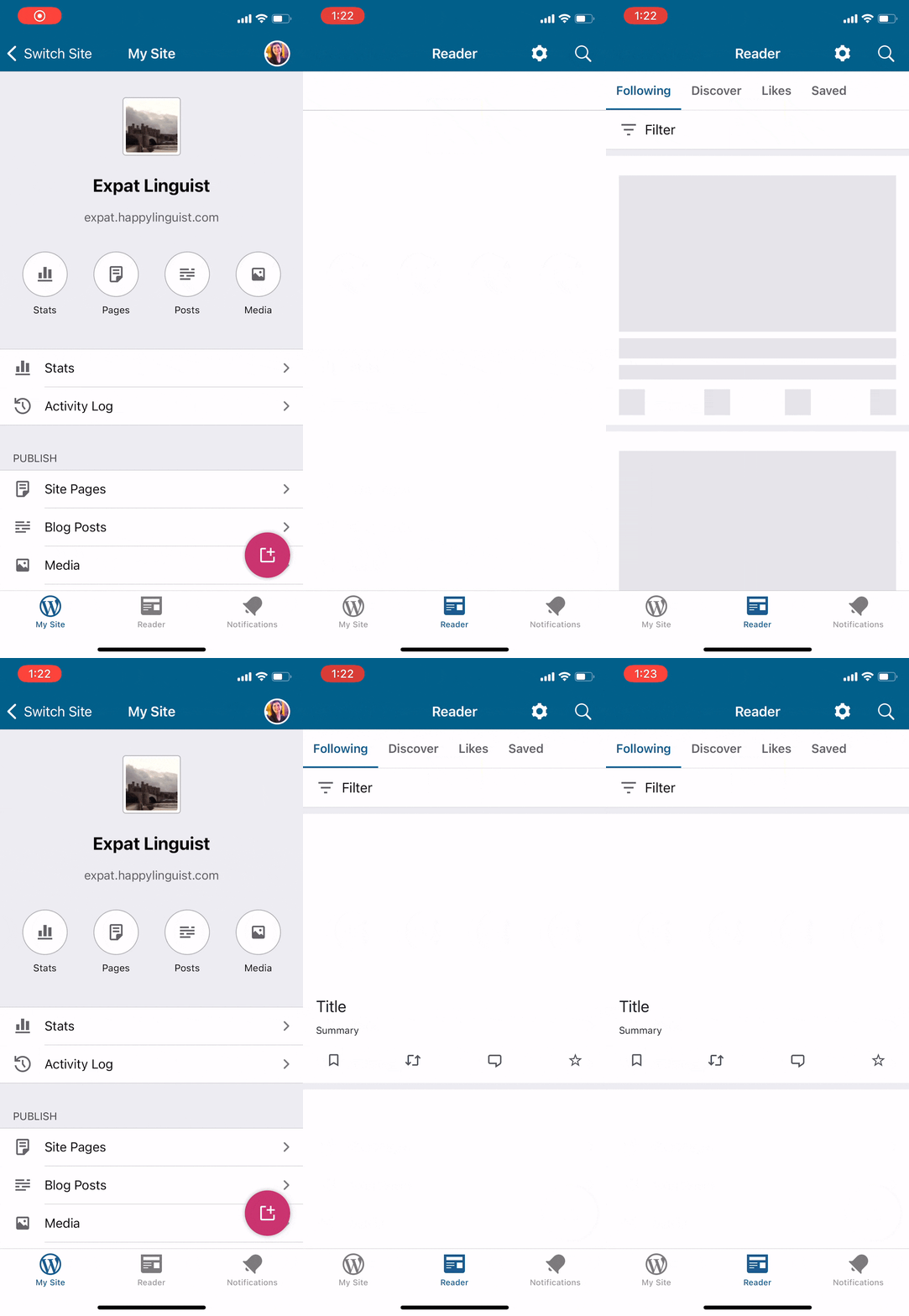
If I open a Reader screen, see a ghost view (because content is being loaded), and switch to another tab in the app, then when I open the Reader again I see placeholder content that doesn't scroll.
This happened to me repeatedly while dogfooding the Reader, after I first logged in to the app, since it was taking a long time for my Reader feeds to finish loading.
Steps to reproduce the behavior
- Start logged out of the app (since the ghost view in the Reader is most visible after the initial login).
- Log in to a WordPress.com account.
- Open the Reader tab.
- While the content is still loading in the Reader, switch to another tab (My Site or Notifications).
- Open the Reader tab and notice the placeholder content is now visible, and you can't scroll on the screen.
Screenshots
Placeholder content|GIF
-|-
 |
|
Tested on [iPhone XS], iOS [14.2], WPiOS [16.3.0.1 TestFlight beta]
 rachelmcr
All 2 comments
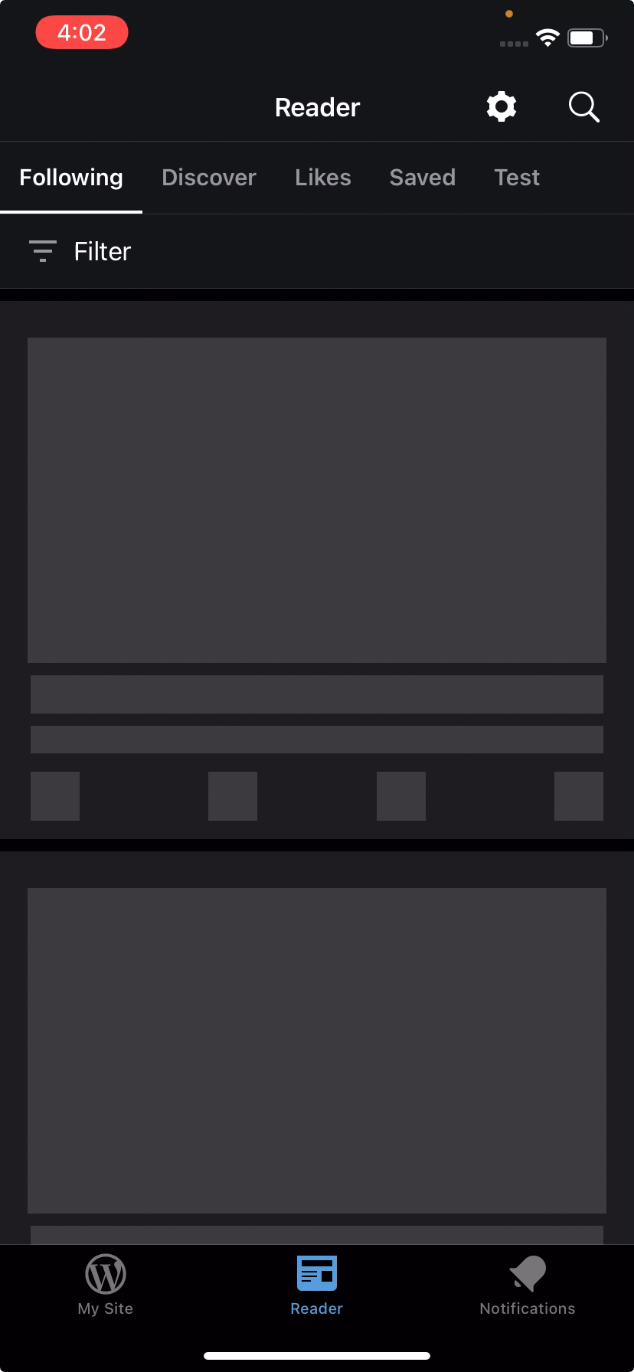
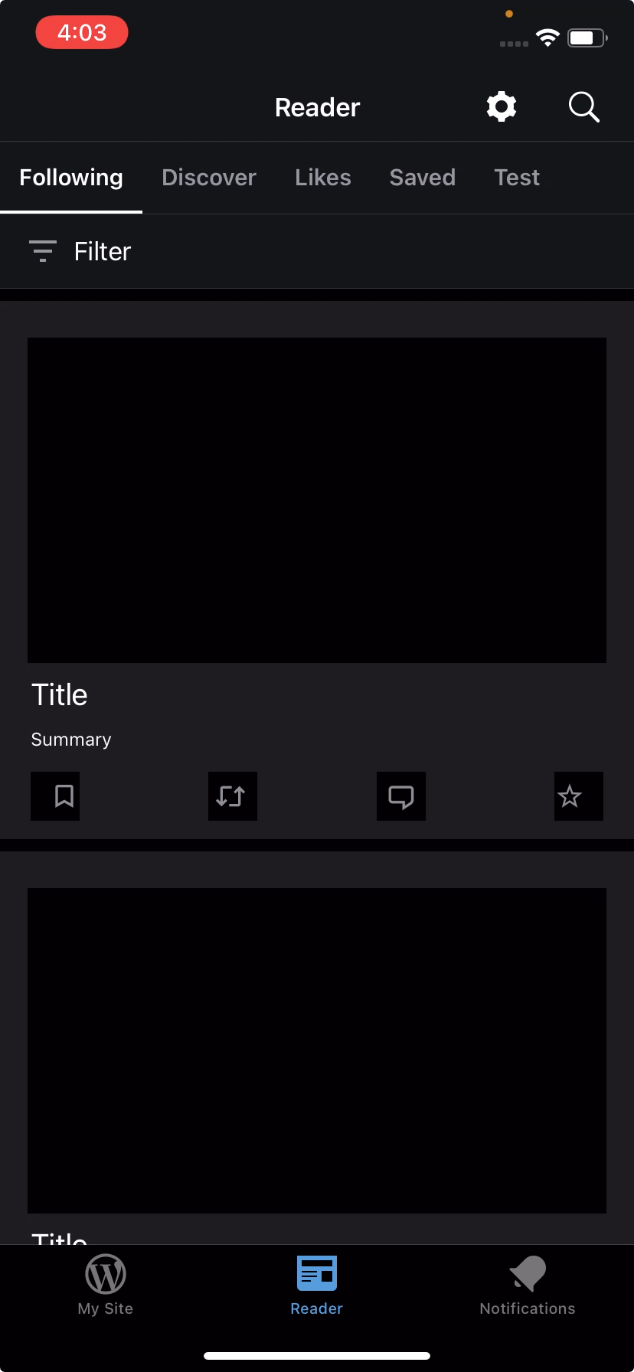
Oof, this was hard for me to spot (you have eagle eyes!) and I agree it's easier to see it if you both have a slow internet connection and you are using an account that is following a lot of sites in the Reader. (49s) Also, in my testing, the placeholder content isn't shown very long and after it loads I can scroll normally—which I assume is why it's labeled low priority. Here are some screenshots from a test using dark mode.
Ghost view from step 3|Content still loading view from step 5
---|---
 |
|
Tested with WPiOS 16.3.0.5 TestFlight beta on iPhone 11 iOS 14.2 using account design5279 which is currently following 67 sites and 1 tag.
 designsimply
on 11 Dec 2020
designsimply
on 11 Dec 2020
You need a trip to my part of the world, to experience the joys of always testing on slower internet connections. ;) The real content takes much longer to load for me, but indeed everything works fine once the real content finishes loading so I'd say it's low priority (more of a visual issue than a significant functional issue).
rachelmcr
on 11 Dec 2020
Related issues
 kurzee
·
3Comments
kurzee
·
3Comments
 marekhrabe
·
3Comments
marekhrabe
·
3Comments
 wptester9845
·
3Comments
wptester9845
·
3Comments
 mindgraffiti
·
3Comments
mindgraffiti
·
3Comments
 hypest
·
3Comments
hypest
·
3Comments