Wordpress-ios: Media Library: App spontaneously cycling through media items
Expected behavior
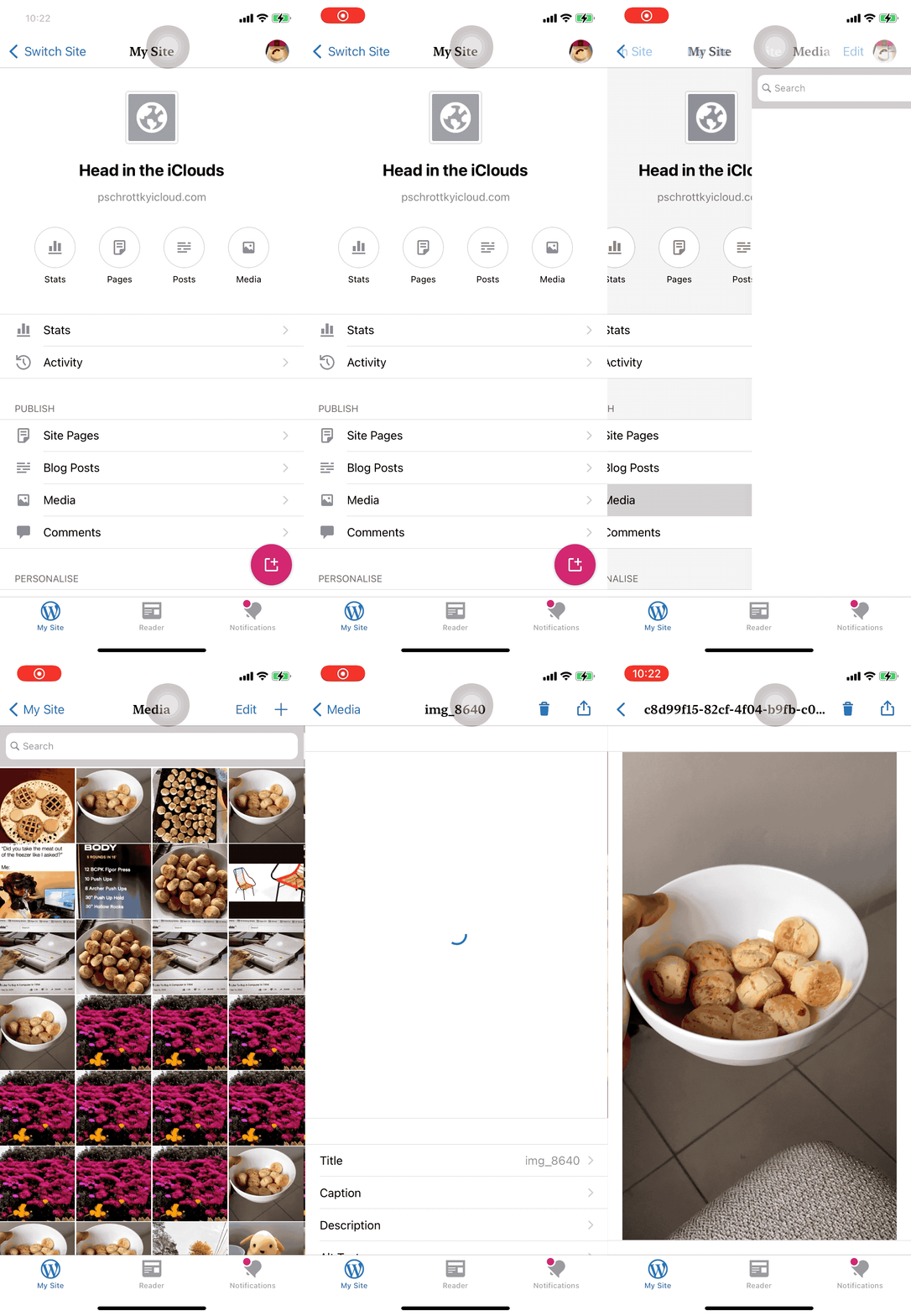
Opening the a site's media library should display a grid of media items.
Actual behavior
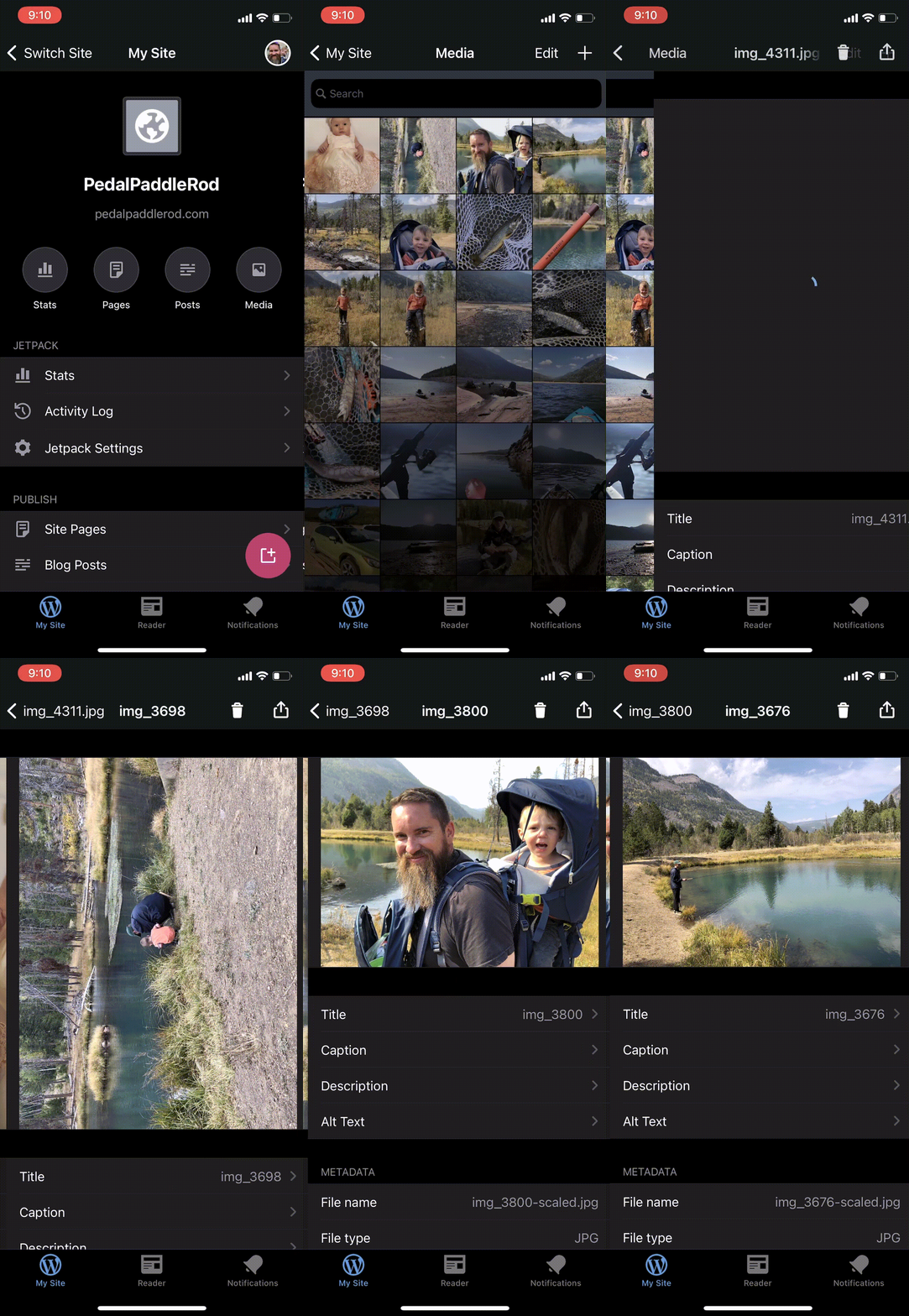
Opening the a site's media library causes multiple screens to be pushed onto the stack (the app seems to cycle through each media item until it reaches the last item).
|  |
|
| - |
Steps to reproduce the behavior
This can only be reproduced using a app built using Xcode 12 (that is to say, using the iOS 14 SDK). It's not reproducible using a build made using Xcode 11, even if the app is running on a device with iOS 14 installed.
- I've seen it on multiple WordPress.com account and on multiple WordPress.com sites
- It's not 100% reproducible, sometimes I only see it on the 2nd or 3rd visit to the Media Library screen (that said, it's quite easy to reproduce for me)
- I've only tested on one iOS device
Tested on iPhone 11, iOS 14, WPiOS 15.7 (or https://github.com/wordpress-mobile/WordPress-iOS/commit/e37dce417fb7ca59cd2aaeb5014fee5b76974c94, as noted in the comments below)
 guarani
All 5 comments
I'm currently unable to reproduce this one... do you literally just open Media and then tap an item in the library?
 frosty
on 18 Sep 2020
frosty
on 18 Sep 2020
I wasn't able to reproduce again on the Test Flight 15.7 build (strangely enough), but then I compiled from Xcode 12 using the following commit and was able to get it working: https://github.com/wordpress-mobile/WordPress-iOS/commit/e37dce417fb7ca59cd2aaeb5014fee5b76974c94
guarani
on 18 Sep 2020
I'm currently unable to reproduce this one... do you literally just open Media and then tap an item in the library?
@frosty yes, although today I could only reproduce building from Xcode 12 (not when using the Test Flight build, see comment above). I've also added a screen recording to the issue.
guarani
on 18 Sep 2020
I suffer from this with the current 16.3 app in the app store. Makes the app unusable for me without the ability to add media.
 rehpa
on 28 Dec 2020
rehpa
on 28 Dec 2020
Thanks for reporting, @rehpa!
guarani
on 29 Dec 2020
Related issues
 iamthomasbishop
·
3Comments
iamthomasbishop
·
3Comments
 jleandroperez
·
3Comments
jleandroperez
·
3Comments
 designsimply
·
3Comments
designsimply
·
3Comments
designsimply
·
3Comments
designsimply
·
3Comments
designsimply
·
3Comments
designsimply
·
3Comments
Most helpful comment
I suffer from this with the current 16.3 app in the app store. Makes the app unusable for me without the ability to add media.