Wordpress-ios: Reader Card: Tapping More button does nothing
Expected behavior
When tapping the more (...) button you are shown the list of additional options
Actual behavior
When tapping the more (...) button on some posts nothing happens
Steps to reproduce the behavior
- Open the app
- Open the Reader tab
- Tap the following tab
- Tap the cog to add a new site
- Add 'en.blog.wordpress.com'
- Refresh the following feed
- Tap the 'more' button
Tested on [device], iOS [version], WPiOS [version]
iPhone 11 Pro, 13.3.3, 14.9
 emilylaguna
All 8 comments
There was a report by a user asking where the 'visit' button which shows in the overflow menu accessed using the more (...) button was in 3073074-zen
On testing this, I was unable to open the overflow menu for quite some time while trying to click on it. It seems very specific to where you tap on the screen. I'm asking the user to report if they are having difficulty doing so also.
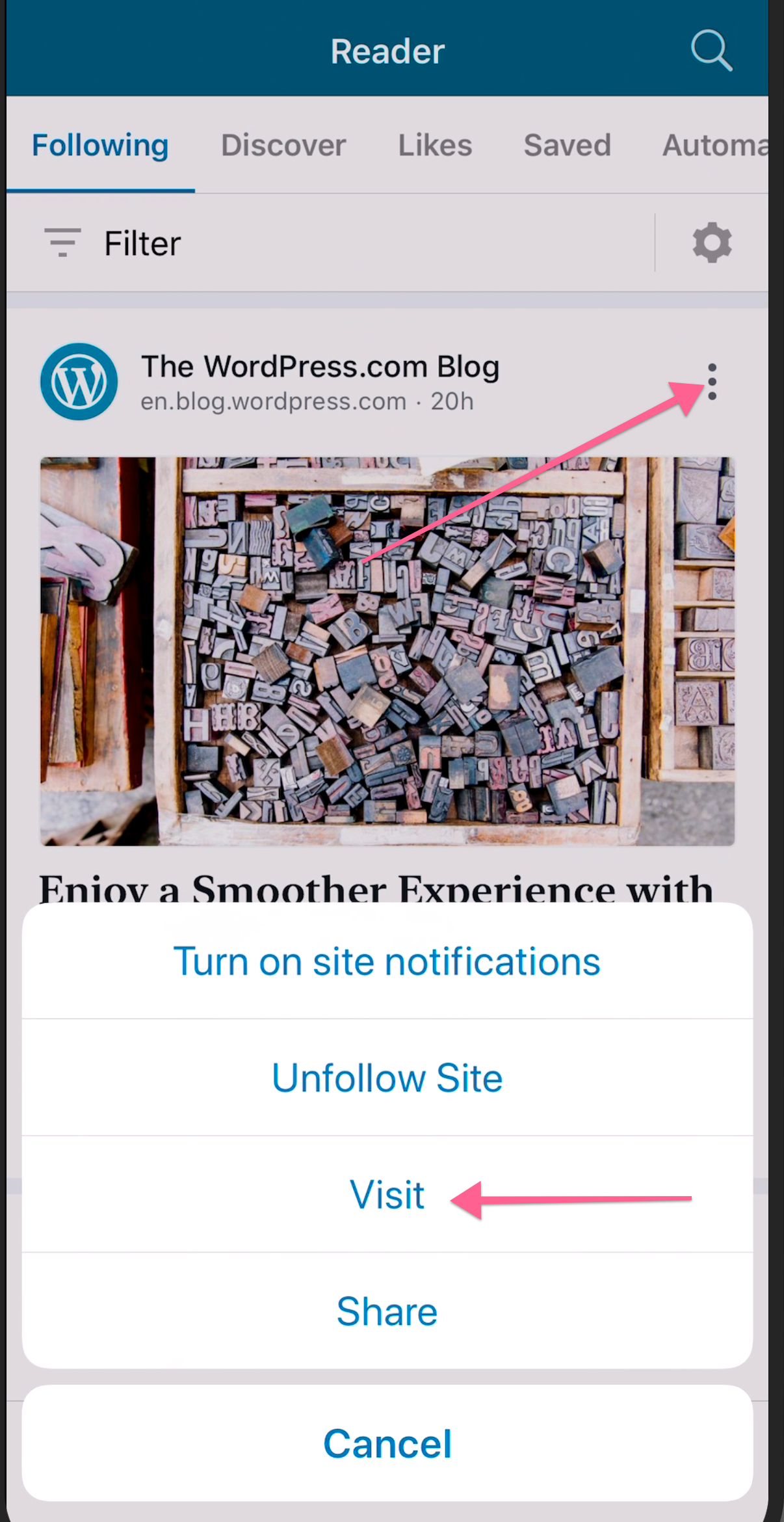
Tested on iPhone X, iOS 13.5.1, WPiOS 15.0
 rezzap
on 19 Jun 2020
rezzap
on 19 Jun 2020
I looked into this briefly and found that:
- The button event is being triggered but the event is being fizzled down the chain
- It gets to line 14 of ReaderMenuAction and stops because the topic is nil
emilylaguna
on 19 Jun 2020
(internal reference: pbArwn-gP-p2 for related design discussion, scroll to "Context" section 2nd bullet)
 designsimply
on 19 Jun 2020
designsimply
on 19 Jun 2020
I tested with WPiOS 15.0 App Store version and WPiOS 15.1.0.1 Testflight beta and, as @rezzap mentioned, it seems very specific to where you tap on the screen.
I found that it's super easy to accidentally tap to the right of the three dots to open an individual post view (as if you tapped the image or title just below it). I wasn't able to trigger the problem where tapping on the three dots in the Reader cards is nil or unresponsive.
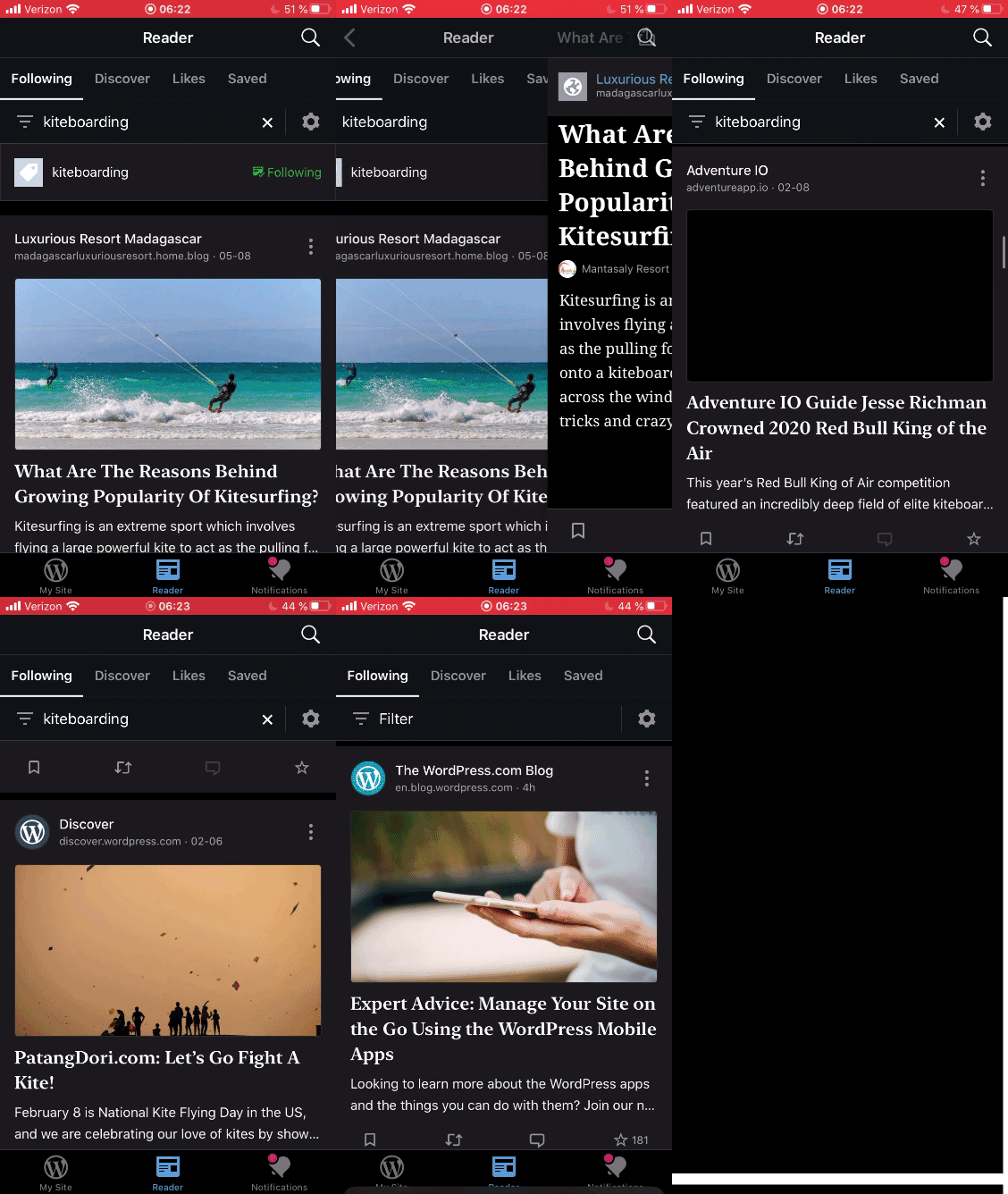
Tested with WPiOS 15.1.0.0 TestFlight beta on iPhone 6S iOS 13.3.1.
designsimply
on 19 Jun 2020
I spoke too soon. After reinstalling 15.1.0.0 Testflight beta, I couldn't get the more menu on Reader cards to open until after I used the filters at least once after the reinstall.
Steps to reproduce:
- Delete and reinstall the app.
- Log in and go to Reader.
- Try tapping the More menu (three dots) for several cards in the main stream.
- Observe that the More menu cannot be activated.
- Tap Filters and select any filter.
- Try tapping the More menu (three dots) for several cards in the filtered stream.
- Observe that the More menu works now.
- Exit the filter and go back to the main view.
- Try tapping the More menu (three dots) for several cards in the filtered stream.
- Observe that the More menu works now.
Result: I expected that tapping the more menu on Reader cards will always work but it doesn't work on a fresh install before any filters have been viewed. (2m14s)
Workaround: open any filtered view and then go back to the previous view.
Tested with WPiOS 15.1.0.0 TestFlight beta on iPhone 6S iOS 13.3.1.
designsimply
on 20 Jun 2020
I couldn't get the more menu on Reader cards to open until after I used the filters at least once after the reinstall
This sounds bad. @emilylaguna , can you please try to reproduce on 15.1 to see if we should fix on the frozen branch
 yaelirub
on 22 Jun 2020
yaelirub
on 22 Jun 2020
@yaelirub Will do, I'll review this later today.
emilylaguna
on 22 Jun 2020
End of day update, I looked at this again and have a working fix with a small caveat: The 'Turn on site notifications' option isn't visible.
The quick summary of the issue is that the menu button action only gets ran when it can find the ReaderSiteTopic for a site:
     let service = ReaderTopicService(managedObjectContext: context)>
---> if let topic = service.findSiteTopic(withSiteID: post.siteID) {
            showMenuForPost(post, context: context, topic: topic, readerTopic: readerTopic, fromView: anchor, vc: vc)
            return
        }
The problem is that this topic isn't created until you either tap on the site details itself, or use the filters. Once you do that a ReaderSiteTopic is added to the database and then the more menu will start working.
The fix I have will pass the nil topic to the showMenuForPost method which works since the method expects an optional.
        let service = ReaderTopicService(managedObjectContext: context)
        let topic = service.findSiteTopic(withSiteID: post.siteID)

        showMenuForPost(post, context: context, topic: topic, readerTopic: readerTopic, fromView: anchor, vc: vc)
}
This prevents the menu action from not being ran, but the site notification action doesn't appear because it requires the site topic.
Next Steps
I am currently trying to pin down when this started occurring to see what change may have caused this to happen.
As of right now I can confirm this bug existed in 14.8.3 and did not exist in 14.0
Edit: Confirmed this started occurring in 14.7.
emilylaguna
on 23 Jun 2020
Related issues
 frosty
·
3Comments
designsimply
·
3Comments
designsimply
·
3Comments
frosty
·
3Comments
designsimply
·
3Comments
designsimply
·
3Comments
 wptester9845
·
3Comments
wptester9845
·
3Comments
 marekhrabe
·
3Comments
marekhrabe
·
3Comments
Most helpful comment
End of day update, I looked at this again and have a working fix with a small caveat: The 'Turn on site notifications' option isn't visible.
The quick summary of the issue is that the menu button action only gets ran when it can find the
ReaderSiteTopicfor a site:The problem is that this topic isn't created until you either tap on the site details itself, or use the filters. Once you do that a
ReaderSiteTopicis added to the database and then the more menu will start working.The fix I have will pass the nil topic to the
showMenuForPostmethod which works since the method expects an optional.This prevents the menu action from not being ran, but the site notification action doesn't appear because it requires the site topic.
Next Steps
I am currently trying to pin down when this started occurring to see what change may have caused this to happen.
As of right now I can confirm this bug existed in 14.8.3 and did not exist in 14.0
Edit: Confirmed this started occurring in 14.7.