Wordpress-ios: Reader: too much space between sections
There are a few areas in the Reader where we can check on block cadence and make it flow a lot more nicely.
Steps to reproduce:
- Create a new post.
- Add several different types of blocks with paragraphs in between.
- Publish the post.
- View the post in the Reader or Notifications.
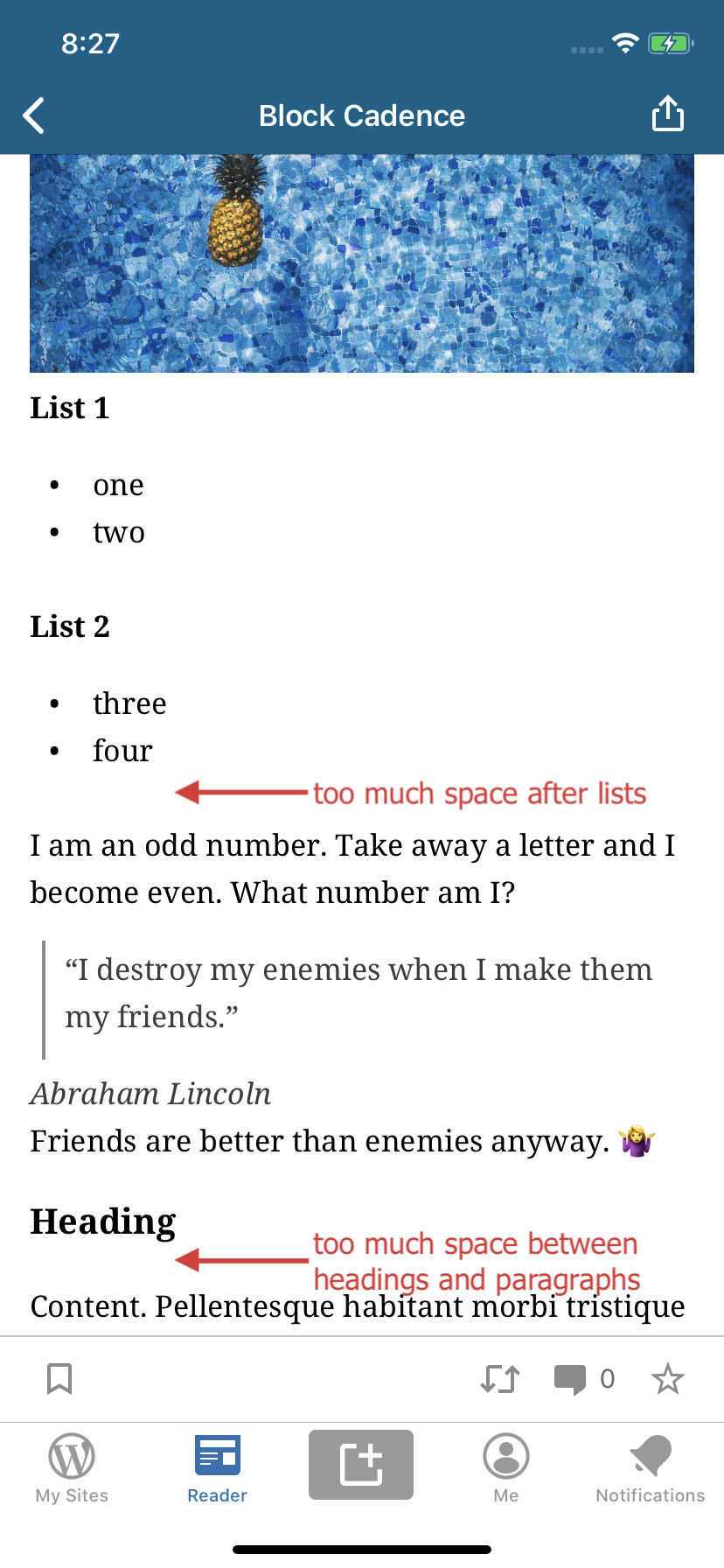
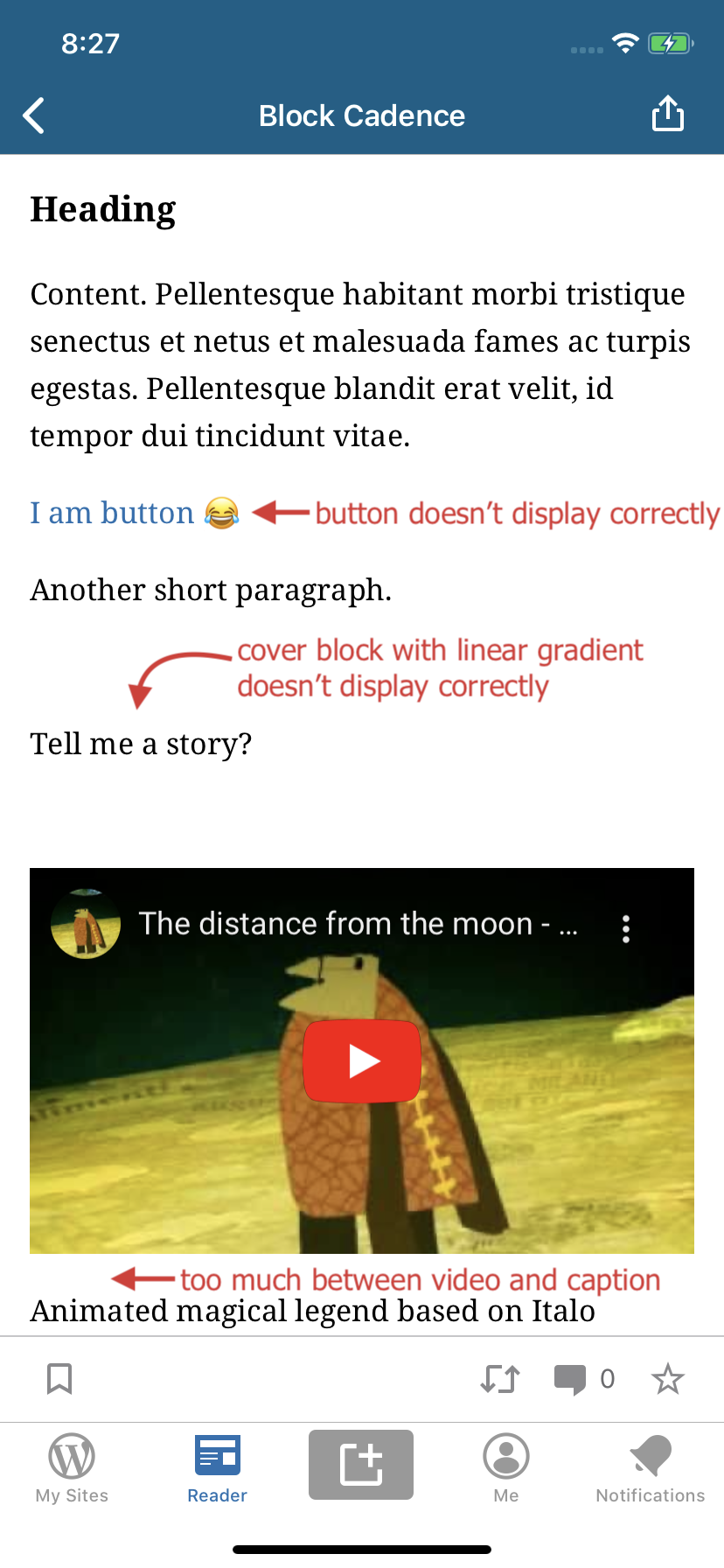
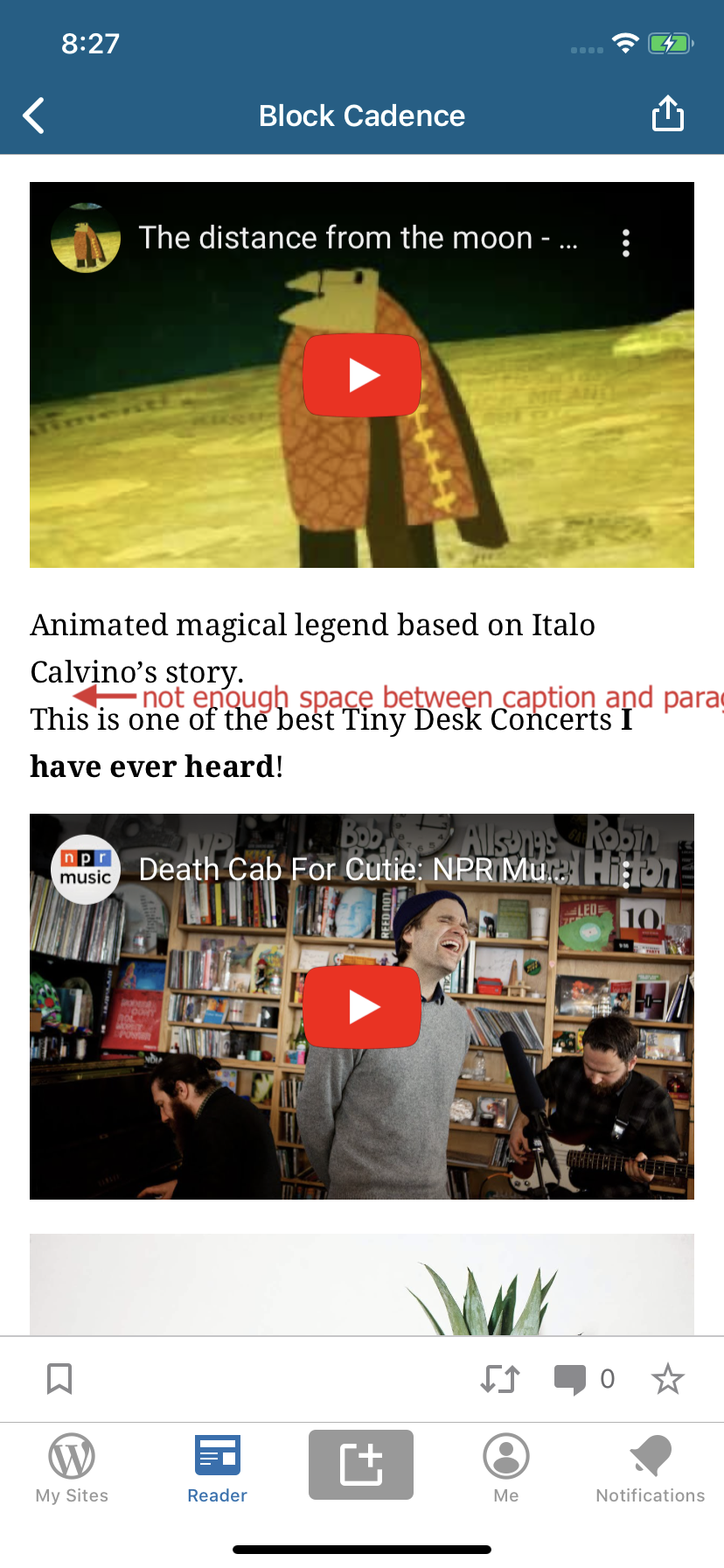
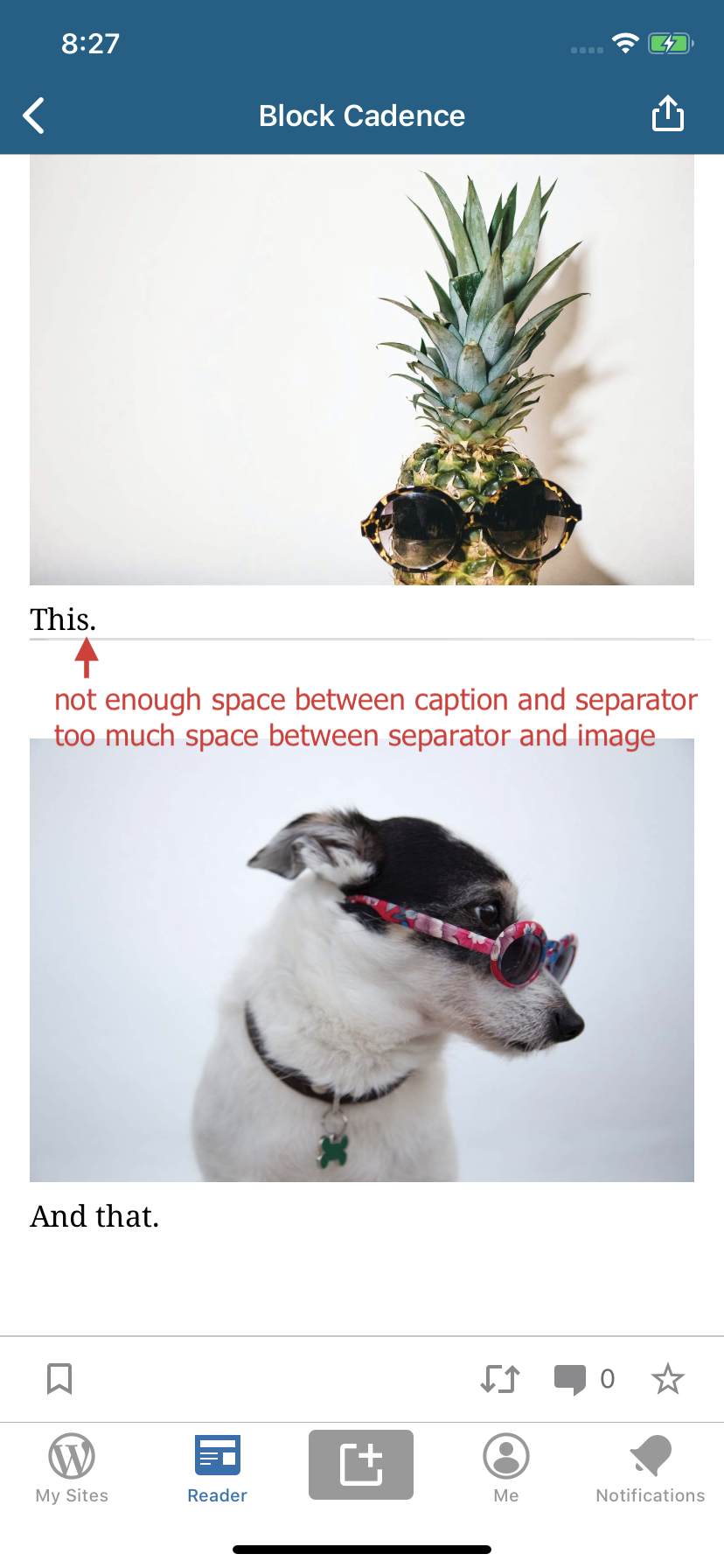
Result: too much space between sections and some blocks simply aren't displaying correctly, here are some examples we could look into:
- [ ] Too much space after lists.
- [ ] Too much space between headings and paragraphs.
- [ ] Button doesn't display correctly.
- [ ] Cover block with linear gradient doesn't display correctly.
- [ ] Too much space between video and video caption.
- [ ] Not enough space between caption and the following content, such as a paragraph block.
- [ ] Not enough space between caption and separator.
- [ ] Too much space between separator and the next content, such as an image block.
Tested with WPiOS 14.6.0.0 TestFlight beta on iPhone 11 iOS 13.4.1.
(internal reference: p4a5px-2wF-p2 h/t @elibud)
 designsimply
All 2 comments
cc: @yaelirub @bummytime as we'll want to tackle these fixes as part of the Reader improvements project. Thanks @designsimply .
 elibud
on 13 Apr 2020
elibud
on 13 Apr 2020
While testing the Custom HTML block today, I found that the following HTML is nice to use for testing spacing issues: https://raw.githubusercontent.com/cbracco/html5-test-page/master/index.html
More testing steps:
- Go to https://raw.githubusercontent.com/cbracco/html5-test-page/master/index.html
- Copy the content inside the
bodytags. - Create a new post in the app or on the web.
- Add a paragraph block.
- Add a Custom HTML block and paste the content copied in step 2.
- Add another paragraph block.
- Publish the post and view it in the Reader.
Result: scroll through the post and look for areas where the spacing looks off.
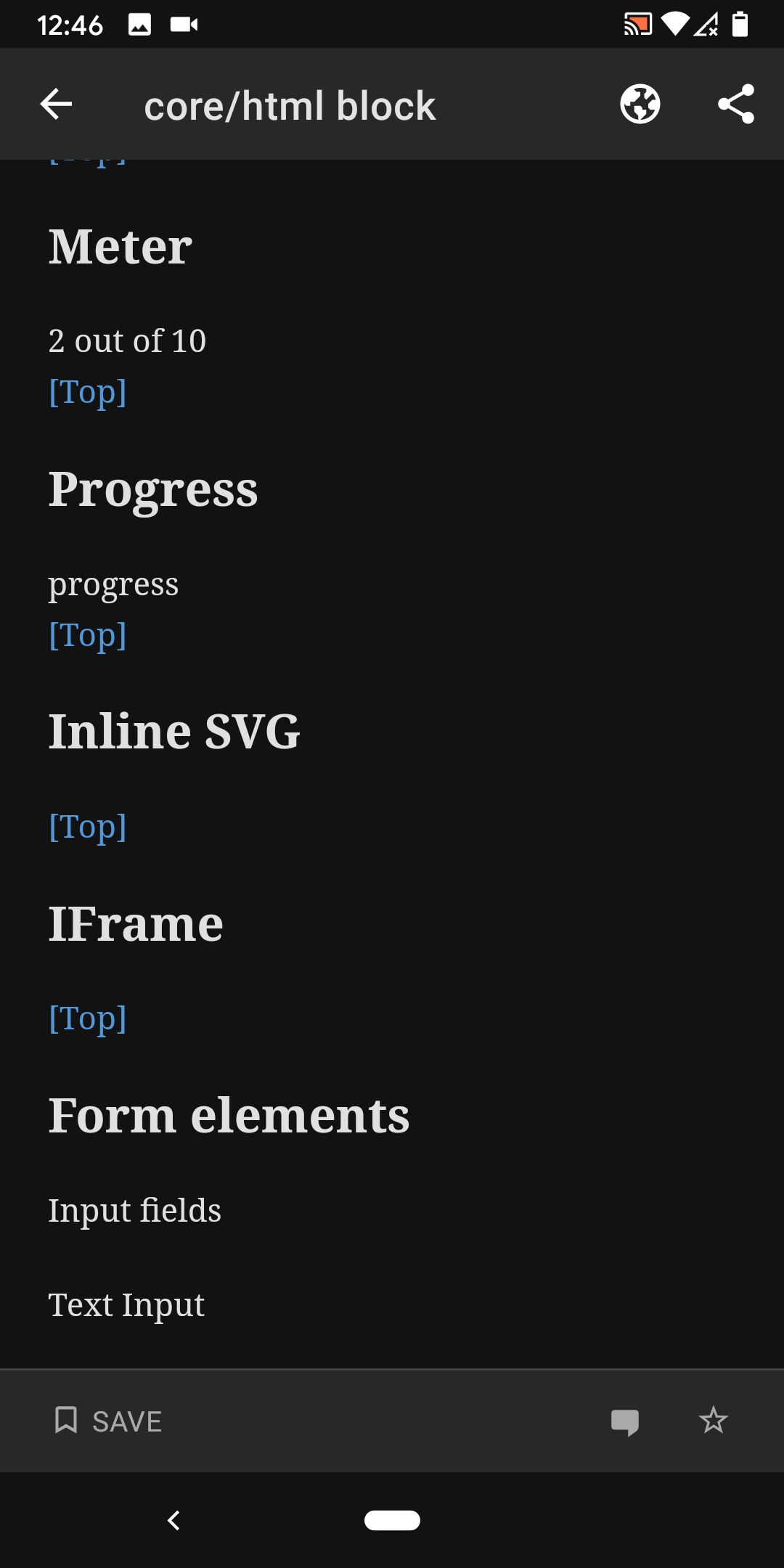
Here is one set of screenshots just showing some of the differences in the content displayed in Android Reader compared to iOS Reader:
WPAndroid 14.7-rc-3 | WPiOS 14.7.0.2 TestFlight beta
---|---
 |
|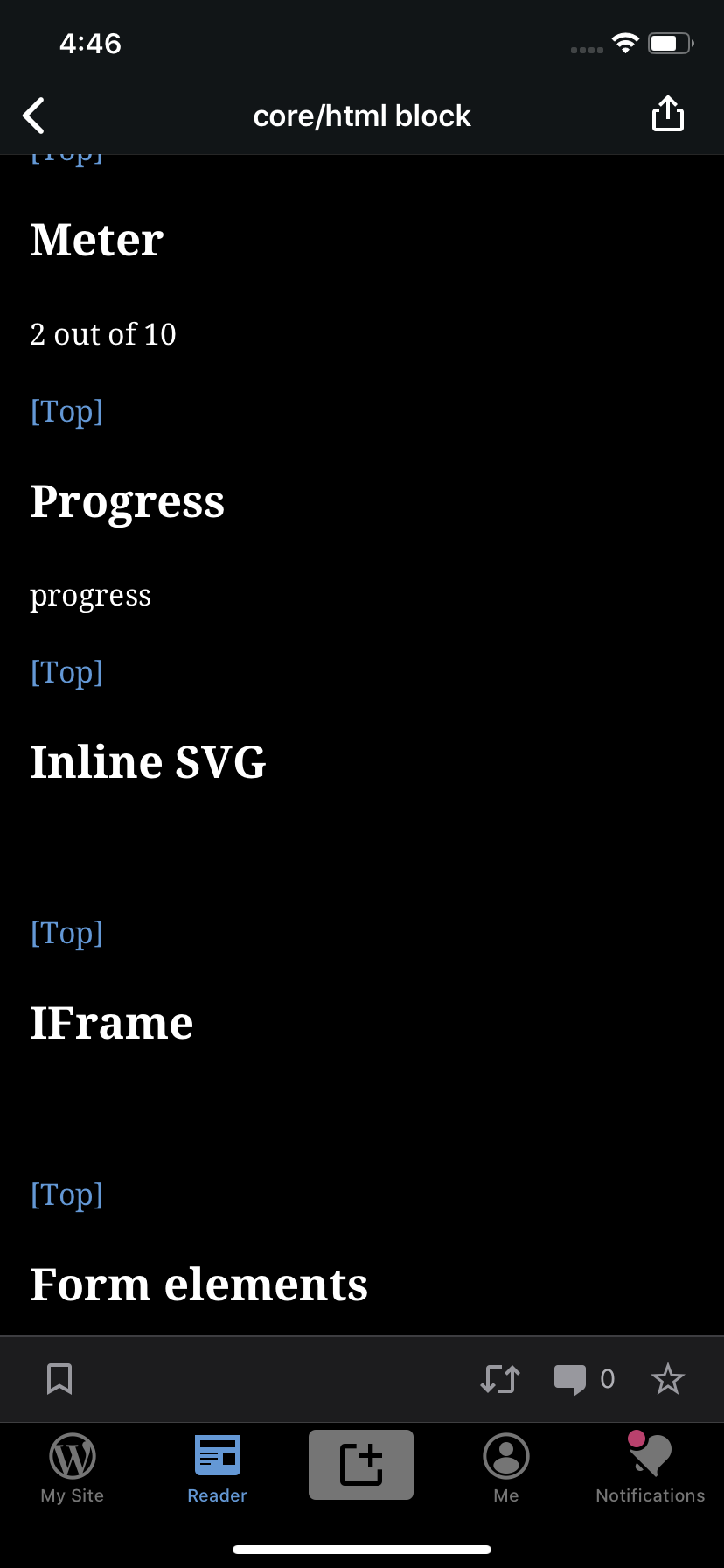
Tested with WPAndroid 14.7-rc-3 on Pixel 3 Android 10 and WPiOS 14.7.0.2 TestFlight beta on iPhone 11 iOS 13.4.1.
designsimply
on 29 Apr 2020
Related issues
designsimply
·
3Comments
 wptester9845
·
3Comments
wptester9845
·
3Comments
wptester9845
·
3Comments
wptester9845
·
3Comments
 mindgraffiti
·
3Comments
mindgraffiti
·
3Comments
 jkmassel
·
3Comments
jkmassel
·
3Comments
Most helpful comment
cc: @yaelirub @bummytime as we'll want to tackle these fixes as part of the Reader improvements project. Thanks @designsimply .