Wordpress-ios: Notifications: Gutenberg comments don't show up in notifications about likes or replies to comments
Expected behavior
When some likes or replies to a comment I made, I expect to see the beginning of my comment at the top of the notification about it.
Actual behavior
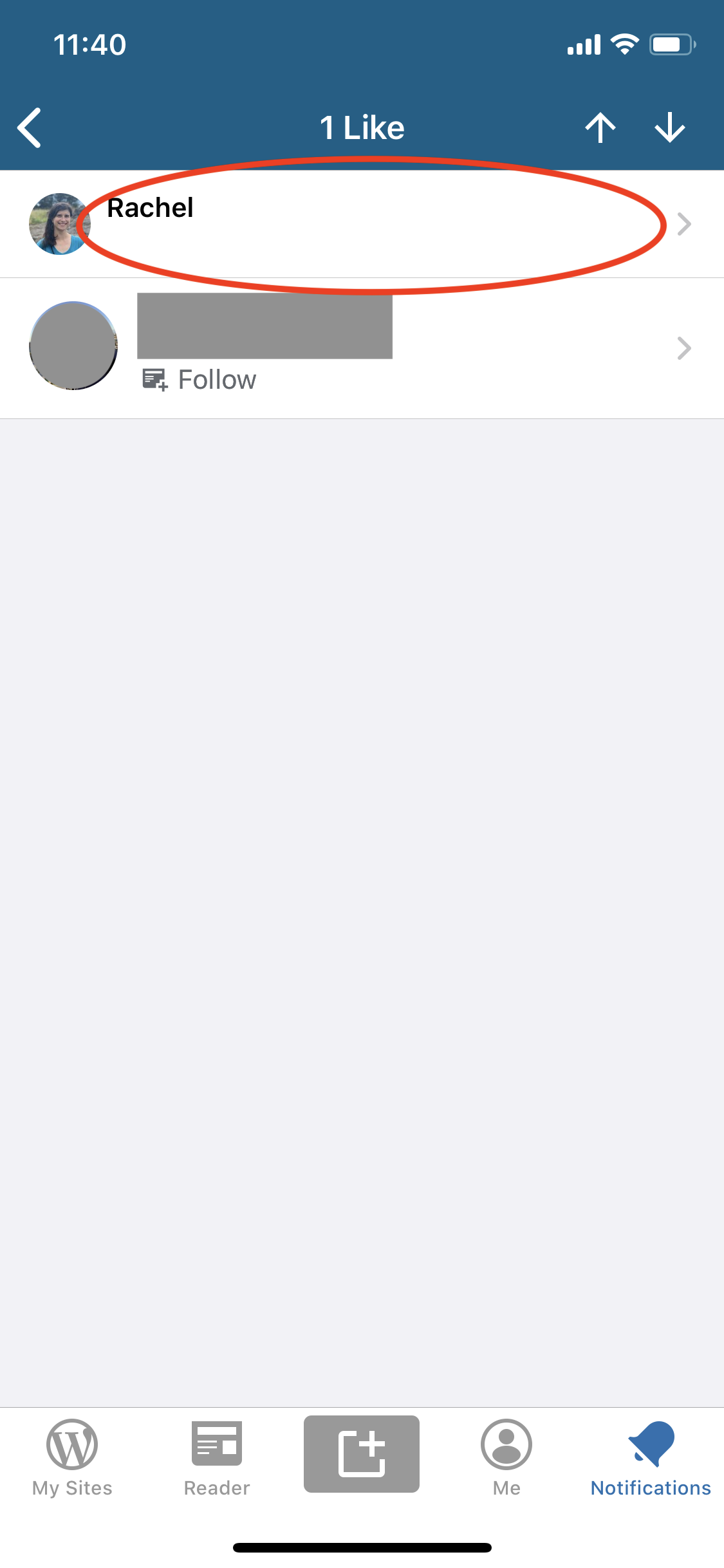
When my comment was made using Gutenberg, the area in the notification where I expect to see the beginning of my comment is blank.
This issue is specific to WPiOS — it works as expected on the web and in WPAndroid.
Steps to reproduce the behavior
- On a site, enable Gutenberg for the site comments.
- Leave a comment using Gutenberg.
- From another account, like or reply to that comment.
- In the app, check your notifications on the account you used to leave the Gutenberg comment.
- Select the notification about the like/reply to your comment to view the notification detail.
Result: The notification is received, but the text of your comment isn't visible in the notification detail.
WPiOS (bug)|WPAndroid (expected)
-|-
 |
|
Tested on [iPhone XS], iOS [13.4], WPiOS [14.6.0.20200406]
 rachelmcr
All 6 comments
Possibly related to the Notifications API not handling blocks in comments well.
 lancewillett
on 23 Apr 2020
lancewillett
on 23 Apr 2020
Tested and confirmed that a preview of the comment being replied to does not show up on comment reply detail screens in notifications using WPiOS 14.7.0.1 (TestFlight beta).
Steps to reproduce:
- Set up a Jetpack-connected site (Jetpack because we need access to notifications).
- Install and activate the Block Comments plugin.
- Publish a new post and leave a comment on that post.
- On the web, log in to the site as a different user or log out completely.
- Leave a comment reply on any existing comment with text content.
- On the app, go to Notifications and tap on any comment reply.
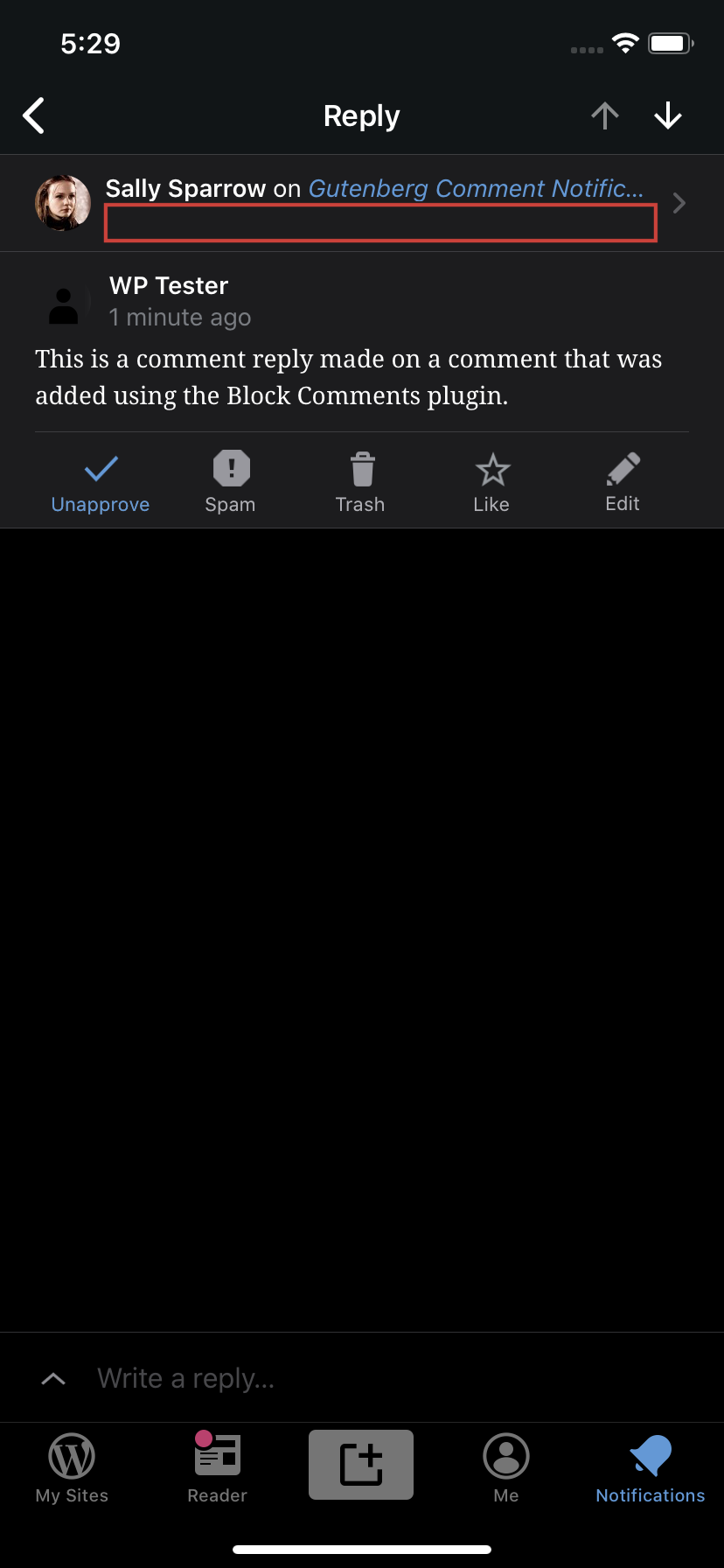
- Expect to see a snippet of the replied to comment in the header.
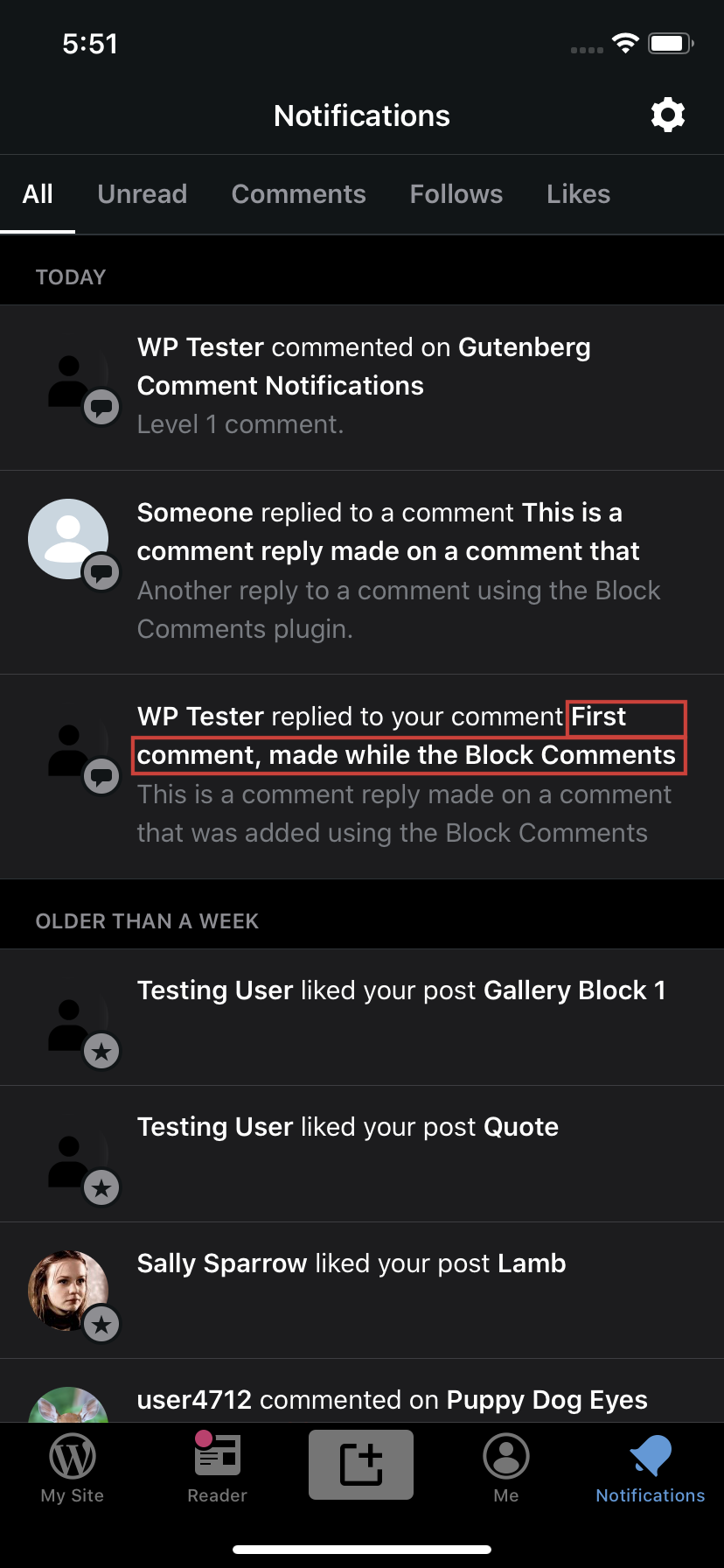
Result: a snippet of the replied to comment appears in the Notifications stream but once you tap on a comment reply to see details, the snippet is no longer there.
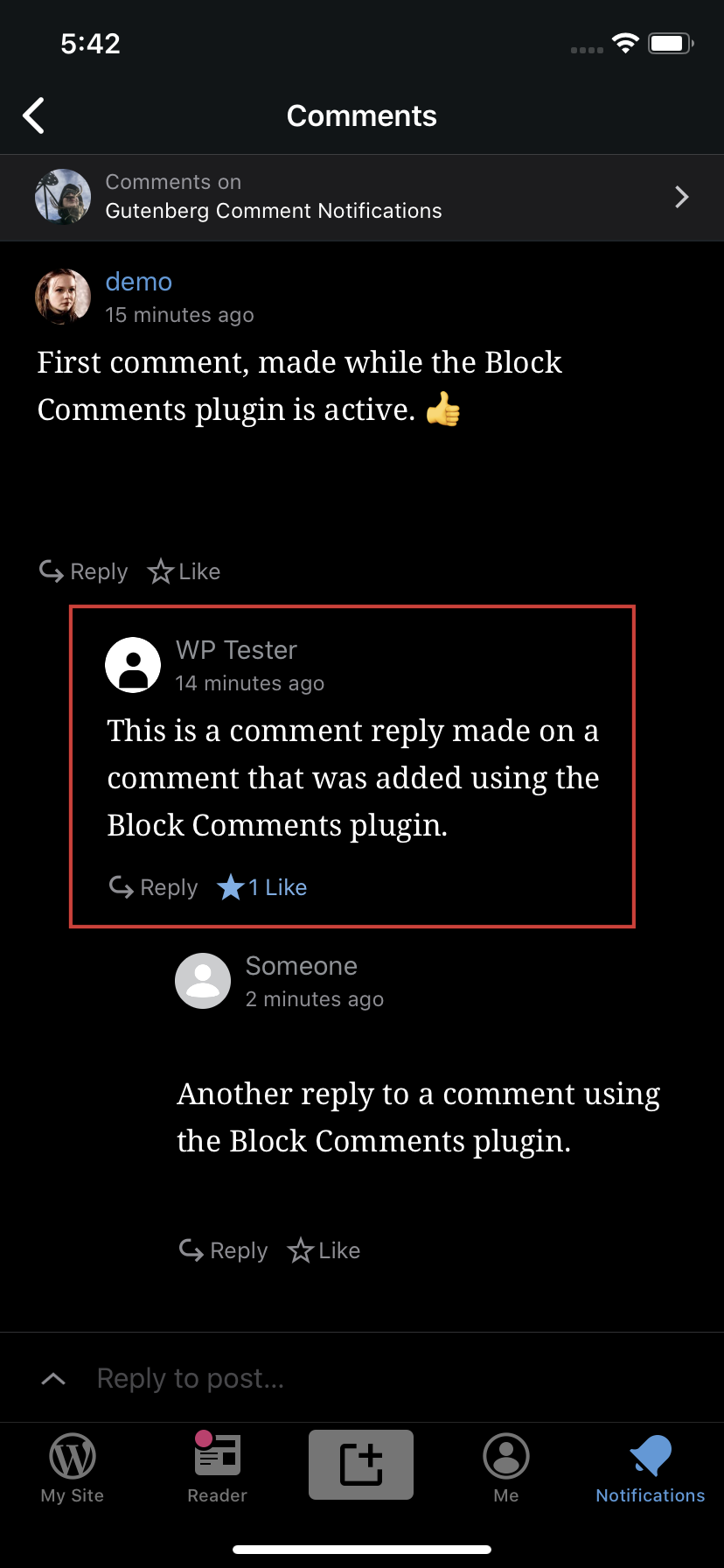
Notifications stream | Reply detail screen | Comments for context
--- | --- | ---
 |
| |
|
Tested with WPiOS 14.7.0.1 TestFlight beta on iPhone 11 iOS 13.4.1.
Note: the Block Comments plugin available at https://github.com/tomjn/block-comments is the precursor to testing Gutenberg Comments on P2 currently being tested internally.
 designsimply
on 23 Apr 2020
designsimply
on 23 Apr 2020
Another report https://wordpress.com/forums/topic/all-my-comments-and-replies-are-not-coming-in-the-notification-bell-2/
 darnelldibbles
on 23 Apr 2020
darnelldibbles
on 23 Apr 2020
We have another report via Twitter of this happening in the Android app as well.
 KokkieH
on 23 Apr 2020
KokkieH
on 23 Apr 2020
@darnelldibbles & @KokkieH Sorry if the title of this issue was misleading, but this is specifically about how the notification is rendered in the iOS app. (The notification itself comes through but not all of the text in the notification detail view is rendered.) Those two reports sound like issues with notifications not coming through at all, which would be a separate issue and likely needs to be investigated as a cross-client issue.
rachelmcr
on 23 Apr 2020
Thanks, @rachelmcr
It looks like this issue has instead been reported in p2EDhh-14W-p2
KokkieH
on 23 Apr 2020
Related issues
designsimply
·
3Comments
designsimply
·
3Comments
 mindgraffiti
·
3Comments
mindgraffiti
·
3Comments
 kurzee
·
3Comments
kurzee
·
3Comments
 jleandroperez
·
3Comments
jleandroperez
·
3Comments
Most helpful comment
Thanks, @rachelmcr
It looks like this issue has instead been reported in p2EDhh-14W-p2