Wordpress-ios: [VoiceOver] Reader: “Add a tag” page concerns
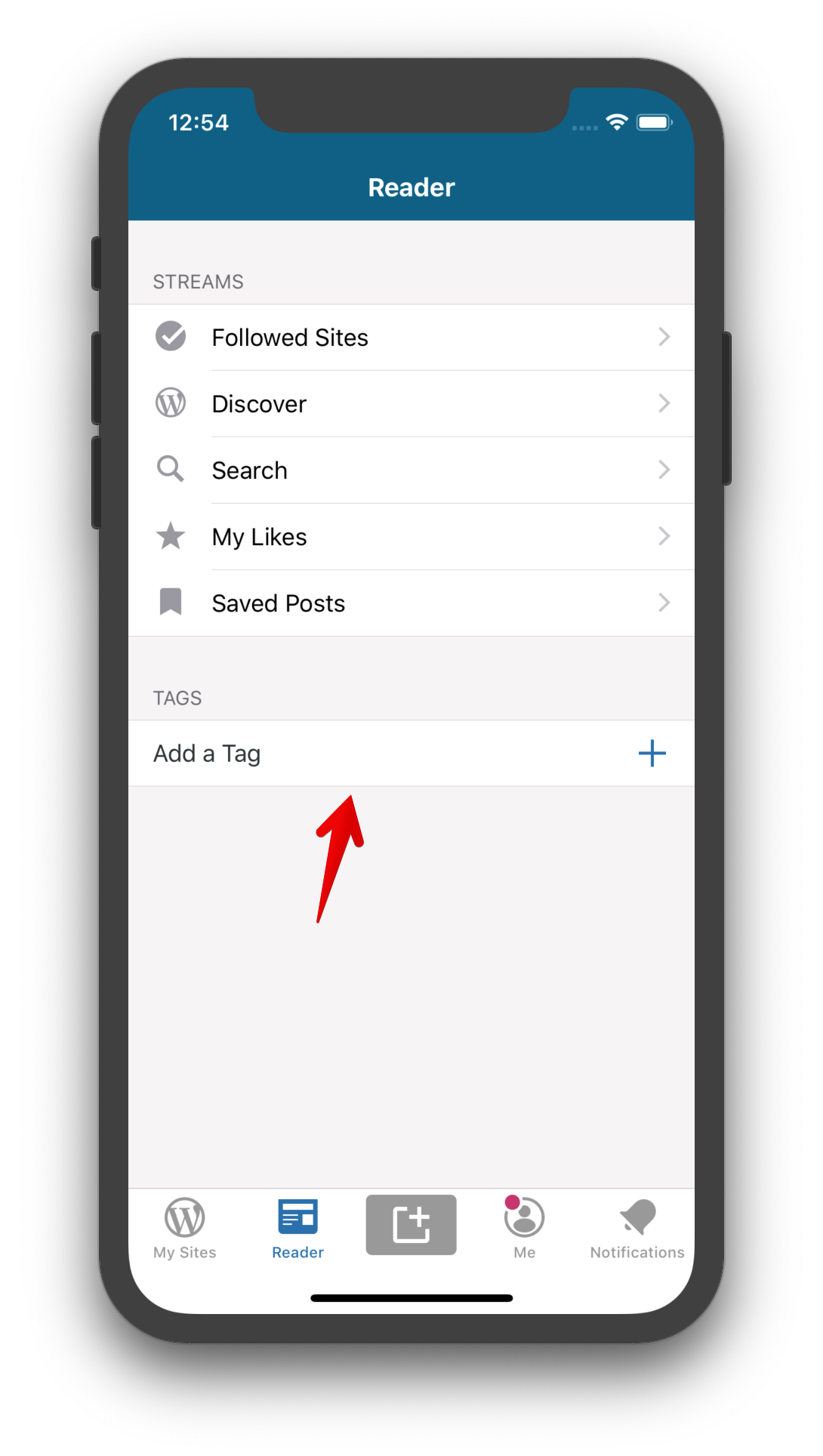
- [ ] Issue A: The _Add a tag_ button is not considered a button and hence, not dictated as tappable by VoiceOver.
- [ ] Issue B: In the _Add a Tag_ page, the _Add Tag_ button also does not have the
buttontrait. - [ ] Issue C: After entering a tag in the _Add a Tag_ page, the page just disappears and the main Reader page is shown. There is no indication of what happened.
- [x]
Issue D: There is no announcement when a tag is deleted
 shiki
shiki
All 2 comments
Issue A: i can go ahead and look is there is a property in order to allow voice over recognize it as a button, a posible easy and fast solution will be make the cell look the same as the ones above, but not sure the design will be ok there.
Issue C: when i add a tag the main Reader appears as you mention, but also it appears my note right below the button add tag, can you clarify what do you expect as an indication of what happened.
Issue D: When removing the tag it disappears from screen that indicates to me is gone. you mean here an alerte to confirm wheter you want to delete the tag or not?
 antonianemi
on 15 Nov 2019
antonianemi
on 15 Nov 2019
Hi @antonianemi! Thank you for helping us with this. 🙂
Issue A: i can go ahead and look is there is a property in order to allow voice over recognize it as a button, a posible easy and fast solution will be make the cell look the same as the ones above, but not sure the design will be ok there.
Yes, the idea is to use the .button accessibilityTrait. You'll notice that we do the same thing with the other cells in the same table.
Issue C: when i add a tag the main Reader appears as you mention, but also it appears my note right below the button add tag, can you clarify what do you expect as an indication of what happened.
I'm not quite sure how to handle this yet. I was thinking we can announce the successful addition of a new tag using Notification.announcement. But that may be too noisy. The other option that I think we can try first is by making VoiceOver focus on the added tag's cell. We already highlight the cell after adding, I think we can focus it using screenChanged.
Issue D: When removing the tag it disappears from screen that indicates to me is gone. you mean here an alerte to confirm wheter you want to delete the tag or not?
Thank you for pointing out that we already have a confirmation dialog there. I think this is fine. We can leave it as is.
shiki
on 15 Nov 2019
Related issues
 iamthomasbishop
·
3Comments
iamthomasbishop
·
3Comments
 wptester9845
·
3Comments
wptester9845
·
3Comments
 designsimply
·
3Comments
designsimply
·
3Comments
 frosty
·
3Comments
designsimply
·
3Comments
frosty
·
3Comments
designsimply
·
3Comments
Most helpful comment
Issue A: i can go ahead and look is there is a property in order to allow voice over recognize it as a button, a posible easy and fast solution will be make the cell look the same as the ones above, but not sure the design will be ok there.
Issue C: when i add a tag the main Reader appears as you mention, but also it appears my note right below the button add tag, can you clarify what do you expect as an indication of what happened.
Issue D: When removing the tag it disappears from screen that indicates to me is gone. you mean here an alerte to confirm wheter you want to delete the tag or not?